When working in a distributed architecture, we are interested in knowing the status of our Factory Talk Historian from any point in the application.
We already have half the work done with the configuration of system tags of the interface used Factory Talk Live Data (FTLD)
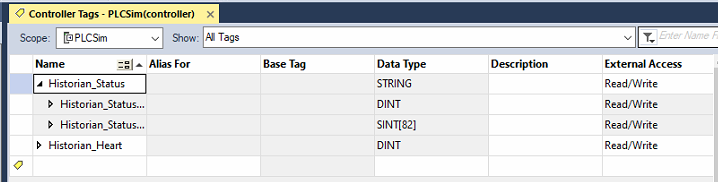
The next thing we will do is create 2 tags, for this example in the PLC at the controller level, one of type string and another of type INT, here adapt as needed.
Those tags we have created, we will register them in our Factory Talk Historian. If you are new to Factory Talk Historian, we will leave that part for another entry.
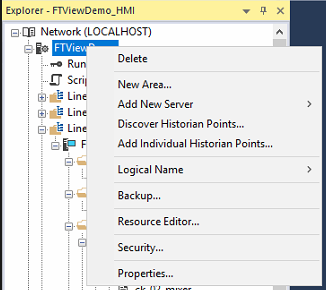
But from Factory Talk View SE, we add those PI points, Add Individual Historian Points...
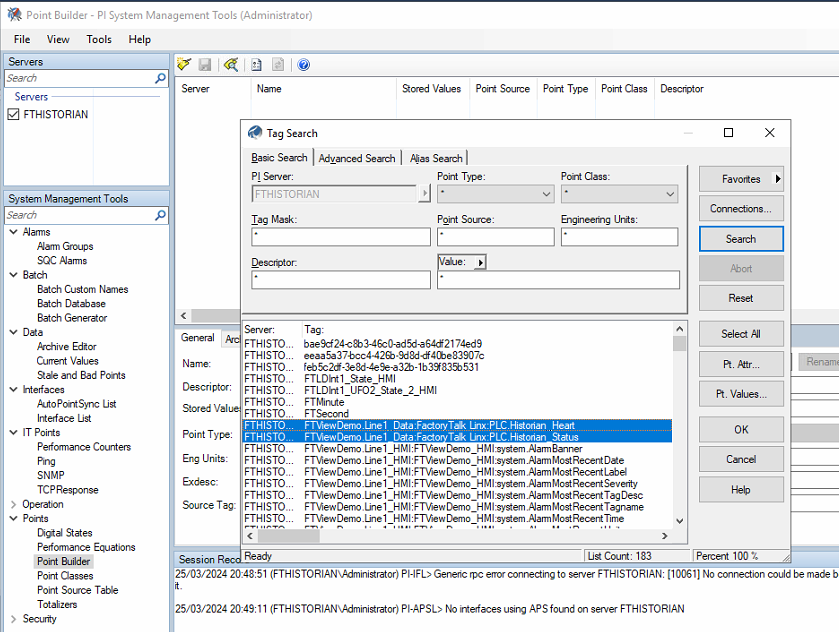
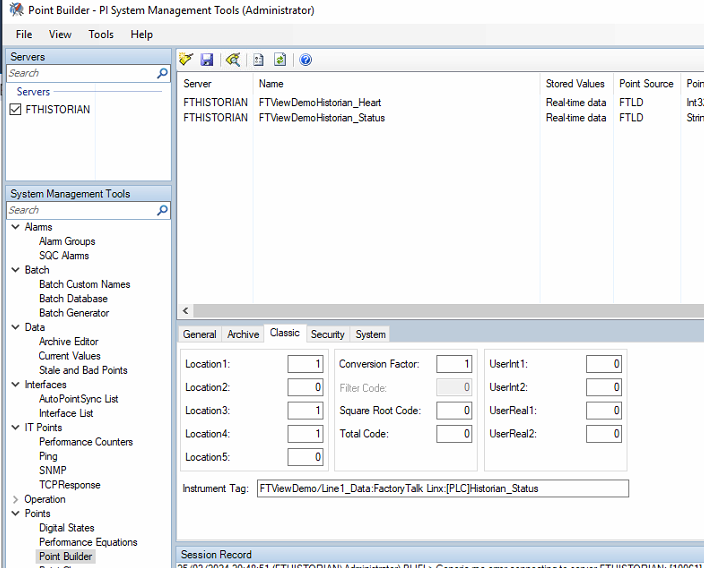
The next step will be to edit them. We are going to change the configuration for this Point Builder is our tool.
The first thing I am going to do is change the name with rename, if you change it directly without this option, a new one will be created when saving ;-)
And now comes the most interesting part, for these tags we are going to configure the Source Tag, and we will assign the system tags we had created, assigning Device_Status to our Status tag and the Heartbeat to its corresponding one.
What this means is that as a source, we will write the value of our system tag to our PLC tag.
But first, another very important change for this to work. We have to change the parameters of our Tag and specifically Location3, this is the default configuration once we add our tag from Factory Talk View SE
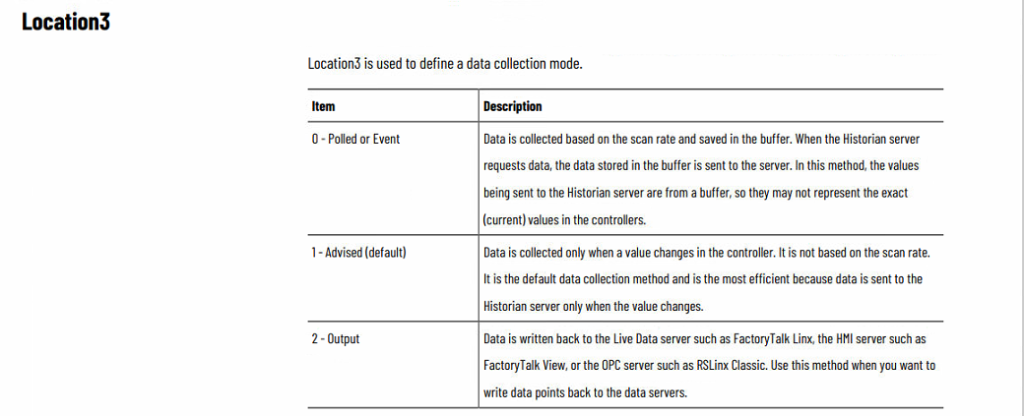
And the change we need to make is to change Location3 to 2.
And if you want a little more information, this is what the manual says, where Location1 by default is 1, Location2 does not apply (NA), Location3 as described here, Location4 does not apply when Location3 = 2 and Location5 is related to Location3, so it does not apply (NA).
If you want to expand with more information a link to the latest version.
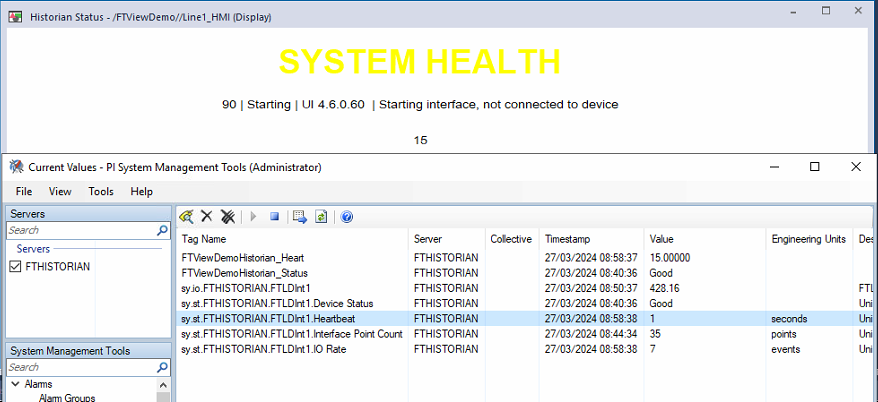
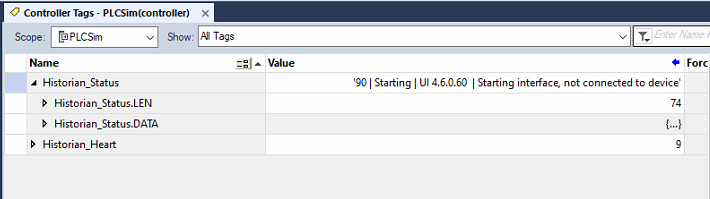
And now we need to check that everything we have done works, if we observe the PLC, we can see that we have values.
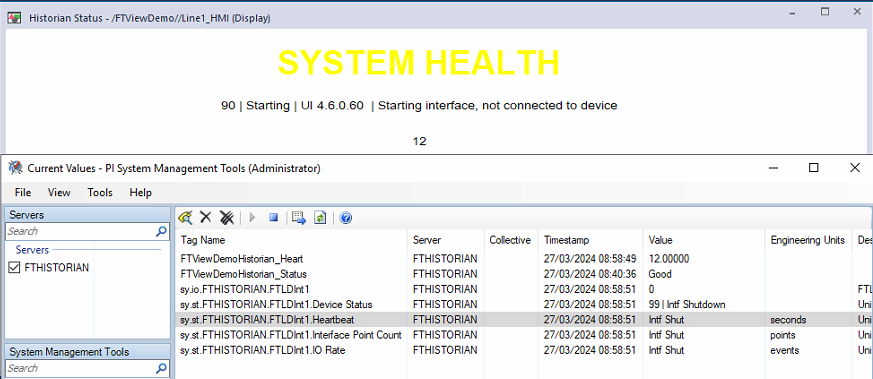
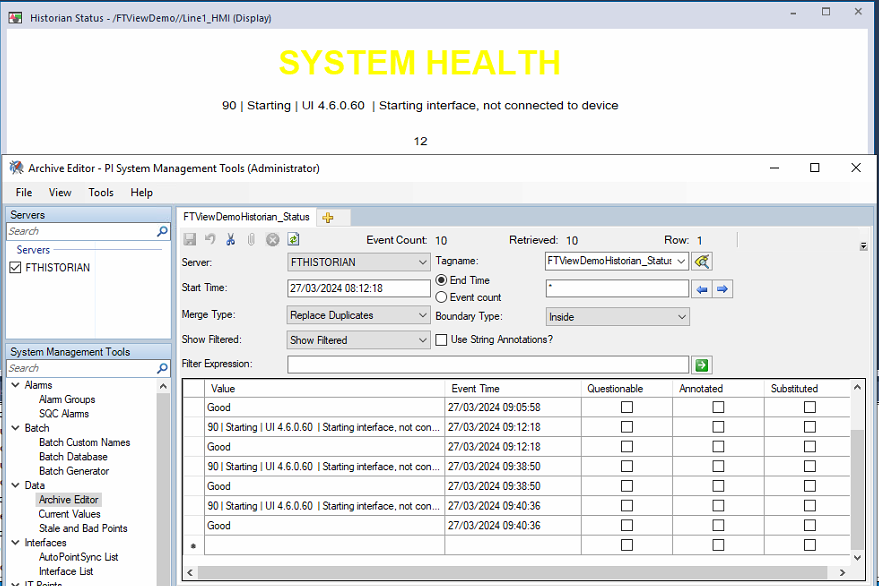
If we stop the service of our interface ... we observe that the value of our Status has not changed to be able to use its value, but we do see that the Heartbeat tag does not update and that can be useful.
If we analyze what we have registered, we can observe that the message Starting ... to change to Good occurs in the same second, and the Good message is not captured in our tag, this means that if we are interested in the PLC, as soon as the Heartbeat value does not update, we should reset our message to BAD.
And as a conclusion, we already have in our PLC a variable that changes every second, this means that if something does not update for more than X seconds, something is not working correctly, and with this, you can configure in Factory Talk View SE as you see fit.
A message, an alarm, a condition, etc...