
Factory Talk Historian, by default uses the FTLD interface to communicate with Factory Talk View SE.
This interface, unlike the one we have seen previously (PIPerfMon), does not require configuration, as it is automatically created when we create the link in Factory Talk View SE.
What we are going to do is extend its properties; we will enable some system tags that will help us achieve our goal: to know the status of the Historian from any Factory Talk View SE Client.
From Tools, we start the Interface Configuration Utility (ICU).

Here we will have all the interfaces we have created. We will select FTLD1, and by default, it loads the configuration we have applied.

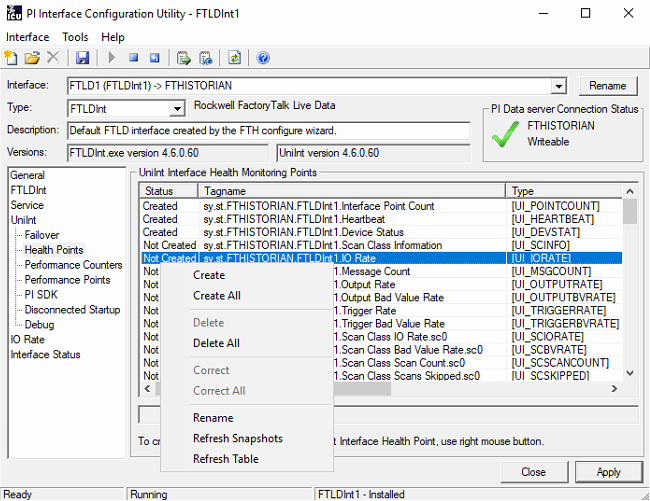
If we select UnitInt (Universal Interface) and Health Points, we have a series of system tags that are not created.
I am going to create the following, which are the ones I am interested in to know the status of my Historian.
With the right button, we select the ones we are interested in and Create.
As information, in case of having a redundancy of Historian, in Failover, the configuration would be made and the tags would be created for the same purpose.
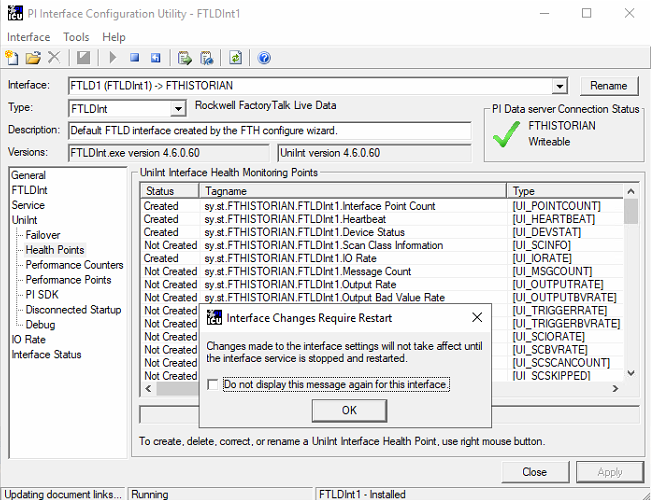
Once created, to apply the changes, we already have a warning message that we need to restart our interface.
Once the service is restarted, we will check the values of our tags; for this, we use the tool Data -> Current Values.
We add the tags we have created.
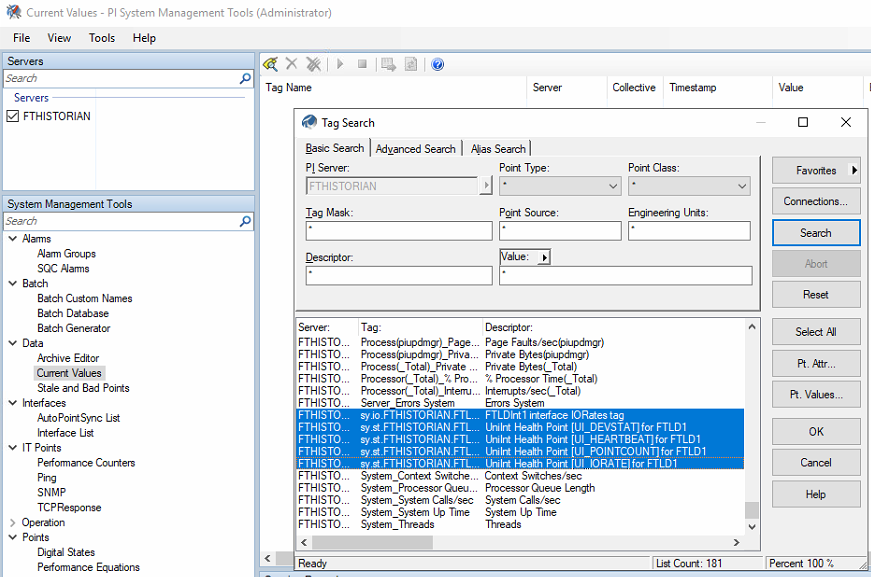
And we observe their values.

If we stop the interface service and check the values... these are the results.

With these variables, and especially the Heartbeat tag, it will help us to know the status of our Historian from any client. Here is the next part Factory Talk View SE - Factory Talk Historian Status (FTLD).