
In the previous exercise we saw how to solve it, but ... we have a drawback, if we have for example 20 alerts, and the first one that activates is the last one, that is, number 20, to visualize it they need to wait 20 x 2 seconds = 40 seconds, assuming that 2 seconds is the defined time for displaying each alert. In the following exercise, we will visualize only the active alerts, we will see the declaration of the variables that we will use, although as always happens, it is possible to optimize it.
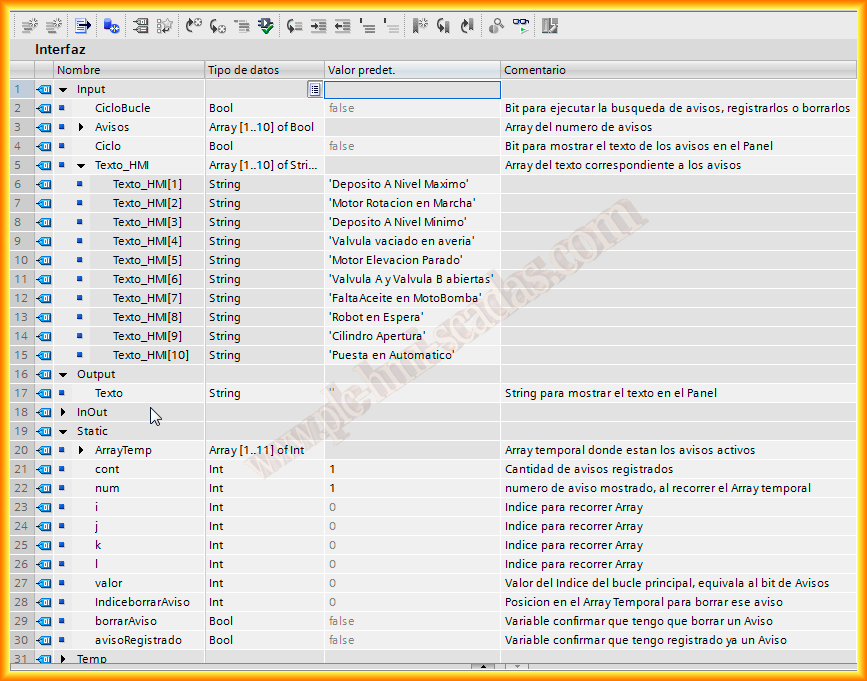
The code for our function is as follows, I will briefly explain what it does, apart from the commented text that I have already included, it will traverse the Alerts Array, check if it is active or not, if it is, it will be passed to a TemporaryArray that will hold all the active alerts, thus when traversing them they will be shown every 2 seconds, regardless of their position, on the contrary, if the alert was registered in the TemporaryArray and is no longer active, it needs to be deleted.
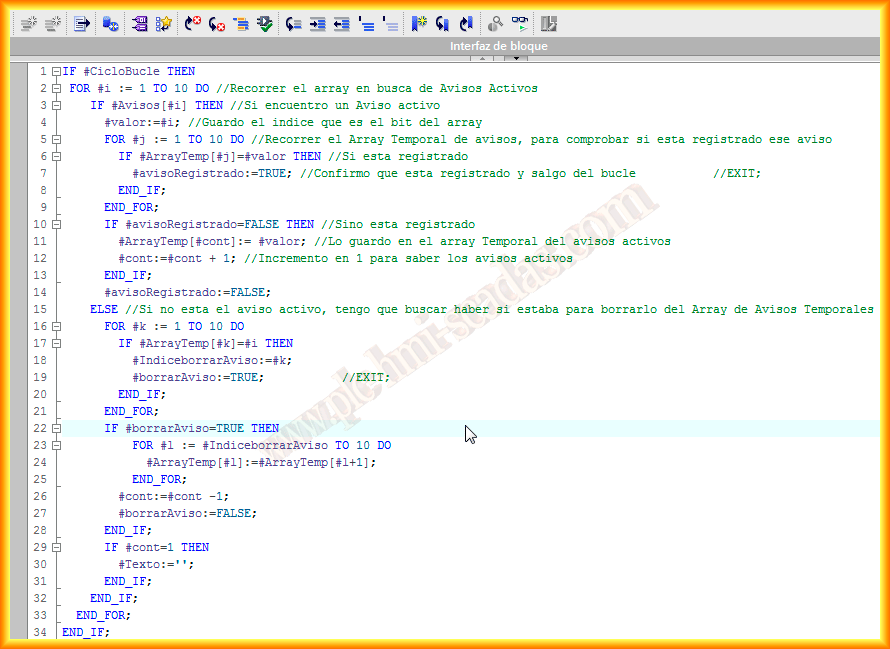
This part of the code is responsible for traversing the TemporaryArray, according to the cycle which is the time we have chosen, I have set 2 seconds for the example.

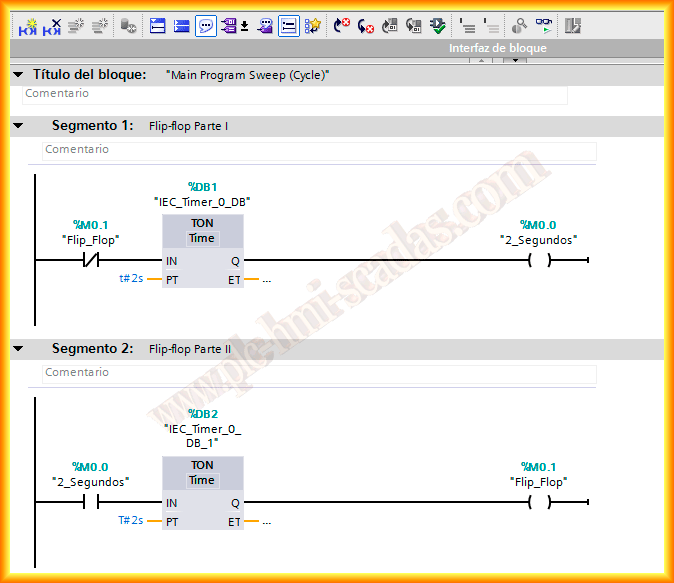
The next two segments create a Flip-Flop, or generate a signal every 2 seconds which is the defined time, this will be the time used in Cycle for displaying the Text on the Panel.
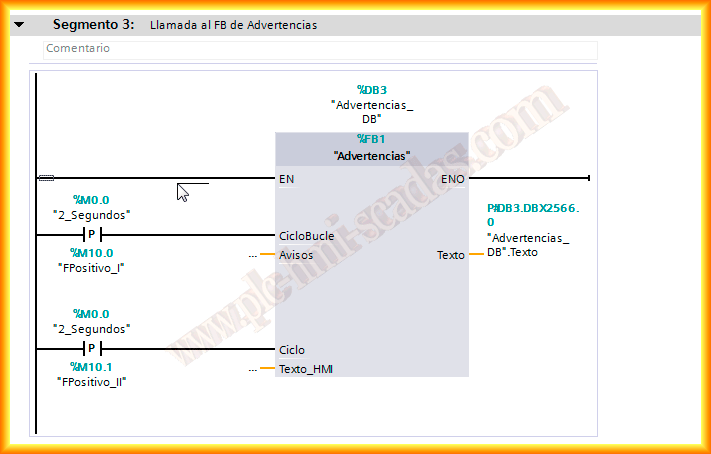
And here is the Function we have created, where its instance DB has been associated.
We have CycleLoop, which is where the first part of the code is executed, that is, searching for active alerts, registering them if necessary or deleting them, here the ideal would be 1 second, as it is usually the default display value on the Panel, I have used the same mark of 2 Seconds for the example.
In Cycle, as I mentioned earlier, it is for displaying the Text, and we need to set a positive edge in both because we only want it to execute once in each cycle.
Here is a small video of how it would function on the Panel.
April 10, 2013