
In one of the latest projects I have been collaborating on, it was necessary to create a function with the following operation:
There is a tank that has a 4-20mA ultrasonic sensor to control the level, and it also has a minimum level safety detector. The transfer from this tank to another is done with a pump under the following conditions. A stop limit will be set, which when reached, the pump will stop and will not restart until it exceeds a start limit. Both limits will be modified from the SCADA.
We create a new Function Block and declare the following variables:
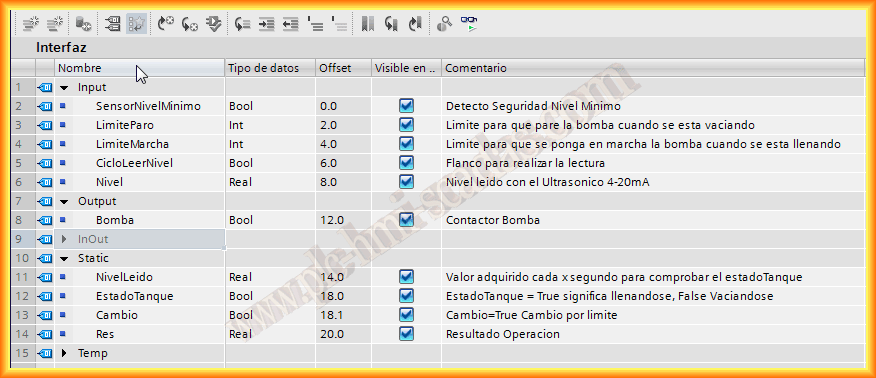
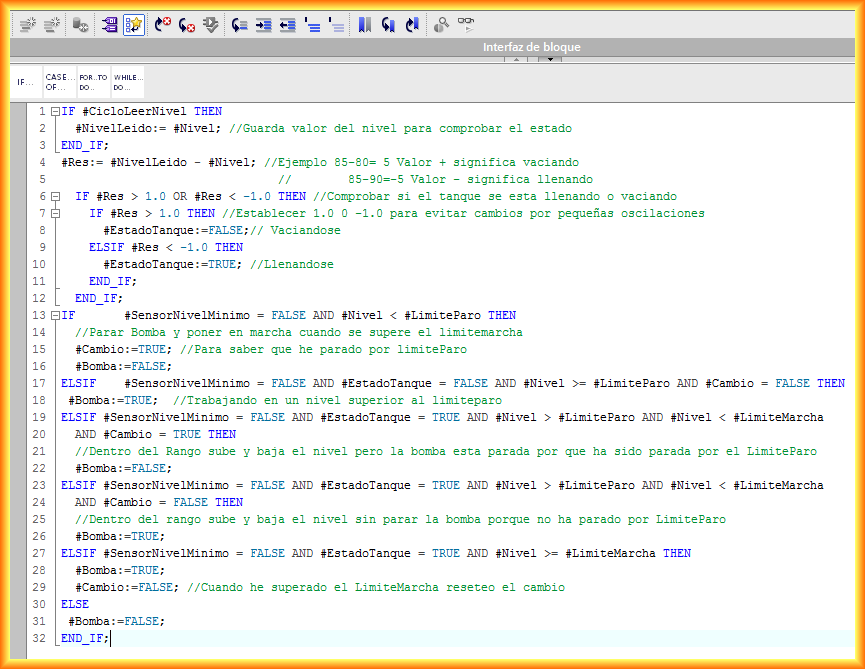
Now, the programming code and a brief explanation along with the attached comments. The variable CycleReadLevel will be a bit that executes cyclically according to the time we have defined, a flip-flop, and each time it executes, it stores the value of the Level. The time is defined once the system has been observed, and it can be seen how often there is variation in it when it is in operation.
In the variable Res, we store the result of subtracting the read level from the current level; this will help us know if the tank is emptying or filling.
The next step is to perform a comparison that is greater or less than 1.0, which will indicate that there has been movement in the level since there are always small disturbances in the tank, and readings from the ultrasonic sensor have determined that it will be +-1.0.
The next conditional, with its elsif, is the series of combinations that can occur. It is important to note that once the pump has stopped due to the stop limit, it should not resume until the start limit is reached; however, if it is within that range and the level rises, the pump will remain on.
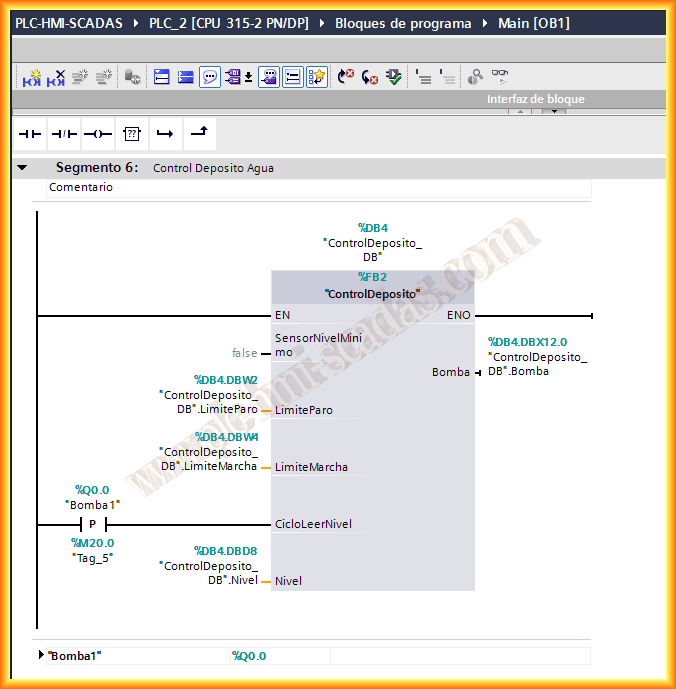
Once the code has been reviewed, we insert the function where we find it necessary, either in OB1 or in another FC, FB; in this case, it is in OB1, and we set the corresponding parameters.
To see its operation, I have created a sample screen where you can simulate the rise and fall of the level as well as the change of limit values; its operation can be seen in the following video:
April 28, 2013
If you liked it or found it useful, share it...