
Logix5000 – Consumed and Produced Tags
In the following practice, we will see how to configure consumed and produced tags. These tags aim to exchange data between two Logix5000 and can be configured as long as one of the following conditions is met.

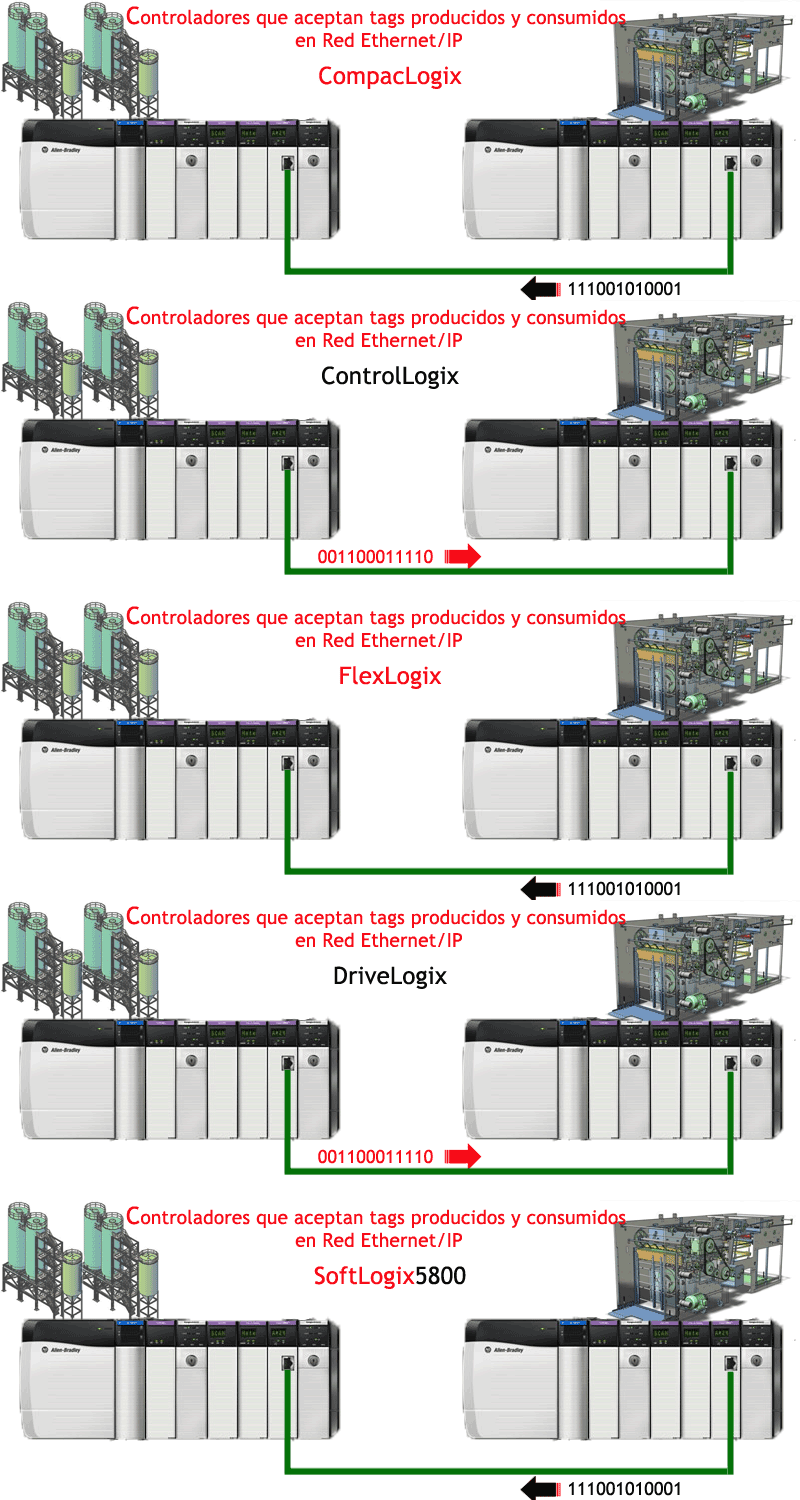
Today's example will be based on data exchange on the same BackPlane, but first, the definition of a produced tag, according to the manual, is the Tag made available by the controller to be used by other controllers. Multiple
controllers can consume (receive) the data simultaneously. A produced tag sends its data to one or several consumed tags (consumers) without using logic.
Consumed Tag is the Tag that receives data from a produced tag. The data type of the consumed tag must match the data type (including array dimensions) of the produced tag.
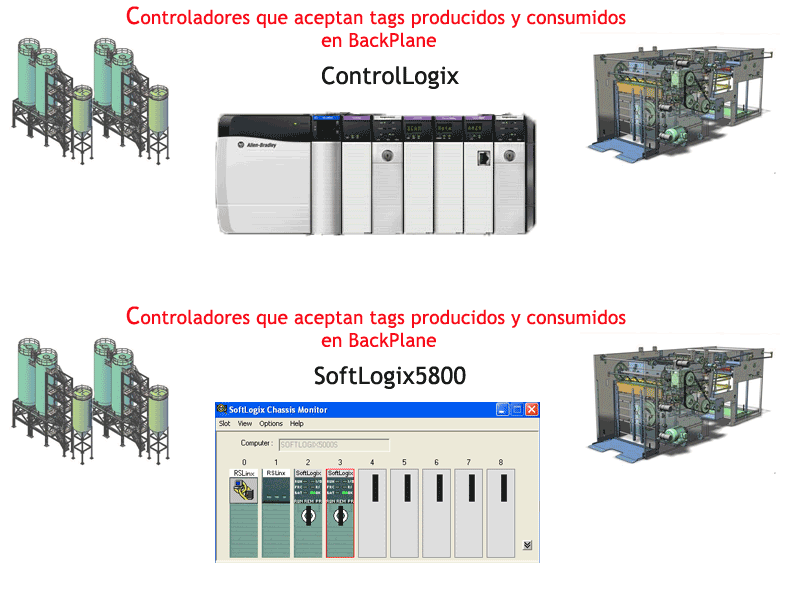
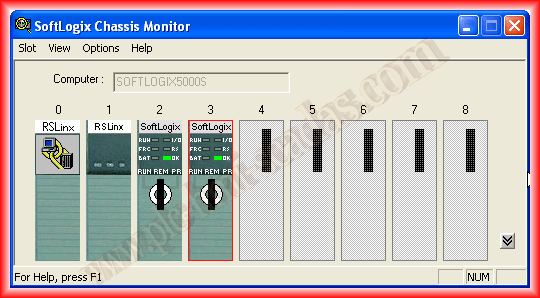
We will base the practice on SoftLogix, for this, the first step is to configure our Rack, we insert two SoftLogix Controllers in Slot 2 and 3 consecutively.
Once the Hardware is configured, we start our RsLogix5000 and create two new projects, one for each of the controllers, configuring the same hardware, as both are on the same Backplane.
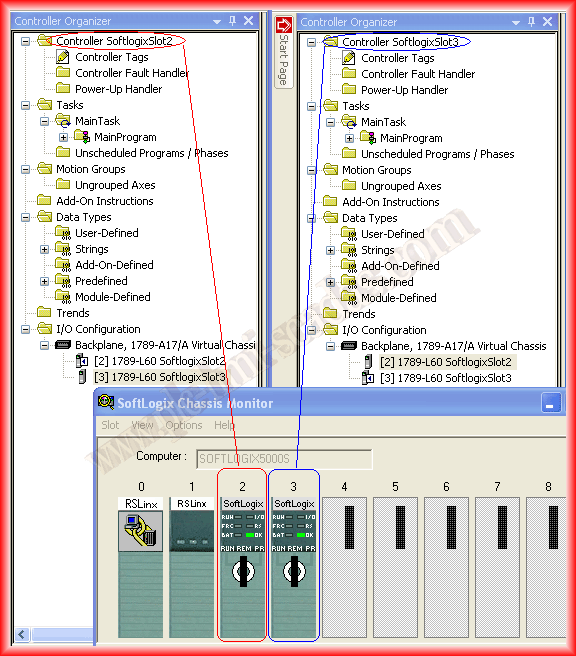
Once the first steps are completed, as stated in the definition, to create a tag, whether produced or consumed, it must be global scope, meaning we have to create them in Controller Tags. Now we will create the following tag that we will produce in the SoftLogix Slot 2 controller, and the SoftLogix Slot 3 consumer will receive it. It is important to note that not any data type can be defined, according to the manual:

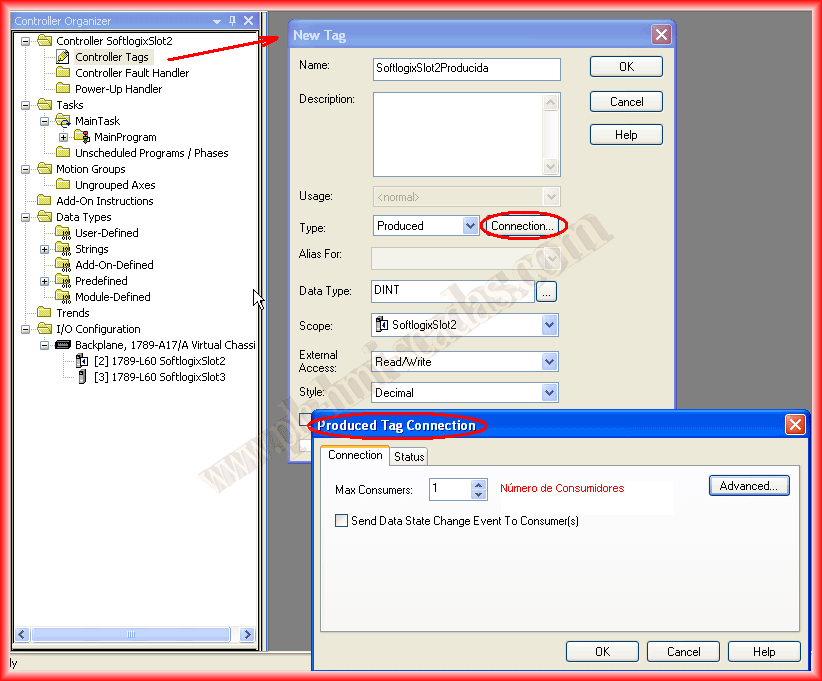
We create the new Tag and define its type as produced, click on Connection and configure the number of consumers on the network, in this case, it is 1.
We have now created the produced Tag in the SoftLogix Slot 2 Controller program, now we switch to the other project to configure the Consumed Tag. We create a new tag, specify that it is of the consumed type, and click on connection. A window opens where we need to define our producer, and very importantly, the Remote Data field must be the same name we used when creating the Producer Tag.
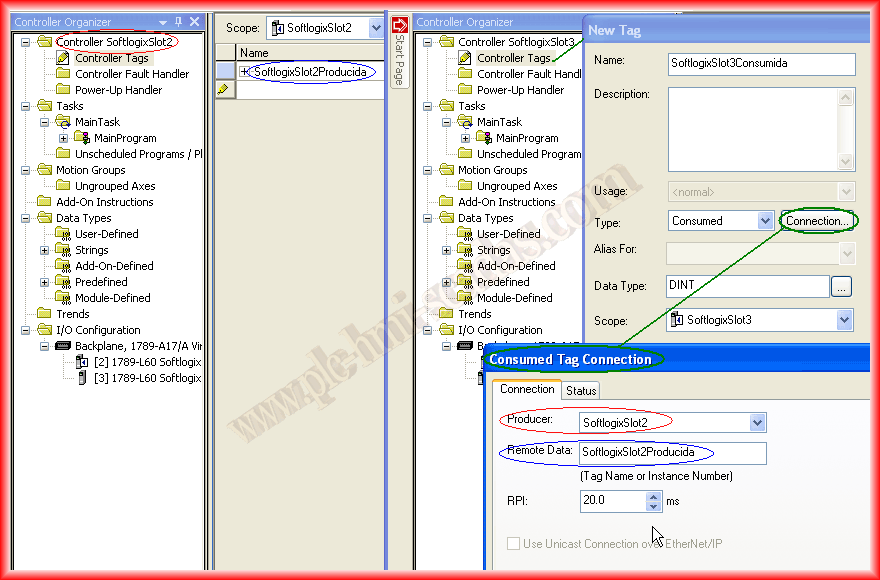
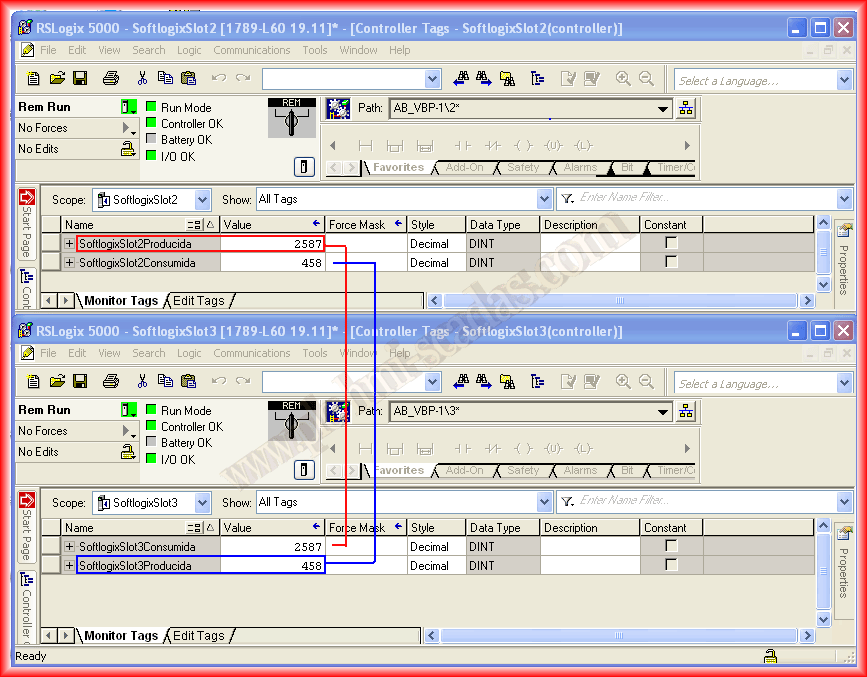
The example would be as follows: the value we have in our variable SoftlogixSlot2Produced will be received in the Tag SoftlogixSlot3Consumed.

In the same way we created these two tags, we do the same but now the produced tag will be from the SoftlogixSlot3 controller and will be received by the SoftlogixSlot2 controller, and it will look as observed.

As stated in the definition at the beginning, there is no need to perform any logic in the program, so we can proceed to load these configurations into both controllers.
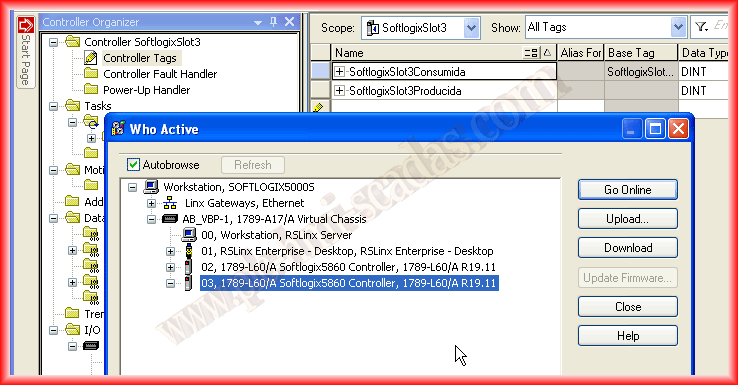
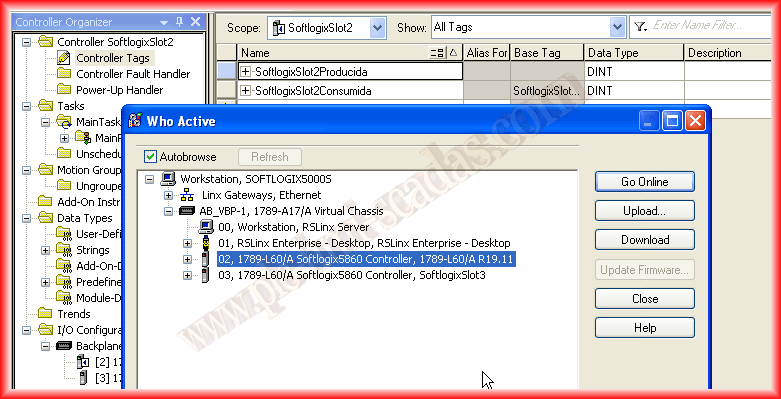
Once the configuration is loaded, we can go online and check the operation.
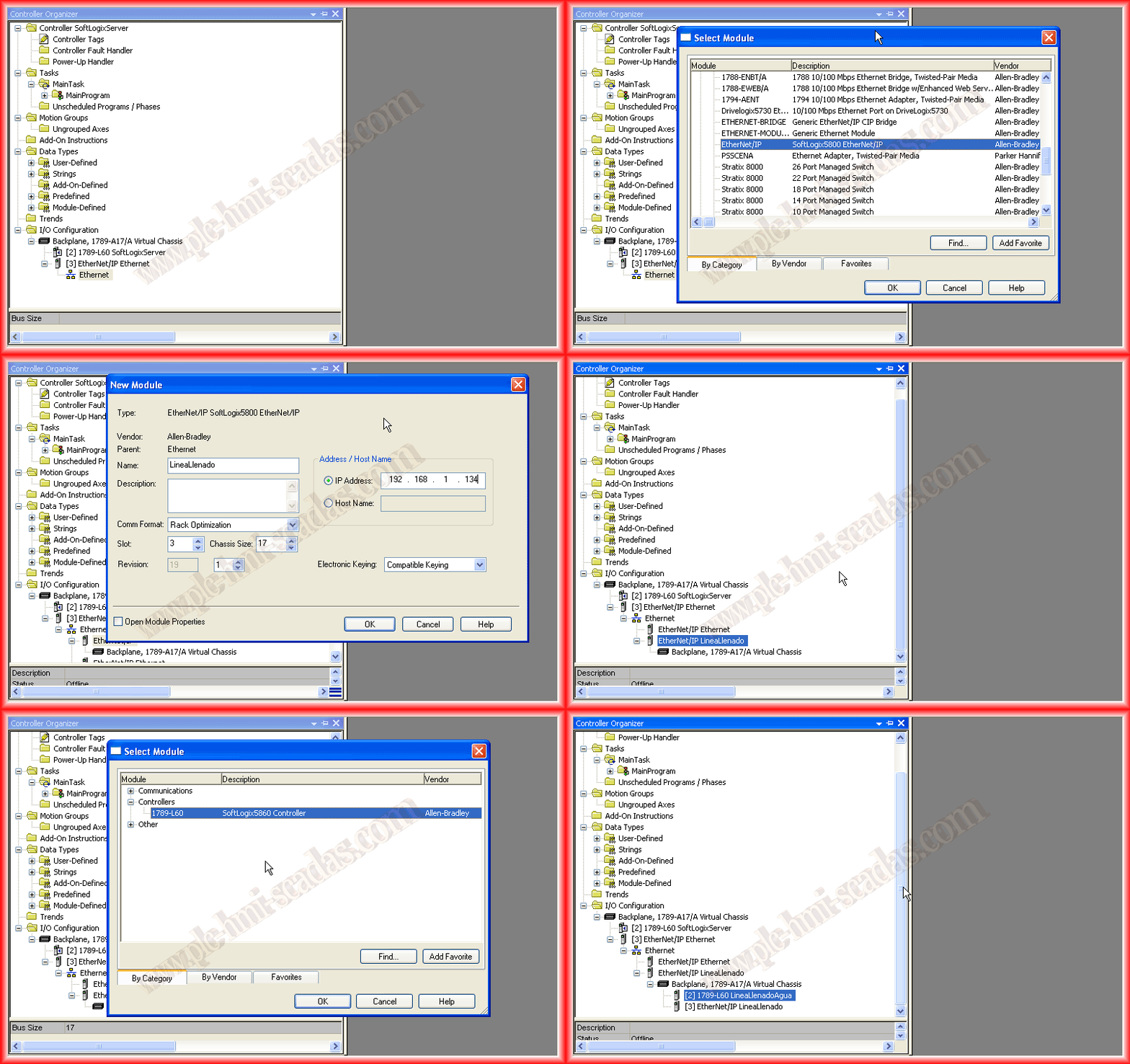
If we want to do the same practice but on an Ethernet/IP Network, the procedure for defining the variables is exactly the same, but when configuring the consumed tag, as we have seen, it asks who the producer is. This is where we need to configure the link on the Ethernet network. The following animation shows how it should look.
May 21, 2013
If you liked it or found the information useful, share it...