
GSV/SSV Instructions
In the following practice, we will clearly see how Logix5000 controllers store system data in objects, a clear example of Object-Oriented Programming applied to PLCs. To access them, we use the GSV Get System Value or SSV Set System Value instructions.
The arguments we need to pass to these functions are: Class Name, Instance, and Attribute, and finally, depending on whether it is Set/Get source/destination.
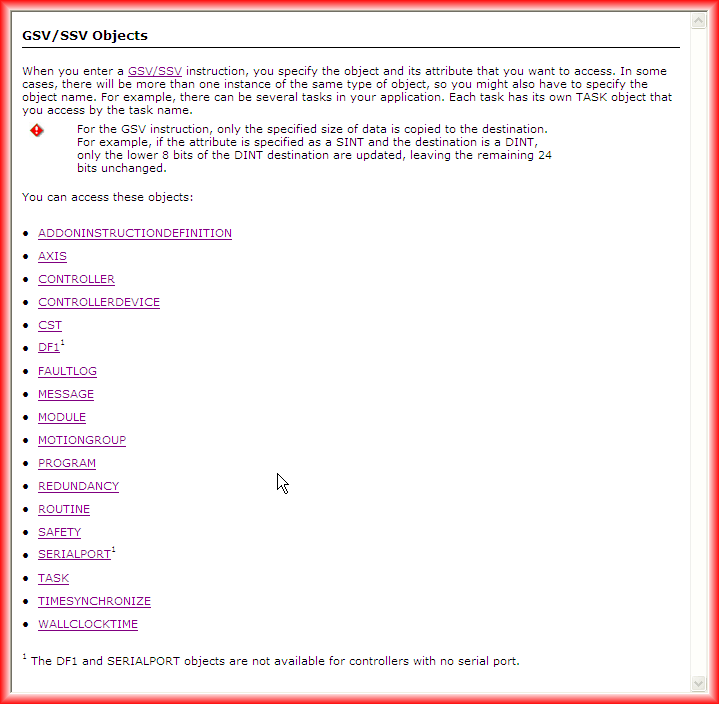
First of all, it is necessary to know all the Classes we can access, which can be seen in the following image: Detailed information in the help.
As the help shows, when we have several instances of the same class, we access each of them by their name. Let's assume the following example: we have 2 instances of TASK, MainTask and LeerReloj, that is the name we need to pass. Next, we need to specify which attribute we are interested in reading (Get) or writing (Set). Here, I recommend consulting the help provided by RSLogix5000, as when defining the Source/Destination tags, they must exactly match the type we are interested in.
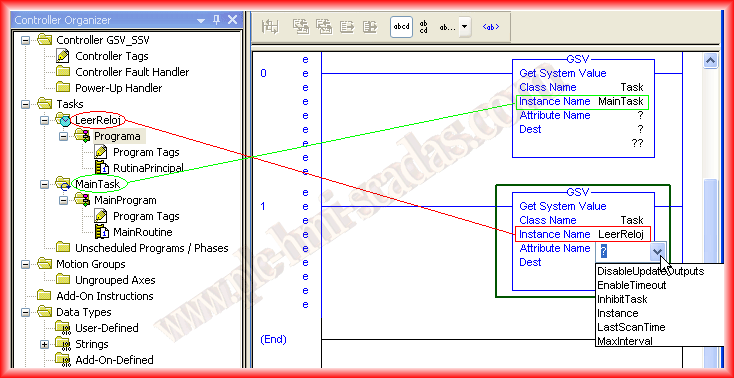
Let's put it into practice and create an example of each of the functions. We will use GSV to read the date and time from the Controller, this will be executed in a periodic task (LeerReloj), and we will use the SSV function to disable the execution of this periodic task (LeerReloj).
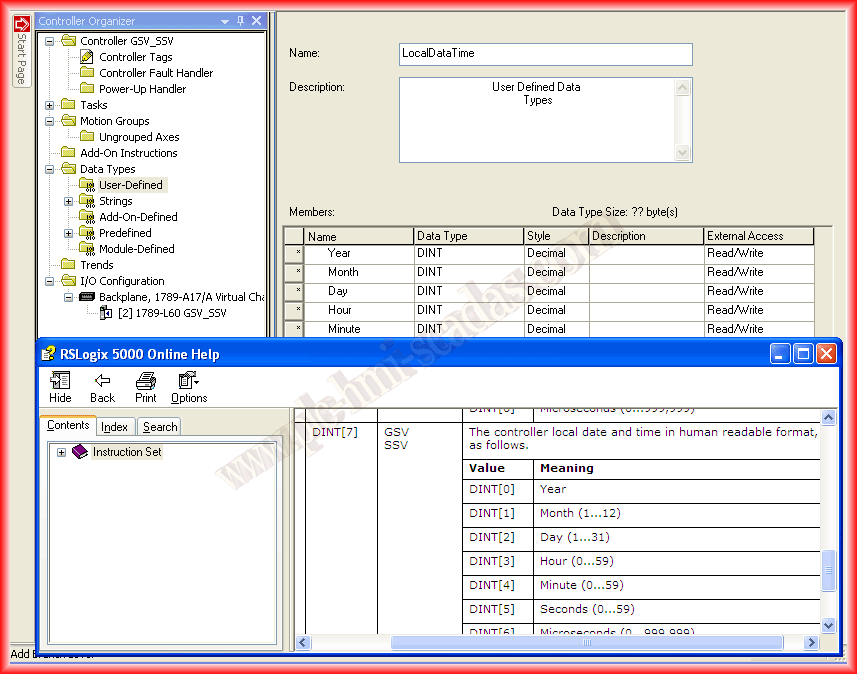
To read from the WallClockTime Object the LocalDataTime attribute, the first thing we will define is a new Data Type of the necessary type according to the manual, in this case, it is an Array of 7 elements of type DINT.
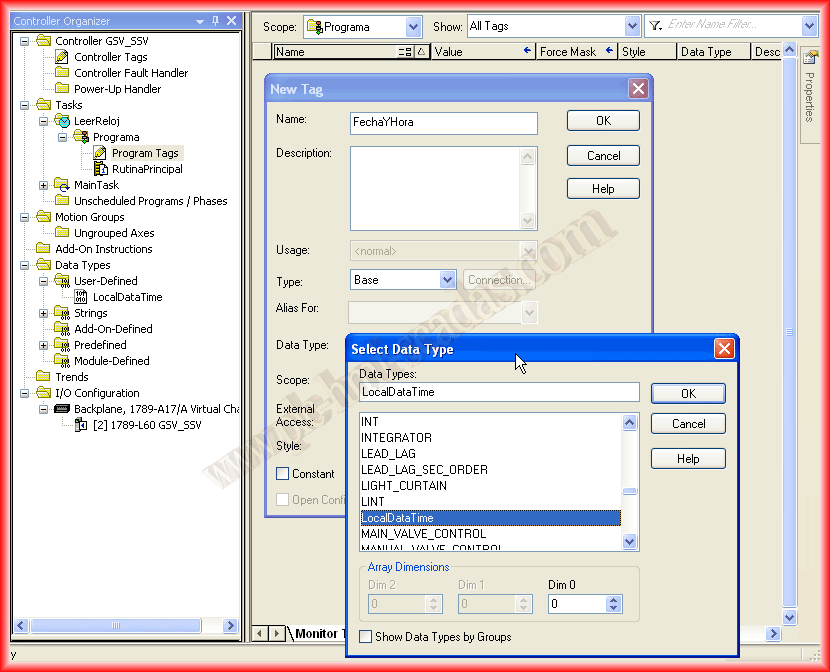
Once we have defined our new data type, we will create a new Tag at the program level of the LeerReloj task. This tag is only accessible from where it was created. Soon, I will make an introduction about the organization of the controller, which is what I should have done first!
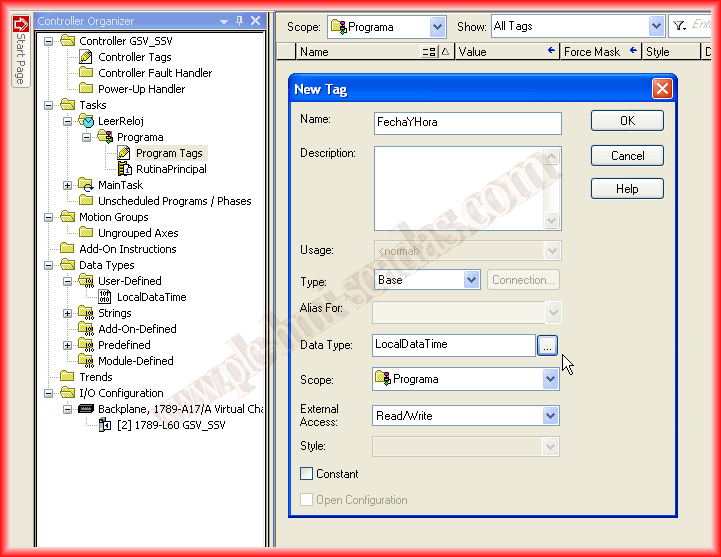
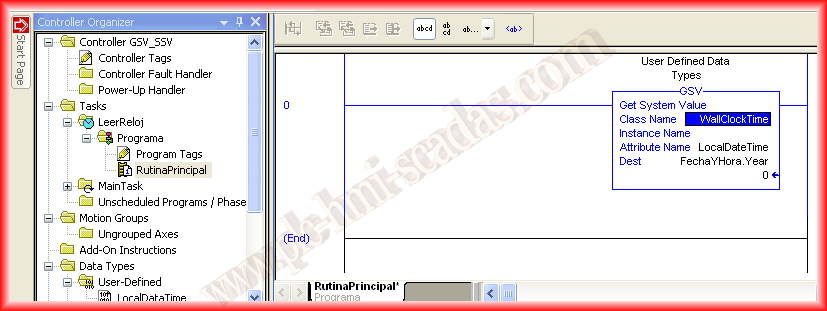
From the MainRoutine of our LeerReloj Task, we insert the GSV instruction. The first argument we pass is the Class of the object we are interested in, in this case, WallClockTime. This type of object has no instances, so that argument cannot be passed. Next is the attribute we are interested in reading (Get), and for the destination, we use the tag we just created with the .Year, which is the first element.
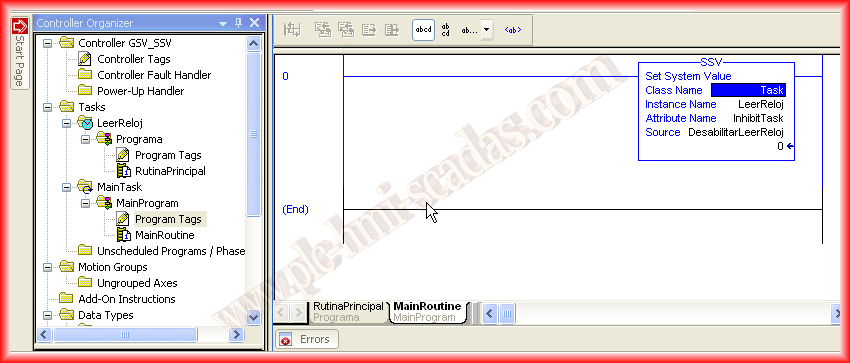
On the other hand, in the MainTask, the main routine, we will call the SSV function from MainRoutine, in which we will use the Class Task and the attribute inhibitTask to disable or enable the task as shown.
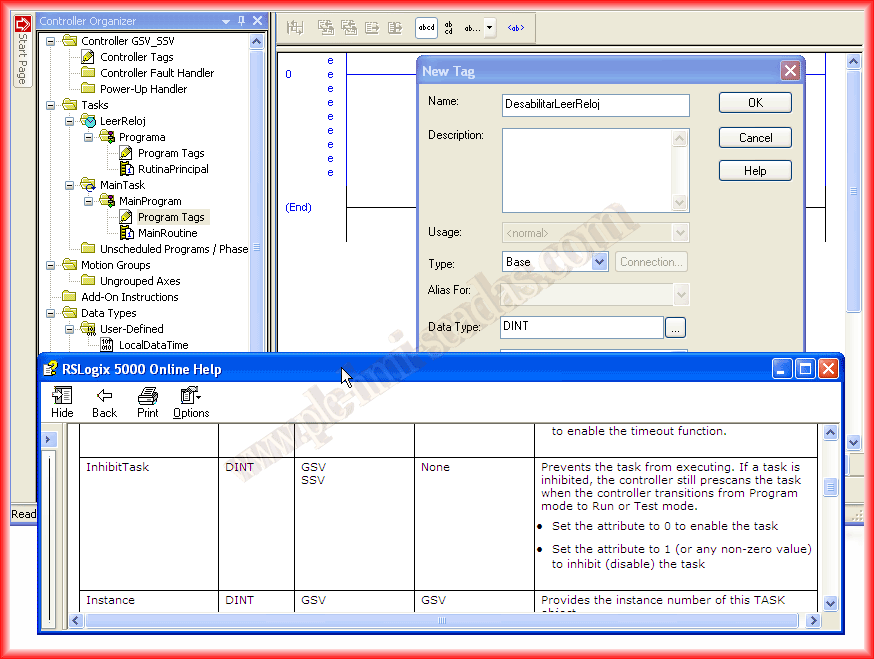
Previously, consulting the type of attribute I am interested in accessing, I declare a new tag of that type. I know that by passing a 0, the task is enabled; any other value will disable the task.
In this case, it is better to see a short one-minute demonstration video to check its operation:
June 3, 2013
If you liked it or found the information useful, share it...