
Introduction to the VBA Object Model in Factory Talk View SE
When we are working with RSView32 or Factory Talk View SE and we are going to work with or use Visual Basic for Applications, it is essential to understand the Object Model.
First of all, to have an understanding of how it works, so we can carry out our tasks.
For all of this, I have created this first image, which shows a brief diagram. From here, I will develop some examples to see how it works.
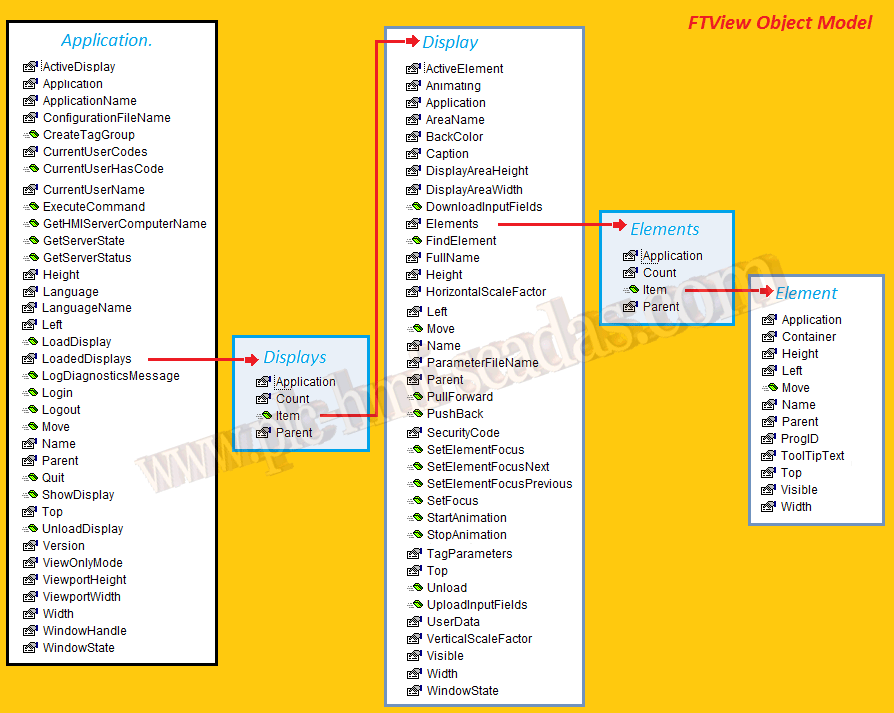
Translating the diagram into words, we have that LoadedDisplays is the collection of Displays that are currently loaded, within the Displays collection, with Item, we can access a specific Display.
Within a Display, we have a collection of Elements, which are all the objects we have in our Display, and we can access each of its elements with Item.
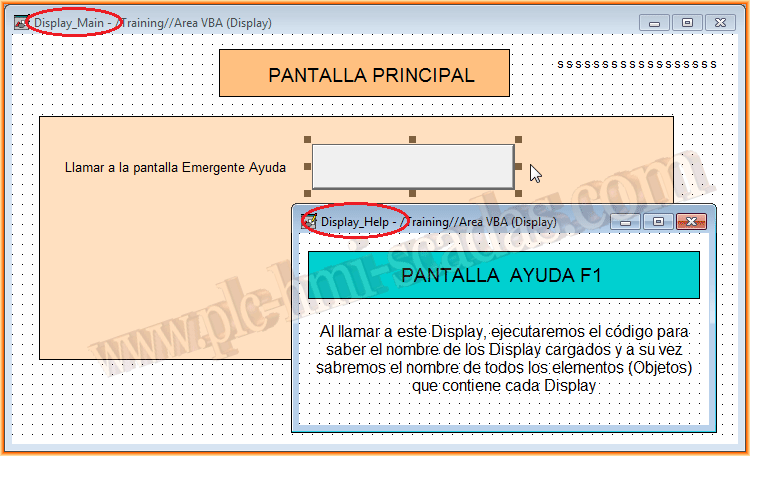
Let's move on to an example: We have a Display called Display_Main, which contains several objects, and with a button, we will call another Display called Display_Help, which contains other objects, but in the Display_AnimationStart event, we will execute the following code.
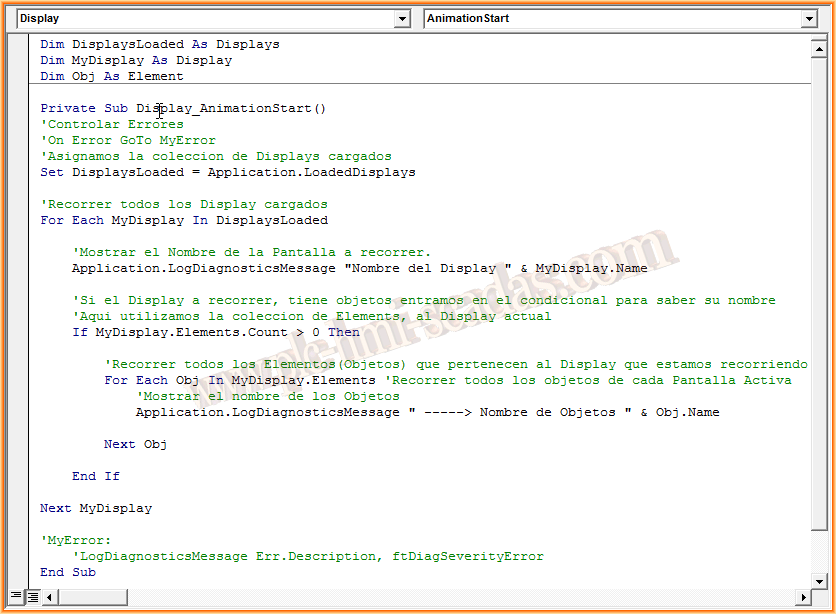
The code is as follows, first the declaration of variables, one of the type Displays, to contain all the Displays, redundancy intended, another of the type Display, to iterate through the entire collection of them. And finally, one of the type Element, to iterate through all the objects of the Display we are traversing.
What it will do is, from all the loaded displays, iterate through them one by one with a loop, and if the Display contains elements (Objects), iterate through them and display their names.
We run our program on the client and check its operation. We load the initial screen Display_Main and click the button.
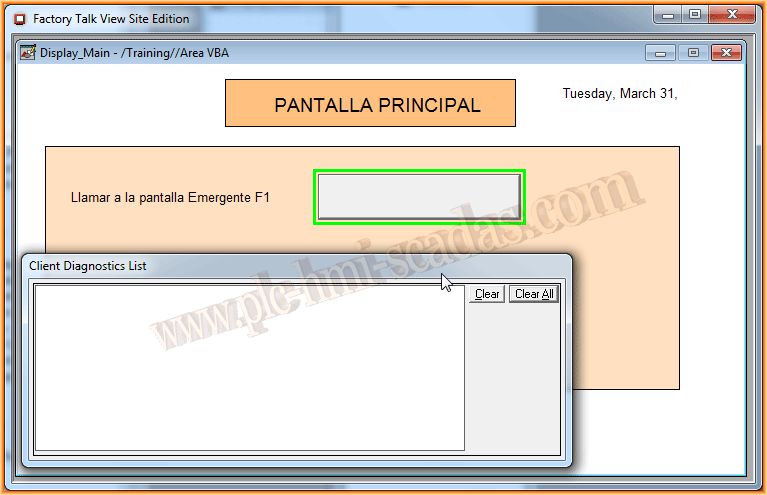
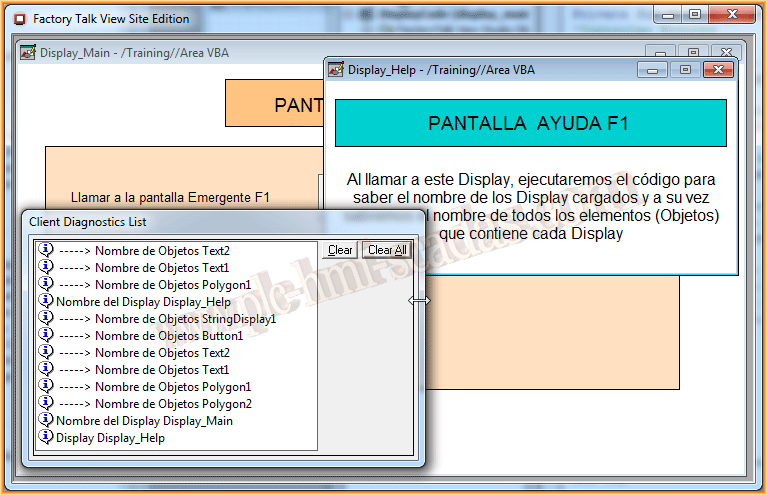
In the Client Diagnostics List, we can see the names of the Displays, along with the objects that each of them contains.
This first introduction will be necessary to understand the following practices later on.
March 31, 2015
If you liked it, or it was useful to you, share it ... :-)