
FIX32 - iFix Configuration Driver SI7
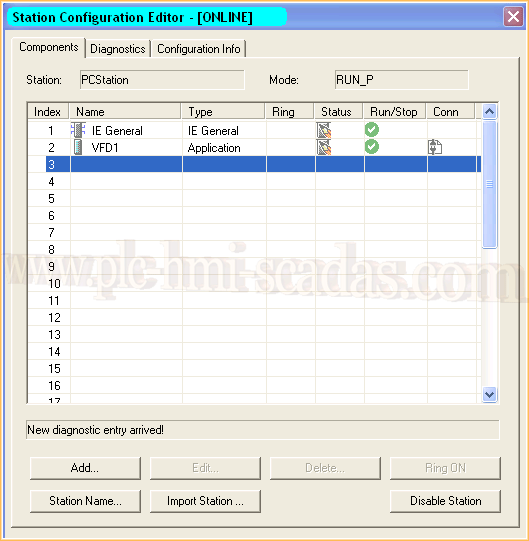
Configuration of the Driver SI7 to communicate with Siemens PLCs and with the SCADA FIX32 and iFix vX.X; it also works with the quite old FIX32. The first requirement is that we have configured Simatic Net and we have loaded the configuration to our station "PCStation". As can be seen, we have a Network card since the communication will be TCP/IP, and we have a Virtual Field Device application and in the Conn icon, the link with our PLC appears. Later in this practice, we will see how to configure the Simatic Station.
Once the Driver is installed, we will see the steps that need to be followed; they are very simple and intuitive. It is about configuring a communication channel, the device, and the variables.

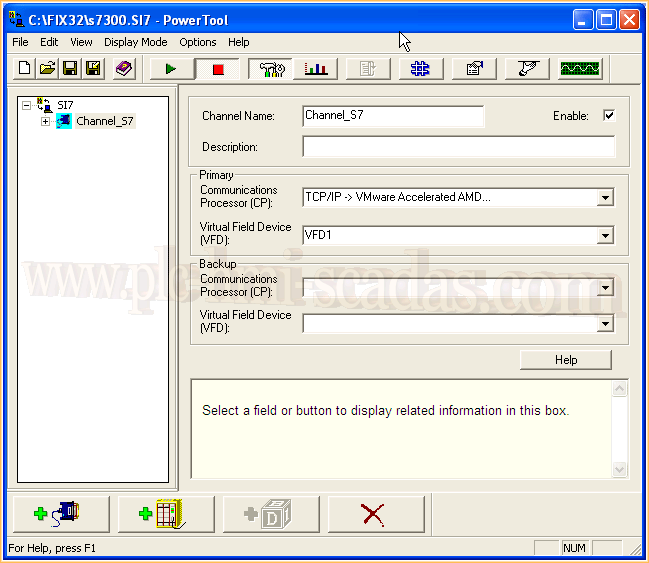
The first thing we are going to define is the communication channel, as we have already mentioned, it will be via TCP/IP and we select the network card of our equipment.
Next, we select the Virtual Field Device, as can be seen, it is the same name as the one loaded in the Simatic station. VFD1
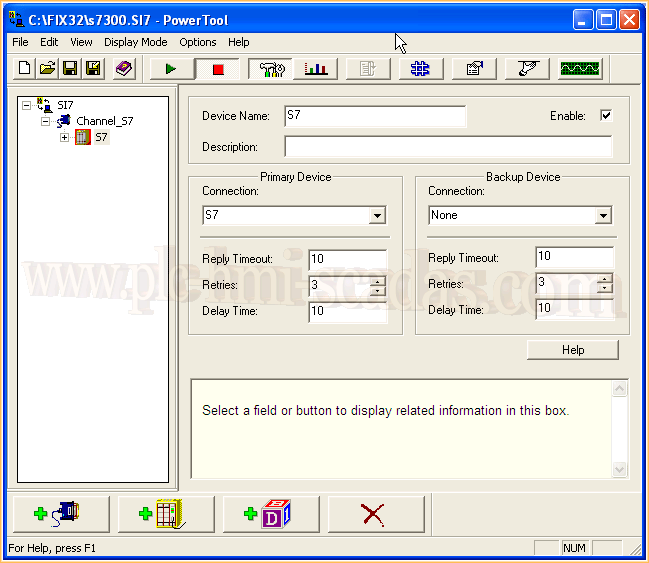
Once the Channel is defined, we proceed to configure our device, in my case it is an S7-300. Device Name is the name of the device; I have assigned the same name as the name configured in the NetPro link of the Simatic, I called it S7, for that reason in the Connection field it also has the same name, which is the really important one.
Finally, what we have left to configure are the Data Blocks. As can be seen in the image, for each data block we create, we assign a name, start address, end address, and we have the data length. It is also important to specify the data type. In each configuration step, we activate the Enable checkbox, in the same way, we create all the data blocks that interest us.

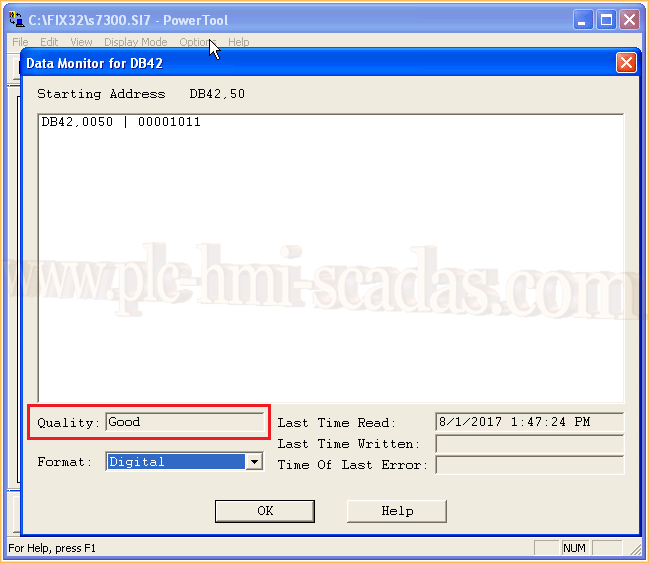
If we put the application in Run and check the operation, we can observe the values in the selected format and that the communication is good.
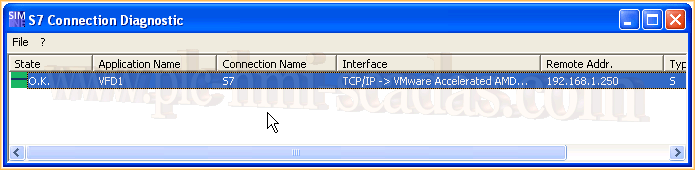
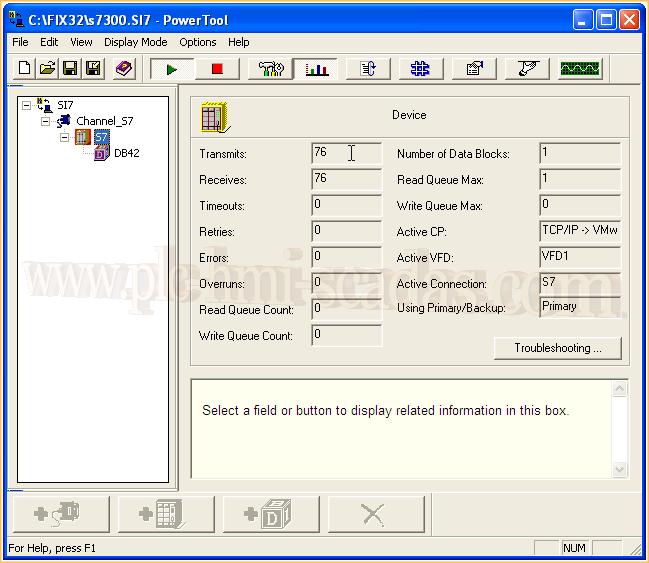
On the other hand, we check that the connection of the Simatic Station is correct.
We can now configure our variables in FIX32 or iFix and get to work.
August 12, 2017