
WinCC Design with Independent Screens and Current Screen Name
When we start designing how our SCADA will be, we could say that we have two main options, either work with each screen individually, changing each one of them, which will be the example we will see today, or the option that I prefer is to work with image windows based on a Base screen, but that will be the next one we see.
The goal is to obtain the name of the current screen we are on, for subsequent actions, when we are on a specific screen, and by the way, how to change screens...
As we can see in the following image, we have two screens that are completely independent, and in the same way, we would have all those that make up our application.
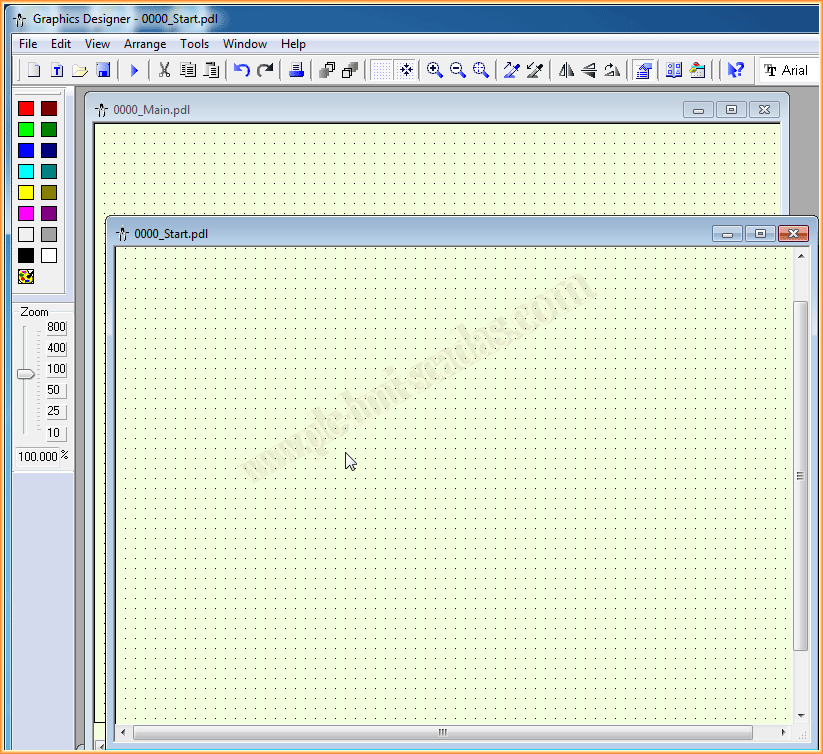

To know the name of the screen, we will insert the following code in each of the screens we have and in the Open Picture event, and what we do is capture the name and store it in a variable that we have defined earlier.
For demonstration purposes, in each screen we will insert an input and output field, assigning it the variable where we store the name of the screen, without the extension *.pdl. This way, every time we change screens, we will see that it works correctly.

Taking advantage of this same situation, the code that is inserted to change screens is the following: HMIRuntime.BaseScreenName = Name of the screen that interests us.

If we run it in Runtime and check, we will see that it works correctly and displays the name of each screen. In the next one, we will see this same situation, but working with image windows.


November 18, 2014
If you liked it or found it useful, share it :-)