
Graphic Designer "Image Window"
In today's practice, we will see an object that we have already used in some examples, but today we will delve a little deeper. The object in question is an Image Window.
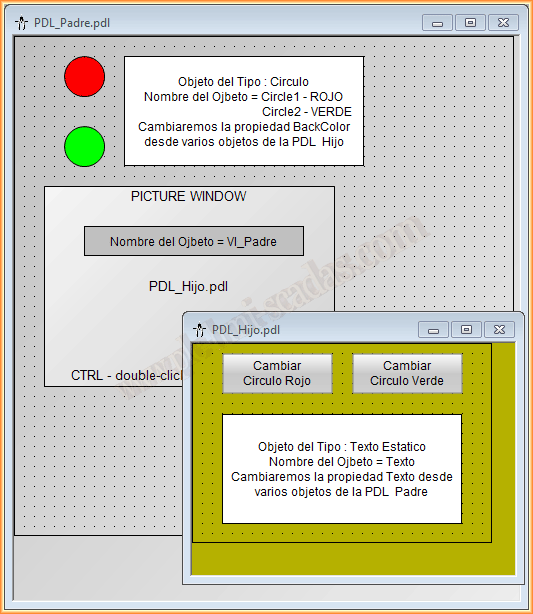
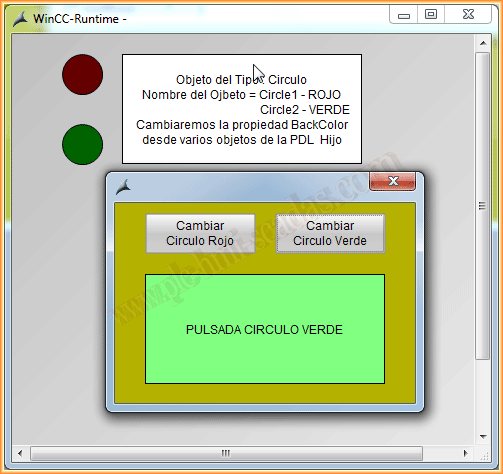
We will take the following image as an example; we have a PDL and from this we will reference objects that are in a PDL contained in the image window of our PDL.
That is, we have a PDL called PDL_Parent and this contains an image window called VI_Parent, which in turn will contain the PDL called PDL_Child.
From the objects of the main PDL, PDL_Parent, we will change the properties of the PDL_Child.
NOTE: In this example, we are doing a nesting of 1 level; if I remember correctly, it seems that we can use up to 8. I have tested it with 4 and it works perfectly.
The only thing that needs to be implemented when doing it at another level is to repeat the existing syntax.
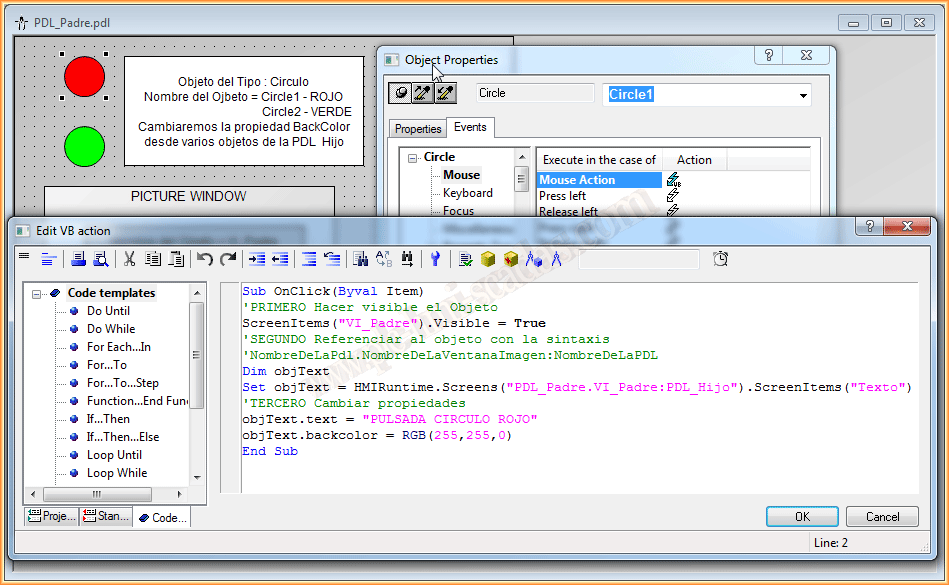
PDLName.ImageWindowName:PDLName
Once all the PDLs and all the objects are created, we will proceed to implement the VBScript code. As can be seen, the complete code with its description is in the attached images.
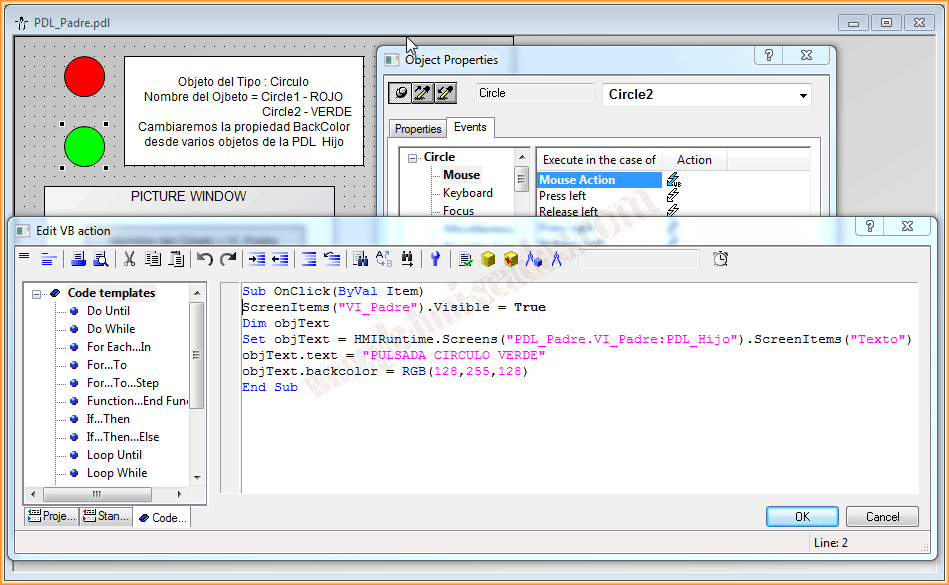
For the second circle, we repeat the syntax, changing the text and color of the object that interests us.
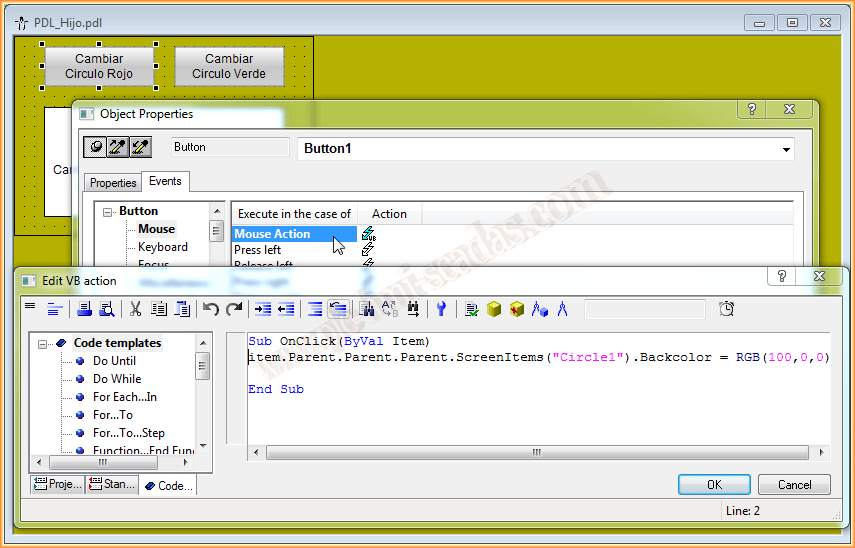
Now it is time to do it vice versa, that is, from the objects contained in the PDLs, reference the objects that are one or several levels higher. We do this with the syntax Item.Parent, until we reach the PDL that contains the object we are interested in and with ScreenItems("Name") we access it.
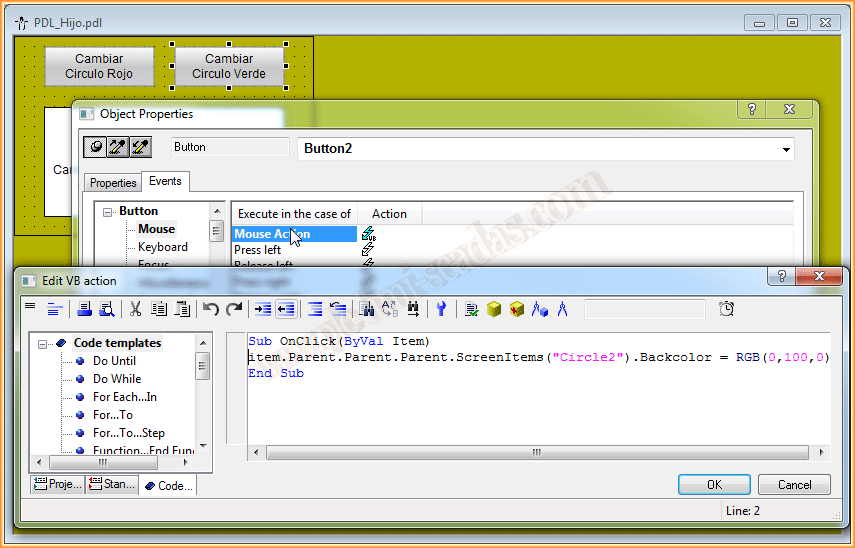
We can now put it in Runtime and test its functionality. When we click on a circle, the image window appears and we change the text and color of the referenced object. And vice versa, when we click the button of the child PDL, we change the backcolor property of the corresponding circle.
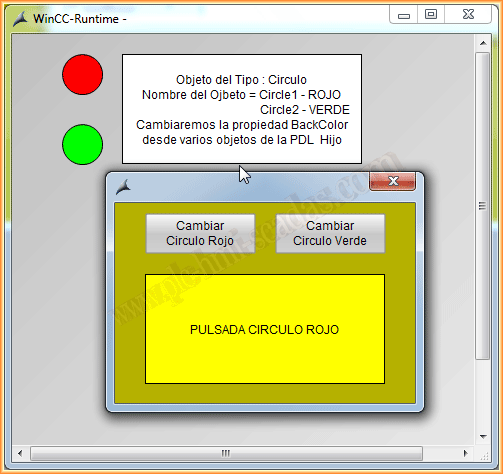
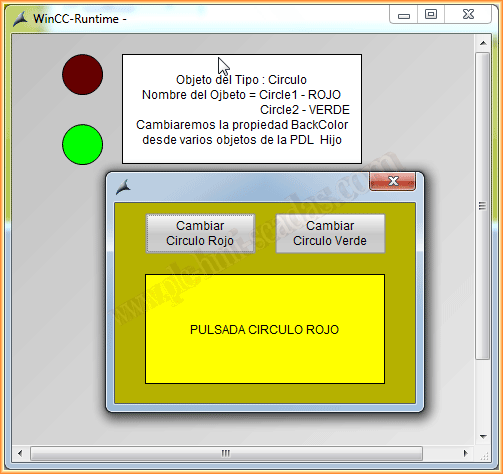
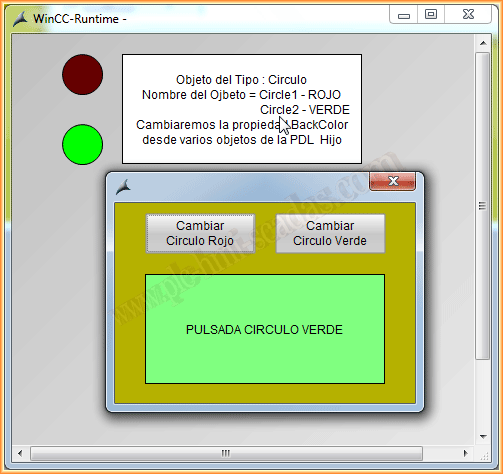
And if we click the other object, the same applies with the change of other options to our properties; now we just need to get it running and experiment with it.
October 19, 2014
If you liked it or found it useful, share it :-)