
User and Security Configuration in Factory Talk View ME
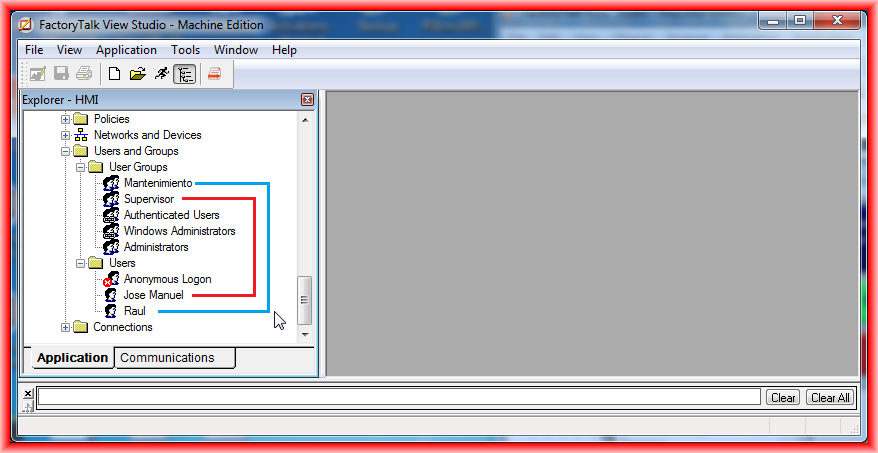
Once we have created our project and seen how to simulate it with our Virtual PLC, the next thing we will do is configure the security, we will create some users, user groups, and assign the permissions we are interested in. The first thing we do is create the user groups we are interested in or, if necessary, just the users, but for this example, we will create some groups just like in Windows.
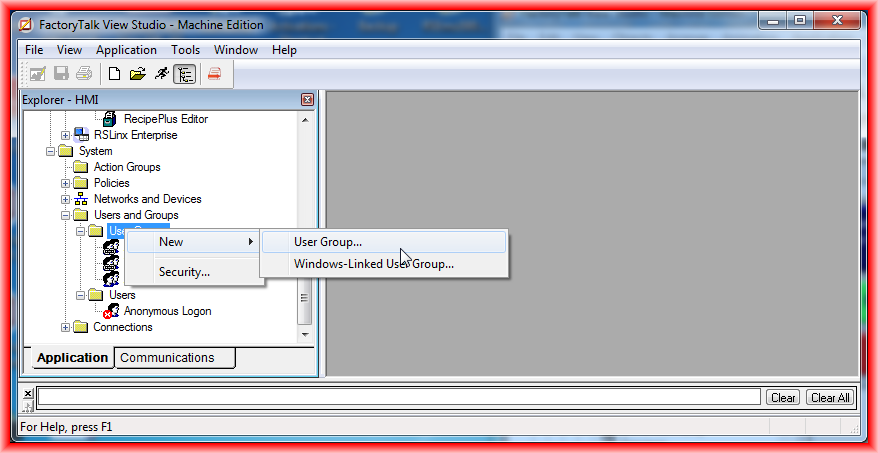
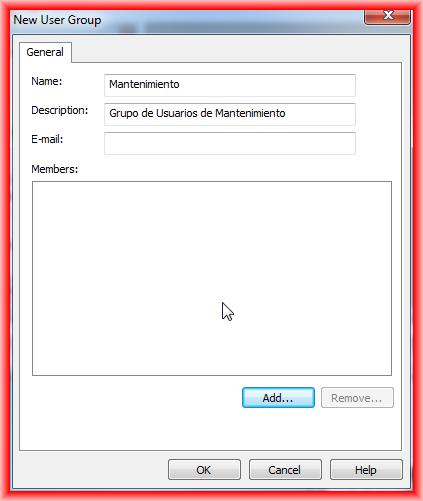
Once we have created the various groups, we proceed to create the users. Once we have created the users we are interested in, we assign them to the different user groups.
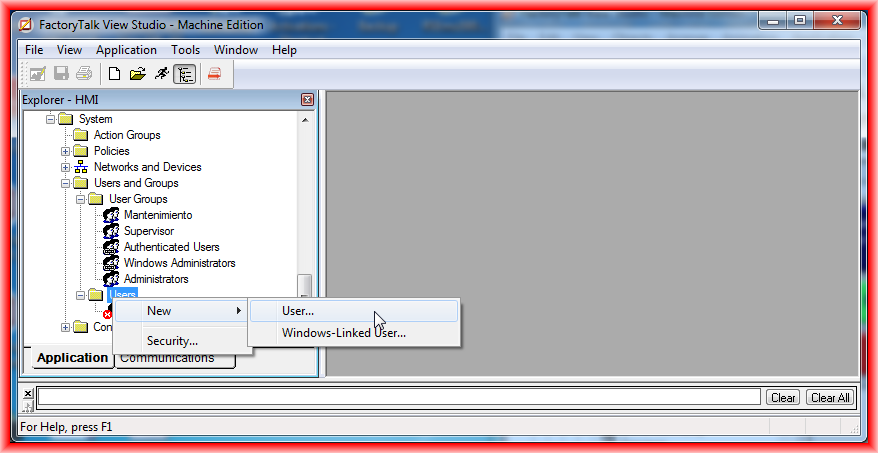
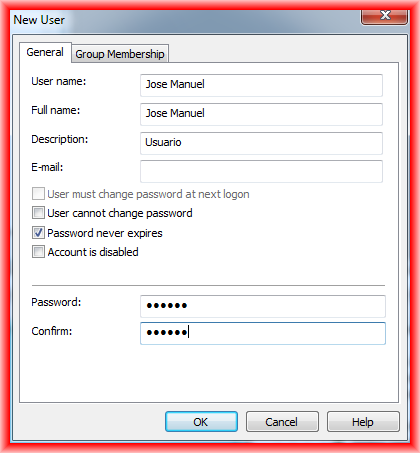


For this example, we have created the user groups Maintenance and Supervisor. The users created are Jose Manuel, who belongs to the Supervisor Group, and Raul, who belongs to Maintenance.
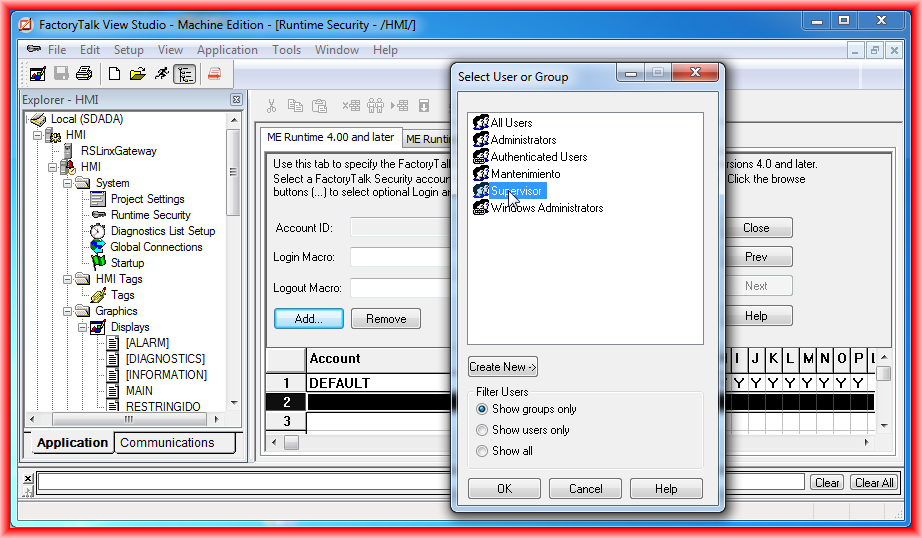
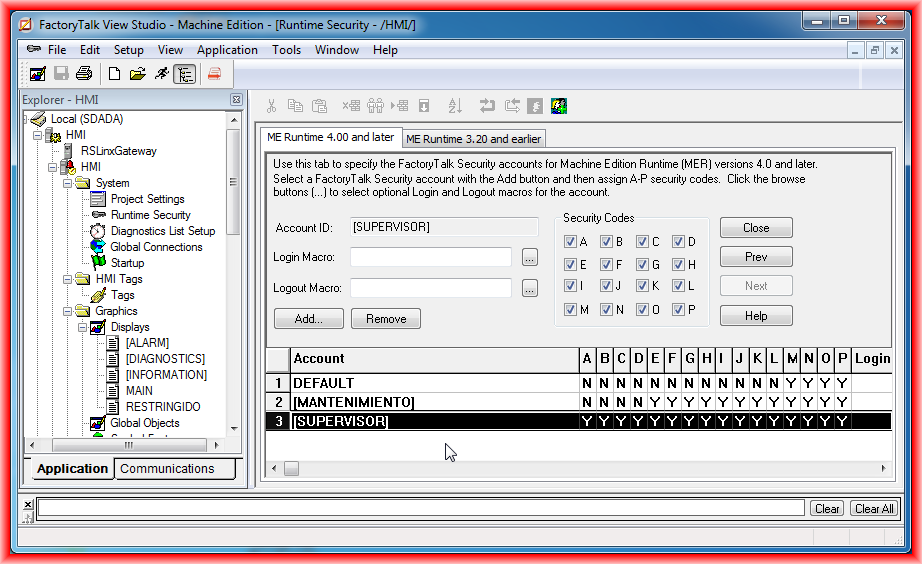
Once the previous step is completed, we will configure the permissions. To do this, we go to the System -> Runtime Security directory, and the following window opens, where we add the created groups and assign the permissions. The permissions are assigned to each letter from A to P.
We give the Maintenance group, which Raul belongs to, permissions ranging from E to P, and we assign all permissions to the Supervisor group.
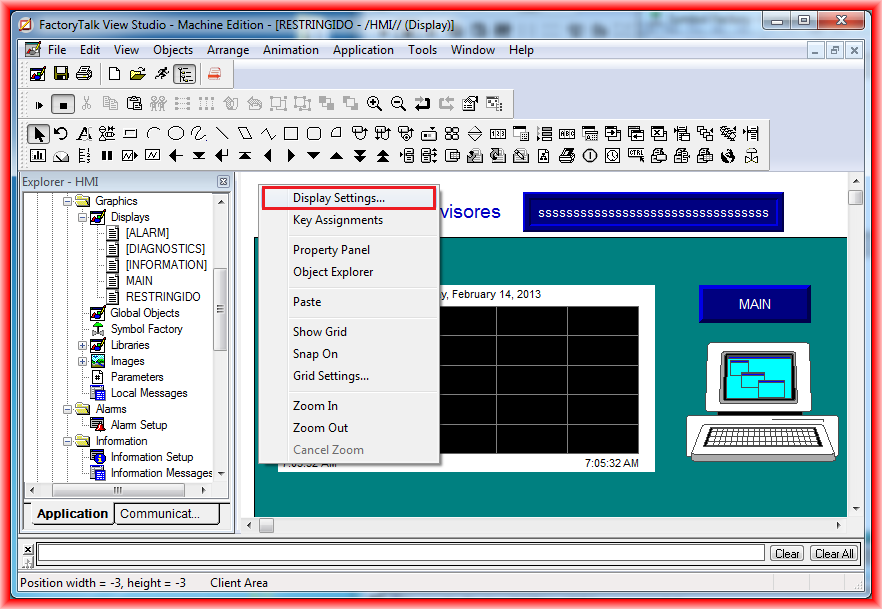
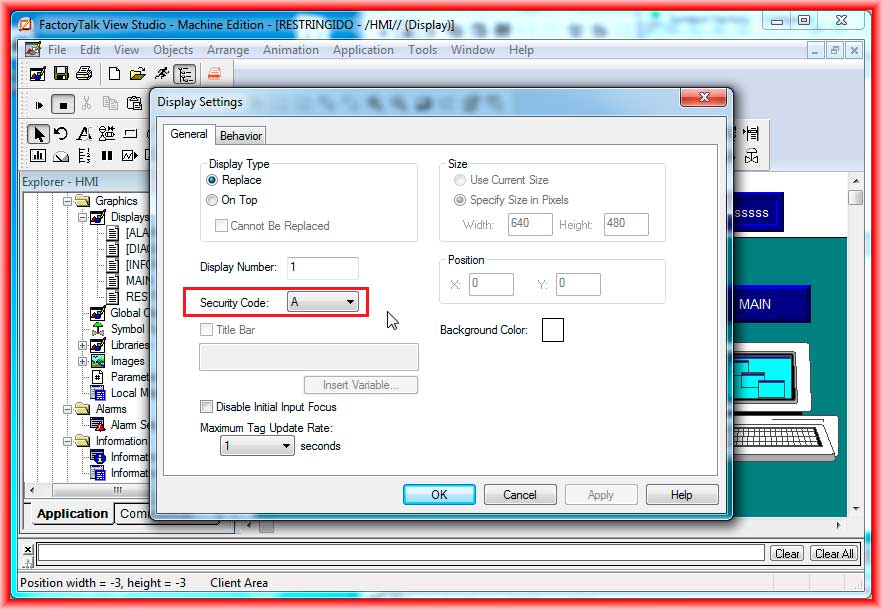
Once we have created our screen and access will be limited to the Supervisor group, to continue with the example, we go to the properties of the Displays and configure the code we are interested in.
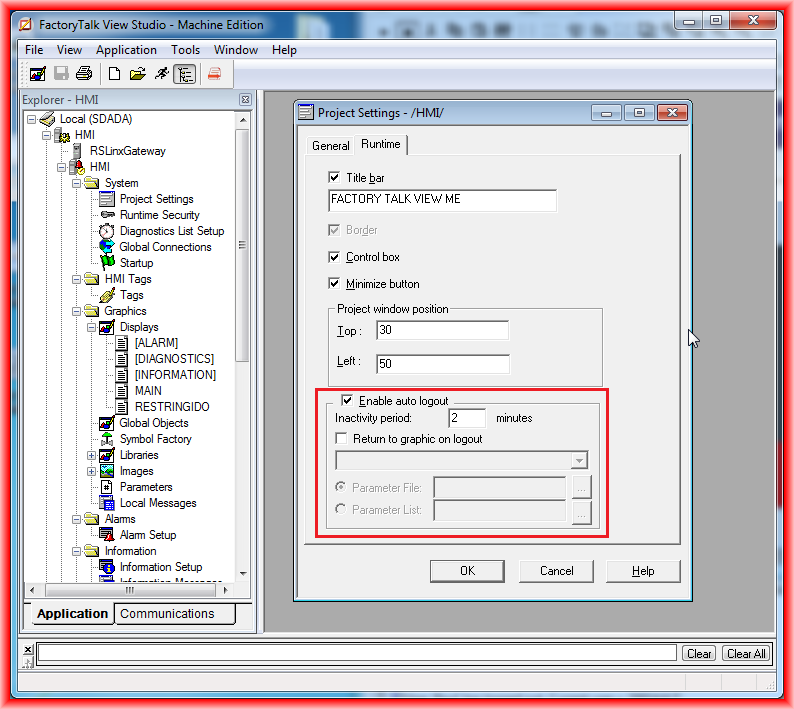
The next thing we will configure is the user logout after a certain time; this option can be found in the System -> Project Settings directory, where we assign the time we are interested in.
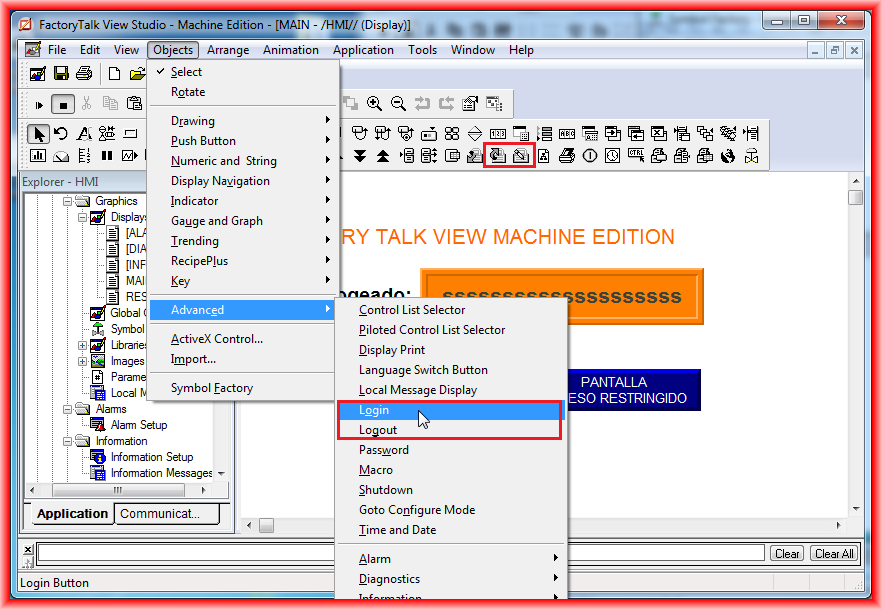
Finally, we will insert the Login and Logout buttons, which are available in the object bar or within Objects -> Advanced -> Login/Logout.
We also insert a Display String object where the System/User variable is assigned to observe at all times the active user in the system.
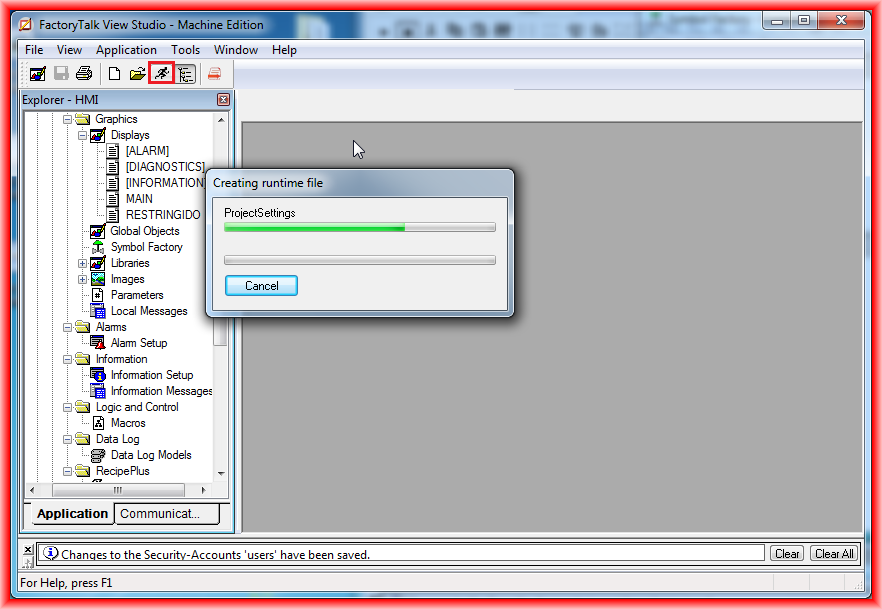
With this, we have configured all the necessary steps, and we can now test the operation. We run the test Application, and for this practice, a small video is better.
February 14, 2013