

In the following practice, we will give it a dual functionality, the first being to test what we wanted to do in the previous practice with the OP3 and the second as to how to configure a link with ProTool PC Runtime with an S7-200 via the PPI cable.
The first thing we do is start ProTool and create a new project as we have seen, the difference is that the destination, being the PC with a Windows-based system, will have all the functionalities of ProTool available.
In the following example, we will only see the parameters of the Control, which will be our S7-200 with the PC and an image that I have configured, with some input/output fields and some animations.
The parameters for the link are as follows, I have assigned the name PCRuntime to the control and the protocol Simatic S7-200, the OP address is 0 and we can assign whatever we want as long as it is different from the PLC interlocutor address which by default is 2. We select that the OP is the master on the bus, since the S7-200 can only be a slave. As a profile, we select PPI and the speed 9,600 or 19,200.
.png)
The following image corresponds to my main image, where I have inserted the corresponding input and output fields for the timers and counters as well as some animations for the status of inputs and outputs.
.png)
The variables created have been the following, both in this example and in the previous one, I have not configured any area pointer, depending on the OP/TP/MP we will have some options or others, in a real project, it is advisable to make use of them, even for the communication of an OP7 with an S5 a pointer area must be defined for its operation, if I remember correctly...
.png)
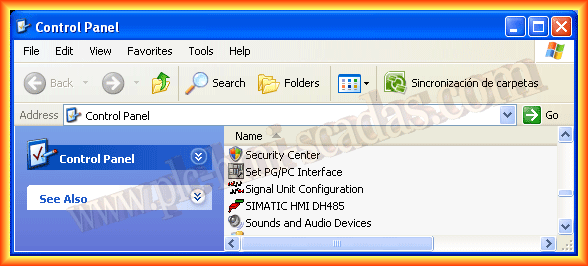
Before running the Runtime, we will adjust PG/PC Interface, for this from the control panel we run it, and select as Access Point as seen in the images, here we can see that the PC has defined address 0 as we defined in ProTool as well as the speed and type of PPI profile.
.png)
.png)
.png)
We can now run the Runtime and observe its operation as well as proceed to change the times and the counter, thus its operation is correct.
.png)
.png)
May 1, 2013
If you liked or found the information useful, share it...