
Global Connections Date and Time
In the following practice, we will see an example of one of the ways to synchronize date and time between the Controller and the PanelView Plus. For this, we will look at the functionality of Global Connections within Factory Talk View Studio.
But the first thing we will do in the Controller in RSLogix5000 is to define two new UDT User Defined Data Types, the first of which has the structure used in the WALLCLOCKTIME Class, where we already saw an example with the use of GSV / SSV functions.

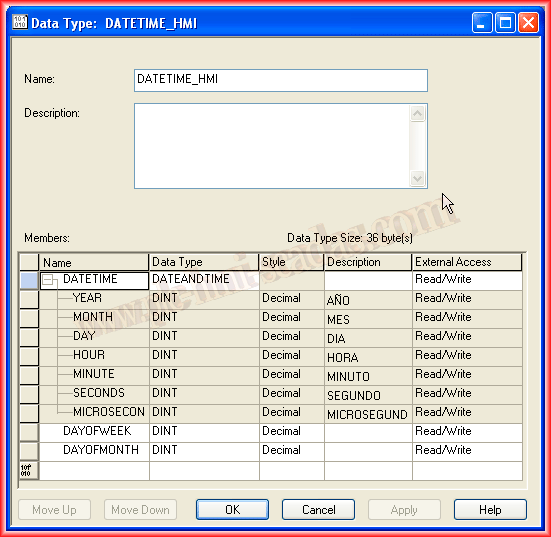
The second one will be composed of the first one we defined as DATEANDTIME and two more variables for DayOfWeek and DayOfMonth.
Correction, DayOfMonth would not be necessary because in the previous structure we have DAY.
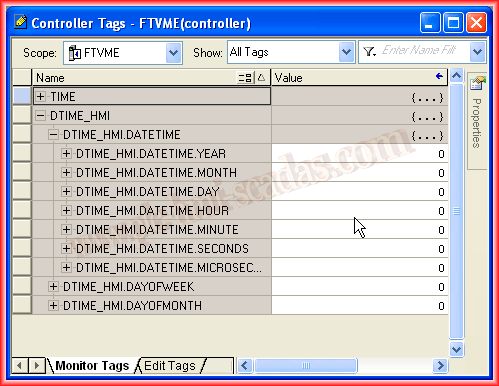
At the Controller level, I have created a new variable of the type we just defined, which can be seen in the following image.
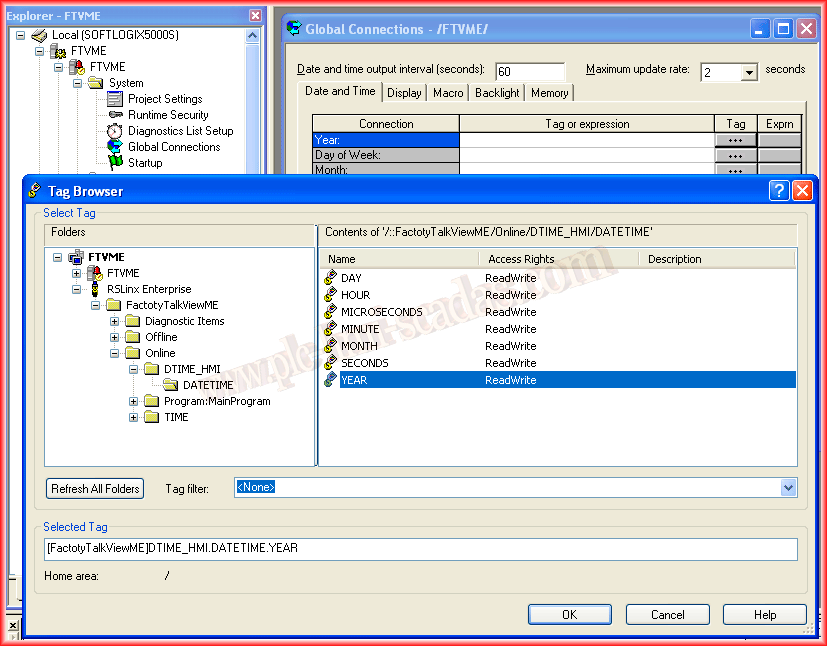
Now in our Factory Talk View project, the only thing we have defined is the link with the Controller through RSLinx Enterprise. Within the directory System -> Global Connections -> We go to the Date and Time tab, which is the one we are interested in. Here we have two options: The Year, Day of Week, Month, Day of Month, Hour, Minute, Second connections are for writing from the Panel View to the Controller, and the Remote ... are the opposite.
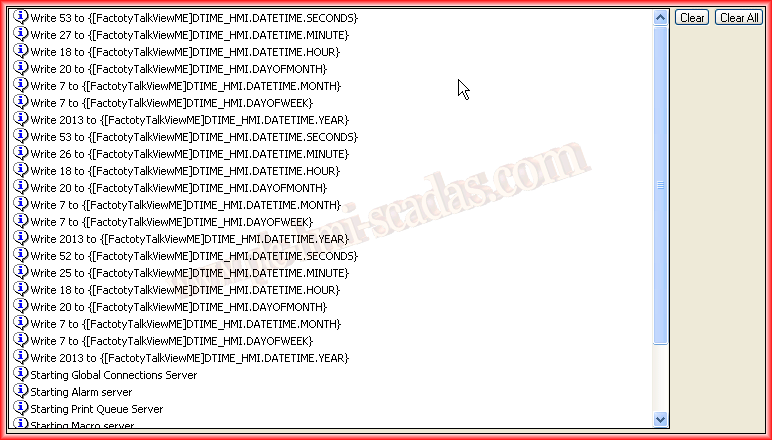
The update time is set to 60 seconds, meaning that every minute data will be written from the HMI to the PLC.

We associate each Tag with its corresponding one in the Controller, as can be seen, the Server is RSLinx Enterprise and the shortcut is FactoryTalkViewME.

In the PLC, we have only created the Tags, I have uploaded the project and set it to Run and Online.

I run the Factory Talk View Application and I have not configured anything except what has been seen, but we can observe that data is being written to the configured Tags.

If we go to the Controller Tags in our project and then to Monitor Tags, we can see the Result.
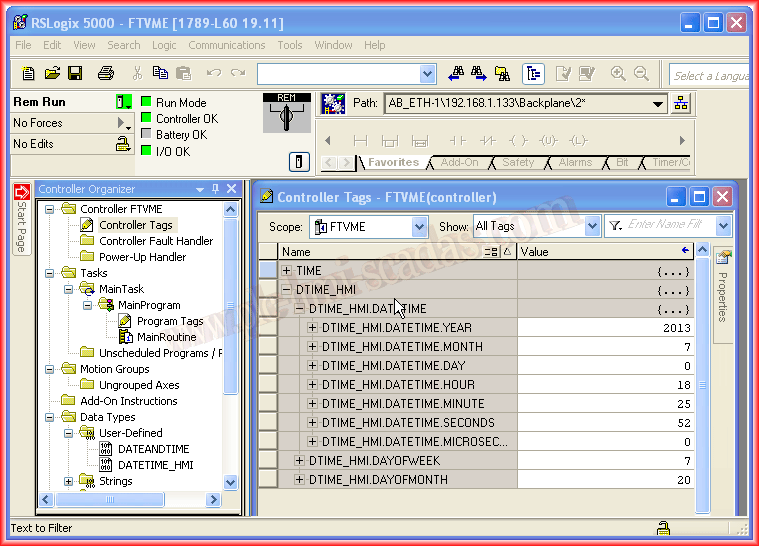
And every minute that passes, they are updated again. Now, if that time and date is what we are interested in writing to the Controller, we just have to use the GSV / SSV functions, as seen in the practice dedicated to it.
July 20, 2013