
Example of the READ_VAR Function
The following practice focuses on implementing the READ_VAR function. This function is used to read variables from another device on the same network, and if desired, we could write with WRITE_VAR. For this example, we have two BMX CPS 2020 CPUs, which feature an Ethernet port that has been utilized to create an Ethernet network, thanks to Stanly who has been able to verify this with his two CPUs.
The hardware we have is exactly the same for both devices, this is the first thing we configure in our project.
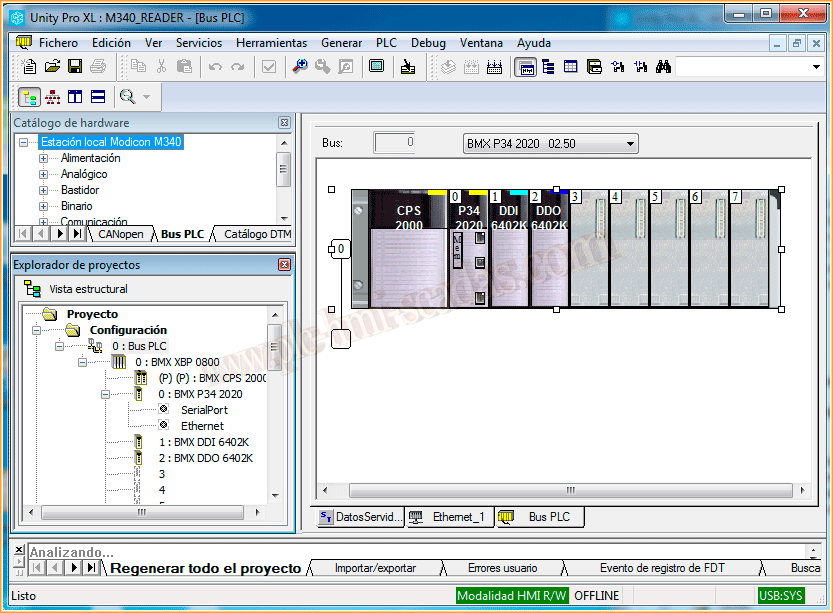
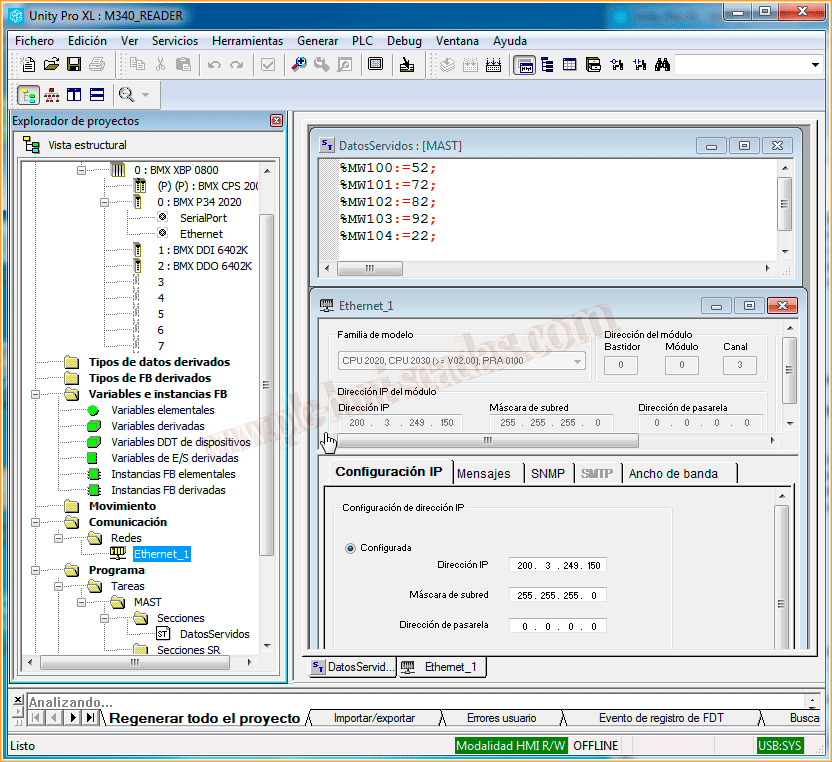
Once the hardware has been added, we can now configure the Ethernet network. You can refer to the practice used for the simulation in case there are any doubts about creating it. An IP address has been configured, where both devices will be within the same subnet.
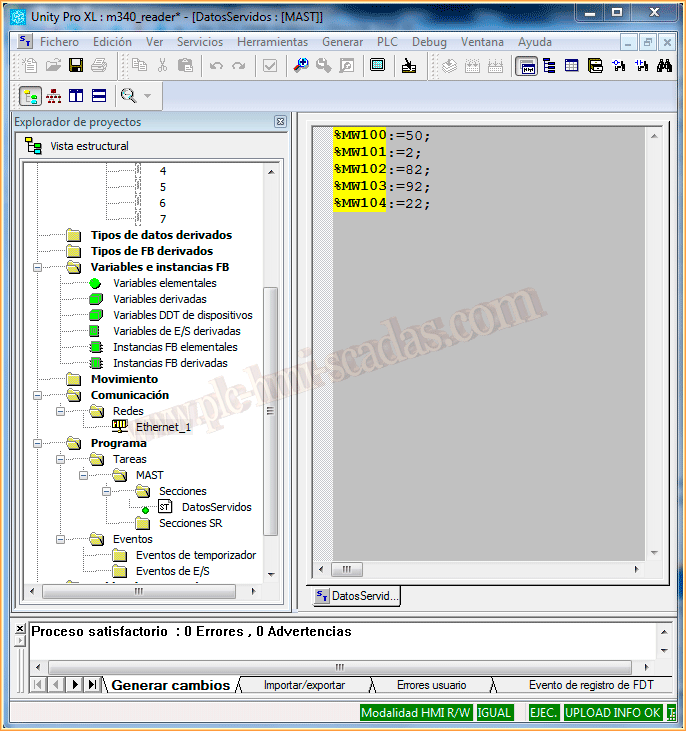
Once this basic configuration is completed, we will consider that this PLC will serve the data to be read, so to conduct the test, we will add a new section and simply assign some values to the memory area MW100, which will be the values we intend to read.
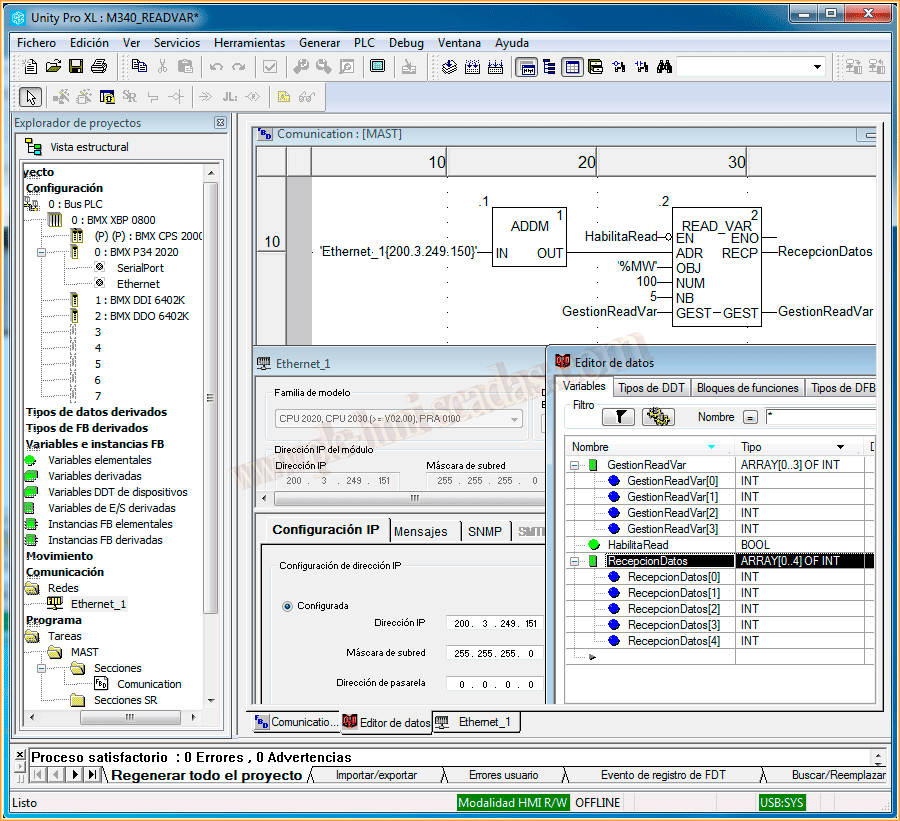
Now we move to the device that will be responsible for reading that data. The hardware is the same as seen previously, the Ethernet network is configured in the same way, with the difference of assigning another IP address, but still within the same subnet.
We have created a new section, where regardless of the programming language, the functions we will use are ADDM, which serves to convert the input parameter into the address of the device from which we want to read the data, and the READ_VAR function, which has the following parameters to pass:
EN: Activation bit to execute the function.
ADR: Address of the device from which we want to read the data.
OBJ: Here we will specify which memory area we are interested in reading, passed in single quotes '%memoryArea'.
NUM: From the memory area we want to read, the starting address for reading.
NB: Number of data to read starting from the initial address.
GEST: Here we will specify a reserved memory area for managing the function, requiring 4 consecutive integers or an array of 4 elements.
RECP: Here we will specify where we will store the data read from our remote device.
From the following example, we deduce the following: from the device with an IP address of 200.3.249.150, we are interested in reading 5 elements starting from MW100, and these read data will be stored in Data Reception.
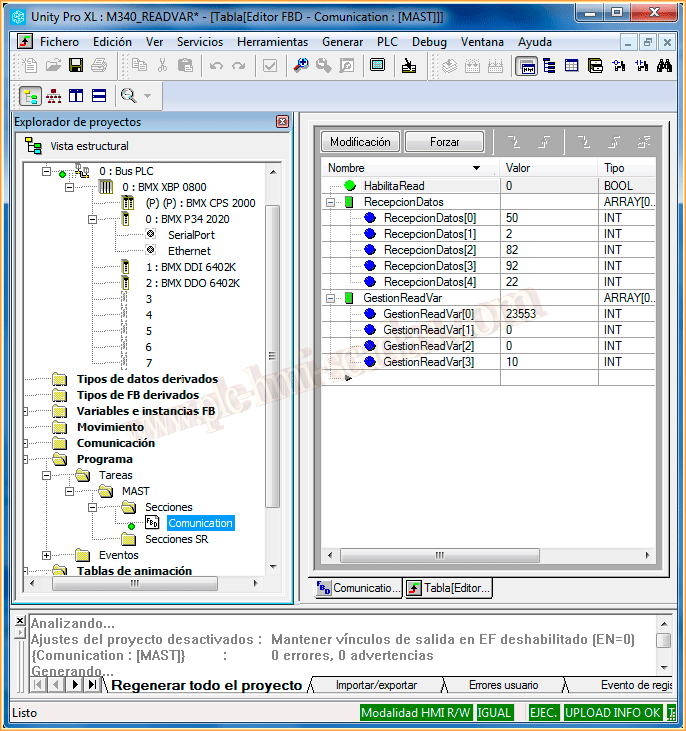
From this moment on, we can load both programs into their respective CPUs and test the functionality, so while online, we force the variable EnableRead.
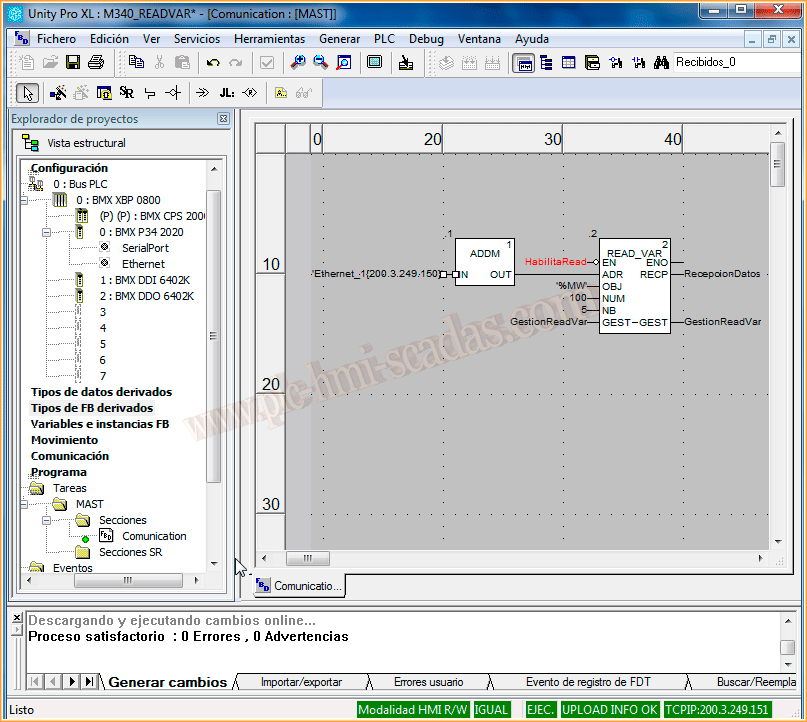
We observe the declaration of the variables we have made and we can see that the function has done its job and we have read the 5 elements we were interested in and stored them in our DataReception.
And these are the values that our device with IP address 200.3.249.150 was offering us.
September 9, 2013