
Register PLC Data in Database with OPC Server and VB.NET
In this practice, we will register the data of interest from our PLC to a Database through an OPC Server; to do this, we will develop a simple application in Visual Basic.Net.
The requirements for this practice are to have an OPC Server; in our case, we will use Siemens' Simatic Net, Visual Studio, which can be downloaded for free, and a Database Management System; in this example, we will use Access, although others can be used.
We will assume that we have created our PLC program and the OPC configuration.
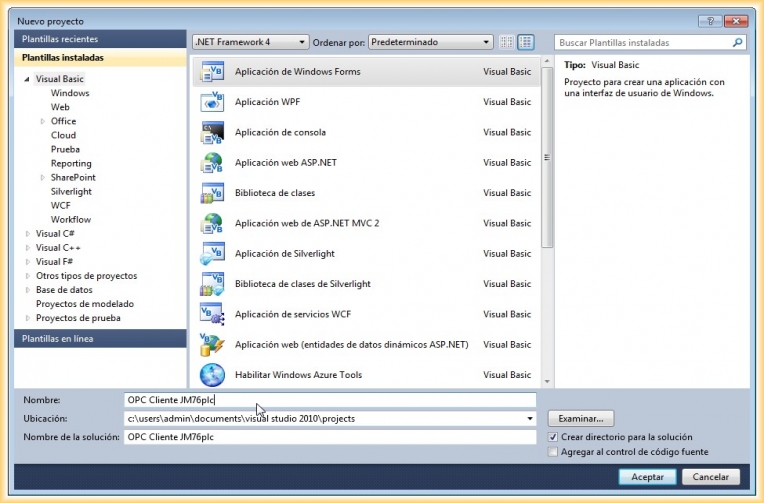
1.- The first step will be to create a new application in Visual
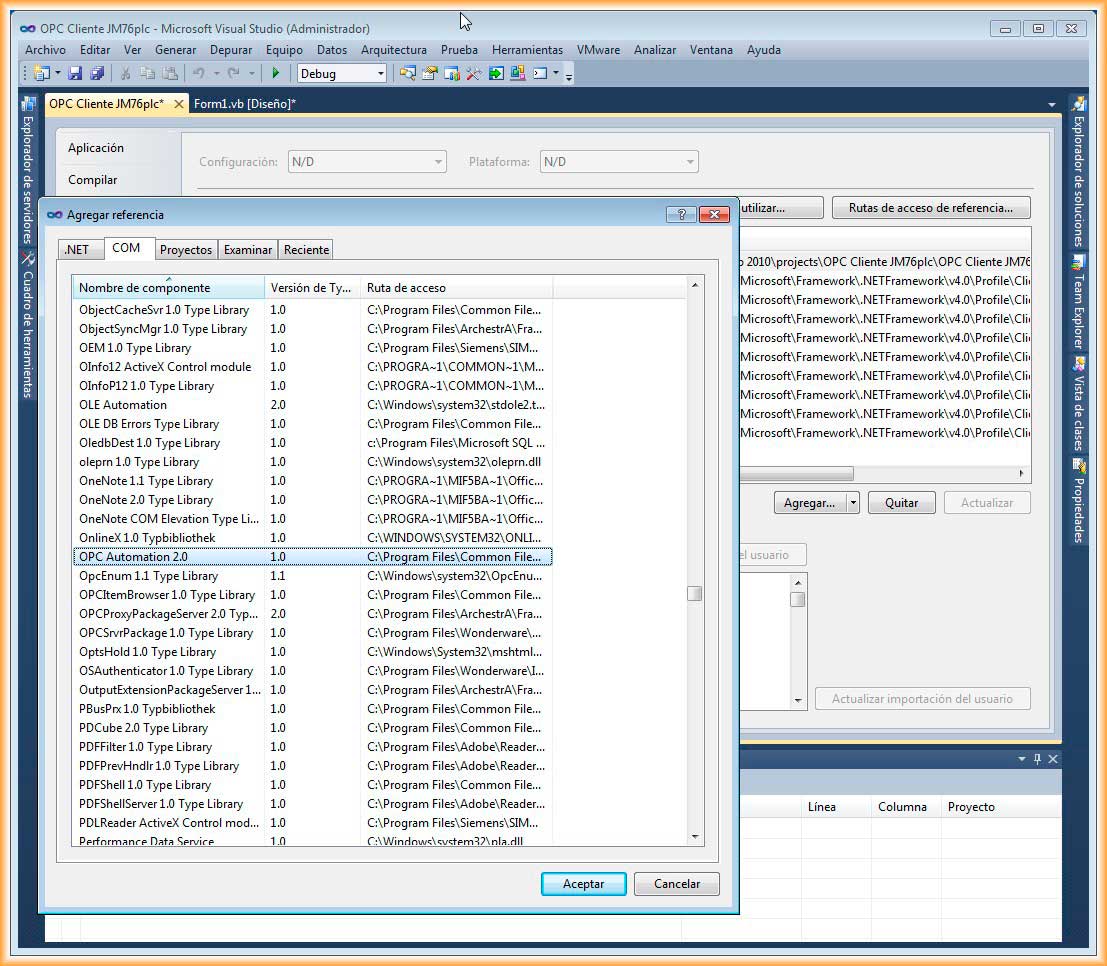
2.- Once we have created our application, we will add the OPC Automation 2.0 reference; for this, we go to:
Project -> Properties of (application name), a pop-up window will open, and we select the COM tab and add that reference
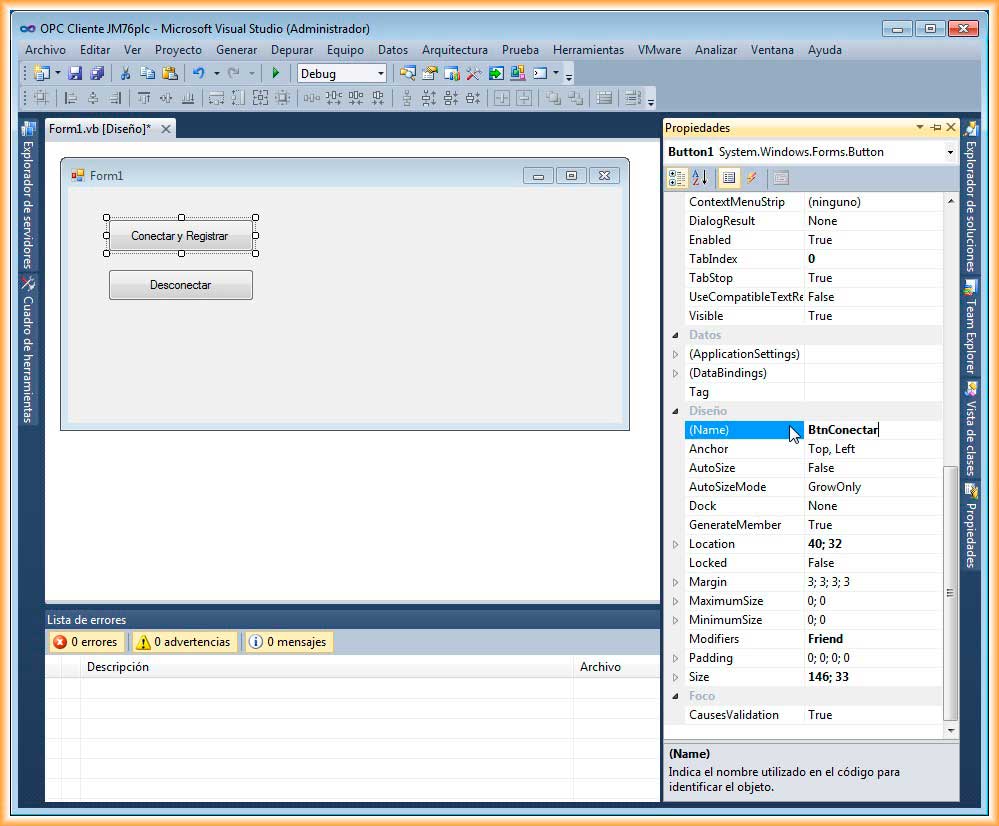
3.- In our Form1, we add two Button controls; one will be for connecting and registering data, and the other for disconnecting. We go to the properties of each of them and give them a name; it is generally used as btn... and we change the name to show, we also insert the Timer control
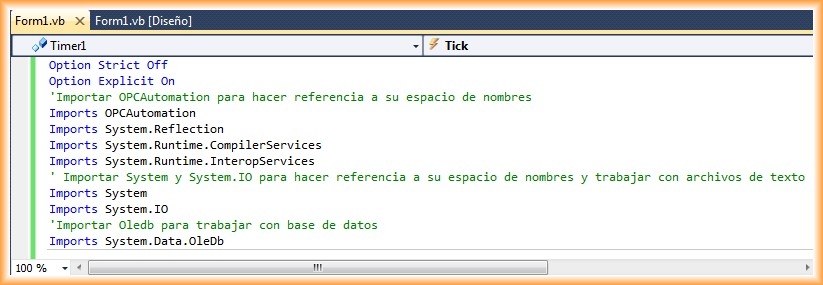
4.- Now we will move on to the programming code; we will work with the namespace related to OPC, with plain text files and Databases, so our first lines of code will be:
5.- And the declaration of the variables that we will use in our form.
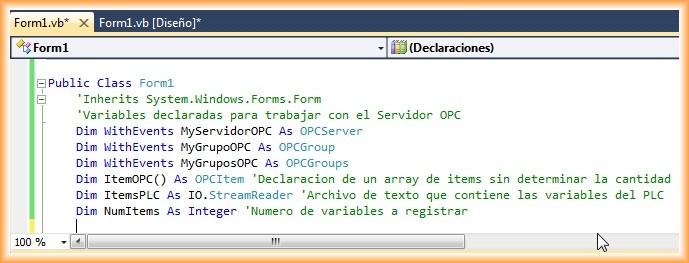
6.- We double-click on our connect button, and this is the code to connect to our Simatic Net OPC Server; if everything goes smoothly, we will activate the Timer1 control, which will help us register the data at the time interval set in its properties
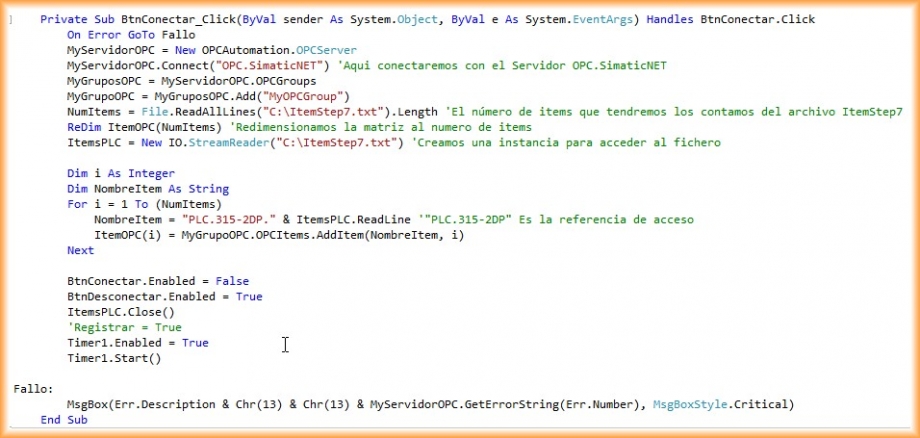
Upon analyzing the code, the reader may wonder why to use the ItemStep7.txt file; the explanation is that I have taken all the symbols created in our PLC program and copied them to a plain text file; these will be the items we are going to register. Obviously, this can be omitted, but it is a way to do it dynamically, as the item array is resized according to the number of items in our file. To clarify, I will attach some images
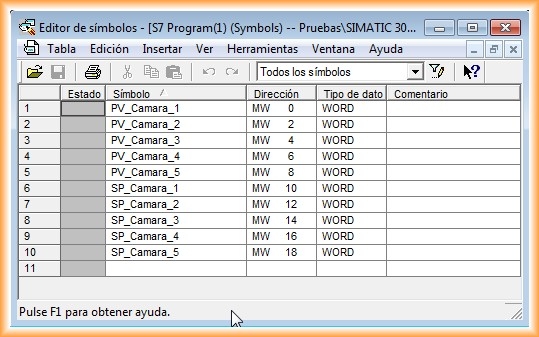
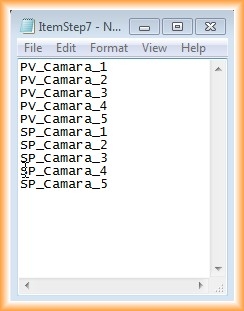
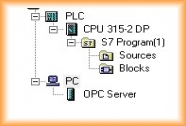
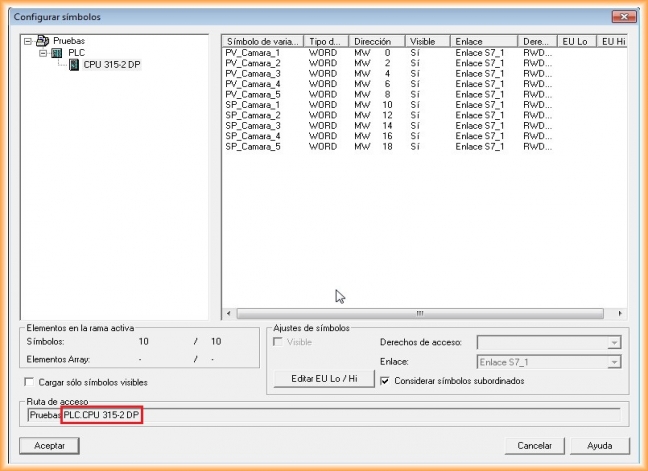
Another clarification to make is where "PLC.315 2DP" comes from; this is the reference to access the items through the OPC, which is the name assigned to the PLC and the model of the PLC. It can also be observed when configuring the Hardware of the station:
PC Simatic Equipment -> Configuration -> OPC Server Properties -> S7 Tab (Use symbols) -> Selected
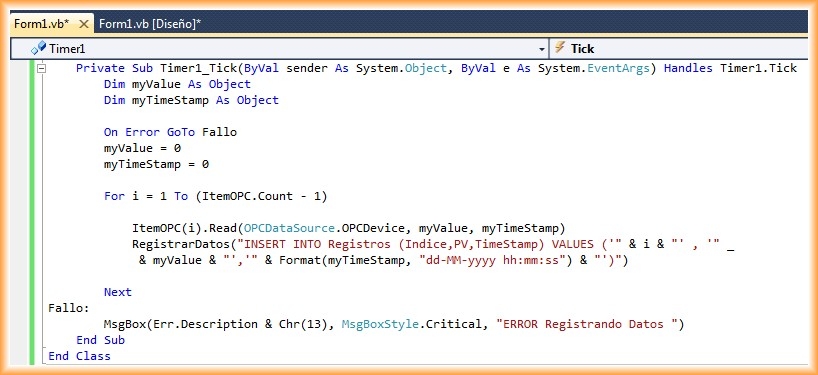
7.- Once connected to the OPC Server, we activate the Timer, and it will execute the code at the established time interval; the code is as follows, and it creates a loop to go through all the items, read their value, and insert them into the database
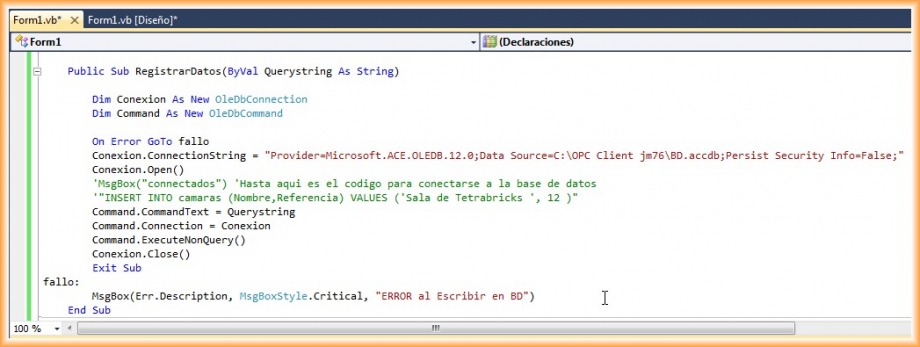
8.- RegisterData is a procedure that creates the connection to the database and executes the passed command and disconnects from the Database
Our Database is created in Access 2007 and has a single table with the following fields

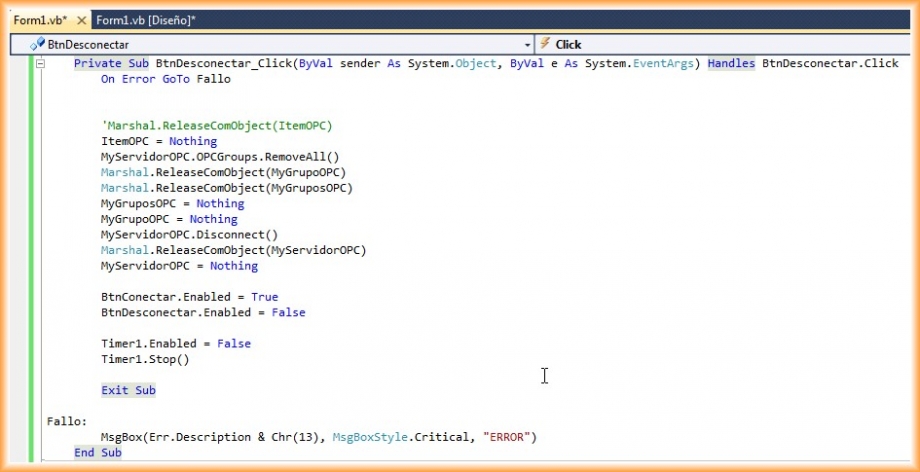
10.- Finally, we are missing the code for our disconnect Button
11.- This has been a basic, very simple example; from here, it can be improved and adapted to needs
It is worth mentioning that one of the first examples I saw and served as a reference was in the fantastic blog Automation Notes
July 2012