
Due to a query from a colleague in the InfoPLC forum about how to scale an analog input like the Siemens FC105 function, I decided to test how it would be done.
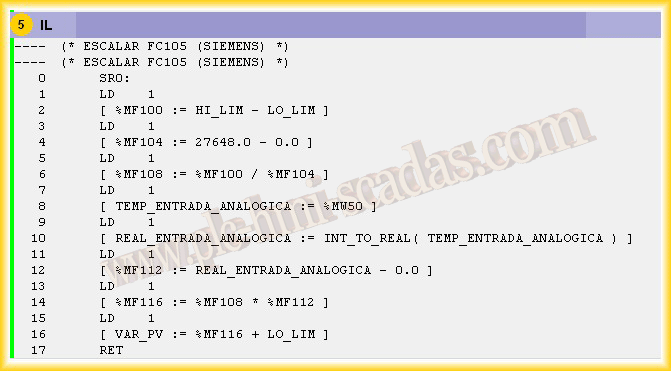
The first step would be to know what the FC105 function does; if we go to the help, it shows us the following message: The "Scale values" (SCALE) function takes an integer value at the input IN and converts it into a real value, scaling it to a range between a lower limit and an upper limit (LO_LIM and HI_LIM). The result is written to the output OUT. The SCALE function applies the following formula:
OUT = [ ((FLOAT (IN) – K1)/(K2–K1)) * (HI_LIM–LO_LIM)] + LO_LIM
The constants K1 and K2 are applied differently, depending on whether the input value is BIPOLAR or UNIPOLAR.
· BIPOLAR: It is assumed that the input integer value must be between
-27648 and 27648, therefore, K1 = -27648.0 and K2 = +27648.0
· UNIPOLAR: It is assumed that the input integer value must be between
0 and 27648, therefore, K1 = 0.0 and K2 = +27648.0
I will develop an example assuming I have a Unipolar input.
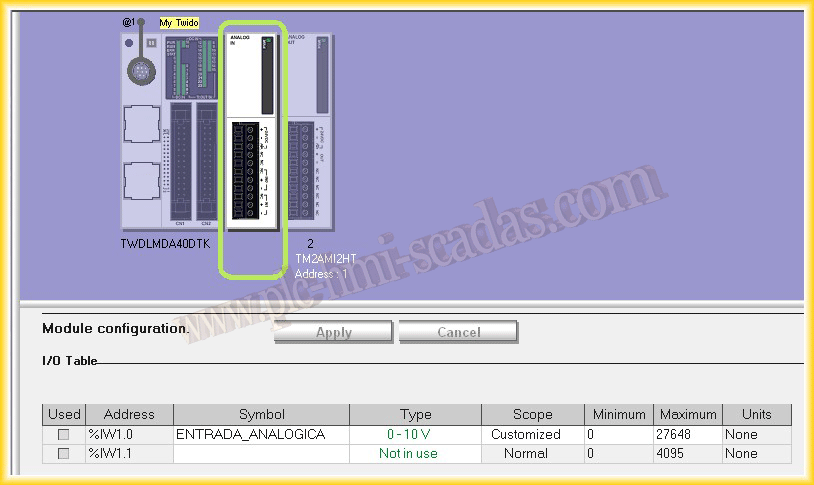
We start from the basis that we have created a project in TwidoSuite and the first step will be to configure the analog input either 0-10V or 4-20 mA, we select in custom scope and give the Minimum and Maximum values, I, to follow the example of the FC105, give the maximum value of 27648
2.- Once our input is configured, we proceed to programming; I have created a Scalar FC105 subroutine applying the formula mentioned earlier, and it would look like the following image
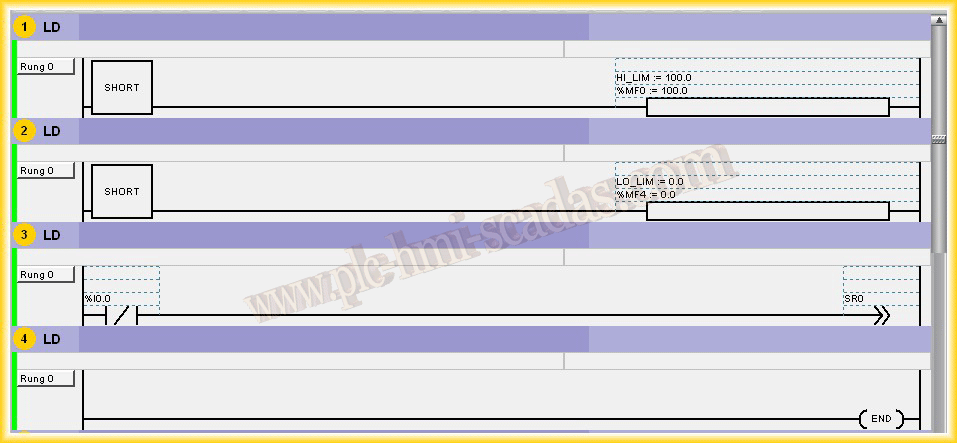
3.- Now from our program, we call the subroutine SR0 and pass the values of Hi_LIM and Lo_LIM
4.- Finally, to test its operation, we will create the simulation; for simulation purposes, I have changed the analog input %IW1.0 to %MW50 to be able to modify its value in the animation table
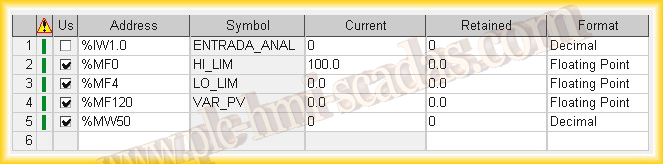
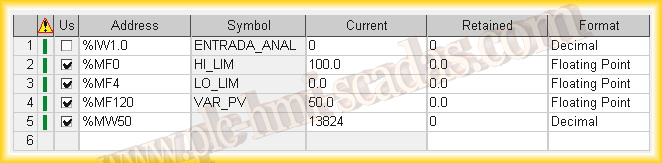
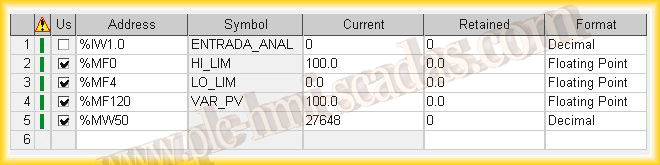
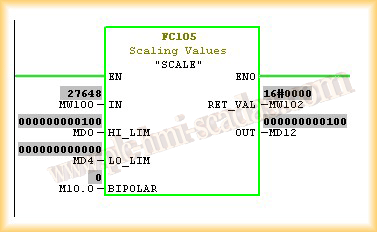
And the FC105 function from Siemens would give us results like the following:
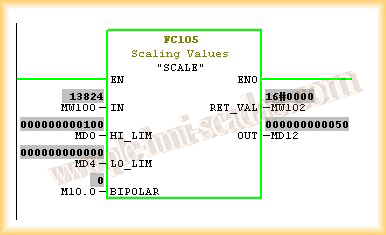
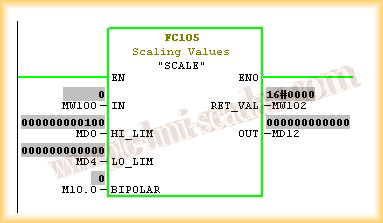
July 29, 2012