
In this practice, we will see how to configure a link between an S7-2xx and the WinCC Flexible PC Runtime using the RS232/PPI cable, warning the USB/PPI cable cannot be used for this, as it is only for transferring.
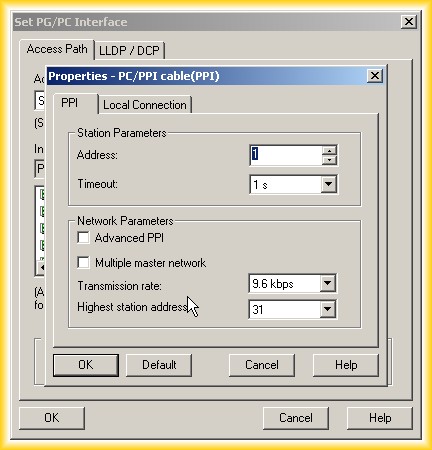
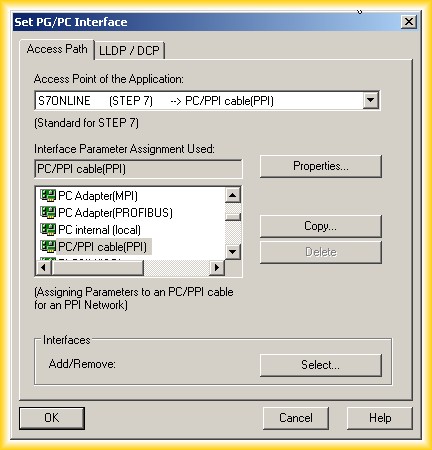
1.- The first step will be to adjust the PG/PC Interface, selecting PC/PPI, we go to properties and adjust the parameters
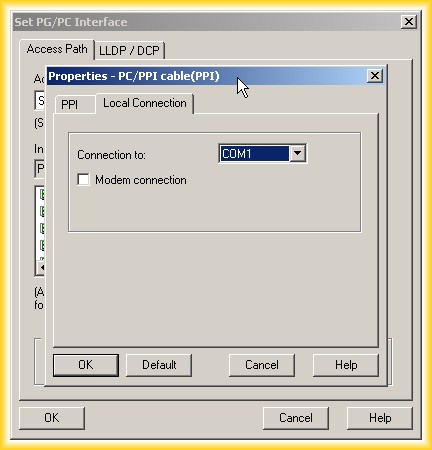
2.- We select the COM port, in our case COM1
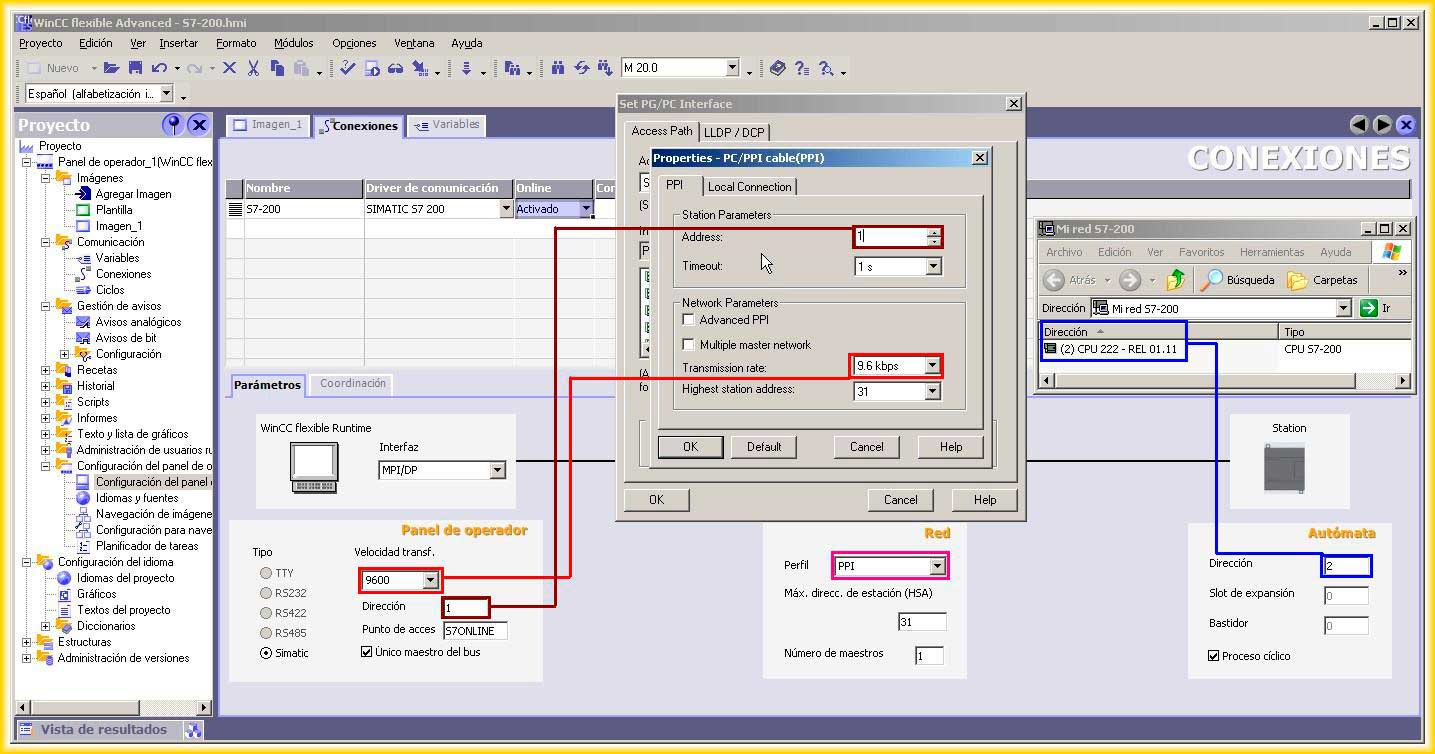
3.- We start our project in WinCC Flexible, and the first step we will take is to configure the connections, we create a new one and adjust according to the previous parameters and our project
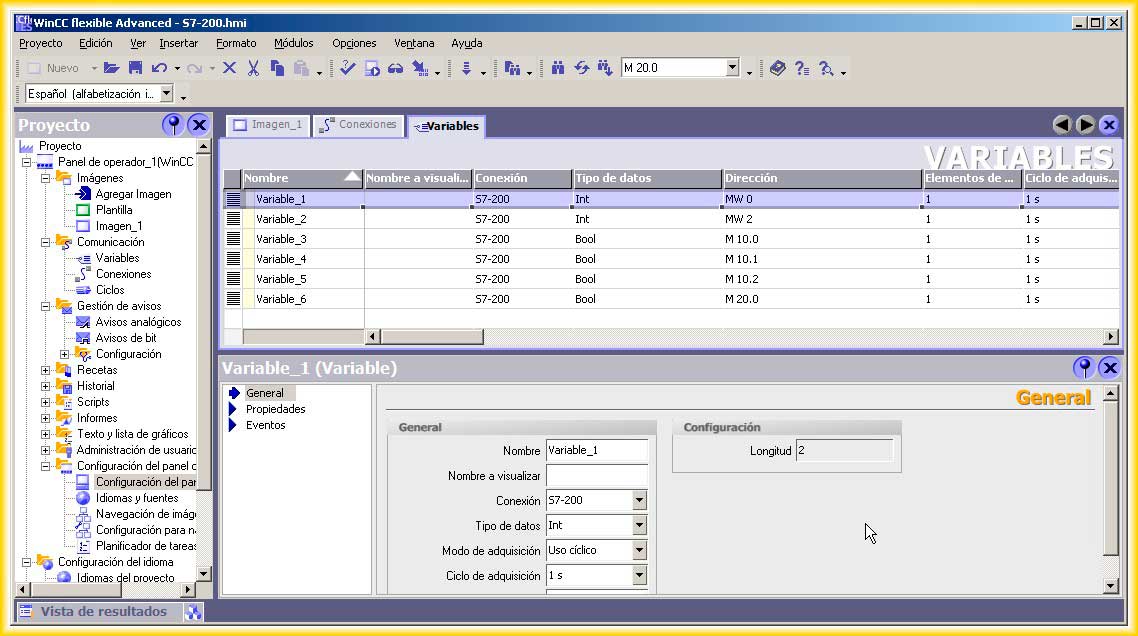
4.- We create some variables to visualize the operation
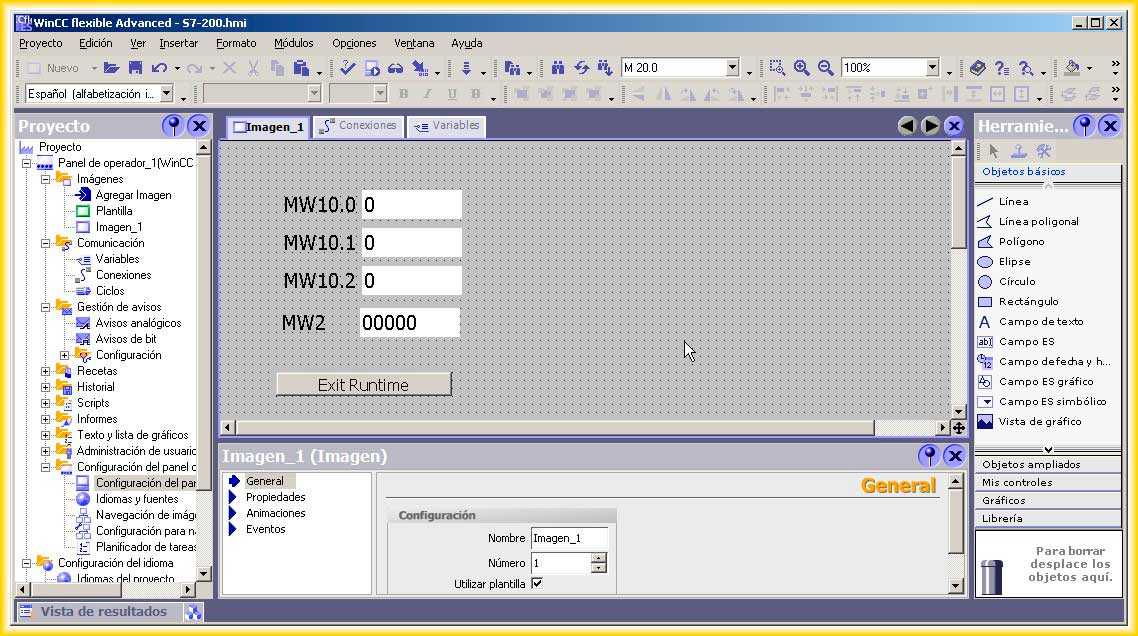
5.- Finally, we create a screen with input and output fields to visualize the variables created earlier
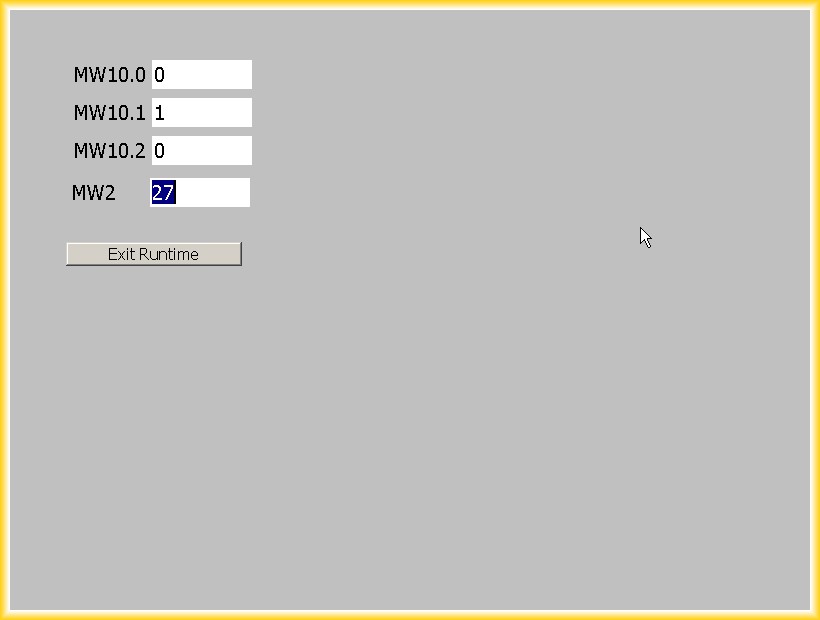
6.- Finally, we compile and if there are no errors we can run the Runtime and observe its operation
August 14, 2012