
In this practice, we will see how to perform a Backup of our OP/TP or MP, for this we need the Prosafe software, which is part of the installation package of Protool, WinCC Flexible, or TIA WinCC.
I will use an old OP7 for this practice.
1.- The first step will be to configure the COM Port, for this we go to device manager and select default values.
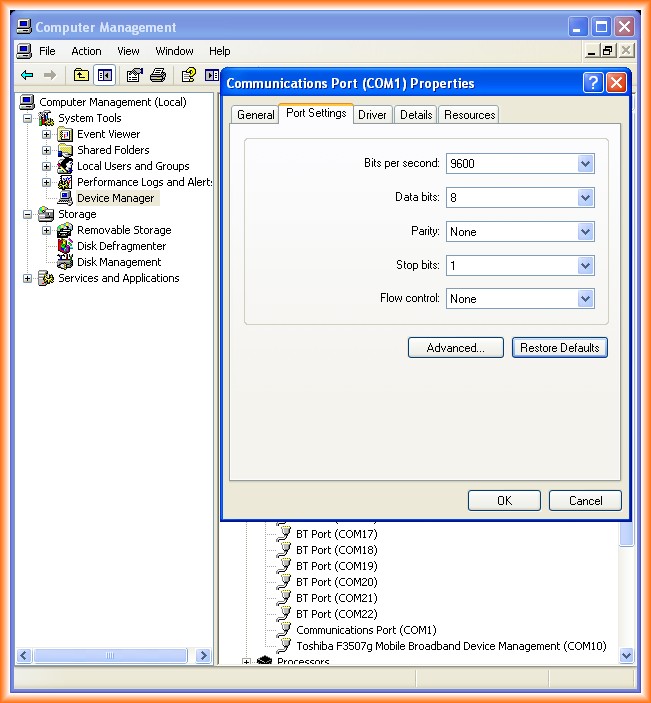
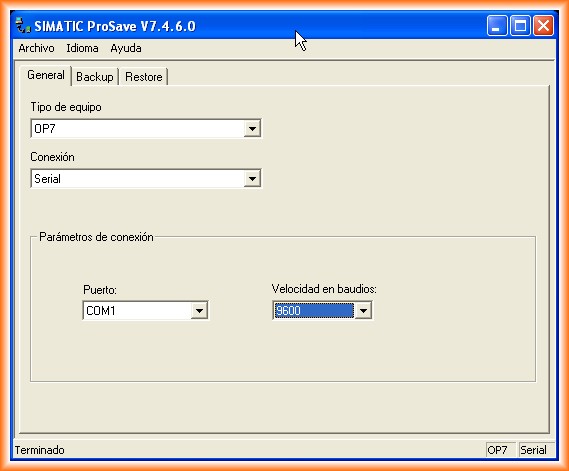
2.- We run the Prosafe Software and this is the interface it shows us, we select our Type of device and the medium to establish the connection and transfer, in case of Serial, specify the speed, which must be the same as the one we have configured in our COM1 Port.
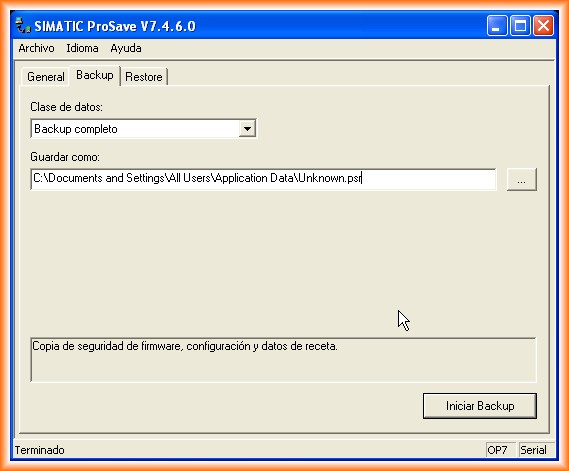
3.- Once the general parameters are configured, we go to the Backup tab to specify the destination of the Backup and depending on the type of panel in the data class it will offer us different possibilities, I will perform a complete Backup.
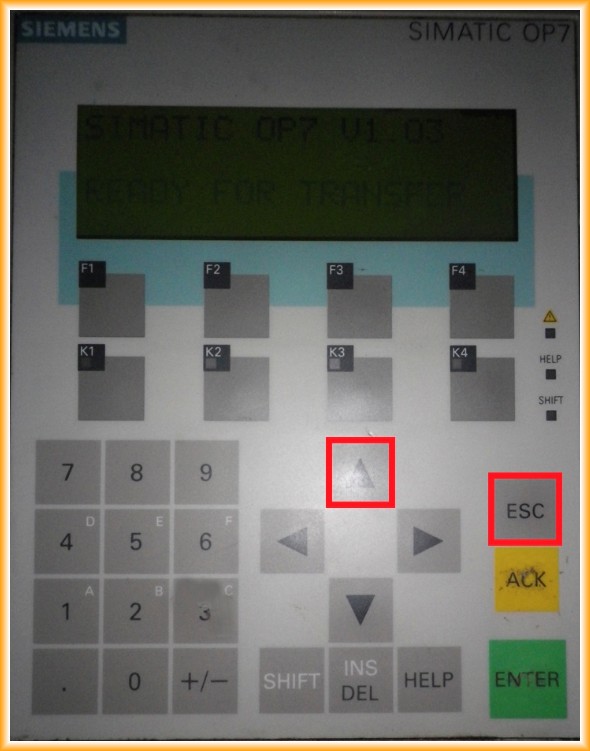
4.- Before starting the Backup, it is important to put the OP in transfer mode!!! Otherwise, it will give us an error when trying to establish the connection. To put the OP7 in transfer mode, you need to remove the power and when you restore it, press the up date key and ESC simultaneously, when you release them, it will enter transfer mode.
5.- Now we can click to start Backup and if everything is correct, the Backup will start.
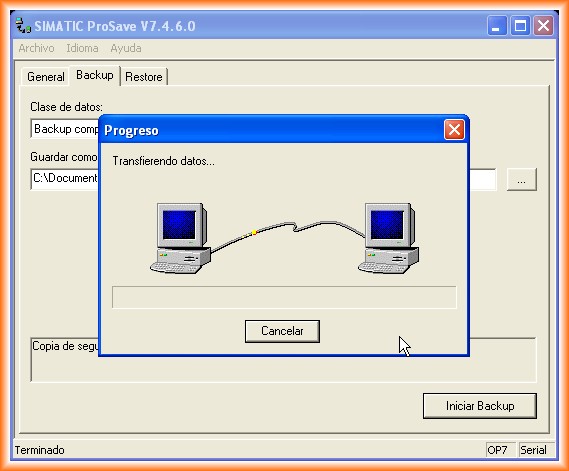
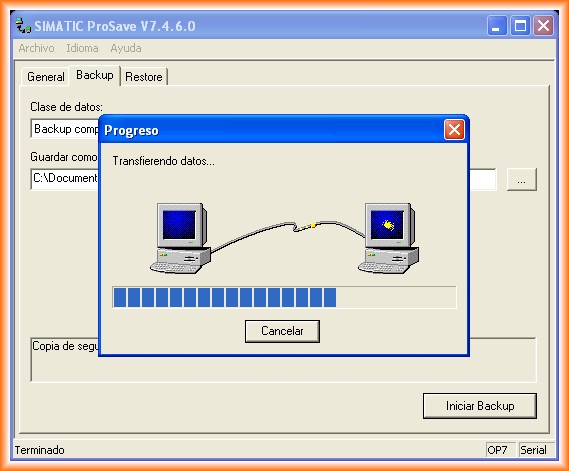
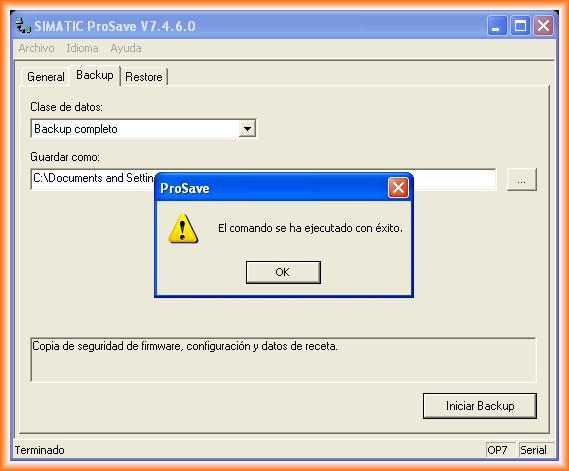
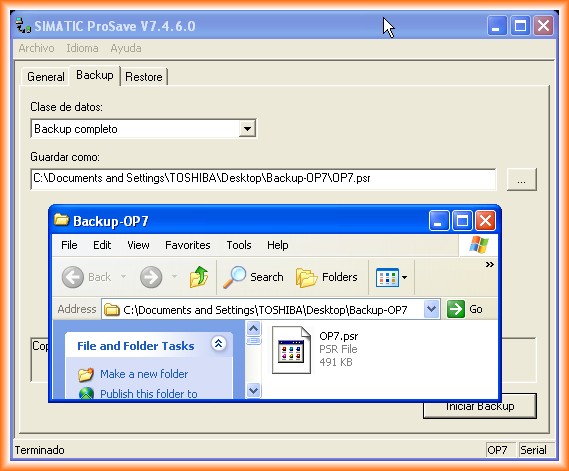
6.- Upon completion, a pop-up window will indicate that it has been successfully completed.
7.- In the event that our OP/TP or MP fails and we need to replace it, we would load the program using the Restore function and it would work again.
As additional information, the file generated when performing a Backup cannot be edited and can only be transferred to an OP/TP/MP of the same model.
August 19, 2012