
In this practice, we will configure RSLogix Emulate 500 to test our programs in the SLC 5/xx and Micrologix family of controllers. You can download a demo version for the Micrologix family from Rockwell.
1.- We will start from the basis that we have created our program in RSLogix 500 and we will make some checks. The first thing we need to do is configure RSLinx, but first, we open our program, verifying and compiling it
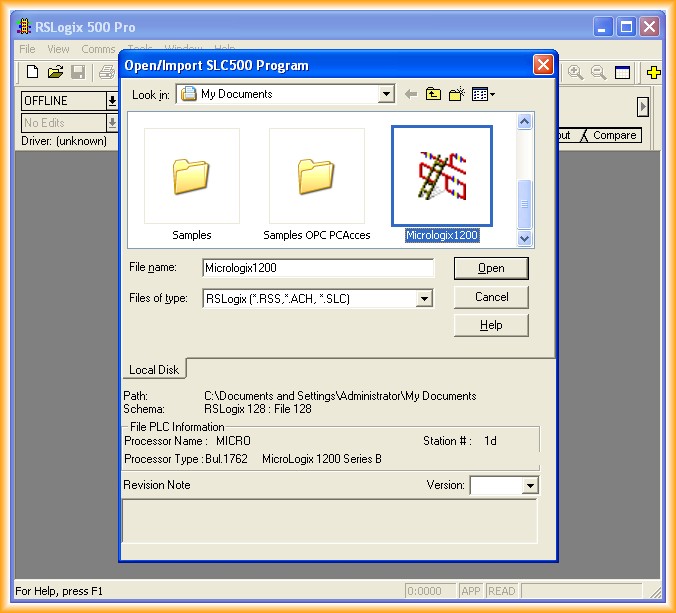
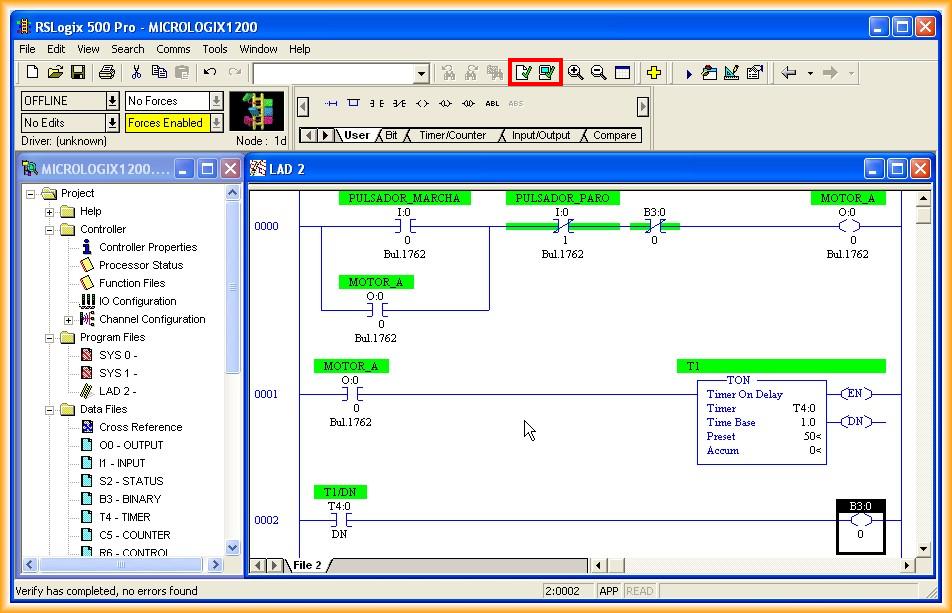
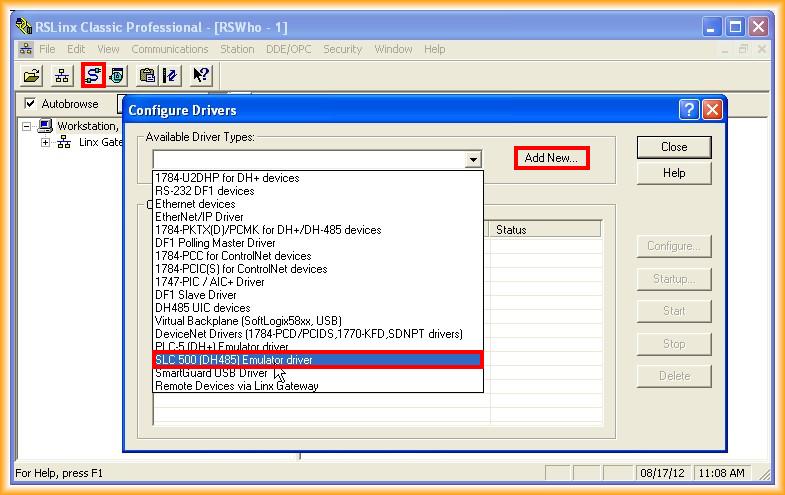
2.- We run RSLinx and we are going to configure a new Driver. For RSLogix Emulate, we need to select the SLC500 (DH485) Emulator driver and add it.
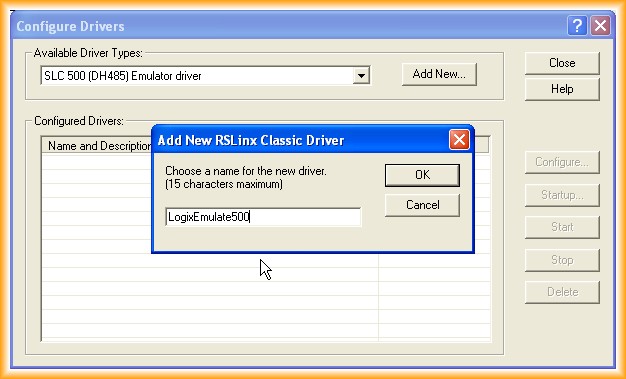
3.- We give a name to the added driver.
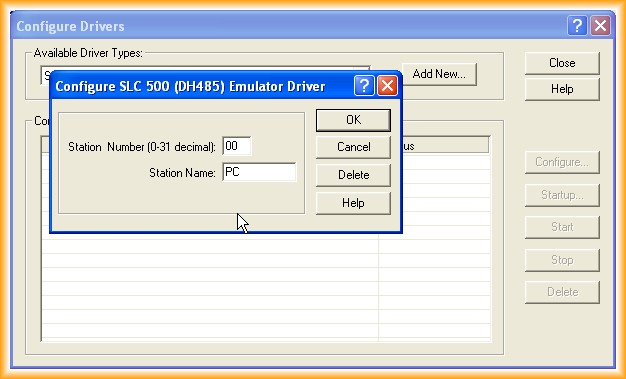
4.- We configure the station number that our PC will have with the execution of RSLinx and a name, in this case, PC.
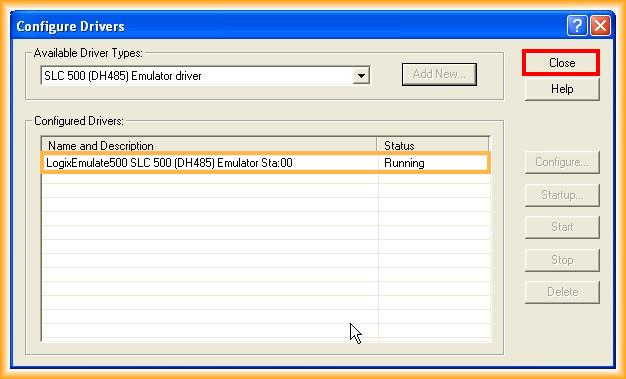
5.- And our driver is already configured and running.
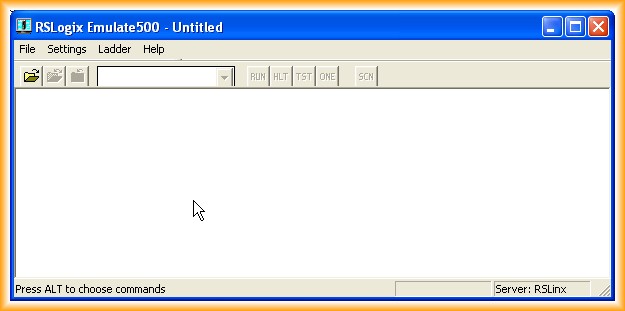
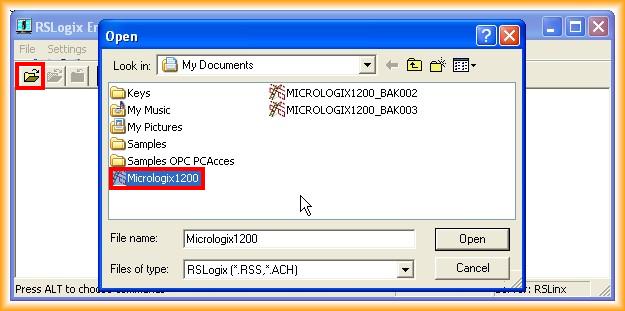
6.- The next step is to run RSLogix Emulate 500 and click on open to load the program we want to test, therefore it is necessary that the program is verified and compiled; otherwise, we will receive a warning to compile it.
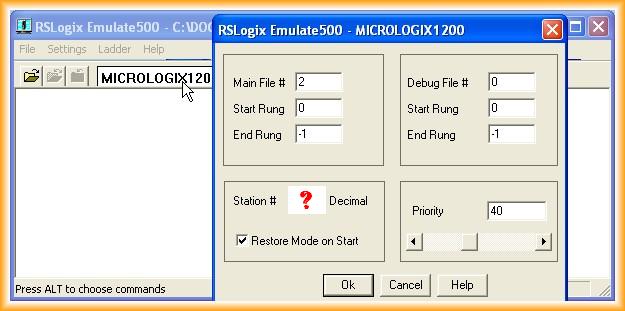
7.- A pop-up window appears where we can configure it. We can leave it as default or adjust according to our needs; the station number can be observed in our program.
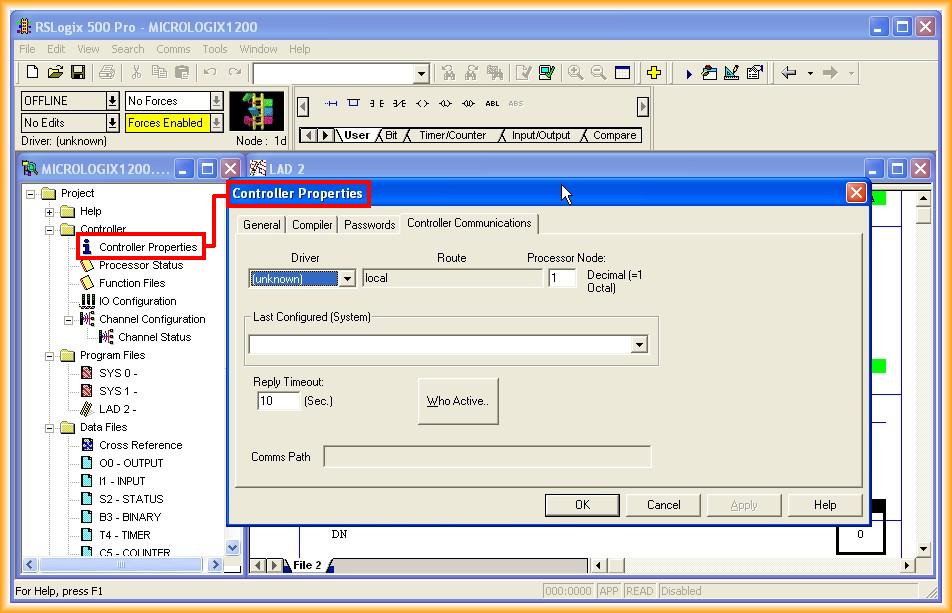
8.- In our program, we go to Controller Properties and specify the driver we are going to use, which was created earlier, and we will be able to identify the station number that our PLC has.
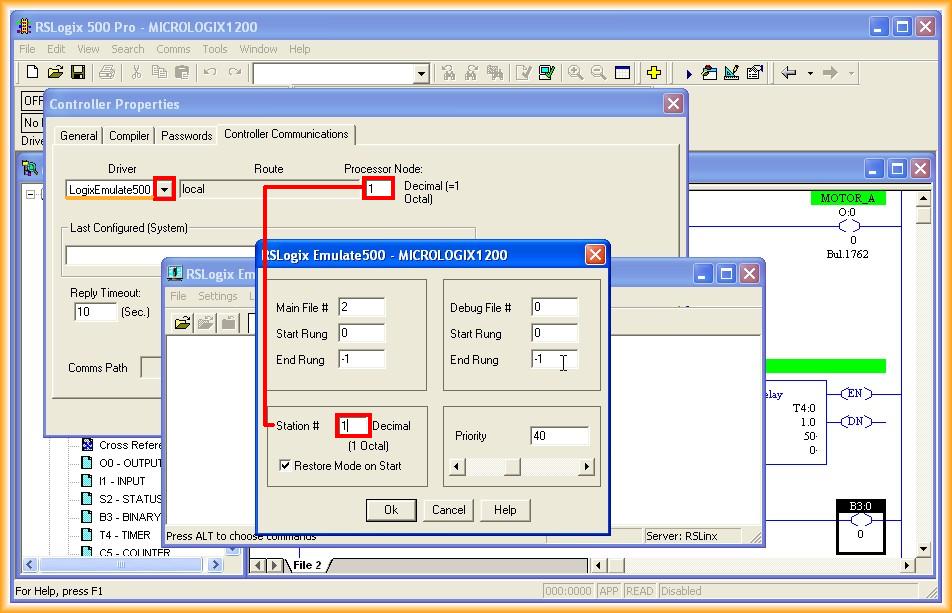
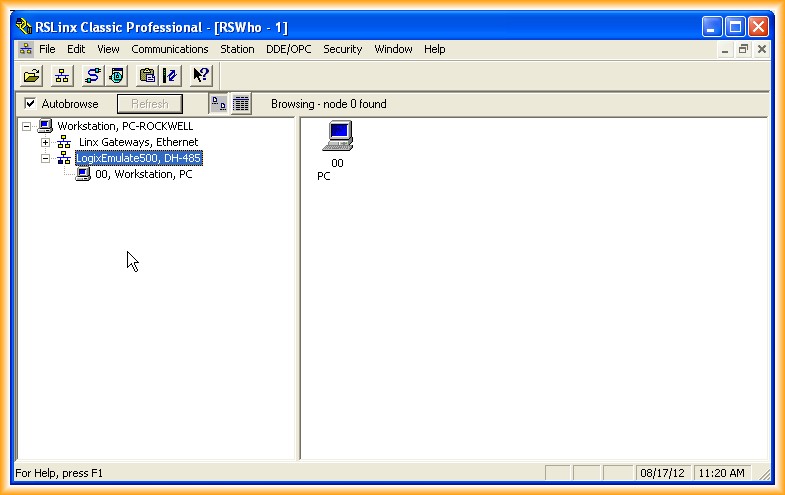
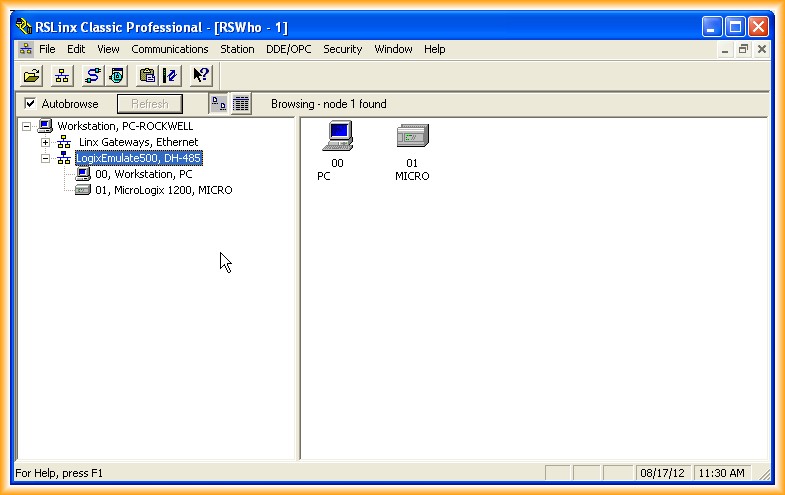
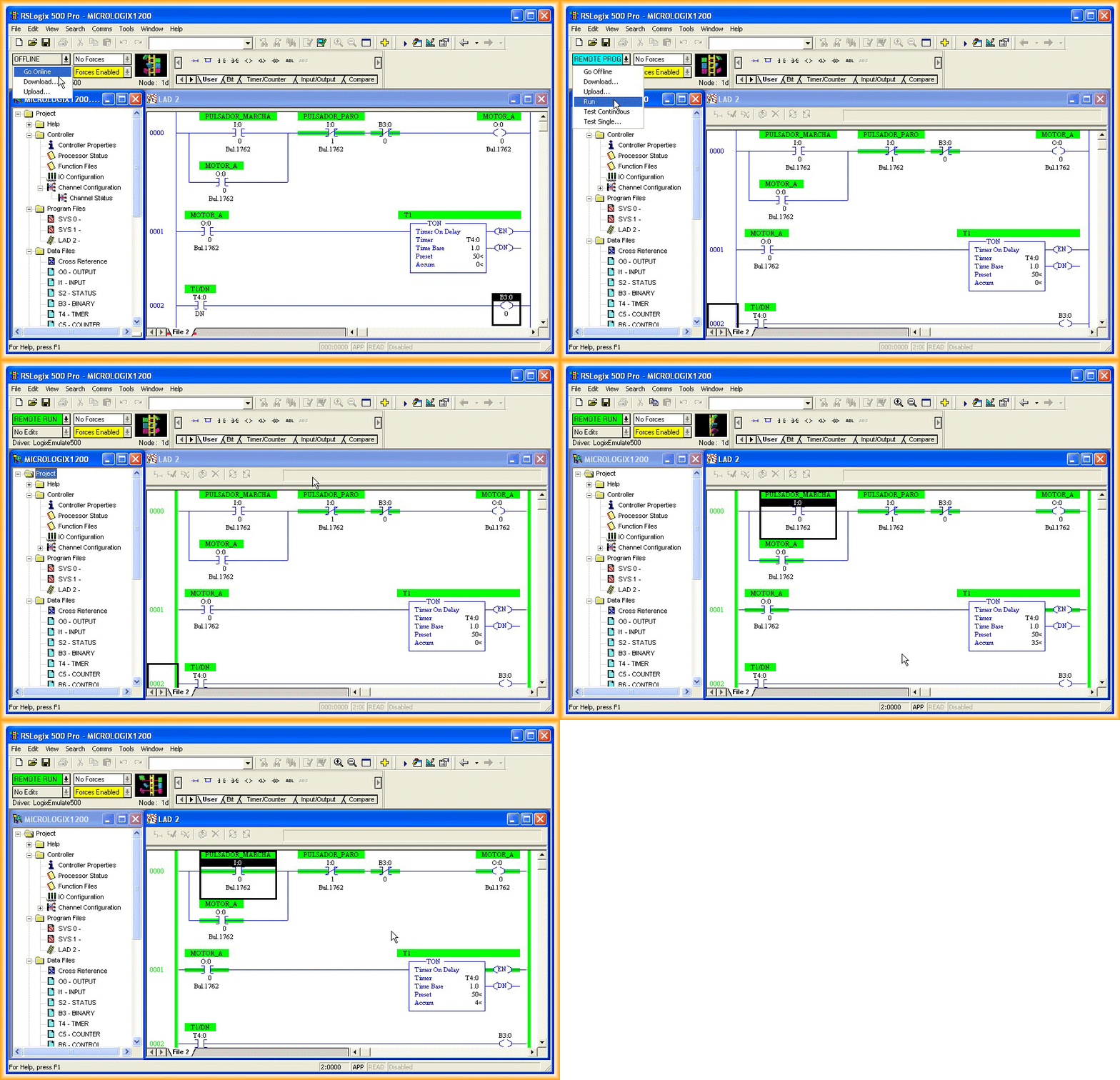
9.- With these steps, we can now see that our PLC has been detected in RSLinx; now we can go online and check our program.
August 24, 2012