
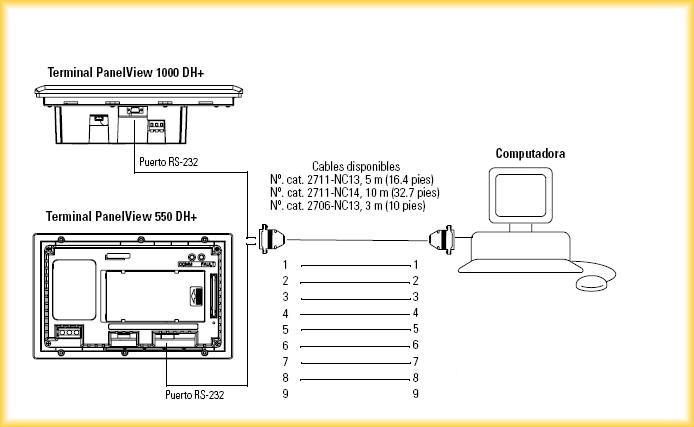
In this practice, we will perform a Backup of a PanelView 550. For programming this type of panels, the PanelBuilder32 software is required. The first thing I will do is identify the ports that the panel has and the interface needed to make an upload; consulting the manual, I extract the following information that provides me with the pinout of the cable to be made
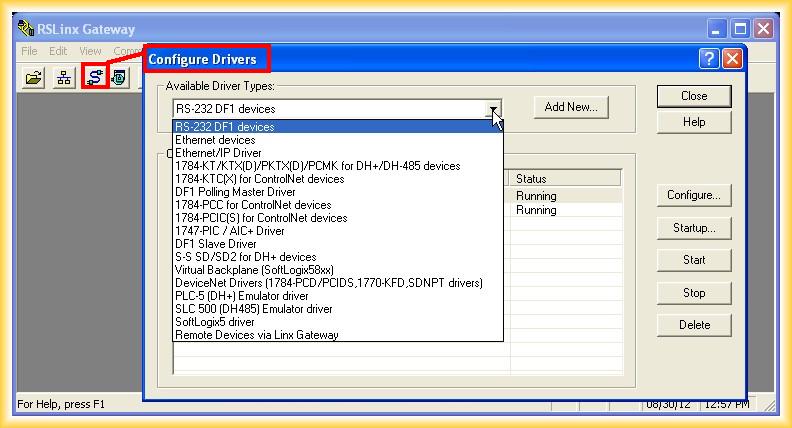
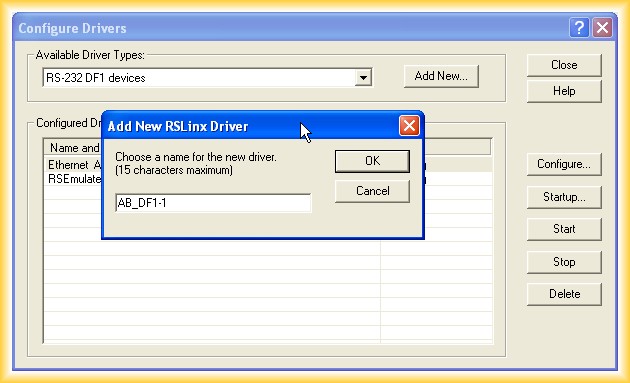
1.- The first step will be to configure the DF1 driver in RSLinx, as we will make a point-to-point connection; we run RSLinx and add a new driver
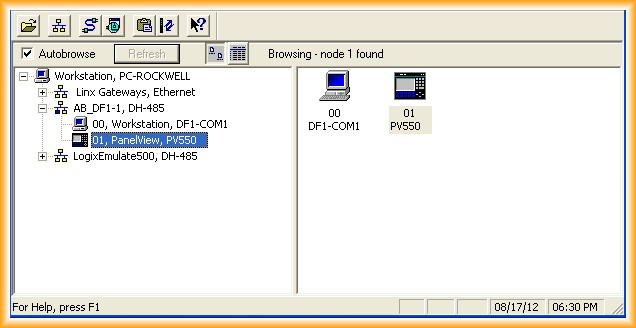
2.- We can now see how our PanelView has been detected; we are ready to run PanelBuilder32 and proceed to make the Upload, but first we need to put our panel in transfer mode by accessing the configuration mode, otherwise the application loaded would run
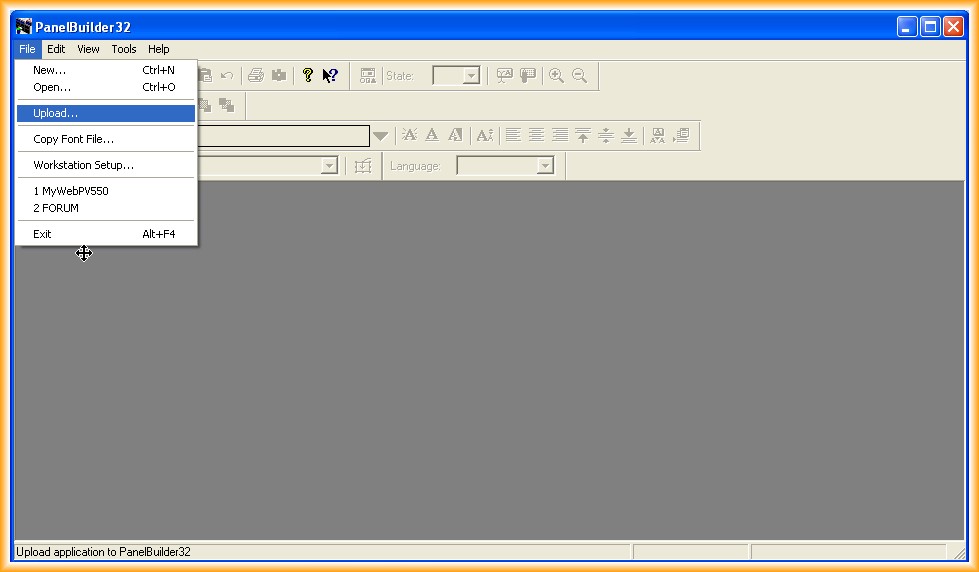
3.- We run PanelBuilder32, File-> Upload, a window appears where we configure the directory for the application and the specification of the type of communication
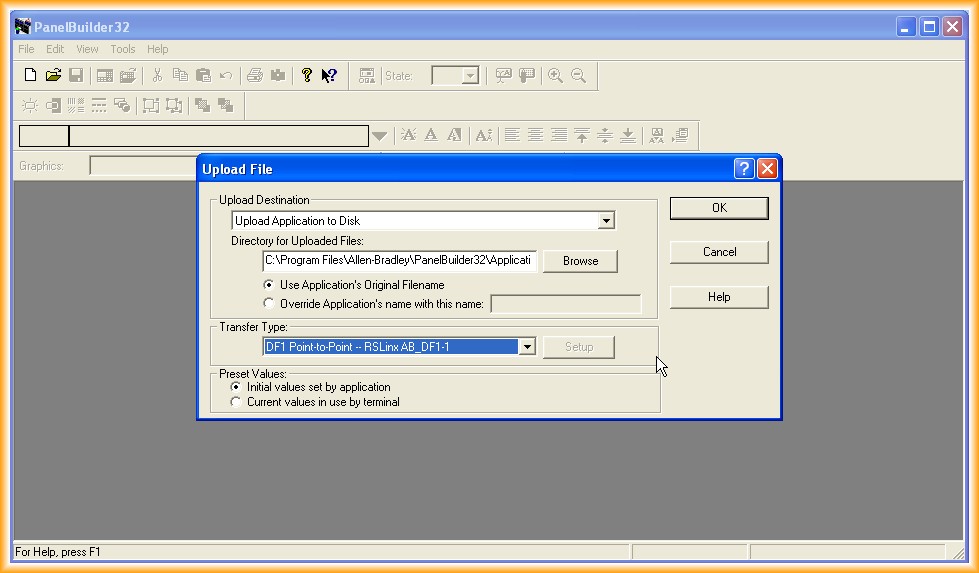
4.- Once specified, you can click OK and the transfer starts as observed
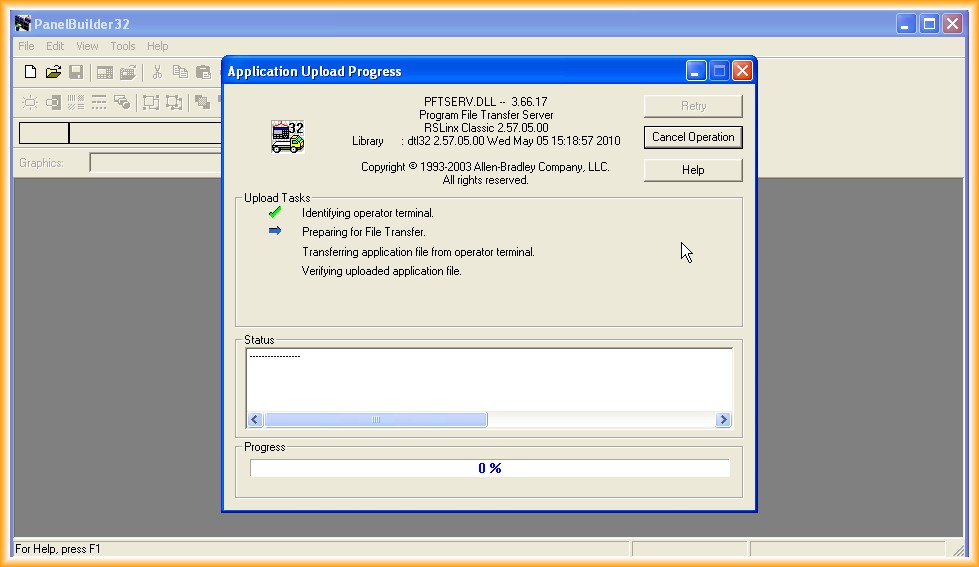
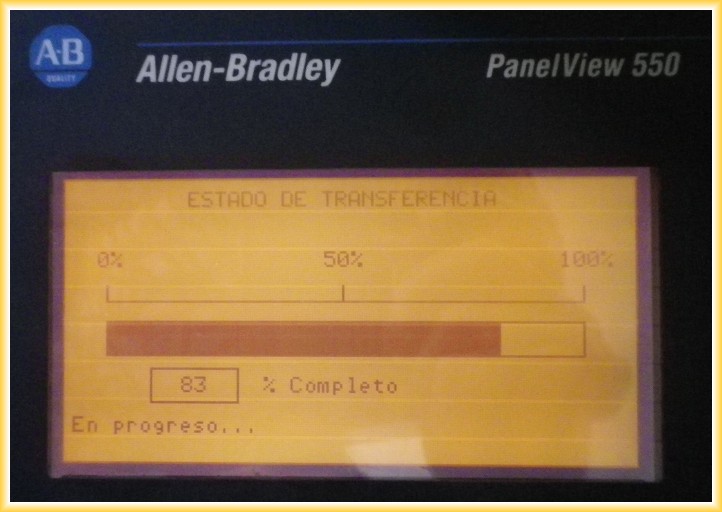
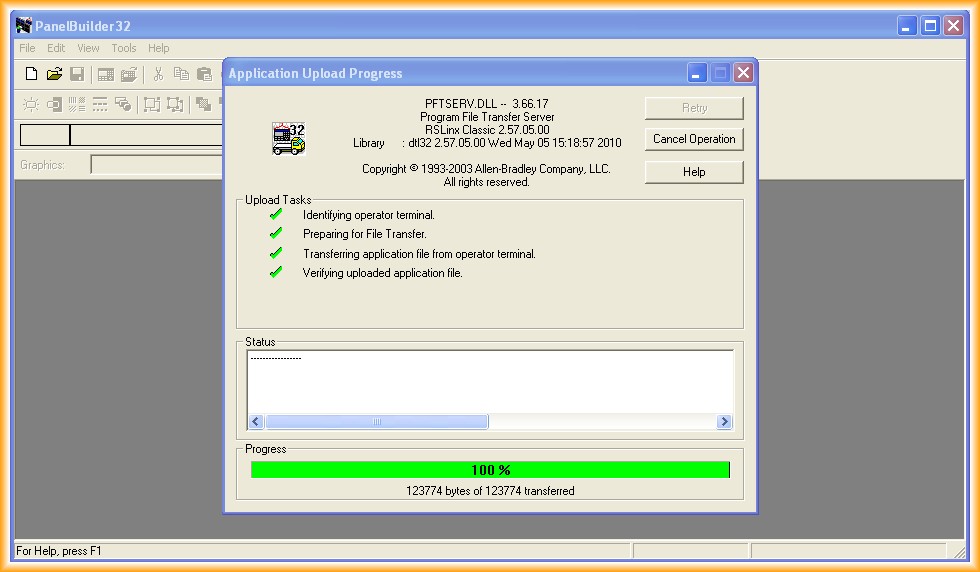
5.- We have completed the Backup of our project
August 30, 2012