
In this practice, we will see how to update the Operating System of an OP/TP or an MP, since the procedure is the same for all of them. When installing WinCC Flexible, images of the Operating System for the different OP/TP/MP are installed in a directory, depending on the installation of WinCC Flexible, the images will be more updated.
It is easy to know if it needs to be updated; once you have completed your project and transfer it, the process is canceled indicating that the OS needs to be updated.
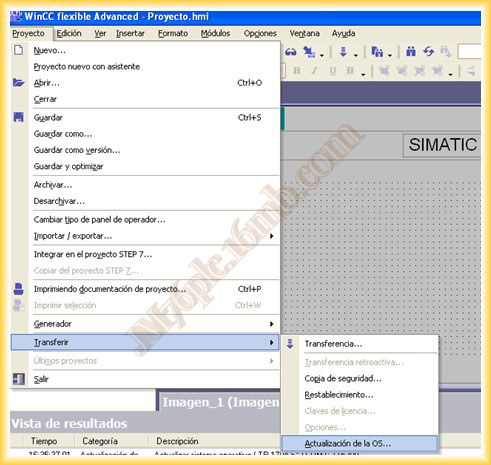
1.- We run WinCC Flexible and in the Project Tab -> Transfer -> OS Update...
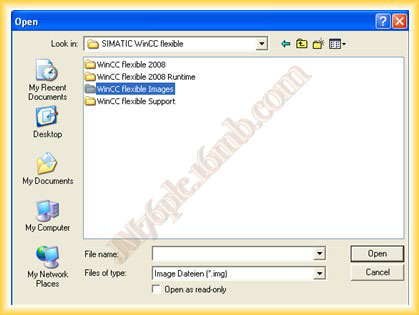
2.- We look in the WinCC Flexible Images directory, where all the images are located.
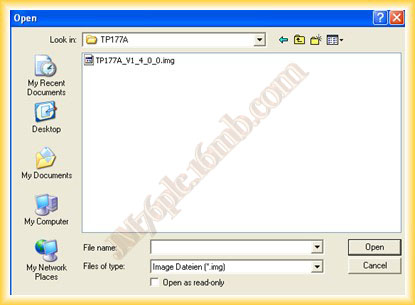
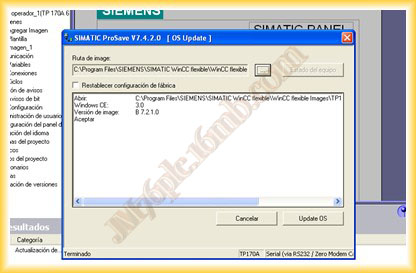
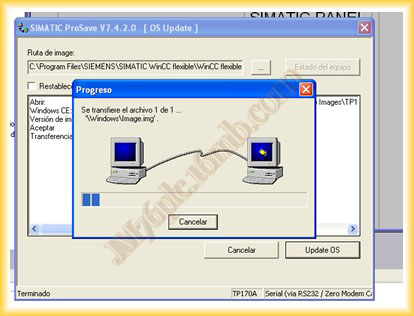
3.- In this example, I will update a TP177A, I select its corresponding image and when opening the file, the ProSave software, which is responsible for updating the OS, is automatically executed.
We select Update OS and the transfer of the new image begins.
4.- Once the transfer is complete, the OP/TP/MP is restarted, and we can now transfer the corresponding project.
September 3, 2012