
This practice is based on the communication between WinCC Flexible PC Runtime and an Omron PLC from the CP1 family, thanks to the collaboration of José C. who has verified and confirmed that it works correctly with a CP1E PLC, as I currently do not have any PLC available.
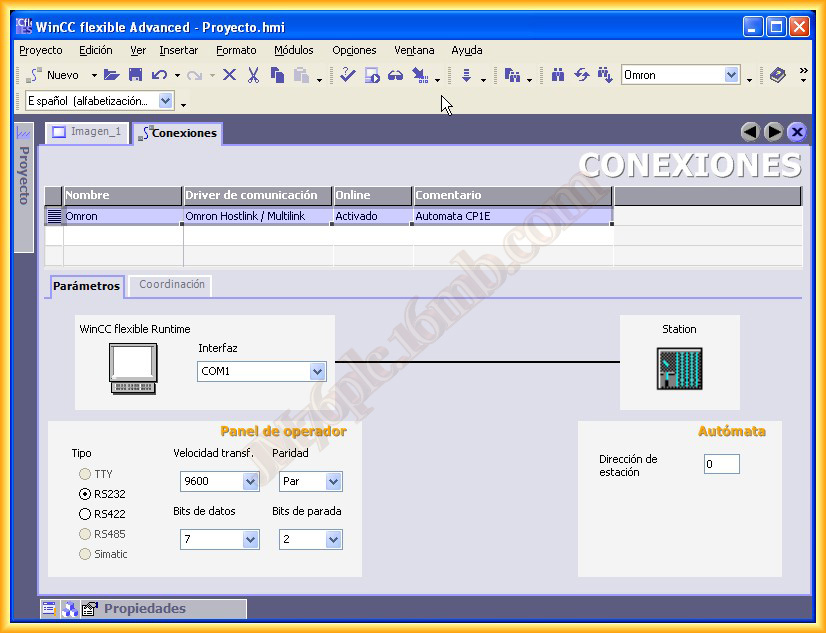
1.- First, we will create a new connection in WinCC Flexible and leave the parameters as default; in the case of the CP1E, it is possible to increase to 19200 Kbs, but its CP1 counterparts do not support more than 9600 Kbs.
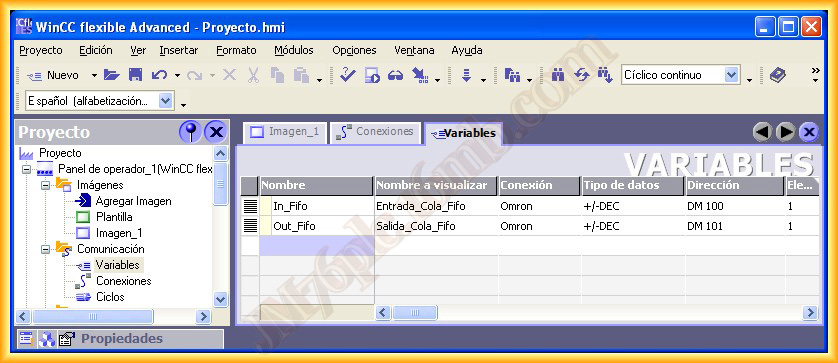
2.- We configure the variables and screens according to the needs of our project or the tests we want to perform; I will omit these steps as I cannot run the Runtime and show the relevant images.
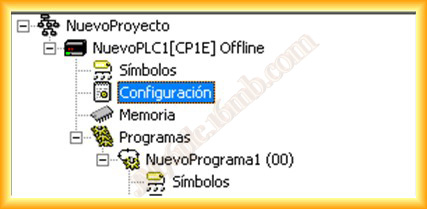
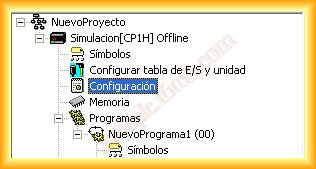
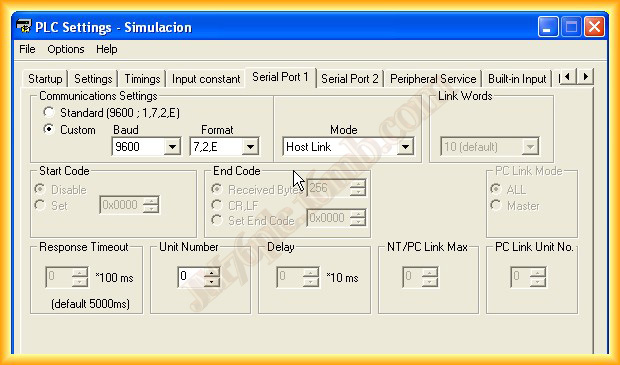
3.- The PLC configuration will be done with the CX-Programmer Software; once we have added our PLC, we can go to the Configuration icon where we will access the Integrated Rs232C Port tab and configure the link with WinCC Flexible.
It is important to leave the Mode set to Host Link, as it is the driver that supports WinCC Flexible.
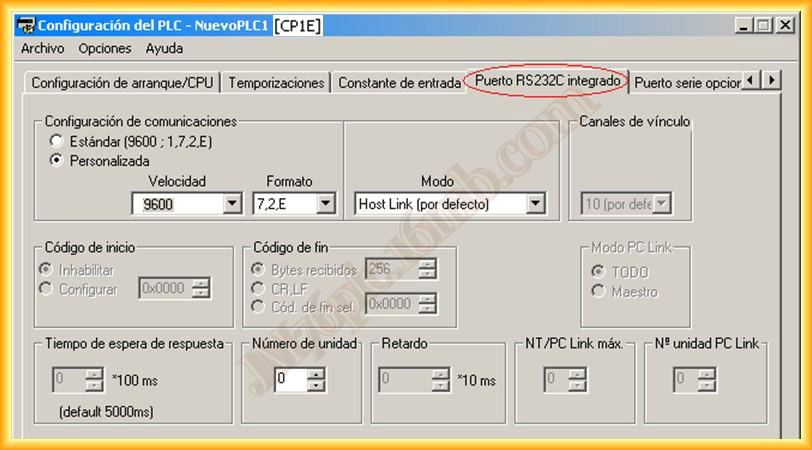
Example in the configuration with the CP1H PLC
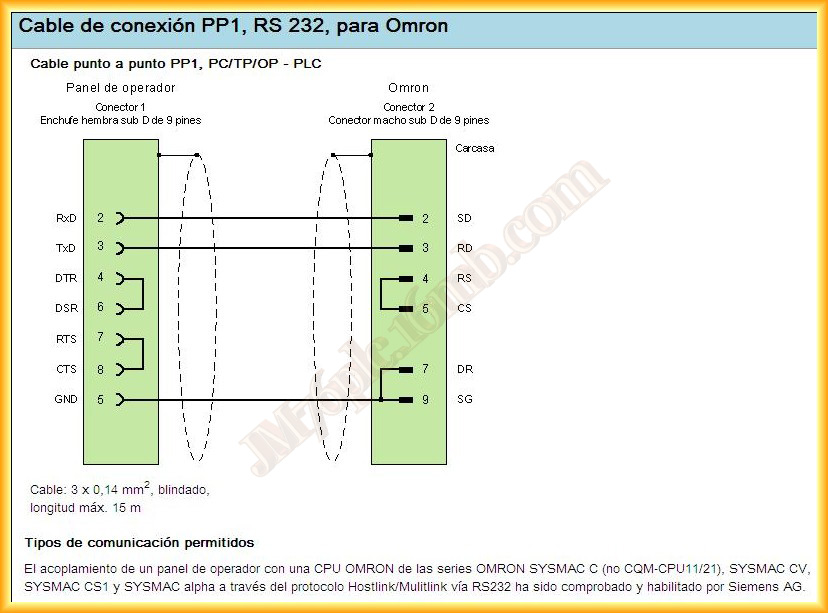
4.- Finally, we just need to know the pinout of the cable between the PLC and the PC/TP/OP, which is as follows, for our purpose of a Point-to-Point connection.
September 15, 2012