
In response to a question asked, I will carry out the following practice, which consists of configuring a link between WinCC V.7 and PLCSIM to check our project.
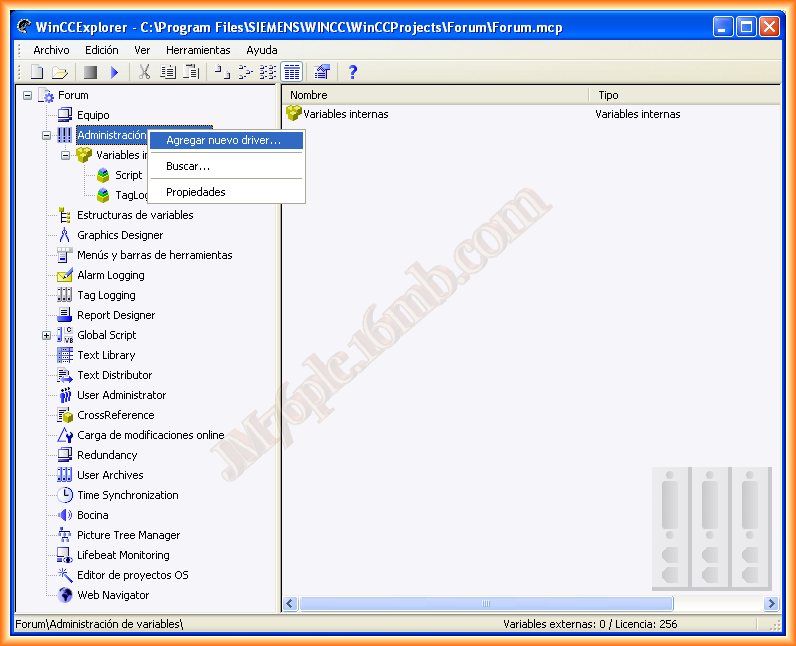
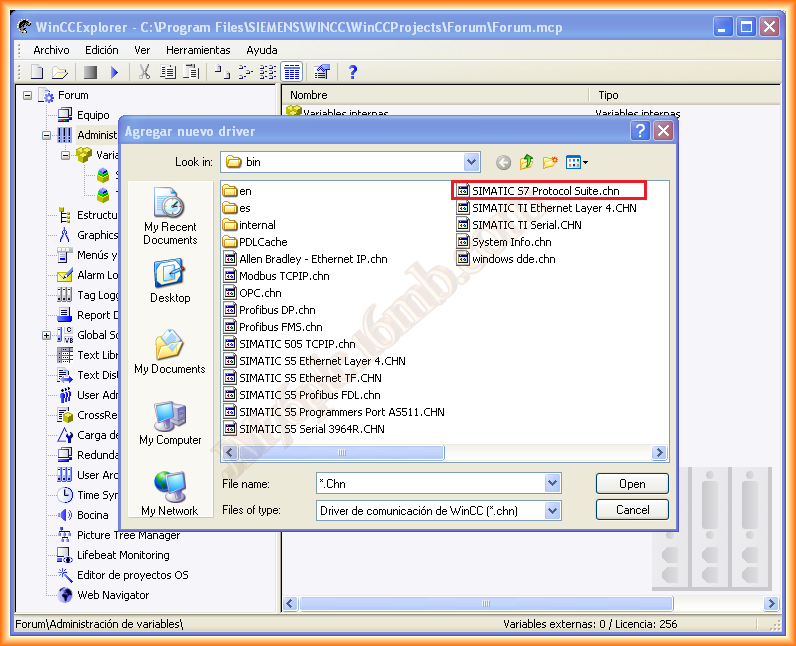
Let’s assume we have created our project in WinCC and in Step7. The first thing we do is add a new driver and from the available options, we select SIMATIC S7 Protocol Suite.chn
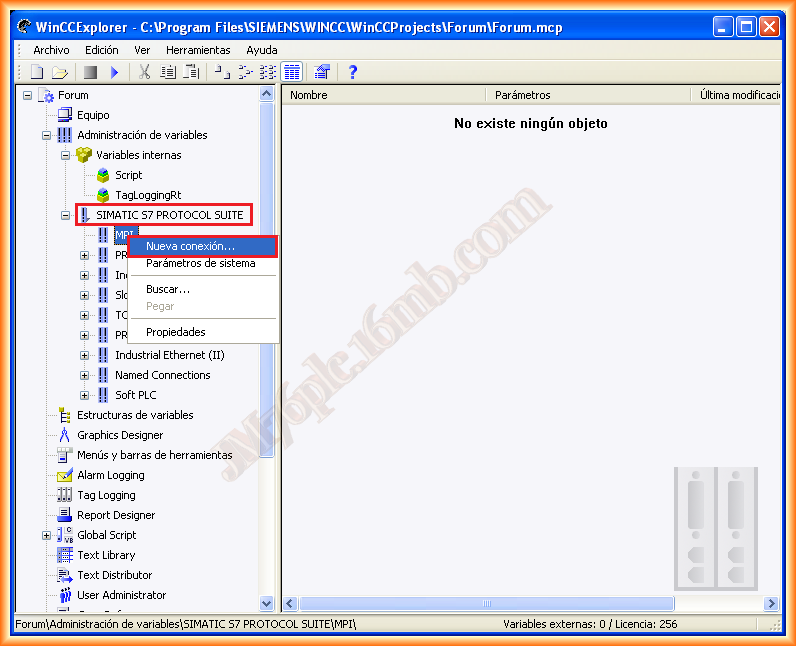
Once the Driver is added, we have the possibility to create multiple connections through different protocols; for the simulation, we will select MPI and a new connection, giving it a name that interests us.
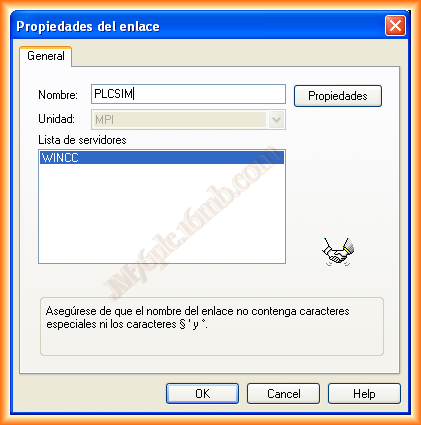
And the next thing we need to do is configure the parameters of the created link; since it is an MPI connection, by default, the parameters are usually the following; otherwise, modify them according to the parameters we specified when creating the project in Step 7.
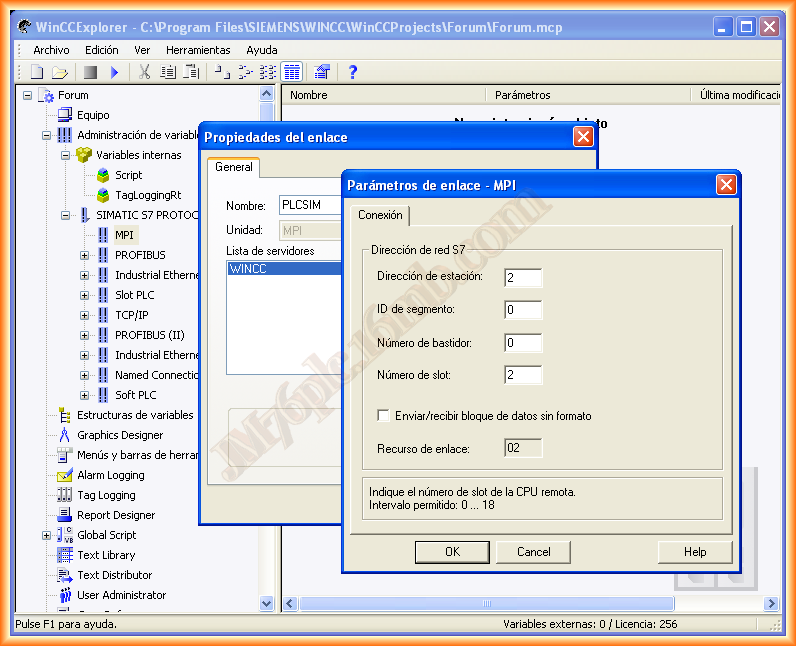
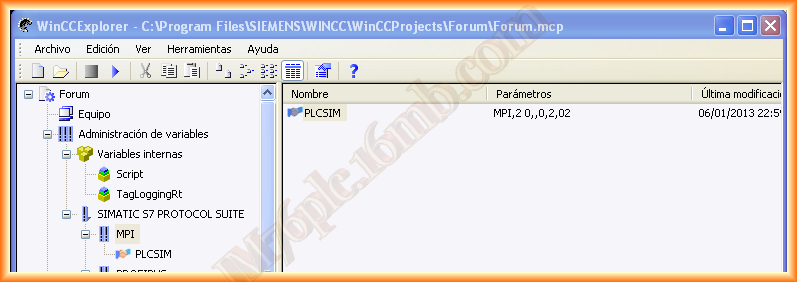
With these steps, we have already created and configured our link.
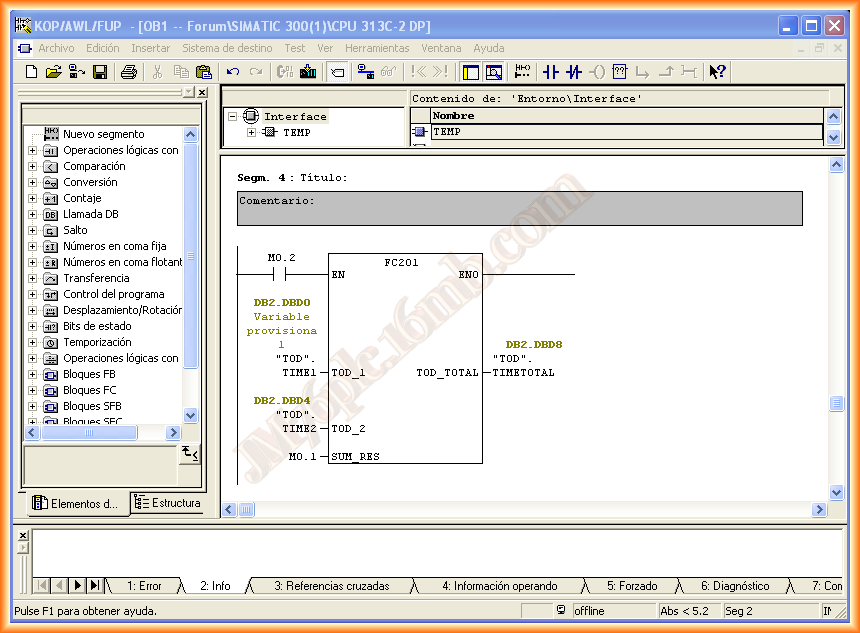
Now we need to add the variables, tags, or items that interest us; let’s assume we want to access the variables I used in the following segment to calculate the sum of some times. (This is an example I already had)
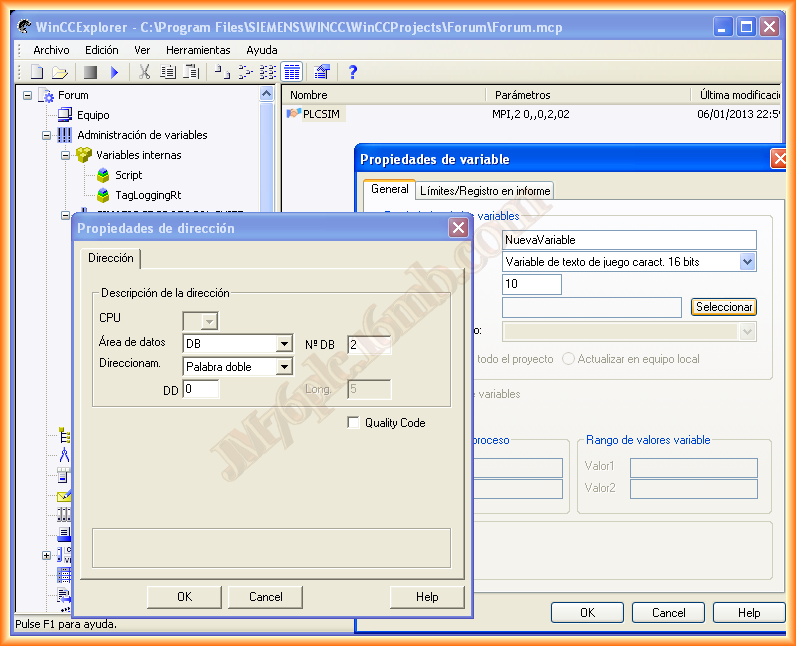
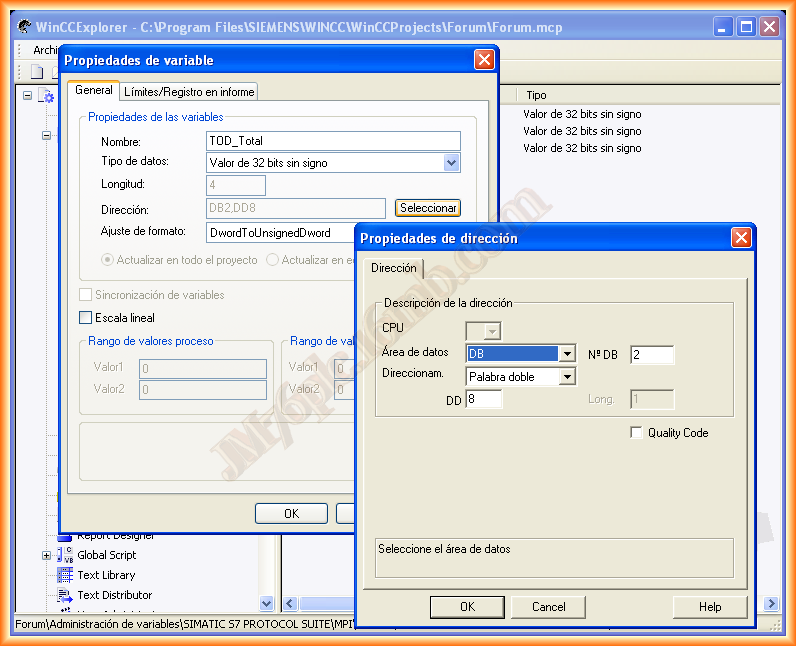
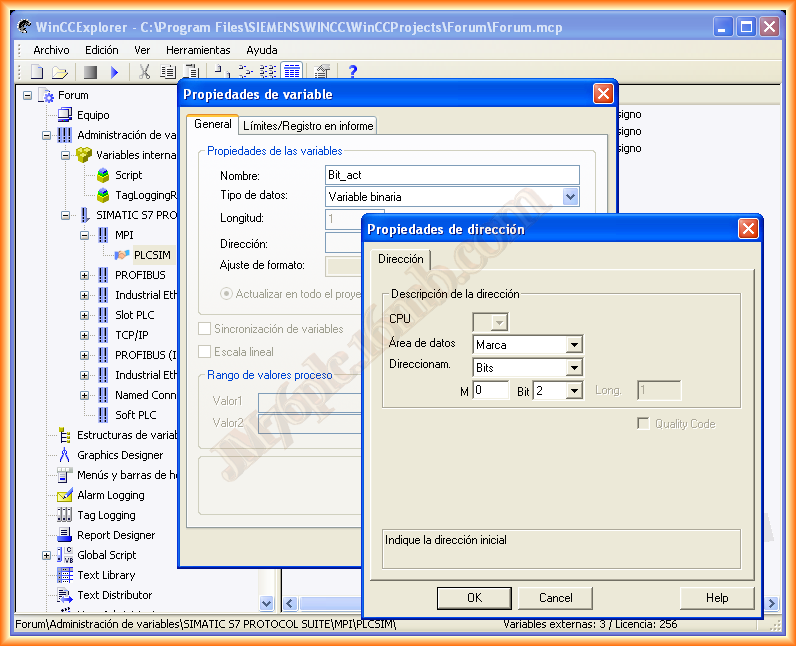
We add a new variable, assign it a name and data type, and in select, we specify which data area it is and the type as shown below.
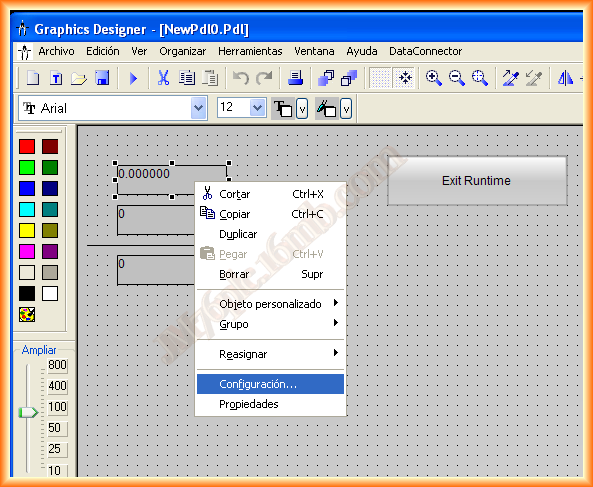
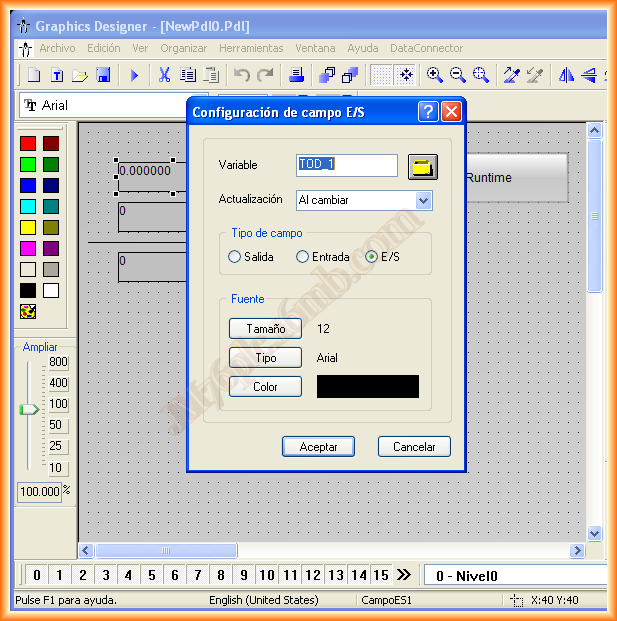
Now we are going to display those values in an input/output field -> Right-click -> Configuration and associate it with the Tag.
We run PLCSIM (Previously, we have loaded our program) and run the Runtime of WinCC, and we can verify that the link works correctly.
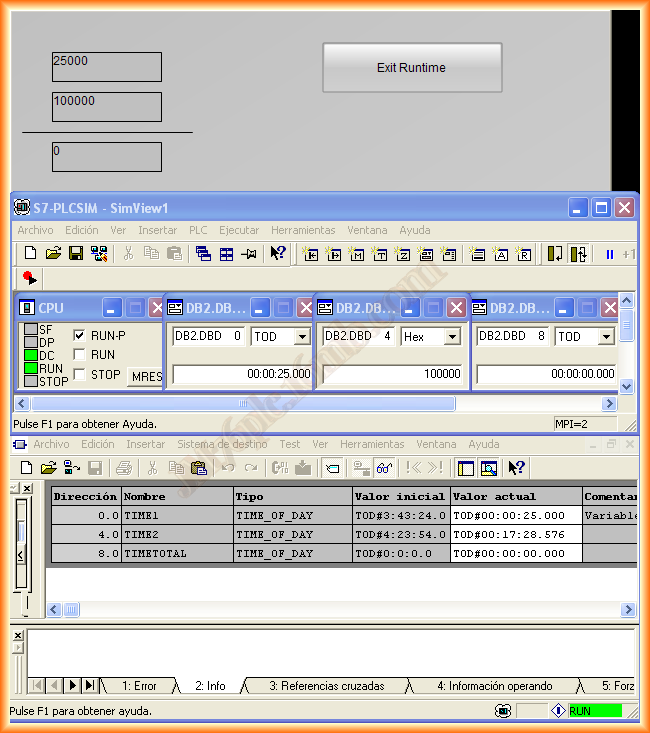
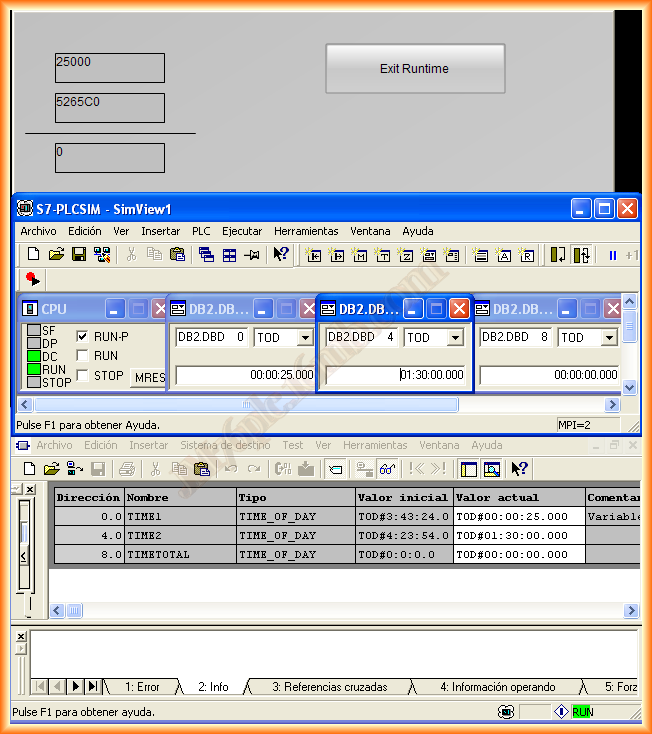
There are still some important things left, such as the import of tags directly from our project so we don't have to create them manually one by one, also the use of the System info driver and the visualization that our communication is correct, but with this, I hope to have resolved our colleague's doubt, and later I will add that information to avoid extending this practice.
January 10, 2012