
Create Function Block in Control Builder Plus
In the previous practice, we saw how to create a project in Control Builder with a simple example. In this one, I will explain how to create a Function and at the same time one that I had already done for a Siemens PLC, Allen Bradley, Schneider, and Omron, which you can see in the InfoPLC forum here
We start from the assumption that we have already created our project and we add a new Object of the type Function Block in the language that interests us, in this case, Structured Text ST
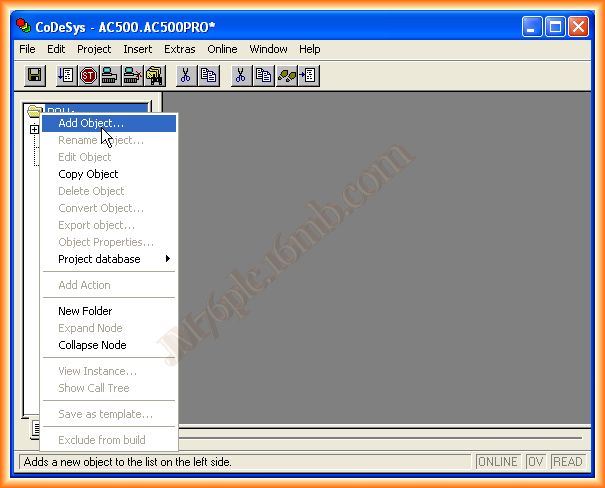
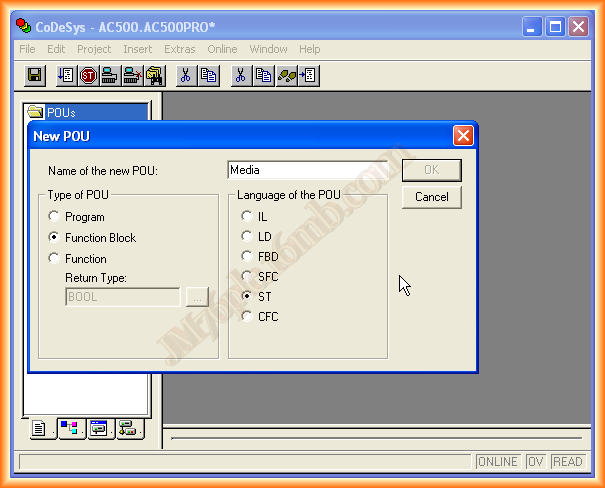
Our Function Block is as shown, and what it does is acquire values and calculate the average of the records to try to avoid fluctuations that may occur. This function can serve as a guide and be adapted according to needs.
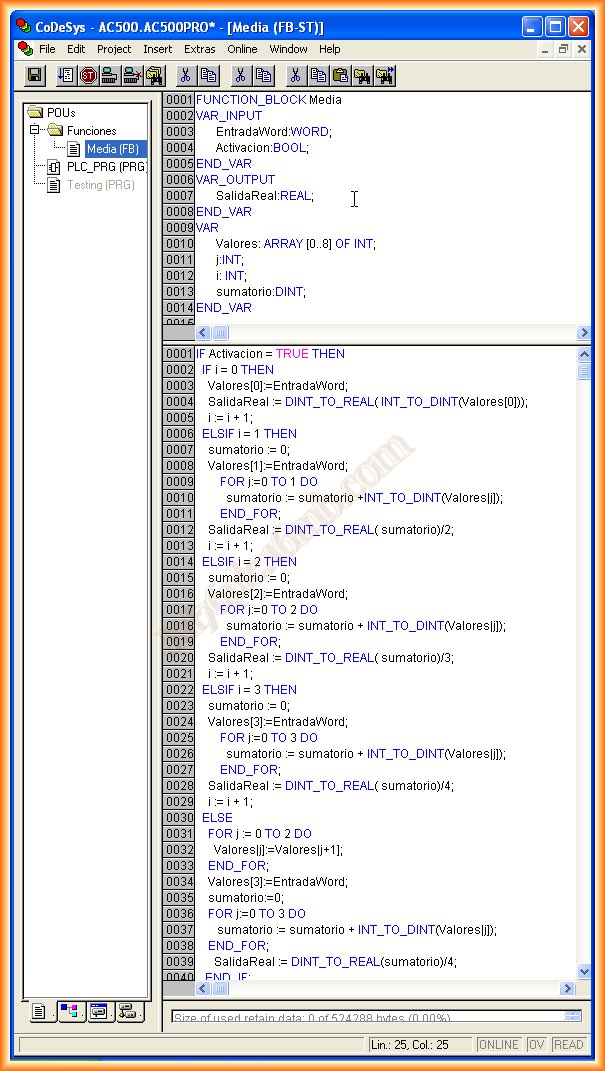
Once the Function is completed, we can compile it and check for possible errors. If everything is correct, we can instantiate our function. To do this, we need to create a new variable and declare it of the type of the function, as observed with the declaration of the variable filter. Another example would be the use of the rising edge function, we declare edge of type R_TRIG.
Once the variables are declared, we can insert them, and the example would be as follows:
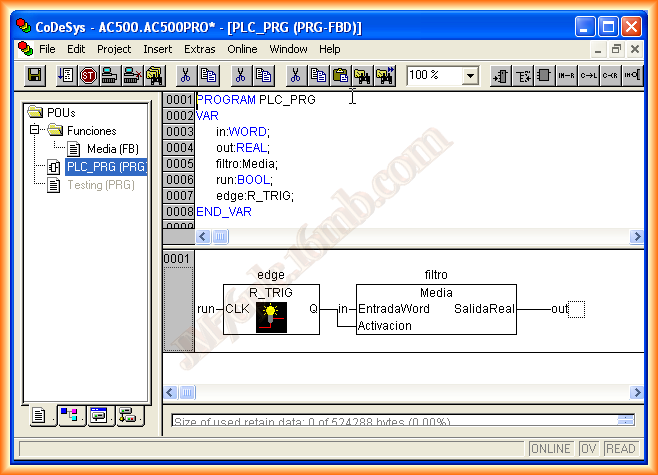
Once again, before simulating our function, we compile everything we have done and we can simulate.
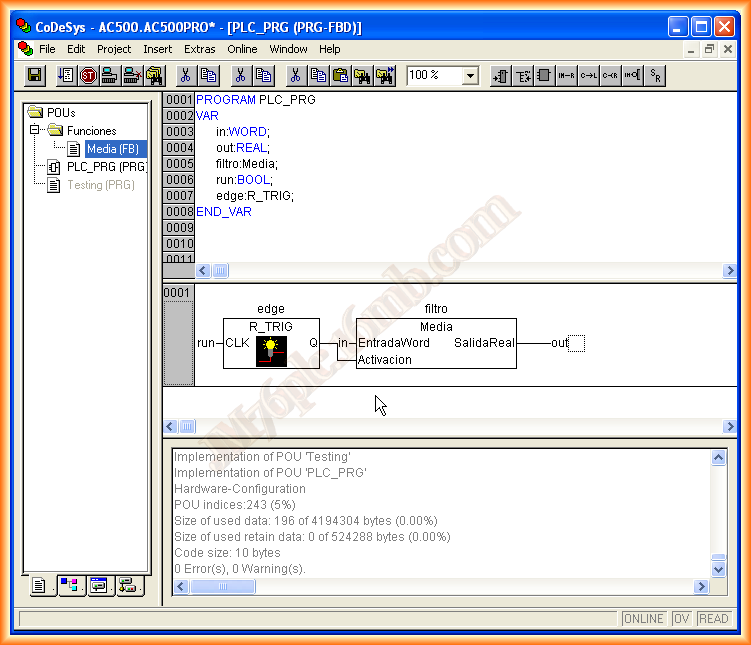
The process to start the simulation was covered as I mentioned in the previous practice, so we will skip it and proceed to force values and see the operation, which is correct as desired.
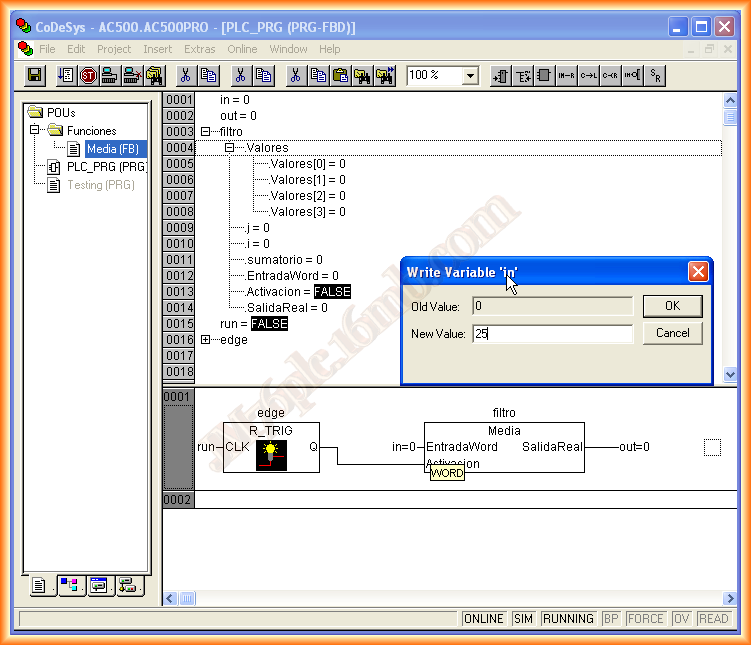
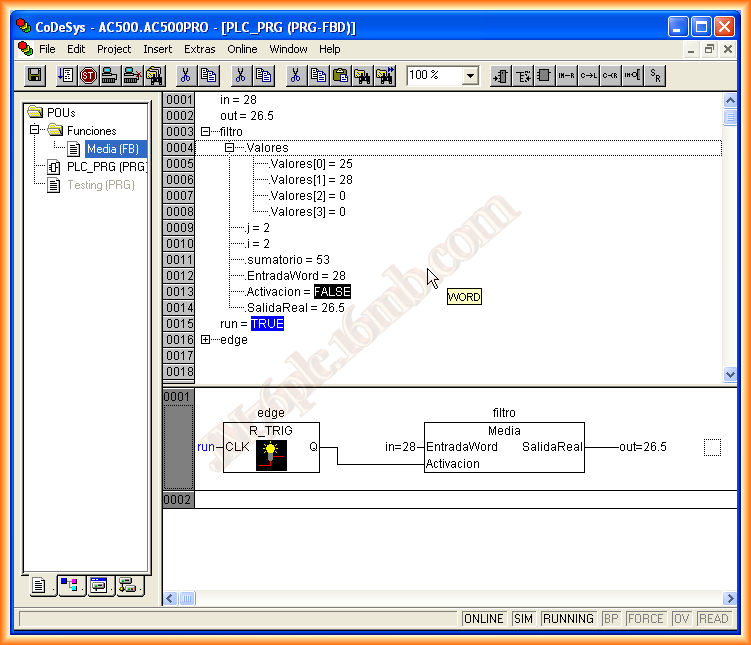
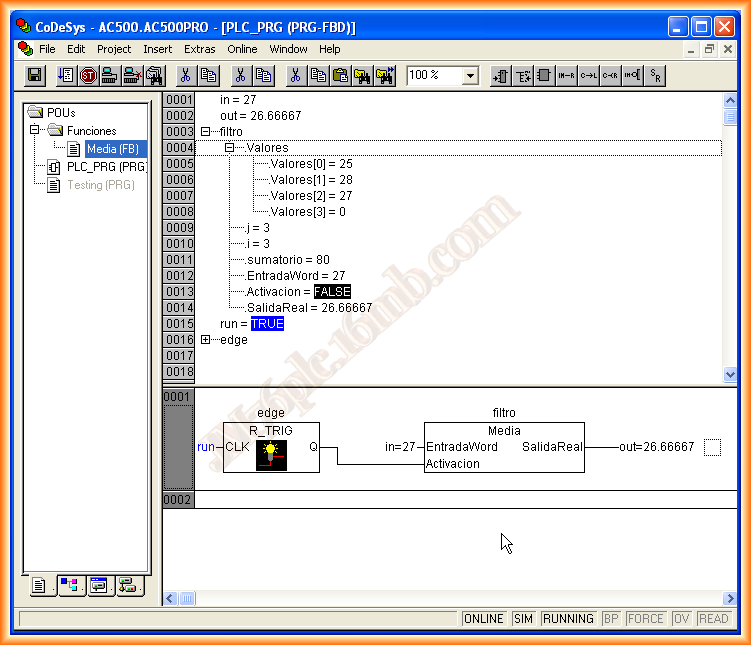
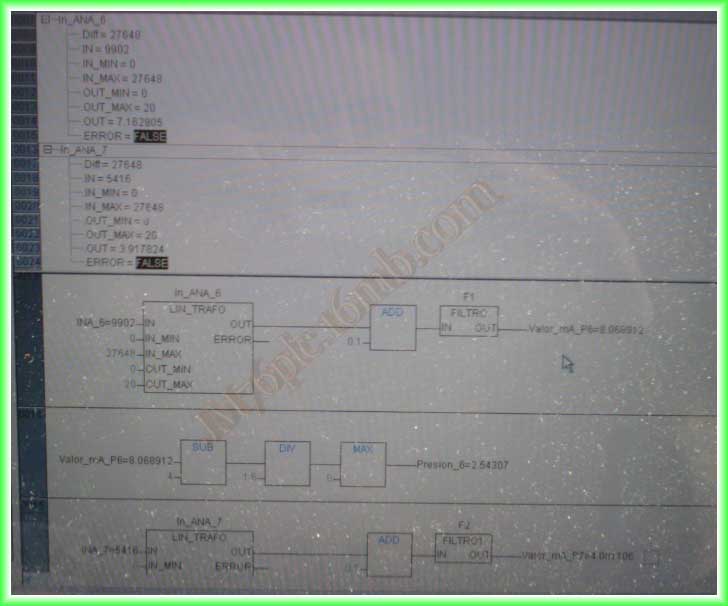
For this practice, we have the collaboration of Fermín, who has modified the function according to his needs, although with the same purpose, and he has provided me with the following images of its operation. Thank you very much!!!
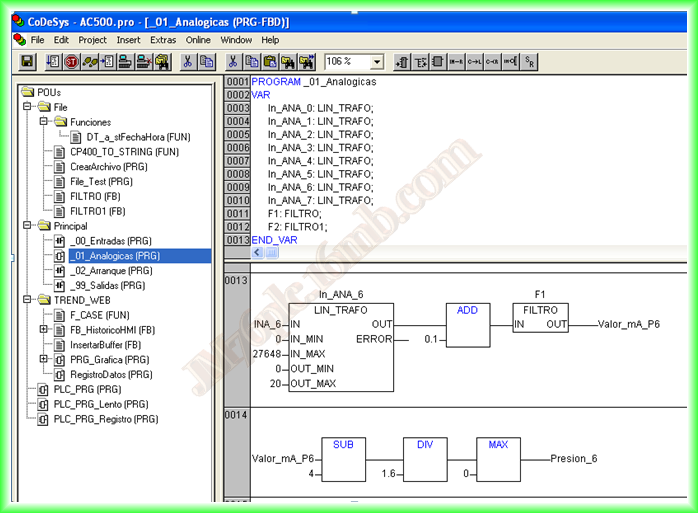
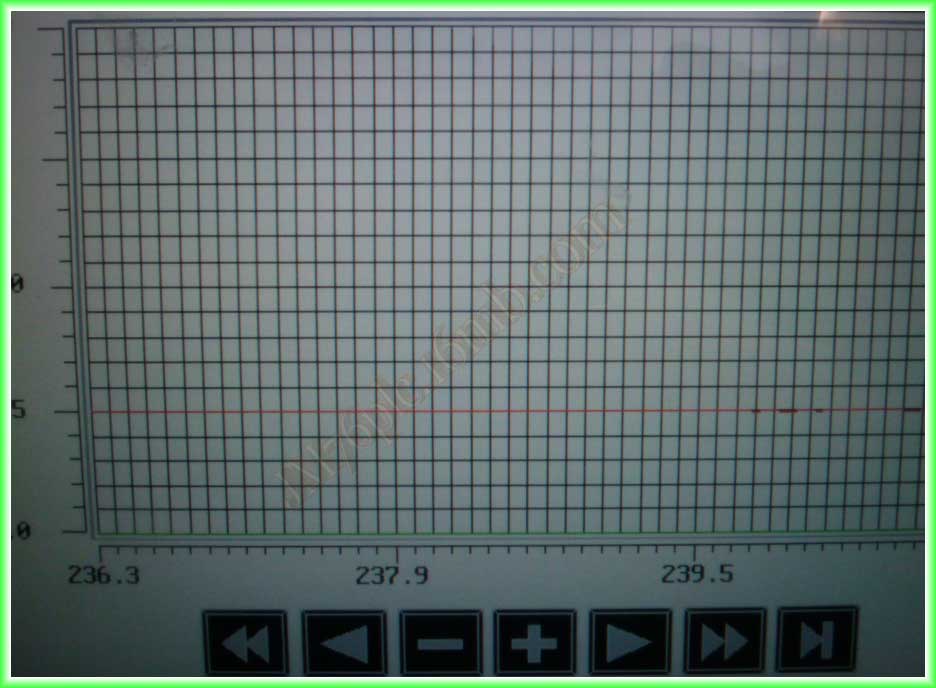
In the following images, we can observe it in operation, and the graph shows considerable stability.
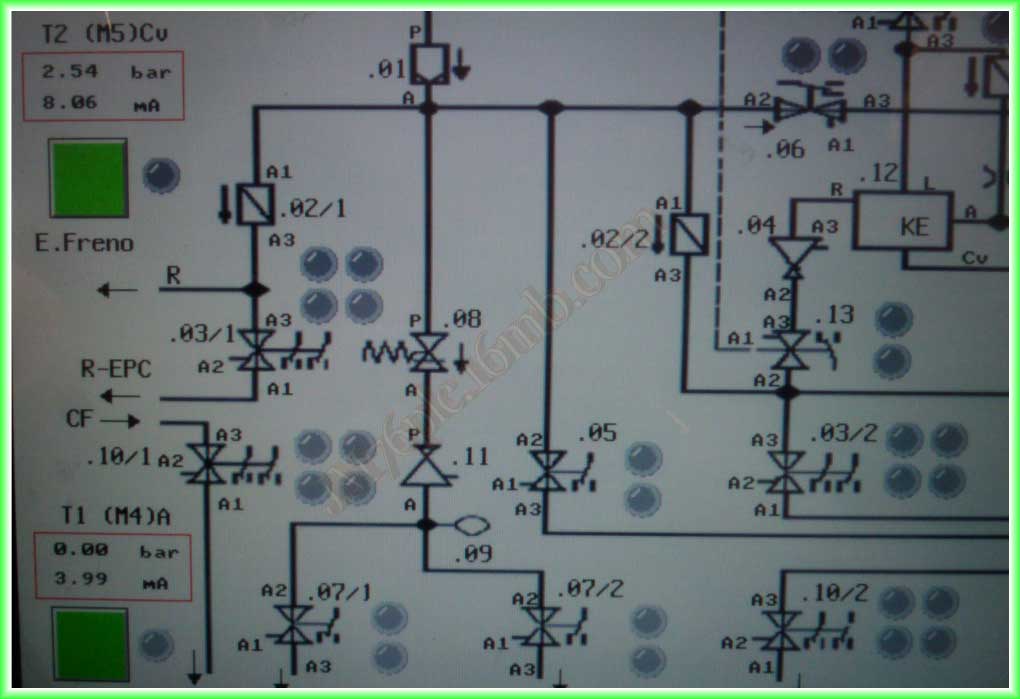
And an image of the Synoptic, where the values obtained in mA, which is the result obtained from the function, are highlighted.
The code of the function is as follows:
IF IN_1=0 THEN
IN_1:= IN;
IN_2:= IN;
IN_3:= IN;
IN_4:= IN;
IN_5:= IN;
IN_6:= IN;
IN_7:= IN;
IN_8:= IN;
END_IF
OUT:= (IN + IN_1 + IN_2+ IN_3+ IN_4+ IN_5 + IN_6+ IN_7+ IN_8)/9;
IN_8:=IN_7;
IN_7:=IN_6;
IN_6:=IN_5;
IN_5:=IN_4;
IN_4:=IN_3;
IN_3:=IN_2;
IN_2:=IN_1;
IN_1:=IN;
January 27, 2013