
Macro Configuration in Factory Talk View ME
Today we are going to do an exercise where a Macro will be created and its execution will be configured from the Global Connections-> Macro settings.
The exercise consists of starting a pump at a time specified by the user.
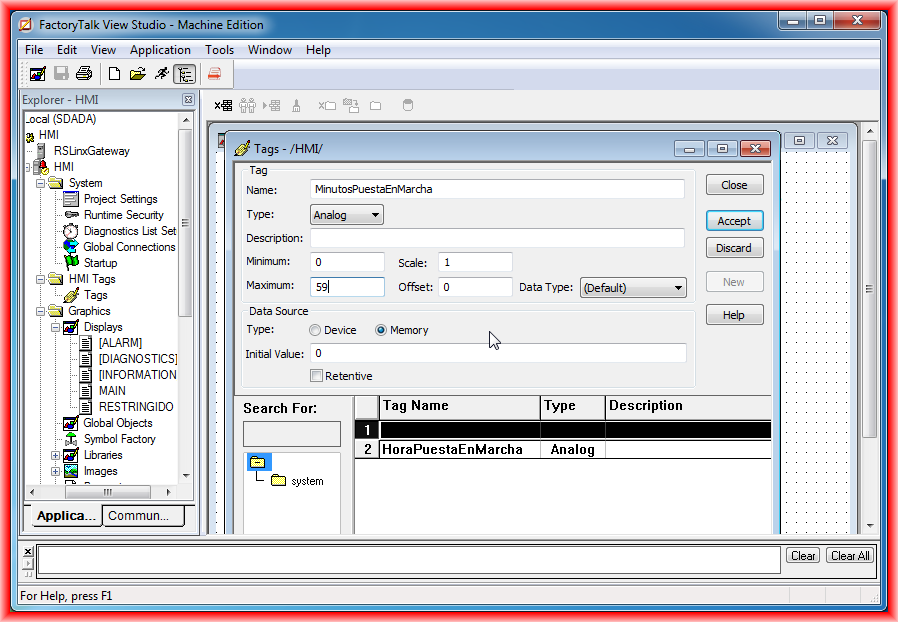
The first step will be the creation of the Tags that we will use, in this case, they will be internal but can be from the controller; we will create a tag for the hour, minutes, and another to start the pump.
We open the Tags editor and create them:
In our Display, we will insert several objects, two numeric Inputs for the hour and minutes, a field to show the system date and time, and we assign their corresponding tags.

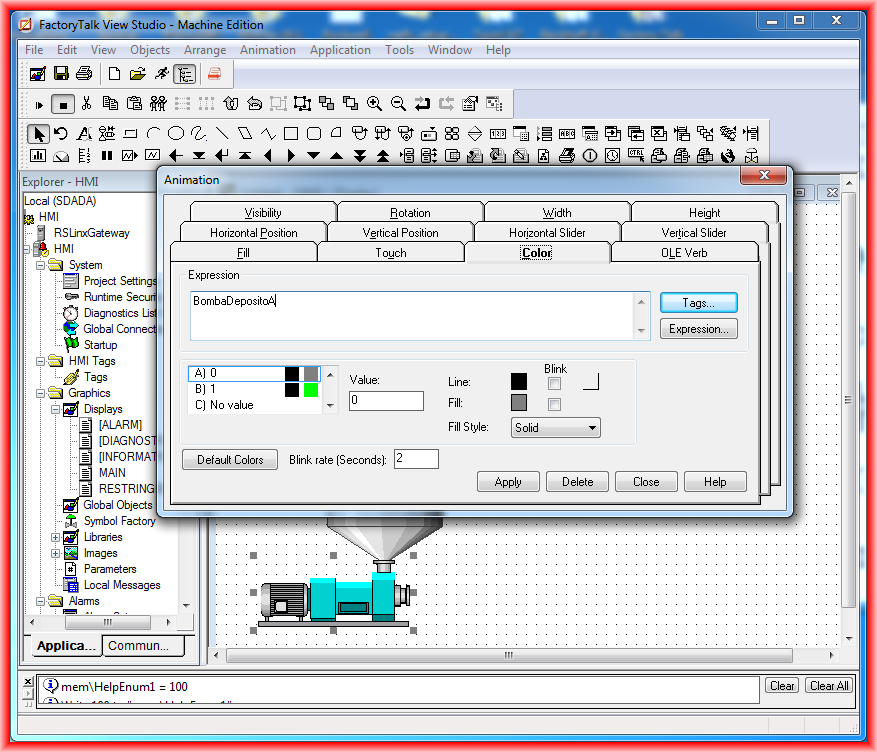
Another object we will insert belongs to Symbol Factory; we choose a pump and in the animation, we configure the color change depending on whether it is running or stopped.
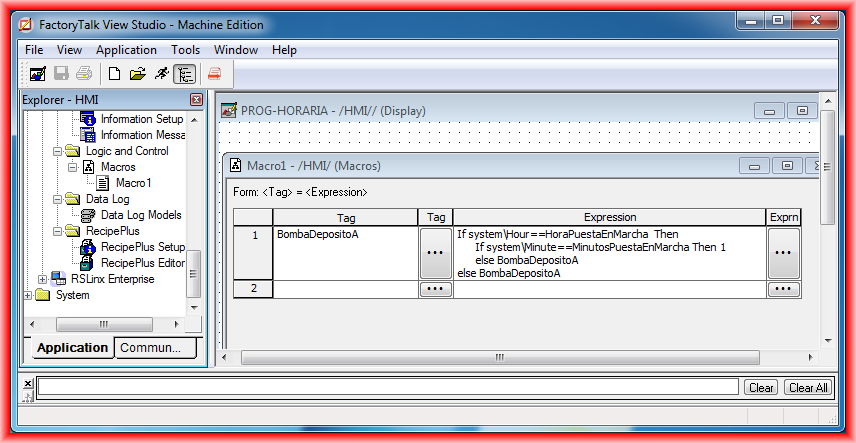
Within the Explorer, we navigate to Logic and Control where we create a new Macro; the code is as follows: if the hour and minutes correspond, the tag BombaDepositoA is activated; otherwise, it is not activated. Once the Macro is created, if we want to execute it from Global Connections -> Macro, where we have the possibility to configure 5 Macros, it is a requirement that the name must follow the nomenclature of Macro1 for the first, Macro2, and so on.
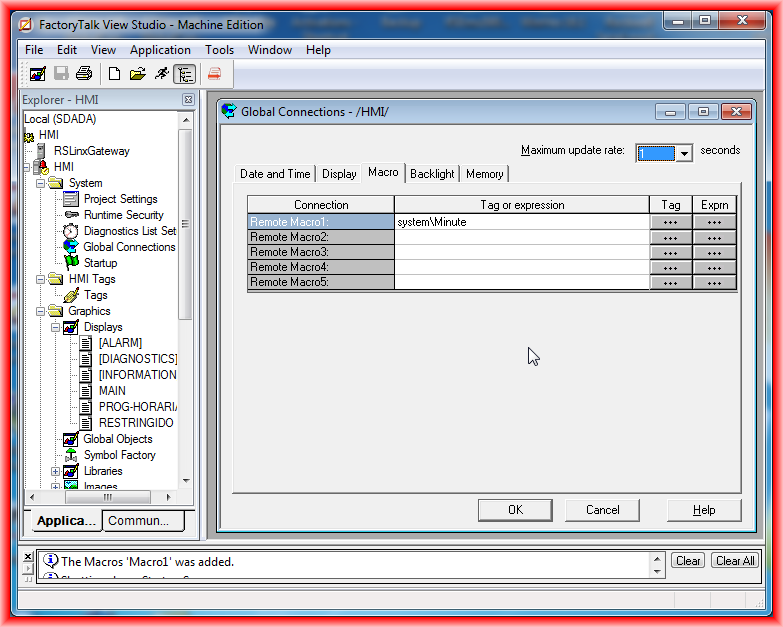
The next step is to call Macro1 that we just created from the Global Connections configuration; to call Macro1, I used the system variable minute, so every minute Macro1 will be executed.
To finish, a small demonstration video:
February 16, 2013