
Time Conversion Script in HMI
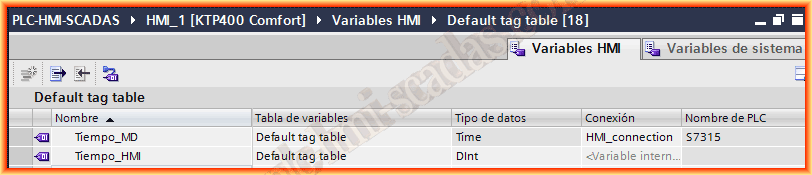
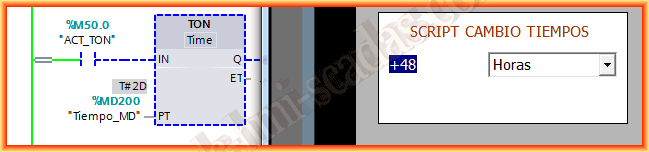
The objective of the following practice is to change the times of our machine, process through the screen, whether in seconds, minutes, or hours. For this, we consider that in our program we have the corresponding timers to which we have associated a 32-bit variable, a Double integer; an example could be the following, and it is better if a memory area corresponding to a DB has been assigned.

On our screen, we will now link the PLC variable and declare an internal variable of the type Double Integer Dint.
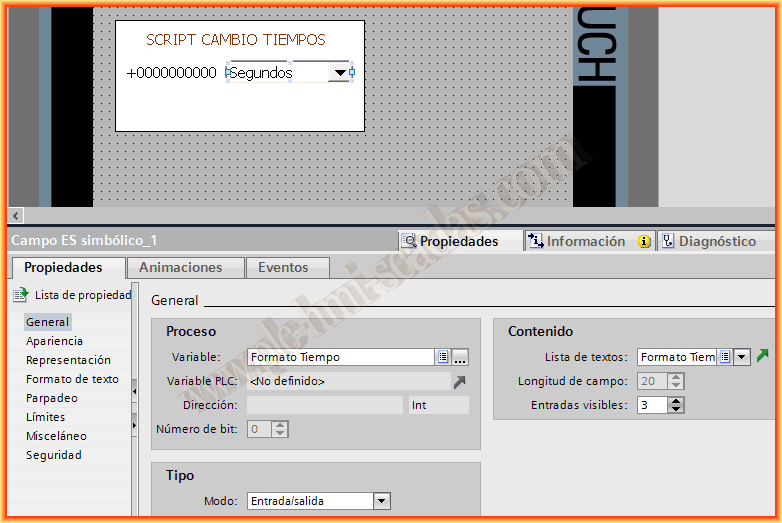
In the corresponding image, we insert an object of the type Input/Output, and we assign the integer variable that we declared earlier, since the value that the operator enters will be our seconds, minutes, or hours.

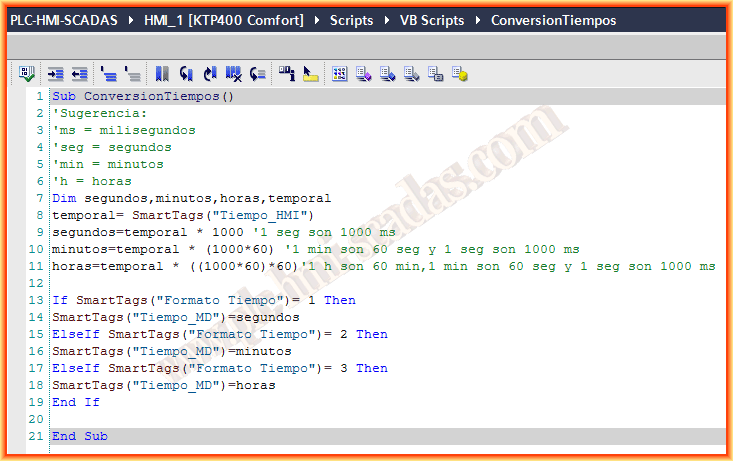
Now we are going to create a new Script that will convert the numerical value entered by the operator, since if we do not make this conversion, if the operator enters a 1 by default it will mean 1 millisecond. To prevent the operator from having to make the conversions, we will use the following.
The Script consists of converting the value entered and assigning it to the variable declared in the timer.

When we execute the Script, we go to the properties of our input/output field and in events, we assign it. This will mean that when the operator confirms their value, it will execute, and in this first case, what they enter will be hours. We set it to Runtime and test it, and it works correctly.


Now we are going to complete it a bit more, why not create a text list where the operator selects seconds, minutes, and hours? So we create a text list and select in Range Selection, associating each value with its corresponding text, as can be observed.
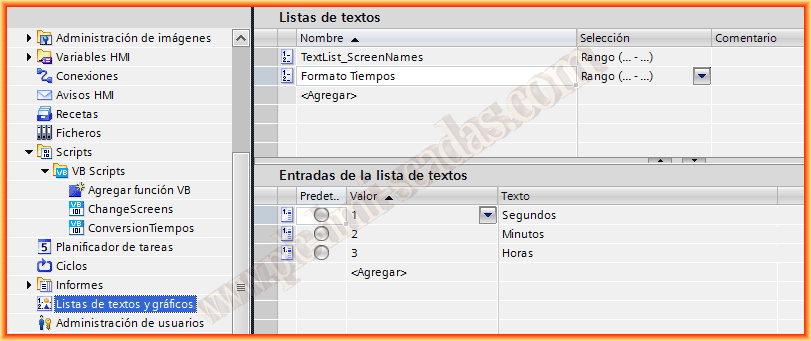
We will need one more variable, of the integer type and internal variable that will receive the value assigned in the Text list, once the operator selects it.

We are going to configure the properties of our Object, first assigning the variable we just created and then the Text list that we have also configured.
In the Script, we will make the necessary changes, where depending on what the operator has selected, we will assign one value or another, we will do this with the conditional (IF).
When the Operator specifies seconds, the Time Format variable is valued at 1, thus we assign the seconds and so on with the others.
If we put it into practice, we see that it works correctly, although the Script will only execute when a new time is entered. This means that if we want the value to change when the Text list varies, we should associate the Script with the Event of that object.


June 27, 2013
If you liked it, or if the information was useful to you, share it...