
Example VBA Code to Save Data in Excel
I am going to write some articles dedicated to Factory Talk View and particularly to the Visual Basic for Applications part, so any reader who wants to contribute some code, example, etc... should get in touch and we will publish it...
Let's start with an example, in which we will save some data in an Excel sheet, which we could also apply inversely, collecting some data from Excel and using it in FTVSE.

The first thing we do is open the Microsoft Visual Basic for Applications editor; in this case, we have inserted a button to make the registration in Excel, we right-click on it and access the editor with VBA Code...
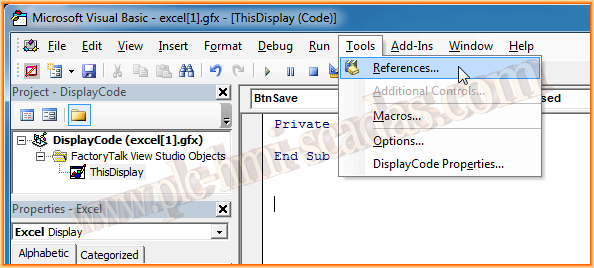

Once the editor is open, the first step to be able to use an Excel object is to add its reference; as can be seen in the images, Tools --> References and we add Microsoft Excel 12.0 Object Library, the version may change depending on the version of Microsoft Office installed.
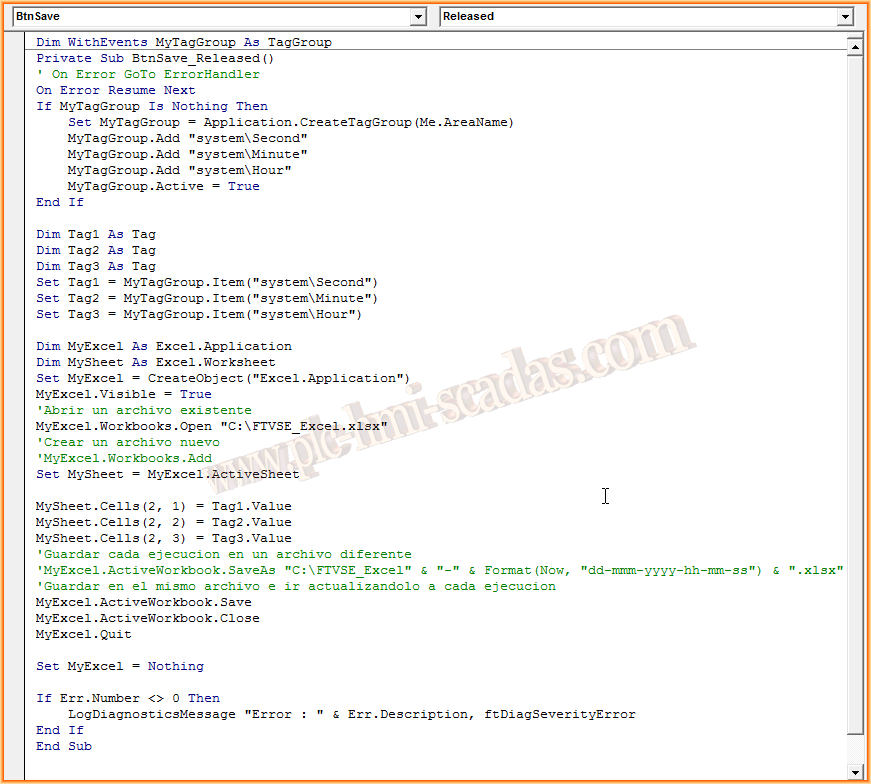
The code for our example is as follows:
1.- Create a TagGroup, where we will add the variables that interest us.
2.- Instantiate an Excel object; in this case, we will open an existing workbook, if you want to create it from scratch, use the commented code with the .Add method.
3.- Insert in the cells that interest us the values of the variables we have defined.
4.- Save the Excel file and close the workbook.
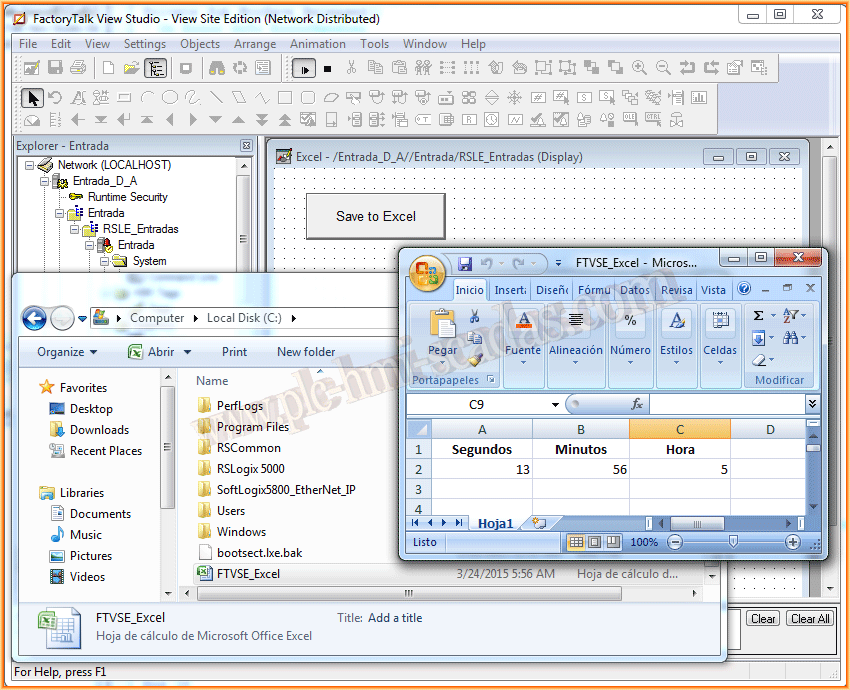
Here is an example image, where once the code is executed, we check that it has worked correctly.
March 24, 2015
If you liked it or found it helpful, share it :-)