
Object Reference with VBA in Factory Talk View SE
Once we have seen the introduction, we will move on to a series of examples. In the first one, we will reference objects that are in the same Display or in another one; however, if we reference another display, it must be active, even if it is not visible, but it must be active and loaded.
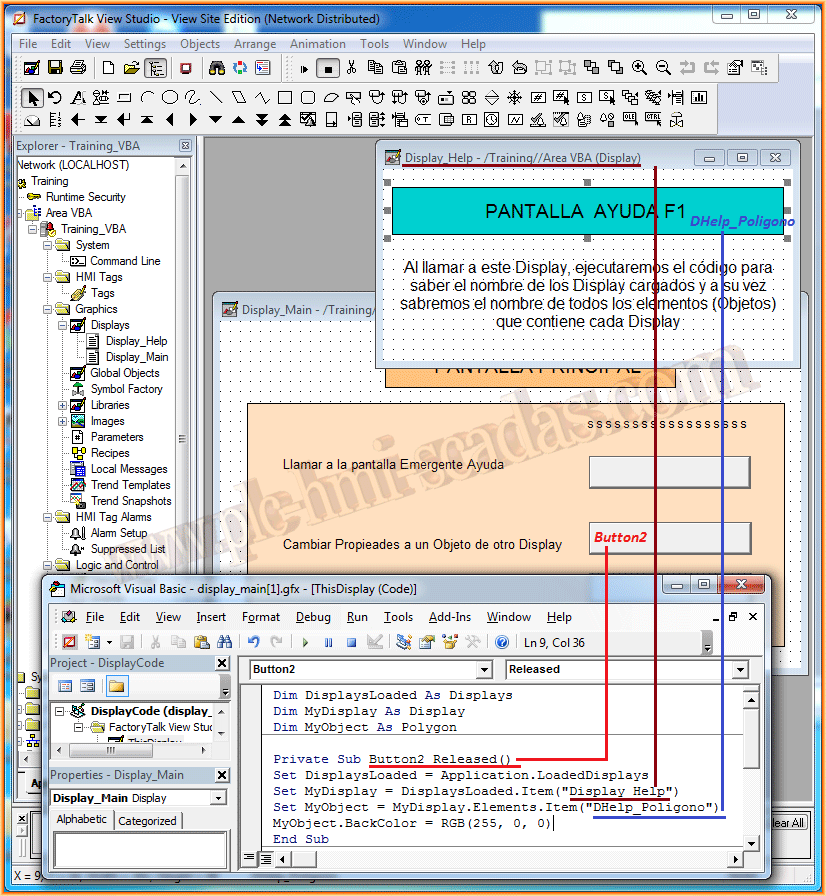
In the first part of this example, we will change the BackGround property of an object that is in a different Display from the one we will execute its code.
Assuming that Display_Help is active, when pressing a button in Display_Main, we will change the background color of an Element (Object) of type Polygon, named DHelp_Polygon. The name is assigned to each object in its properties, in the Tab, Common and property Name. This is where we assign the name we want for each object.
Note that we have declared the variable MyObject as Polygon, which is the object whose property we want to change.
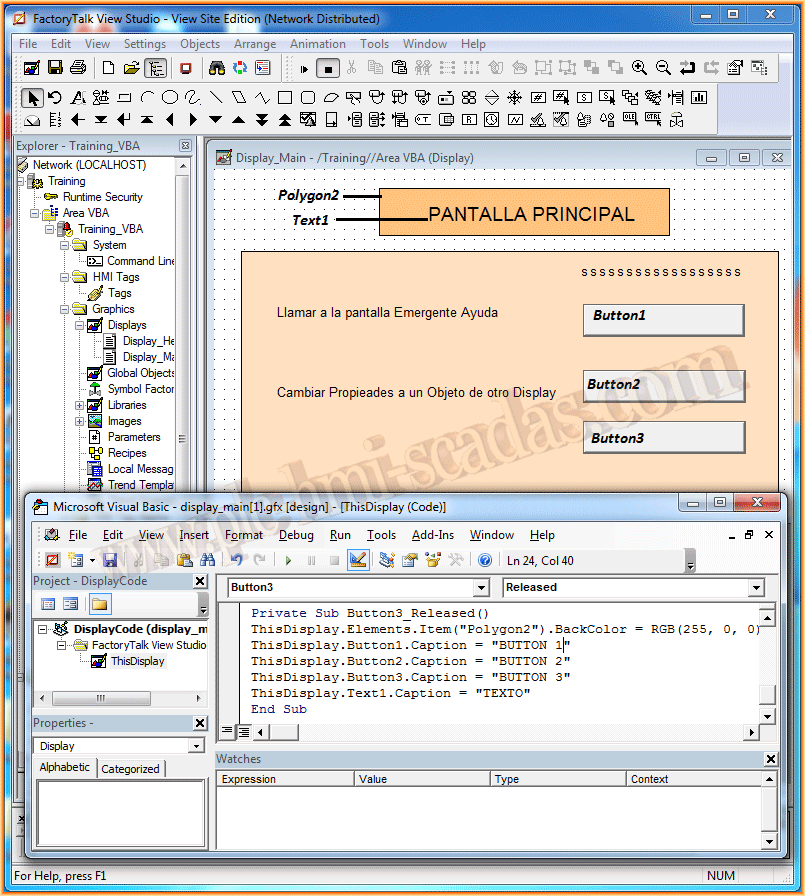
In the second part, we will see another example where we will reference objects that belong to the same display. We can do this in two ways as shown in the code in the image.
If we run the Runtime and check what has been done, here are some images...
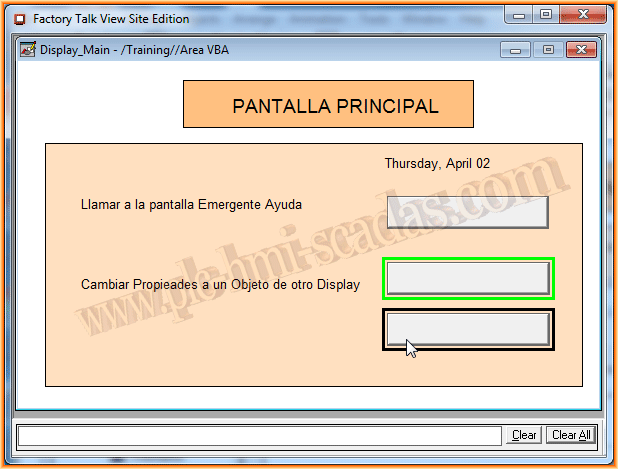
By pressing the selected button with the cursor, we will execute our code and change the properties
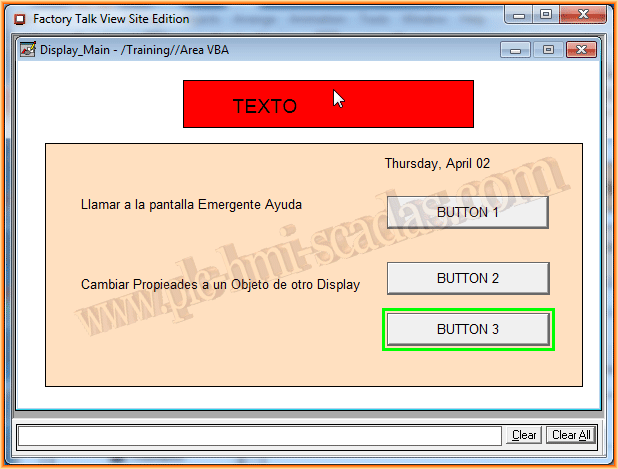
The operation is perfect...
April 2, 2015
If you liked it or found it useful, share it :-)