
Factory Talk View SE Flash, GIF Animations
With the following practice, we will answer a question raised: how it was possible to insert *.gif animations into our project created in Factory Talk View SE. Once we are on the subject, we will see how to insert our *.gif and also our animations created in Flash, with the requirement for the latter being the installation of Adobe Shockwave Player.
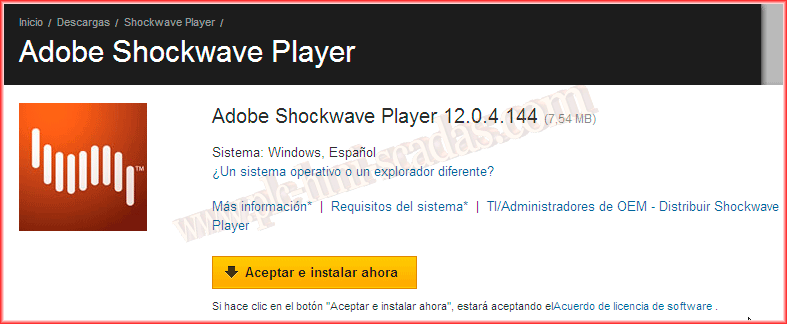
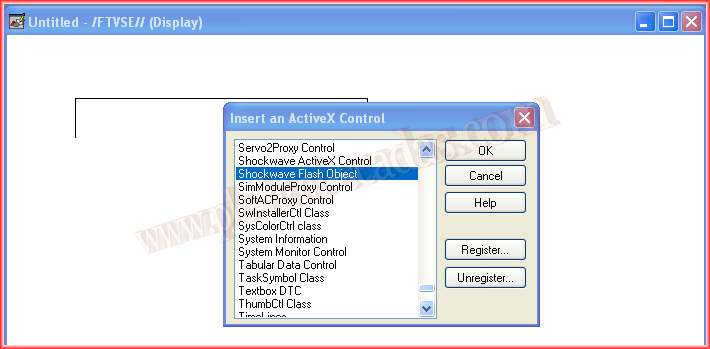
Once Adobe Shockwave is installed, we can start our project and insert a new Active X Control, selecting the Shockwave Flash Object.
Once inserted, we can observe its properties. The simplest configuration would be to provide the path of our file in Movie URL, select the corresponding checkboxes for the operation mode of our animation, and with that, it would be ready to execute.

However, if we navigate through its tabs, we have Common, where one of its most important properties is the name in case we are going to configure it through programming in VBA, and in the Connections tab, we would configure it through variables or Expressions.


In this case, we will provide the path of our *.swf file and as we want the file to run in a loop, we select the Loop and Play checkboxes.

The next thing we will do is insert our *.gif animation. The problem with this type of image is that if we are interested in seeing its animation, we cannot insert it as a normal image, since a *.gif image is composed of several images and we would only see the first one. The solution is to view them within our browser, for this we will insert another ActiveX Control.

Once our MicrosoftWebBrowser is inserted, we can already see its name in its properties, which is important as we mentioned to make part of its animation with programming in VBA.

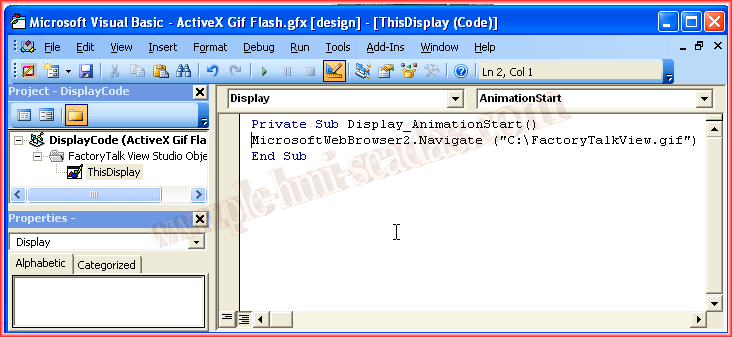
This time we will pass the path of our *.gif file through programming. When we start our application and open this window, the Navigate method of our Active X control MicrosoftWebBrowser2 will be called, which will open our image.
And finally, if we test our application, we will verify its operation.

September 15, 2013