
Intouch - DASMBTCP Configuration
DAServer MBTCP Configuration

This practice is dedicated to Francisco Amador, for his collaboration in its realization.
In this, we will configure the DAServer MBTCP for communication with PLCs via Modbus TCP, using the wide range of Schneider Telemecanique PLCs as an example.
The latest available version of the DAServer MBTCP is Version 3.0.100.
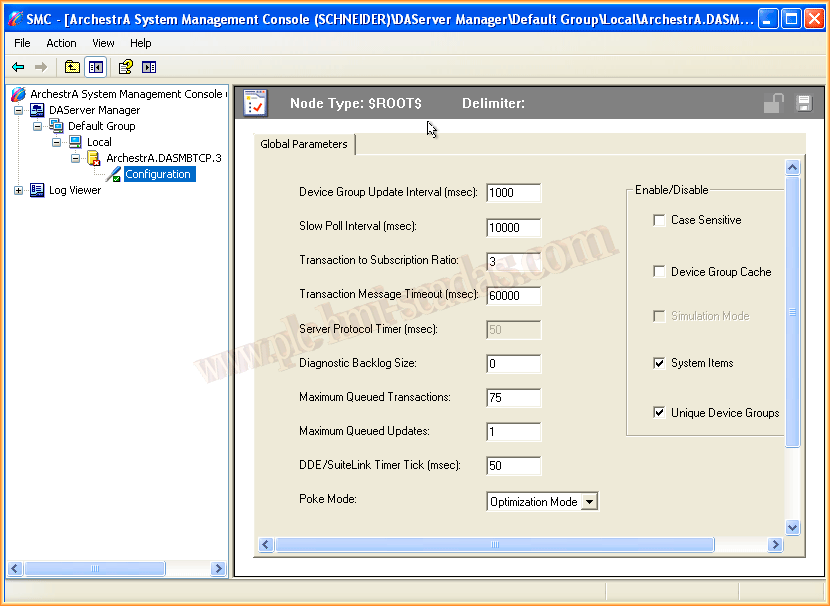
Once installed, we can run the System Management Console where we will observe all the DAServers we have installed.
In this case, we only have this server installed; when we go to configuration, we access the default configuration parameters, which can be left as is or adapted according to needs.

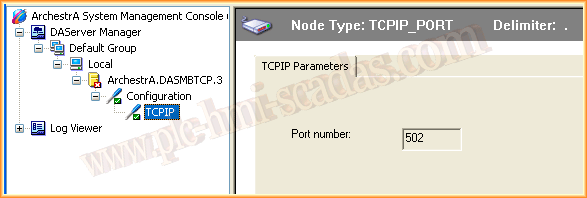
The first step is to add a new object of the type TCPIP_PORT, where we assign the name we want and by default the port is 502, as we have seen in other practices.
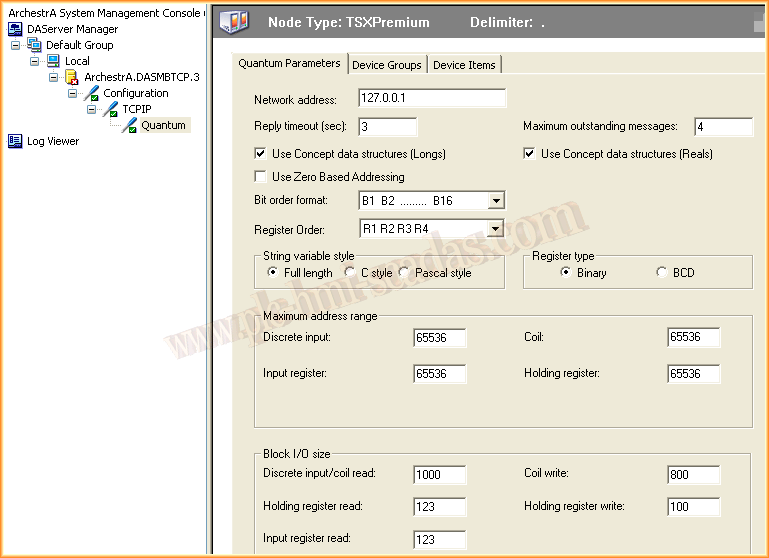
Once this object is added, the next step is to add an object of the type corresponding to our PLC; once this object is inserted, we give it the name that interests us.

And we proceed to its configuration, where the first thing we define is the IP address of our PLC.
In this case, the address is 127.0.0.1 which, as we have mentioned throughout the practices, is the localhost address, which is that of our simulator.
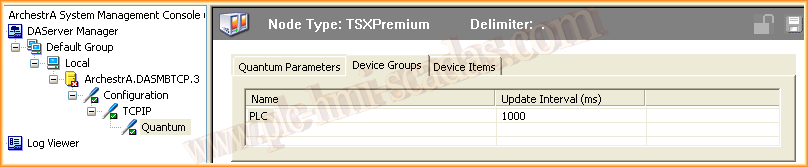
Once the PLC configuration parameters are defined, we can proceed to the definition of a new group, in this case called PLC with an update time of 1 second.
Since we have already declared a new group, we will declare the items, tags that correspond to that group, and here it is good to remember the PLC configuration image, where the maximum addresses according to Modbus are as follows.


Once all the necessary variables and groups are declared, we can activate the Server; for this, right-click Activate Server.

And as always, a good practice is to check with an OPC Client that the configuration we have made is correct and works perfectly; we take advantage of the OPCClient from Kepserver and observe that the operation is correct.

And to see the changes made, in the variable table of our PLC we will force some values and observe how they update in our OPC Client; with this, we are already prepared to configure Intouch, here it can be observed.

November 24, 2013