
Intouch System Platform
Once we have created our Galaxy and declared a new IntouchViewApp Template, we will differentiate between the two types of applications that can be:
The first step is to create a new Derived Template
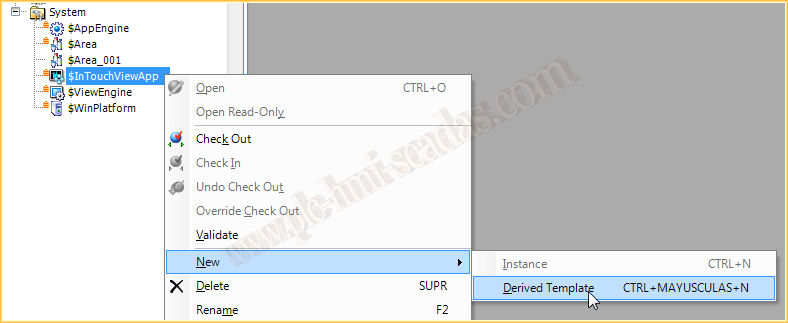
We have already created it and assigned the name we are interested in; by default, it appears as in the image, with an error. To fix this, we double-click, and a pop-up window from the wizard appears. At this point, we can create a new application or import an existing one; we will create a new one. We can see that a checkbox appears following the wizard to define that the application will be IntouchView; we will leave it as is for later viewing.


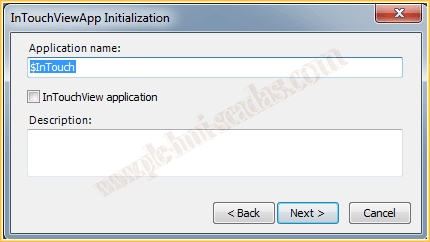

At this point, we have created our application, and as we can see, it has the same characteristics as when we create a Stand Alone application of Intouch; we can define the Access Names, Alarm Groups, etc...
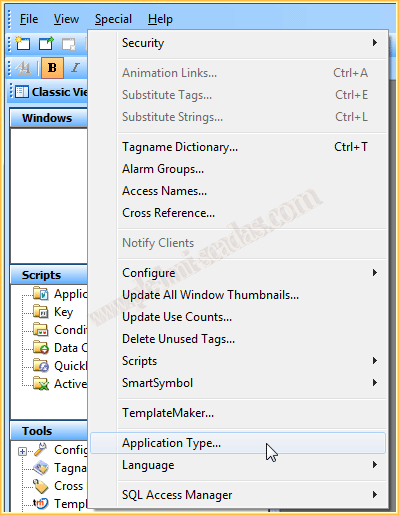
If we now go to the menu Special --> Application Type, the following window appears, which provides us with the main characteristics of selecting an IntouchView Type application; we will see the changes that occur...
We select the checkbox and apply the changes


Here are other important changes; from this moment, we can no longer select the checkbox that we selected in the Tagname Dictionary to register the variables with the DataLog and alarms.
Once confirmed, if we go back to Special, the menu will appear with the mentioned changes; we can no longer configure any Access Name, except the default one created by Galaxy, we cannot define Alarm Groups, and we cannot use the DataLog, among the most notable characteristics.
Another important point is the type of License we need; it is different if it is an IntouchView application or not.

Monday, February 16, 2015
If you liked it or found it useful, share it ... :-)