
SoftLogix5 Driver Configuration

In today's practice, we will revisit a slightly older version of RSLinx to configure the SoftLogix5 Driver, which is installed on a Windows NT operating system.
The working environment is practically the same, with some new functionalities from the newer versions, but the configuration remains the same.

The first thing we do is configure the Driver. To add a new one, go to the Communications menu -> Configure Drivers... and add the SoftLogix5.
We assign it a name of our choice; by default, I will leave the one from the wizard.
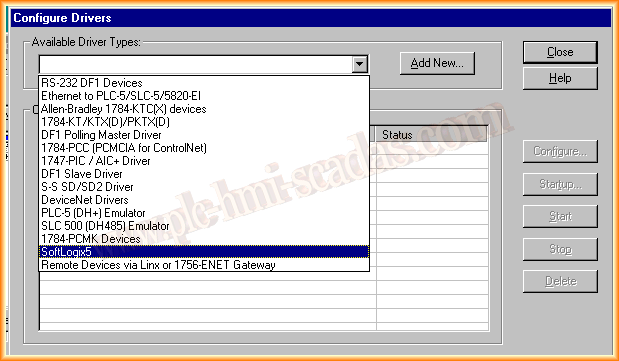

The next configuration window is where we specify the node where the SoftLogix5 is running; the device name is WINDOWSNT with address 1.

With these steps, we have configured our new Driver and are ready for communication; it shows that it is running and the configuration is correct.
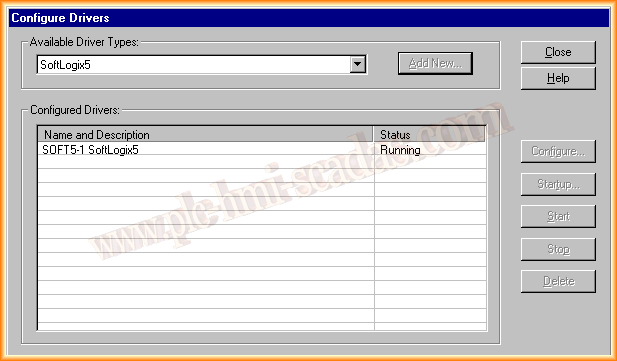
Finally, we open the Soft5-1 Driver and observe that it has found our SoftLogix. Once we have created our program in RSLogix5, we can transfer it; in the next practice, we will observe the configuration of the SoftLogix5.

August 13, 2013