
Micrologix 1400 as Modbus RTU Master
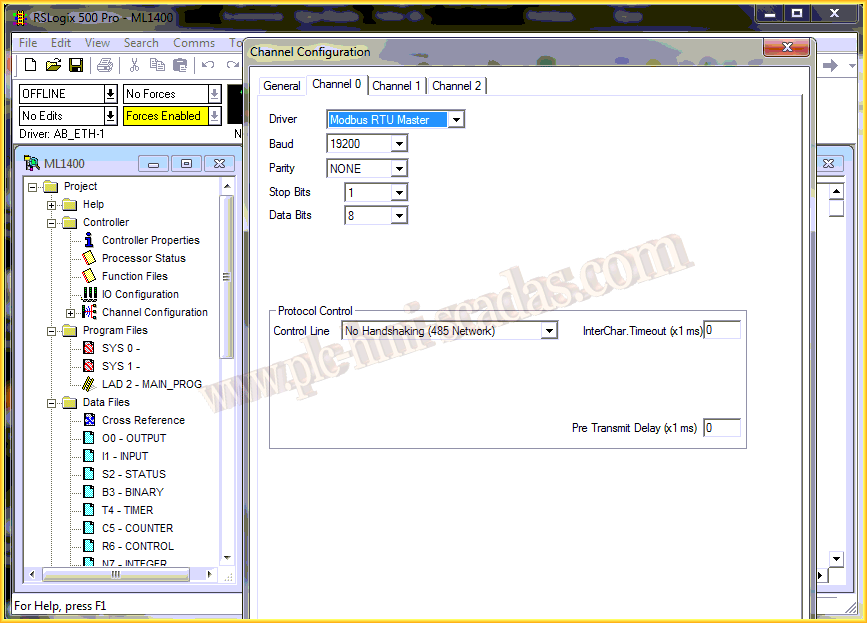
In the following practice, we will see how to configure the Micrologix 1400 as a Modbus RTU Master. To do this, we create a new project in RSLogix, select the hardware we have, and the next step is to configure channel 0 for this type of communication.
We will select the parameters that match our slave, speed, parity, stop bits, and data bits. In the Control Line configuration, if we are not going to use the Rockwell cable 1763-NC01, we will select No Handshaking; if we do use it, we will proceed as shown.
The next step will be to configure the data files that we will use. In this example, one for the MSG instruction that we will use (MG9), and one Integer for the data (N10).

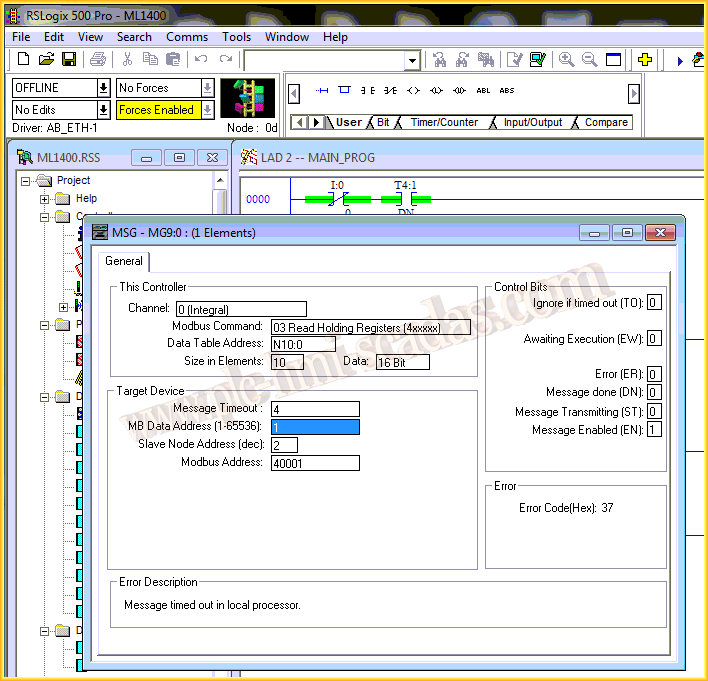
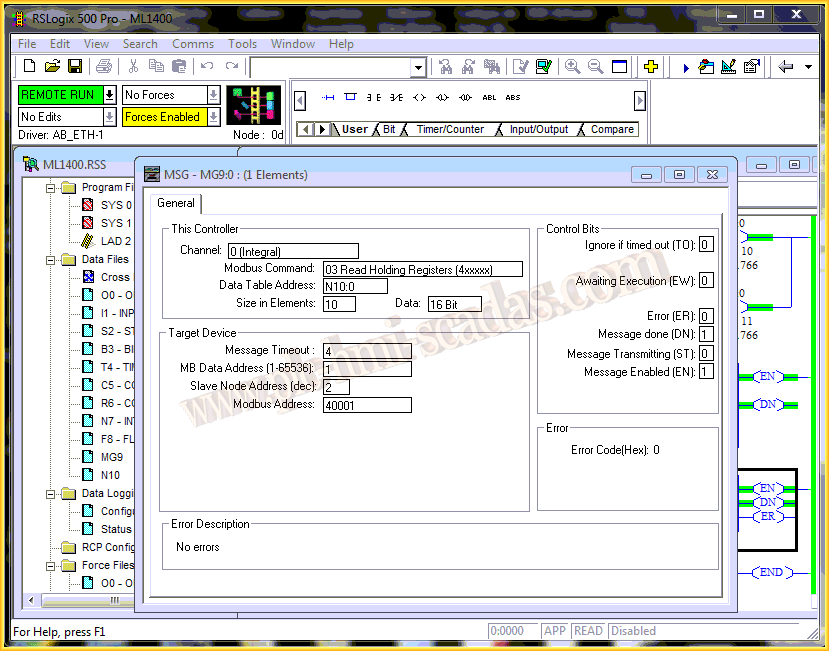
Having defined this, we can now create the corresponding logic for the simulation and proceed to insert the MSG instruction where we assign the MG9 we previously created with the following configuration for our example: we will read 10 Registers from our slave starting from address 40001, and we will store their values in table N10:0 starting from address 0; the slave address is 2.
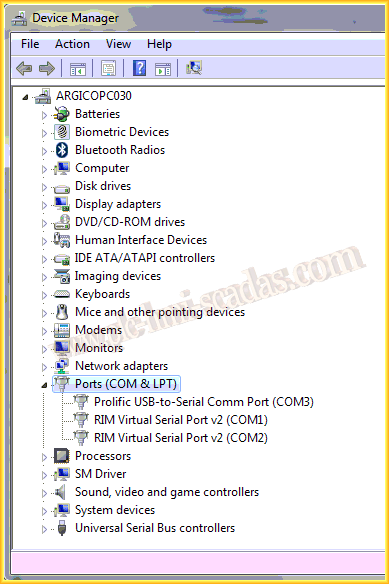
To verify the operation of the slave, we will first use the Modbus Slave for its simulation, which we have used in other practices, where we will configure the parameters as they are on our real device.
We define all the communication parameters and link the serial port of our PC with the Micrologix.

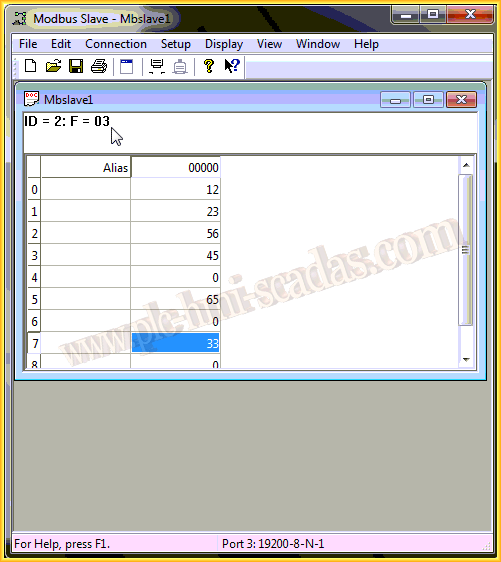
We insert the 10 Registers that we are going to read starting from address 40001, and connect the simulator. From this moment, we assign some values to verify the operation.

We download the project to our Micrologix and go online to execute the MSG instruction we are interested in. As can be seen, it has executed correctly.

If we access the Setup of the instruction, we can observe the Control bits to see the status of the instruction.
And if we look at the Data table N10 and access the registers we are interested in, we verify that we have read all the values correctly. We can now connect our real device and test its operation.

May 13, 2014
If you liked it or found it useful, share it...