
Upload S7-200 Microwin
Perhaps what will be explained today you already know, but there is always a new generation of students, and at least here in Spain, in many educational centers, the S7-200 PLC is still used for practical exercises, not to mention those installed in the industry. Therefore, we will explain a solution to the Error: Master exists on the Profibus network and the current device does not support masters. Try again after selecting a multi-master device.
This is the error I received when trying to communicate with the S7-200 to upload the project to my PC. The PLC was in RUN mode.
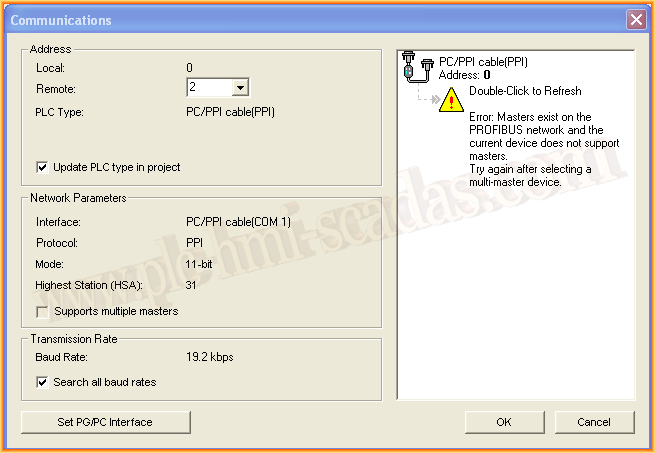
After making all possible changes in the PG/PC Interface configuration, the result was the same. Solution: Simply switch the PLC to Stop mode and it will automatically detect it without problems, as can be seen in the following image.
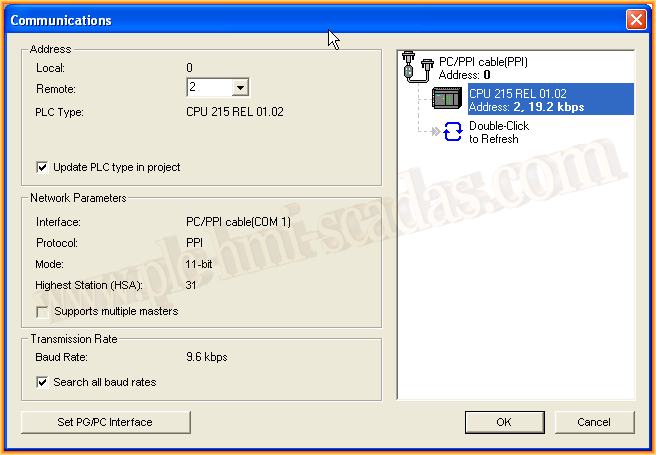
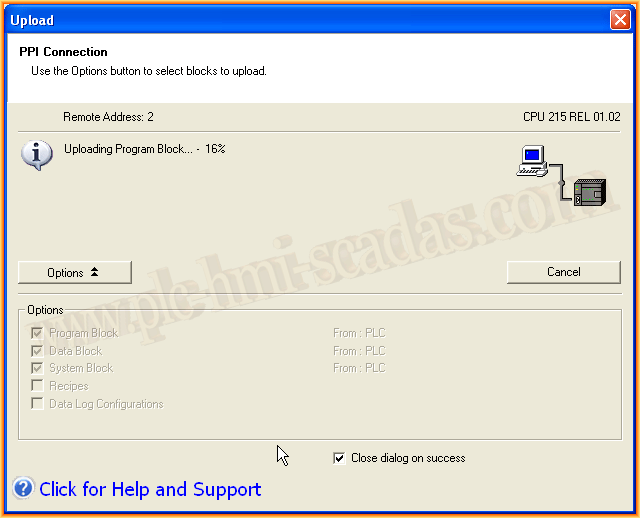
One of the reasons is that the port may be used for other communications, and for that reason, it does not allow it in RUN mode. Once switched to STOP, we can upload the project and make the modifications we need.
September 3, 2017
"Gratitude in silence serves no one." Gladys Bronwyn Stern