
Load in PG Step 7 Program
In the following practice, we will see how to download a program from an S7-300/400 PLC, but this time we will download the program through the ISO protocol, since we do not know the IP address of the CP to use the TCP/IP protocol.
First of all, we create a new blank project, do not use the wizard.
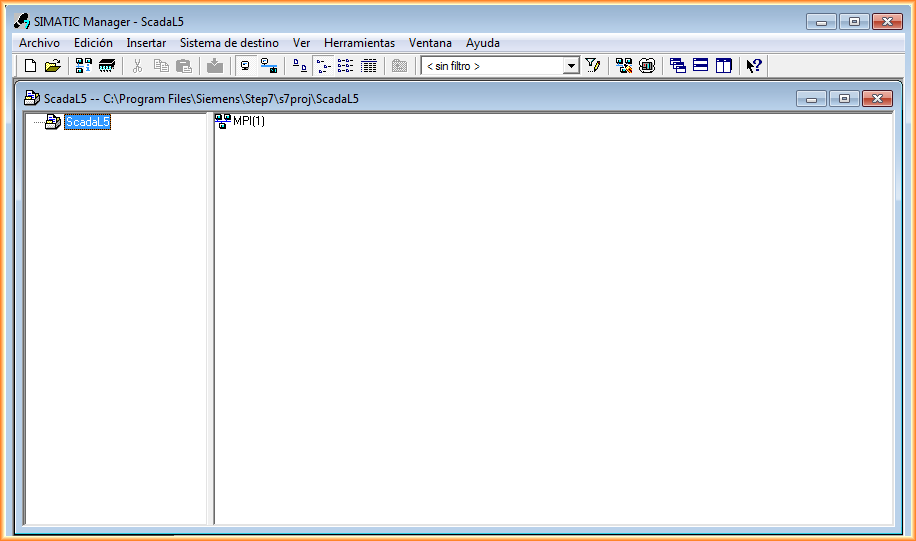
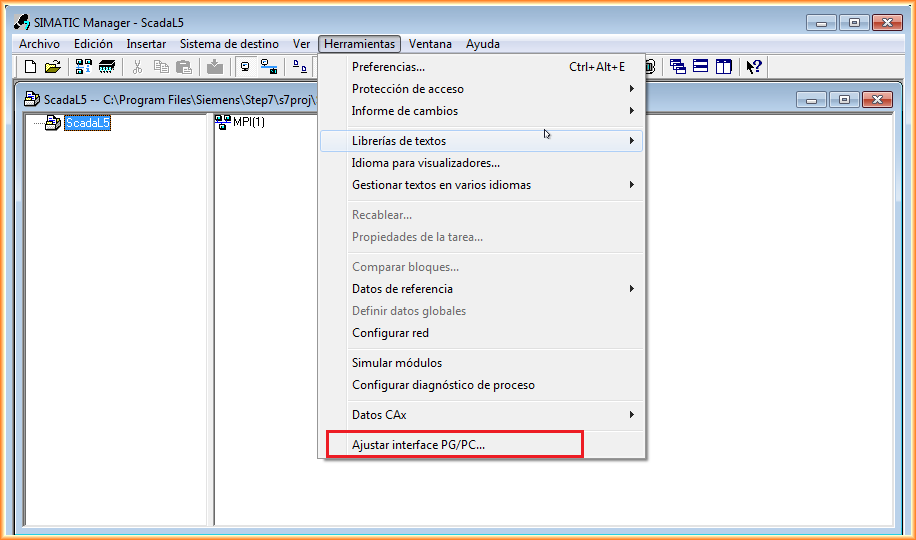
Once the project is created, we will adjust the communication interface, for this go to Tools --> Adjust PC-PG interface.
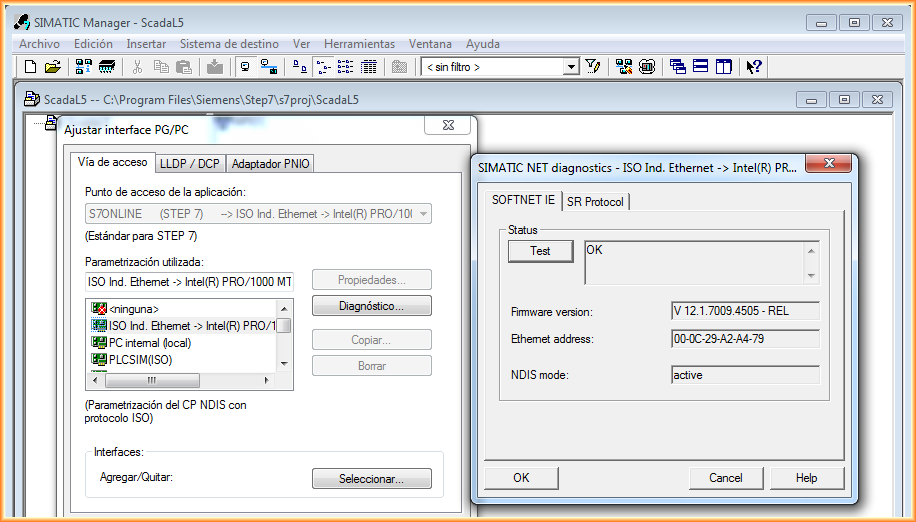
As we mentioned, we will use the industrial Ethernet ISO interface, where instead of working with IP addresses, we will work with M.A.C addresses.
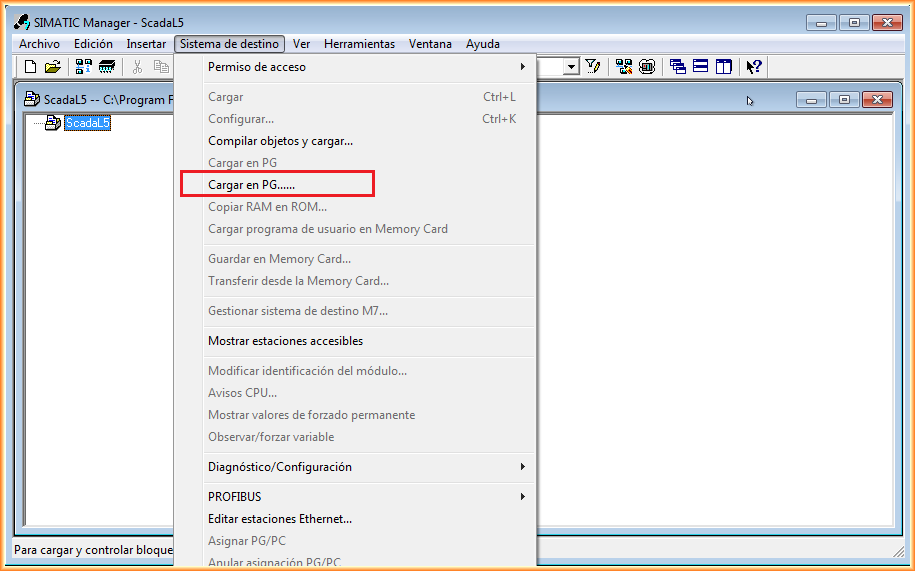
With the interface adjusted, we go to Target System --> Load in PG...
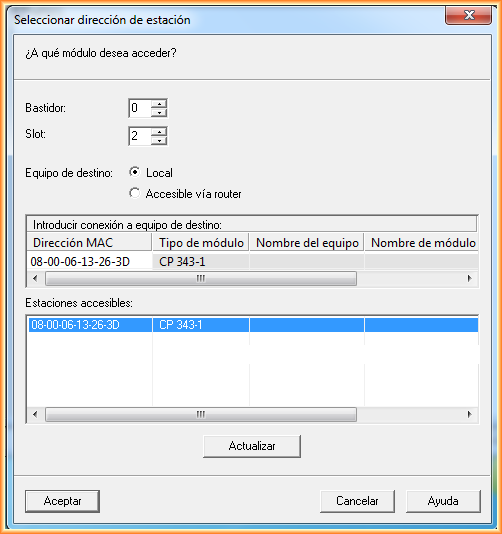
The following screen will appear, where it will automatically search for all devices on the network. As can be seen, it has found the CP-343-1, where its CPU is in Slot 2, and belonging to Rack 0. These data are by default what we will always apply. By clicking accept, we will load our project, the current program, with its hardware.
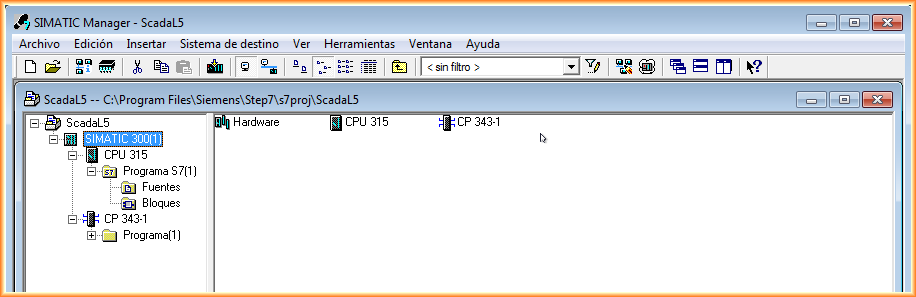
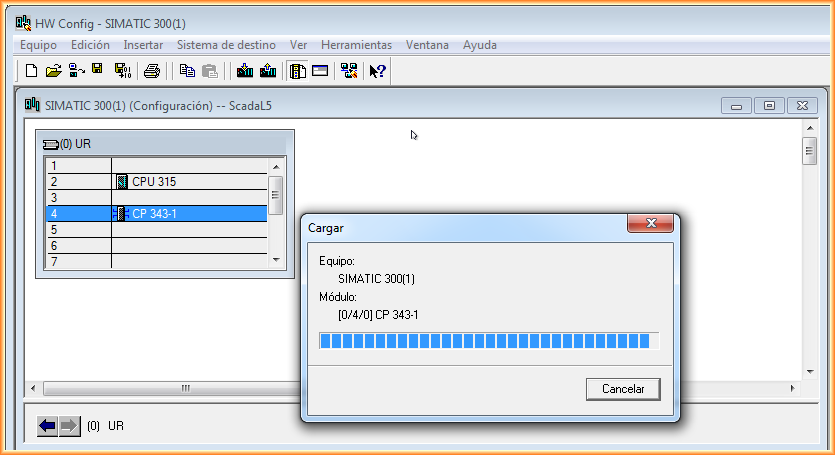
The next image shows the hardware of the project and the current program, but without any comments!!!
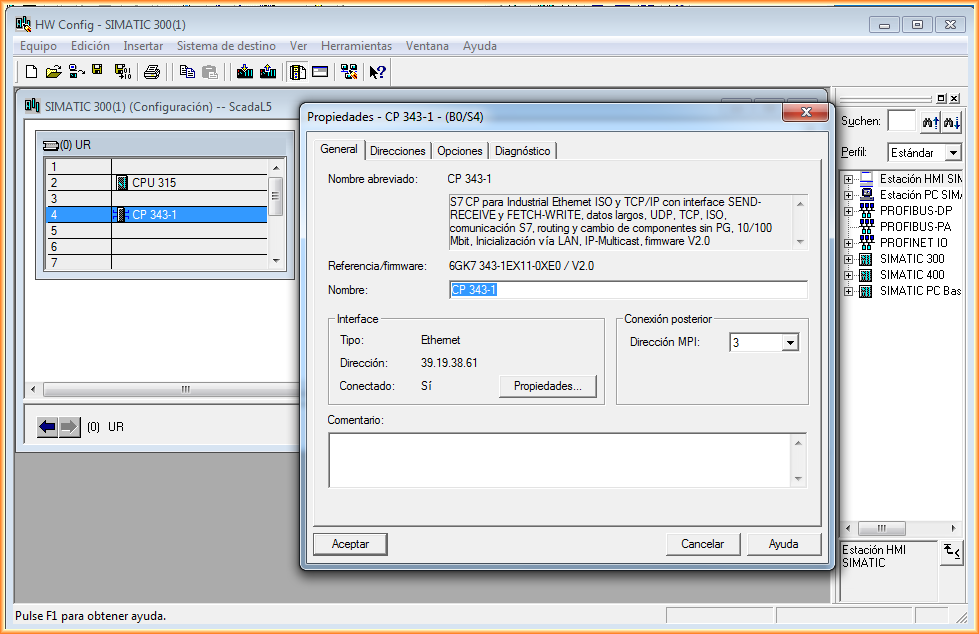
We can now access our CP in the Hardware, from this moment on, we will know the IP address and the subnet it belongs to.
If necessary, we can modify the IP address, the subnet mask, etc...
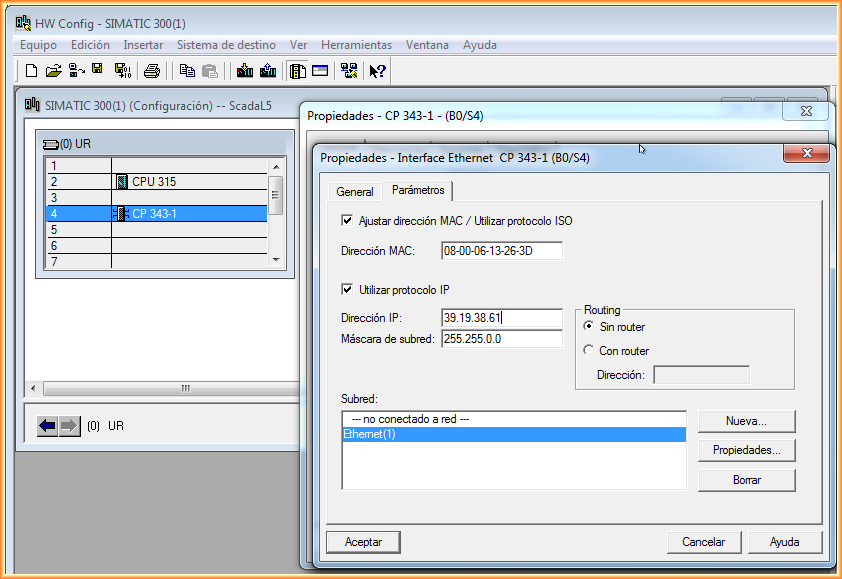
We load our modifications and in case we have changed the IP address, we can now set our PC in the same range and change the interface to TCP/IP.
May 13, 2014
If you liked it or found it helpful, share it...