
TIA Portal, Send SMS with CP 1242-7
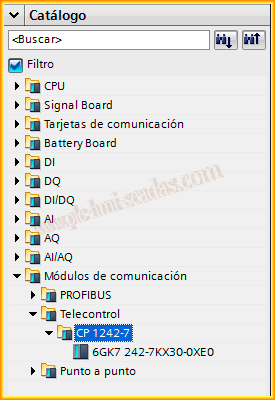
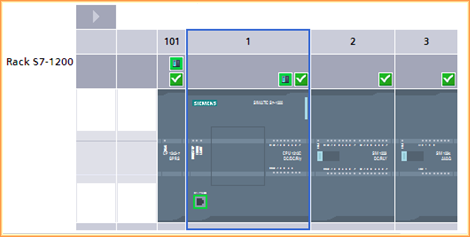
In the following practice, we will put into practice the resources that Siemens offers us to test the operation of sending SMS through the CP 1242-7. The example is based on the existing project and the following manual. The first thing we did was install the file so that the CP 1242-7 is available in our catalog; once installed, we insert it into our hardware, and it will look like this.
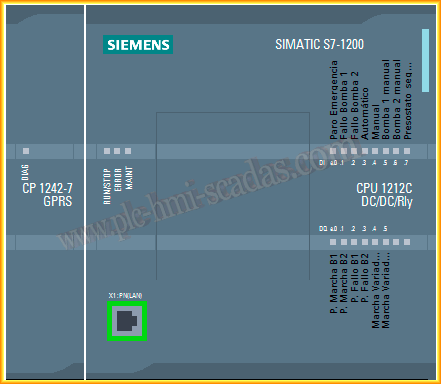
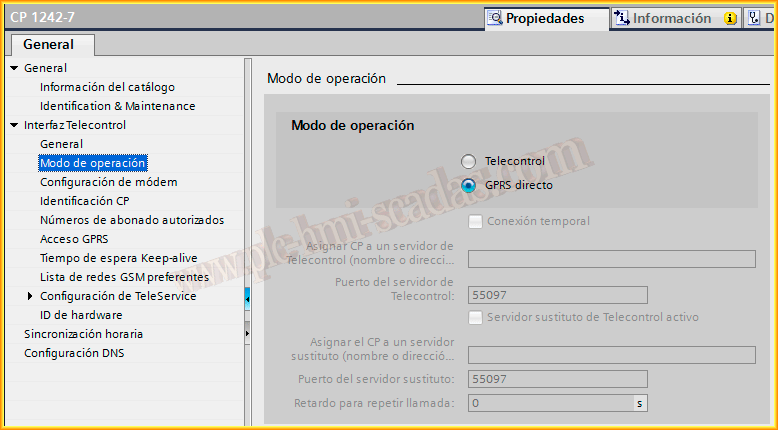
We enter the configuration of the properties of our CP 1242-7 and leave the radio button as it comes by default in direct GPRS, since the goal is to send SMS.
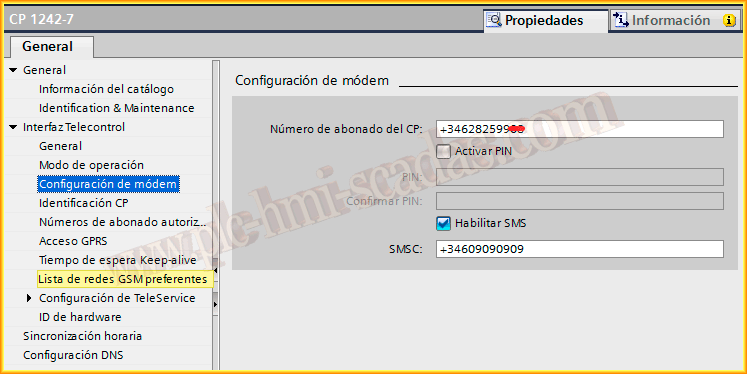
We move to the modem configuration section, where the first number corresponds to the SIM card of the CP. We select the checkbox to enable SMS and the number we must enter should be provided by the company associated with our SIM; it is the Message Center number.
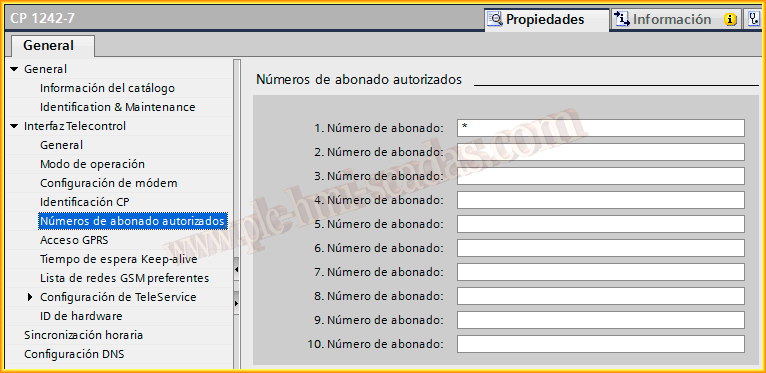
Authorized subscriber numbers, we leave it by default in our case; configure it if necessary.
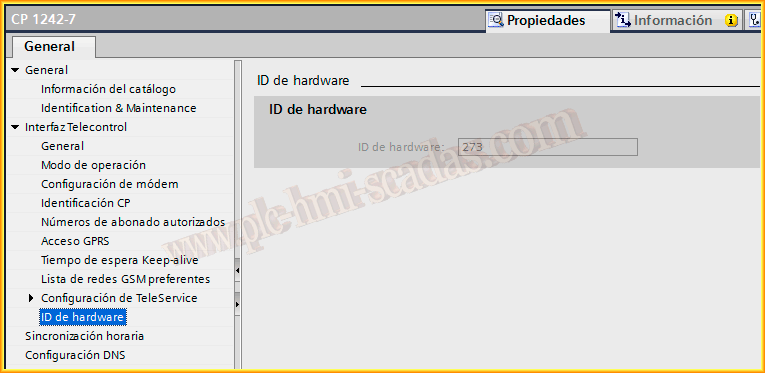
With those simple steps, we have configured everything necessary in our CP 1242-7. Finally, we check the Hardware ID number, as we will need it when using the SMS sending function.
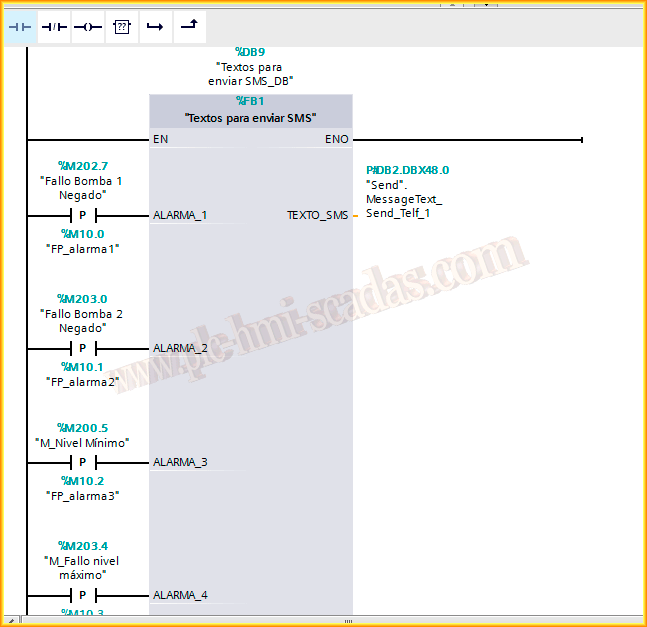
The next thing we did was create a function to select the text we will send in the message. Depending on the alarm bit that occurs, a different text will be loaded, and if two alarms occur at the same time, they will have priority in descending order: Alarm_1 takes precedence over Alarm_2, and Alarm_2 takes precedence over Alarm_3, and so on.
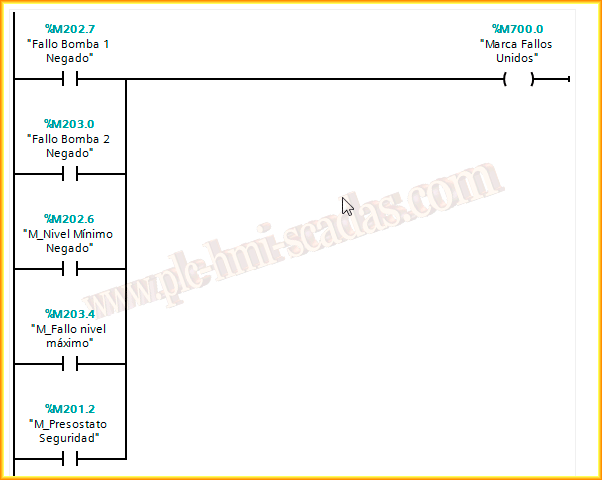
In addition, regardless of which alarm bit has been activated, we will activate the combined failure mark bit, which will be the one we use in the SMS sending function.
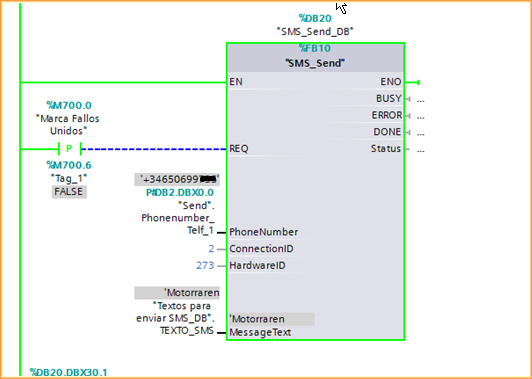
And here is the function we extracted from the example project. For our case, this meets the expected requirements: when a positive edge occurs in REQ, the text we have in Message Text will be sent to the phone number we added in PhoneNumber, and we will use HardwareID 273, with a unique and unrepeatable connection ID for other possible calls to the same function.
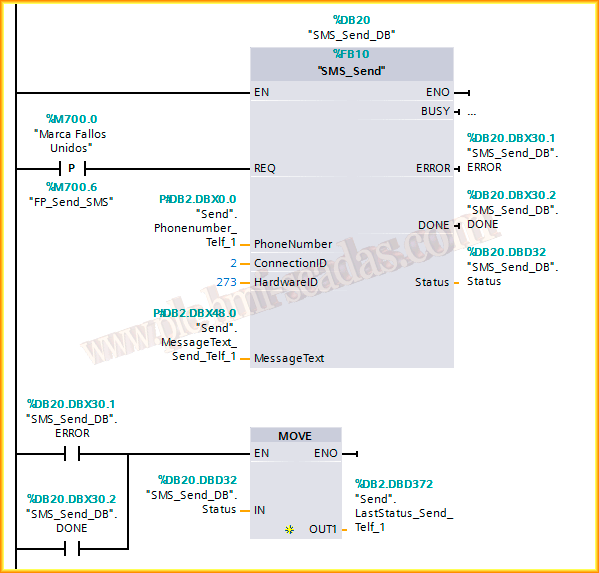
Once we have finished the logic of our program, we upload the project to the PLC and proceed to perform the first tests to see if it works correctly.
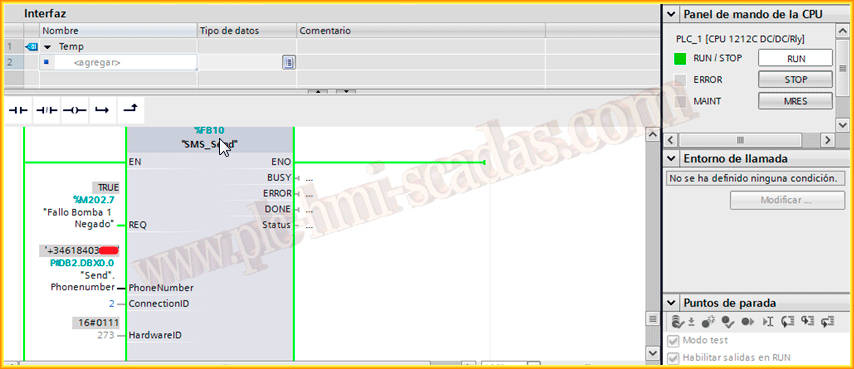
As can be seen in the first tests, only one alarm with its corresponding bit was implemented. Once its correct operation was verified, the previously detailed implementation was carried out.
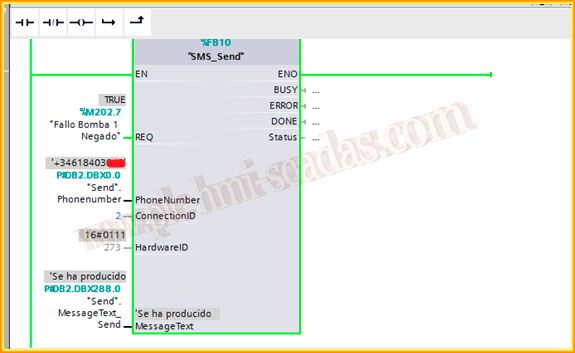
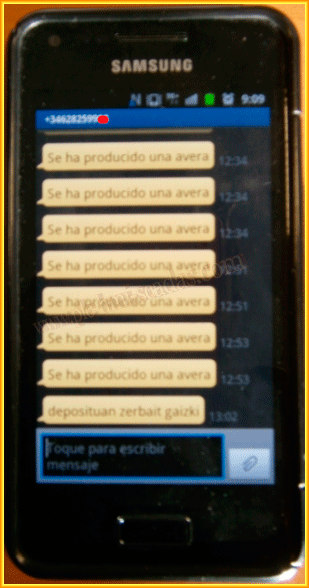
And here is the image of the mobile phone with the messages received correctly.
And once we have verified it, we finish adapting our program with all the alarms we had configured. Thank you, Angel Lorente, for collaborating on this practice.
October 13, 2013