
TIA Portal - Hour Counter
After a period without any practice, we are going to resume the topic with the creation of a custom counter to count operating hours, an example could be to count the operating hours of a pump, where after a certain number of hours preventive maintenance, oil change, filter change, etc. must be performed...
Timers in some cases are limited and do not reach the value we are interested in, for that reason we are going to create our own, from here, customize it for what each one is interested in. This is created in TIA Portal, but it would be possible to do it with any type of PLC.
So the first thing we are going to do is create a new FB, since later we may want to instantiate it for several field devices.
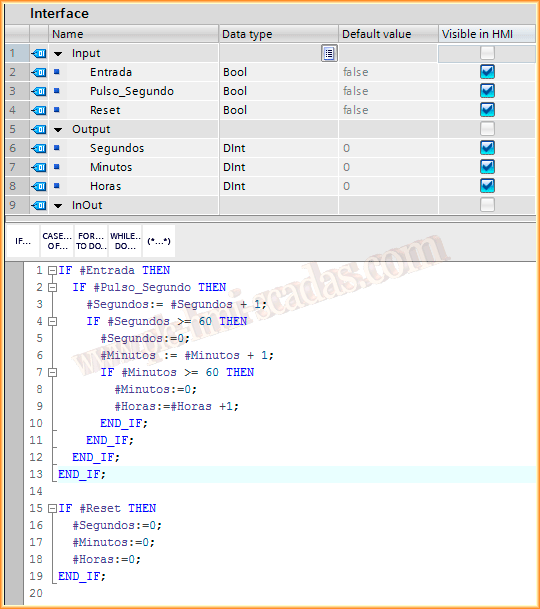
As input parameters we will have:
Input: It will be the bit or combination of bits that will give us the order to start counting.
Pulse_Second: This bit, as its description indicates, will be a positive edge of a signal every second.
Reset: The bit to reset the timer.
As output parameters we will have:
Seconds, Minutes, and Hours, where we will show that information, to later be able to display it on our screen with the I/O field objects.
Once our FB is created, we are going to create our pulse every second, we can either use system bits or create a flip-flop that we will adapt to the time we want, if we do not want to count seconds, we could do it by minutes or every 10 seconds, etc...
The timer value must be 500ms for it to be 1 second.
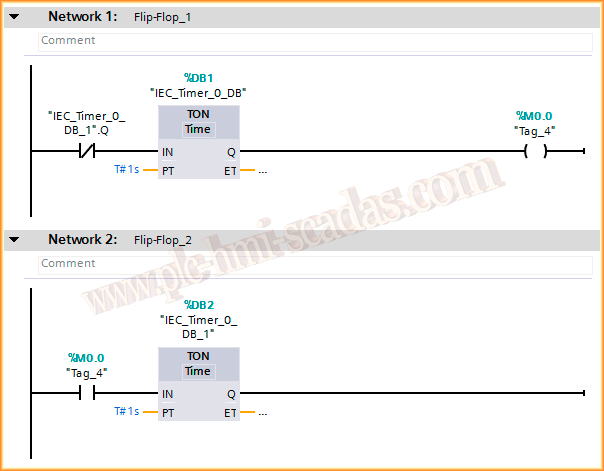
Once the Flip-Flop is created, we can instantiate our FB, associating it with its corresponding DB and we can assign the corresponding parameters. It is important to put the positive edge in the Pulse; otherwise, the counting will not be real, as it would execute more than once in a Scan cycle.
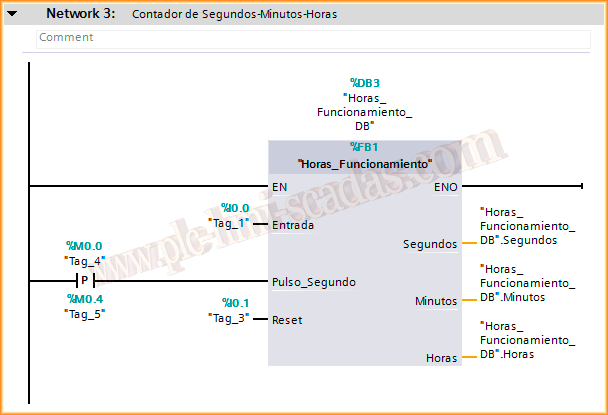
We can now load the program and run it to check its operation. And its operation is like a clock :-)
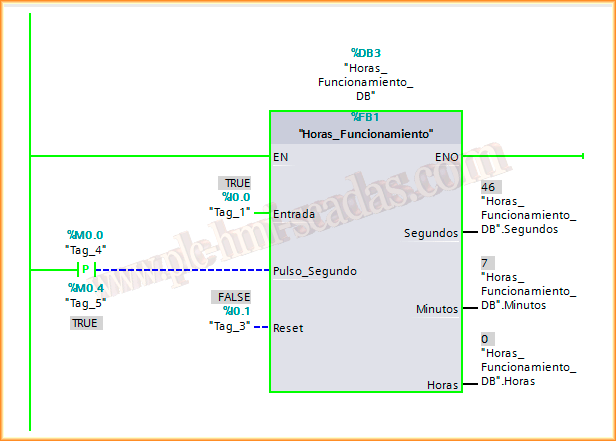
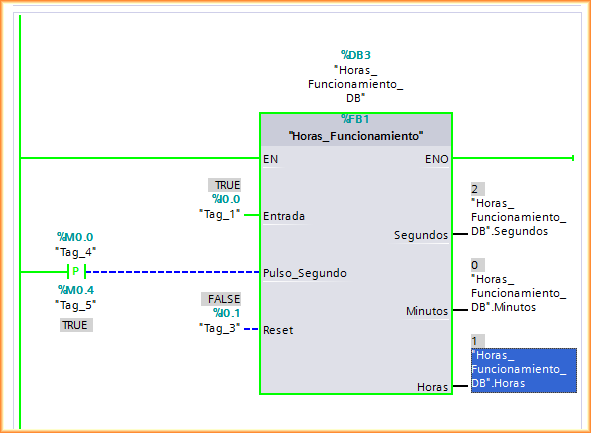
And while I was writing the practice and time passed, we can see that an hour has passed.
The ideal would be to pass another input parameter to the function, where we would specify the hours at which we want the warning to be activated and include it in the code.
A greeting to the new members who have subscribed and of course... wishing you a Happy and Prosperous year 2014 to all
January 11, 2014