
Extract Hours/Minutes/Seconds from S5TIME Format
In the following practice, we will see one of the ways to observe the elapsed time of our timer, using the S5Time format on our screen. I will present two different situations, the first one is as follows:
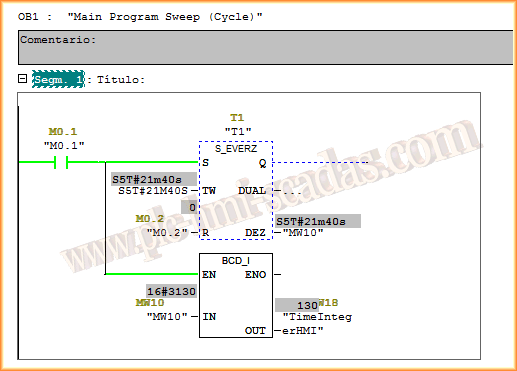
We have an S7-300 PLC and an old version, programmed with Step 7, with a timer T1. The elapsed time will be stored in the variable assigned to DEZ, which has BCD format.
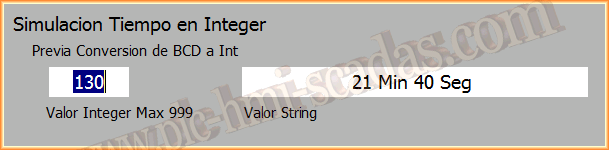
The condition we will use is to convert the BDC value to Integer, and this will be the variable we have on our screen, an integer value that we will later decompose.
The example is as follows:
First of all, let's refresh our memory and review the information about the S5Time data type to understand how we will decompose its value.
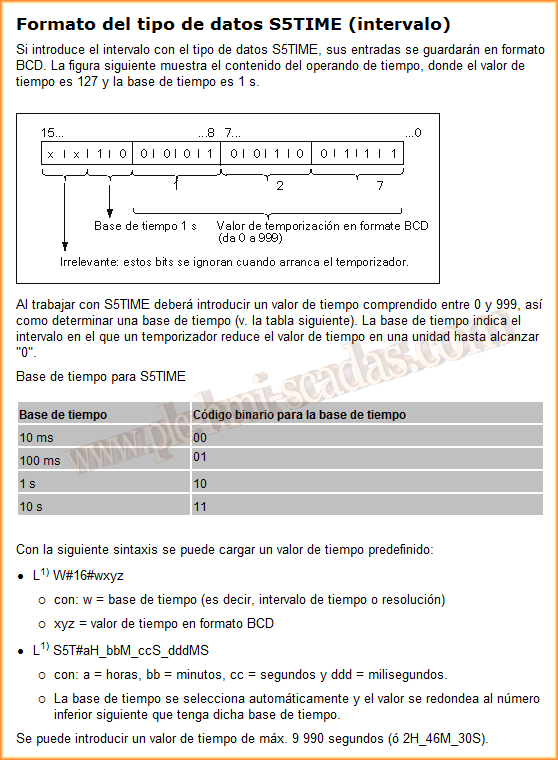
The most relevant information is that the value ranges from 0-999 and one Byte is used for the time base. A good example is that the value 9990 seconds is equivalent to 2 Hours 46 minutes 30 Seconds. With this, we will verify that our function works correctly, and for that, we will use VBscript. We will create a new function, in this case, a procedure, since we will not return any value.
The script that decomposes an integer into Hours, Minutes, and Seconds is shown as follows, and what I will do is first multiply by 10, since 999 in the example is equivalent to 9990 seconds.
Once multiplied, I will subdivide with the if conditional, I will check if it is less than 1 hour, greater than 1 hour and less than 2, or greater than two hours, and within that conditional, we will repeat the same steps. The comments show what each line of code does.
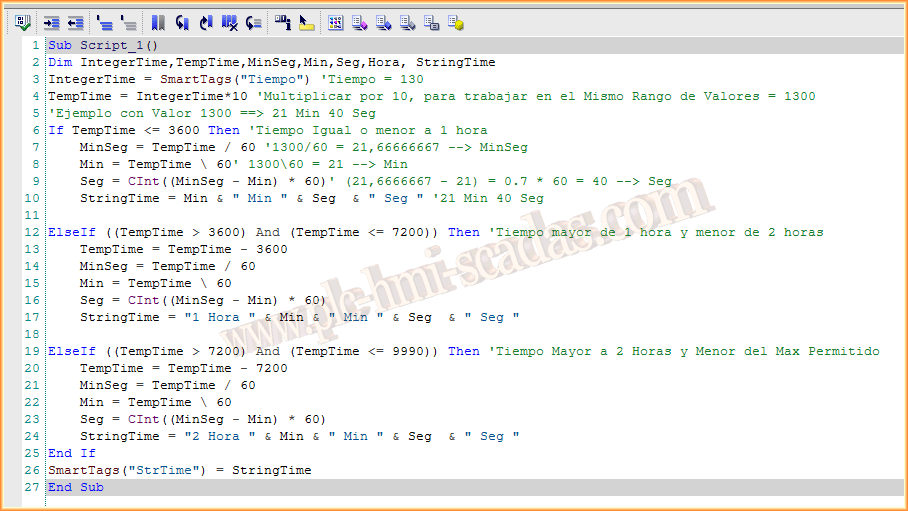
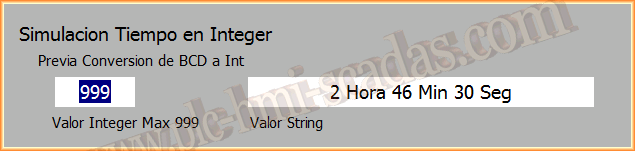
And to visualize it, we have a variable declared as a string of characters where we have concatenated our results to display the information.
As can be seen, the operation is correct.
January 26, 2014