
VBScript Change Object Properties
Examples of VBScript for TIA Portal: With the following procedure, we will change the properties of an object; the properties should be defined according to the needs. For this example, I will use the Background color and Font color. This procedure can be applied to any object that has those properties.
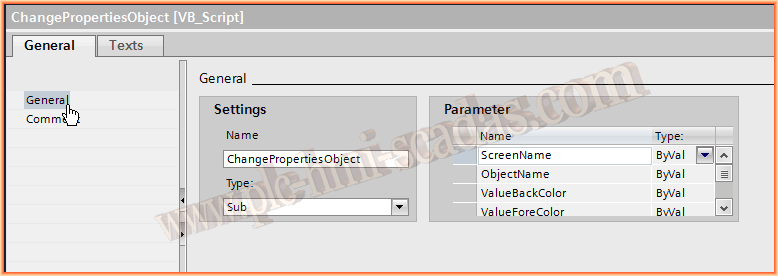
In the following image, once the Script editor is open, we create a new one, and assign it a name and the parameters it will have, as well as the method of passing them, by Reference or by Value.
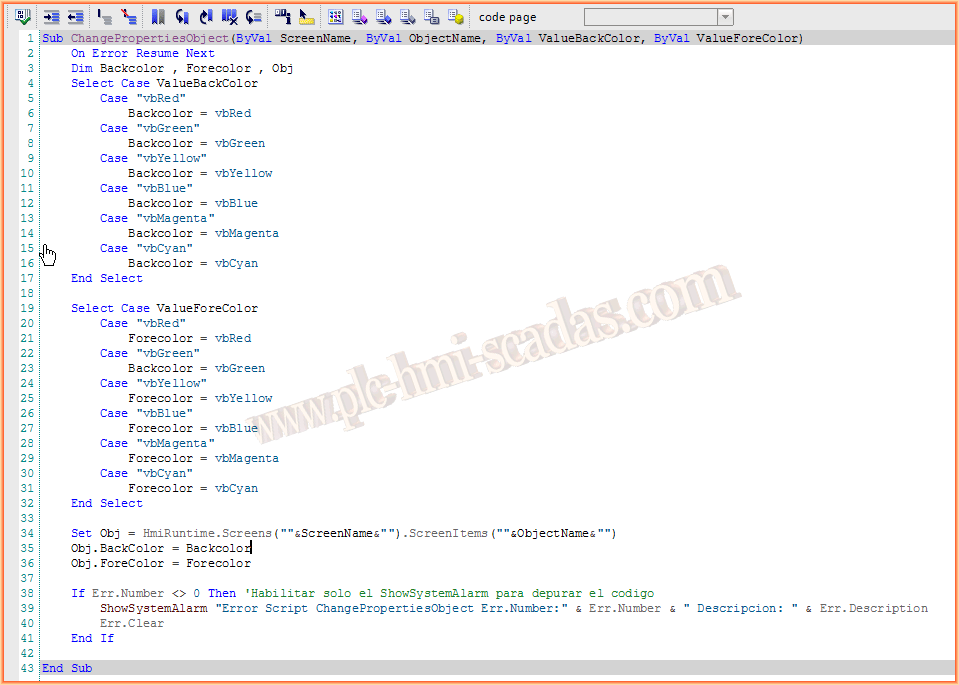
The code for our example is as follows, where we start with the statement On Error Resume Next, in case it encounters any error during execution, it will jump to the next instruction, and at the end of the code, we evaluate if any error has occurred. If so, in the Alarm control, we will see the message we have defined.
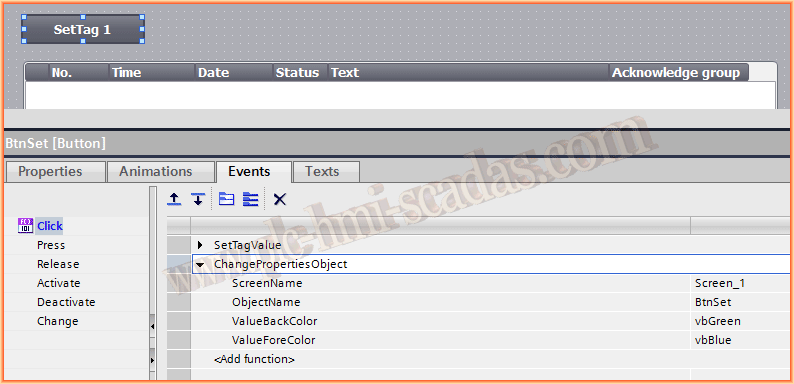
Once our Script is compiled and saved, we can use it, either by calling it directly from the events of any object, in this case from a button, or making a call within another Script, which we will see in the next example of Scripts.
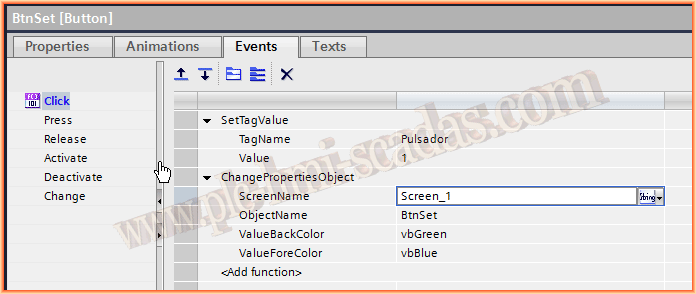
This last image is to show that when we pass the arguments to our procedure, we pass the values as Strings, in this example, the four parameters.
July 31, 2015
If you liked it or found it useful, share it :-)