
Wonderware OI.Gateway.2
Wonderware 2017. This version features a change from the old FSGateway to a new version called OI.GATEWAY, which includes the option to create links to OPC DA Server and OPC UA Server. In our case, we will use the PLCSIM Advanced as the OPC UA Server.
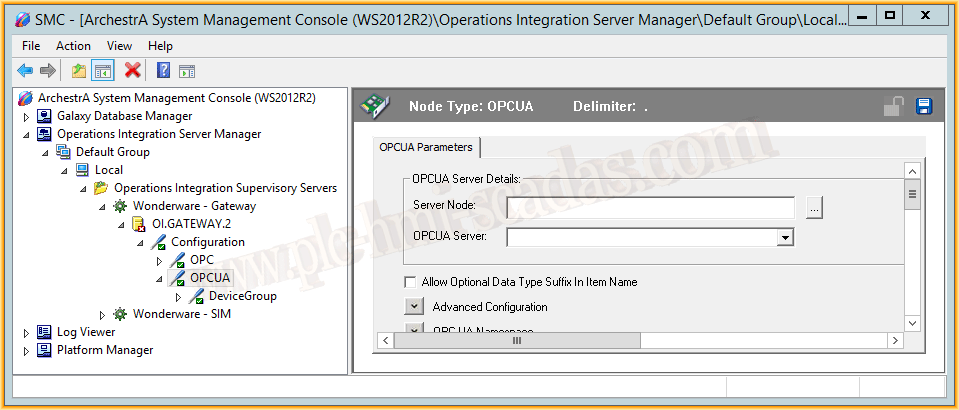
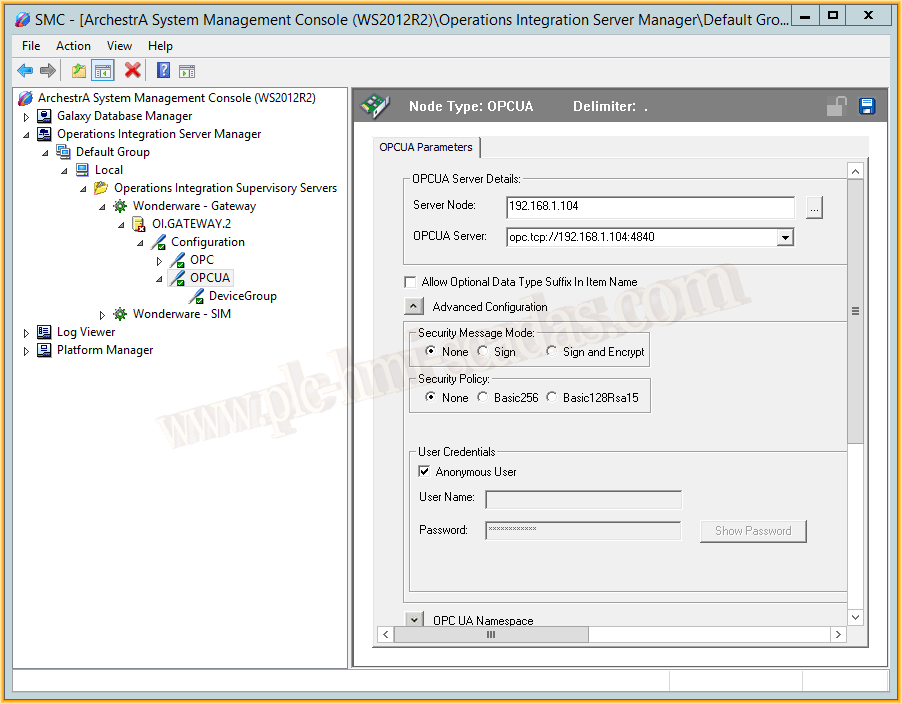
To access any OPC UA Server, it is always opc.tcp://IPAddress:PortNumber. In our case, as shown in the image, the address is 192.168.1.104.
Since we have not configured any type of security, we leave it as none, as it appears. This should be adapted to the needs.
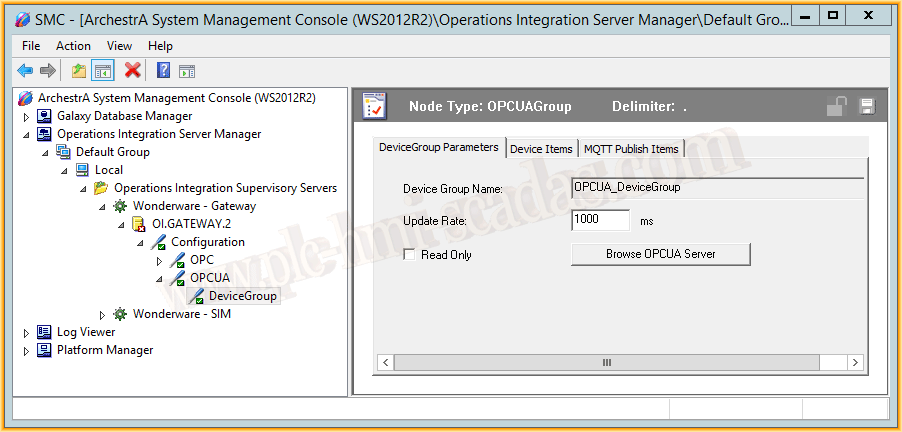
If the address is correct, the server is online, and the security is properly configured, by clicking the Browse OPCUA Server button, we can access it to select the tags we are interested in.
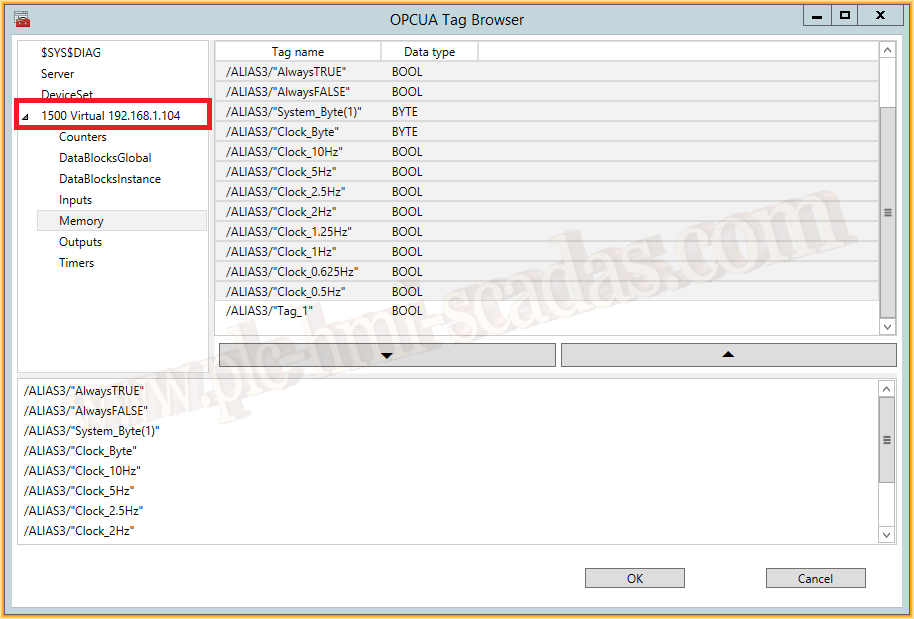
Once the tags are selected and loaded correctly, we can observe them within the Device Items tab, we can save with its corresponding button, and the configuration is ready.
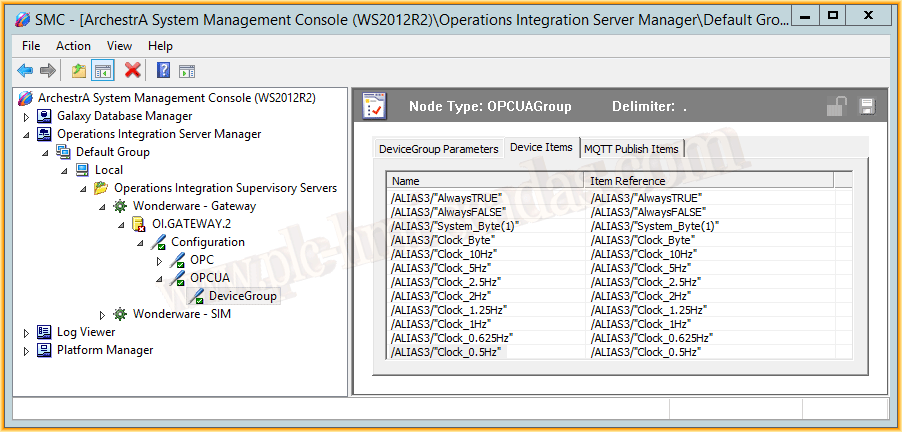
Finally, we proceed to activate the Server to be able to run it.
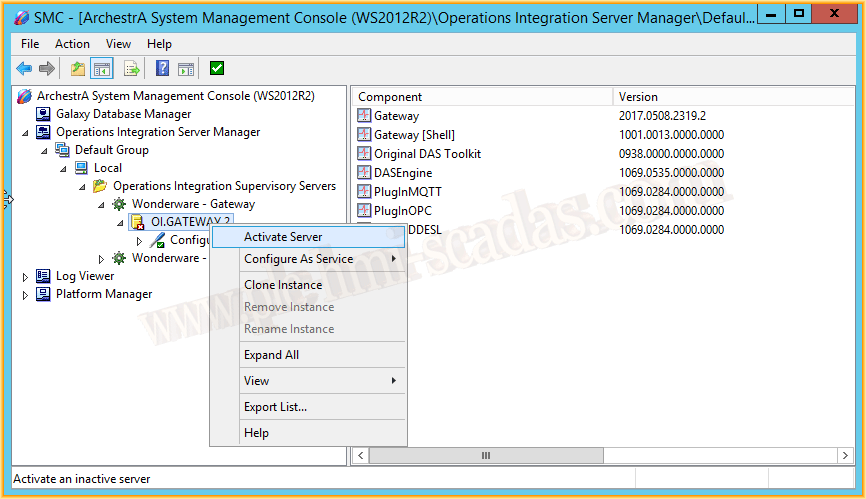
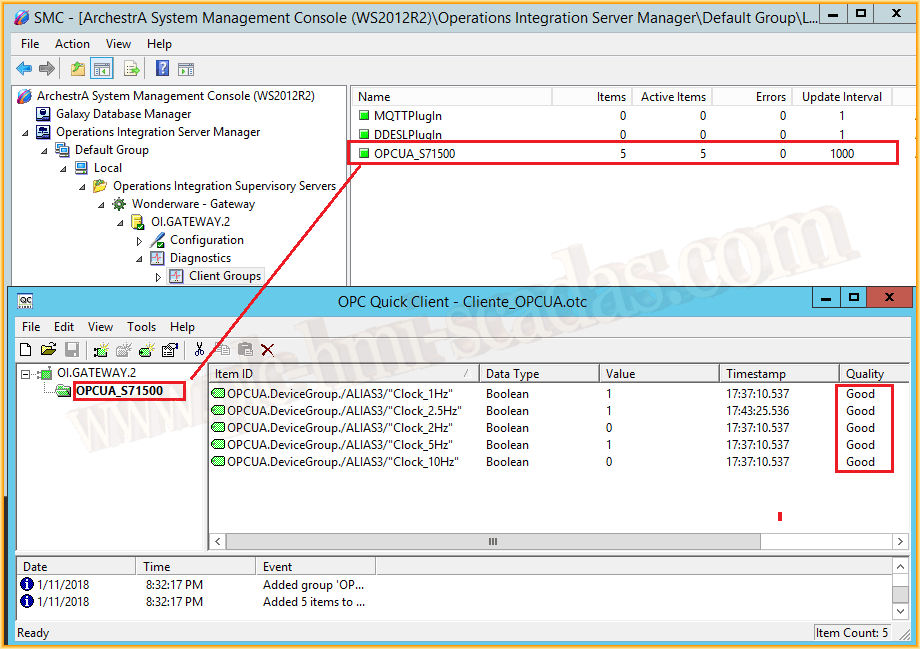
Once started, we could start Intouch or our Galaxy and create the link to check its operation. I will check it by connecting an OPC Client to the OI.GATEWAY Server as shown in the following image, and its operation is perfect!!! We can now debug our project with PLCSIM Advanced and Wonderware or another manufacturer that has OPC UA Drivers.
January 12, 2018
"Gratitude in silence serves no one." Gladys Bronwyn Stern