
WinCC (AS Symbols)
How can I create variables in WinCC with symbolic addressing from a S7-1200?
When we have created a link with a S7-1200/1500, we have the option to read directly from the CPU. For this, we use the function Read from AS.
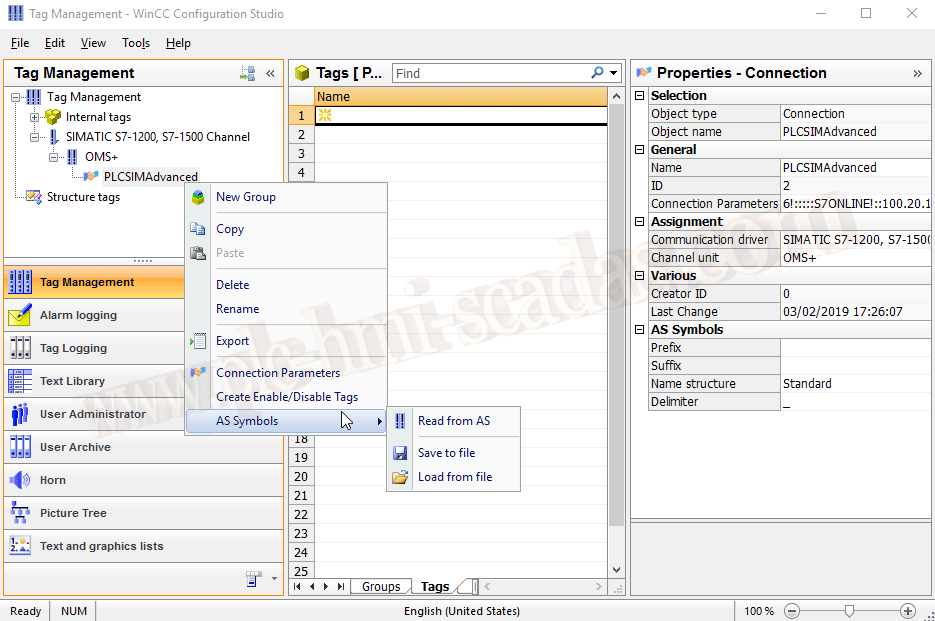
However, we encounter the inconvenience that this function only works when Runtime is active.

Once in Runtime, we can execute it and read directly. When we use this function, there are two new tabs AS structures | AS Symbols. To switch the view, we can use the button that is enabled, where the cursor is in the following image.

Here, the following image illustrates the four available tabs.

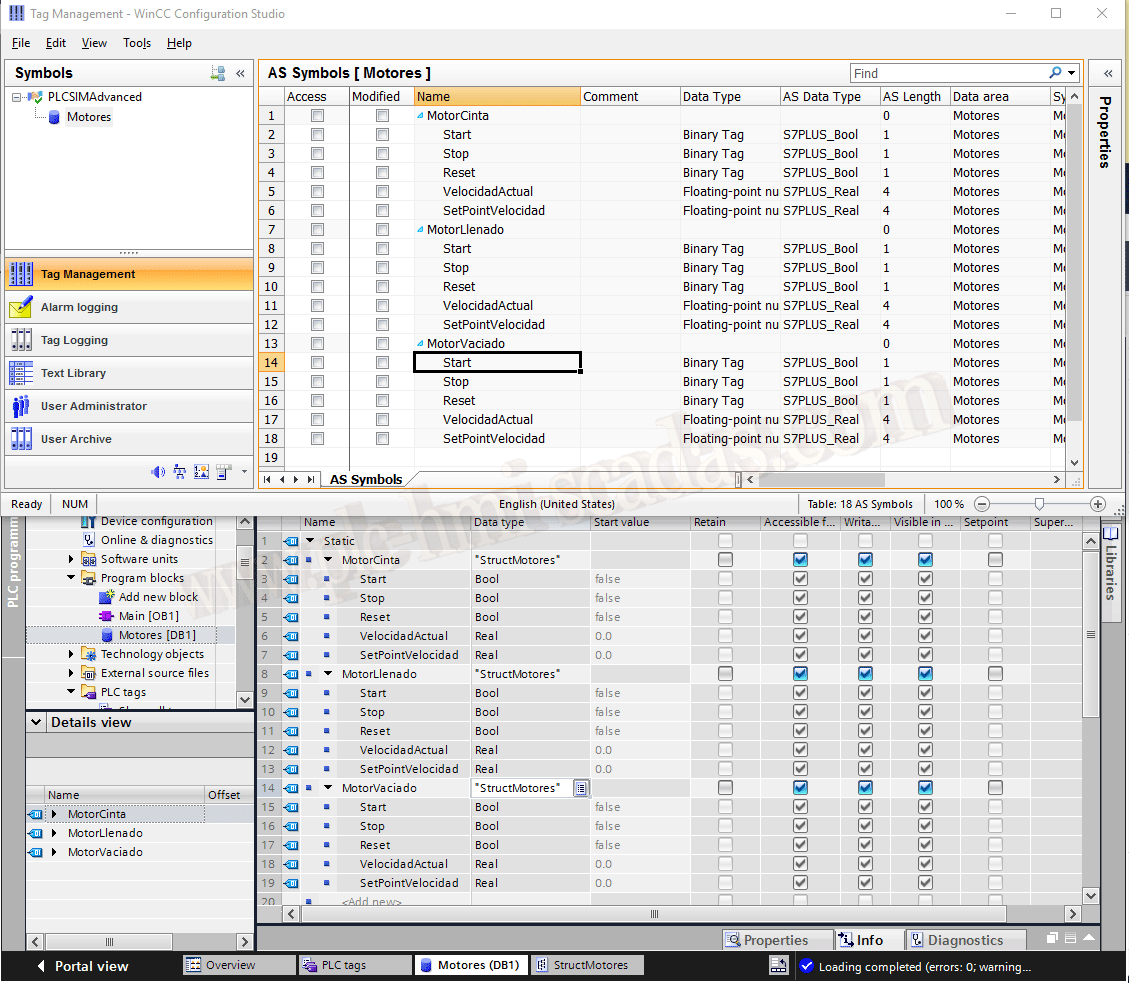
If we now create a structure in the PLC and a DB Motors, once transferred to the PLC, if we run the function Read from AS again, it automatically loads all the new changes.
09-02-2019