
WinCC ActiveX WebBrowser - .Net WebBrowser
Recently in the Siemens forum, there was a question about the WinCC WebBrowser Control, where the WinCC control, when opening a web page, gave script execution errors, which will be discussed later.
My response was to try using the Microsoft Web Browser ActiveX Control, which depends on the browser we have installed, as can be seen in the following image.
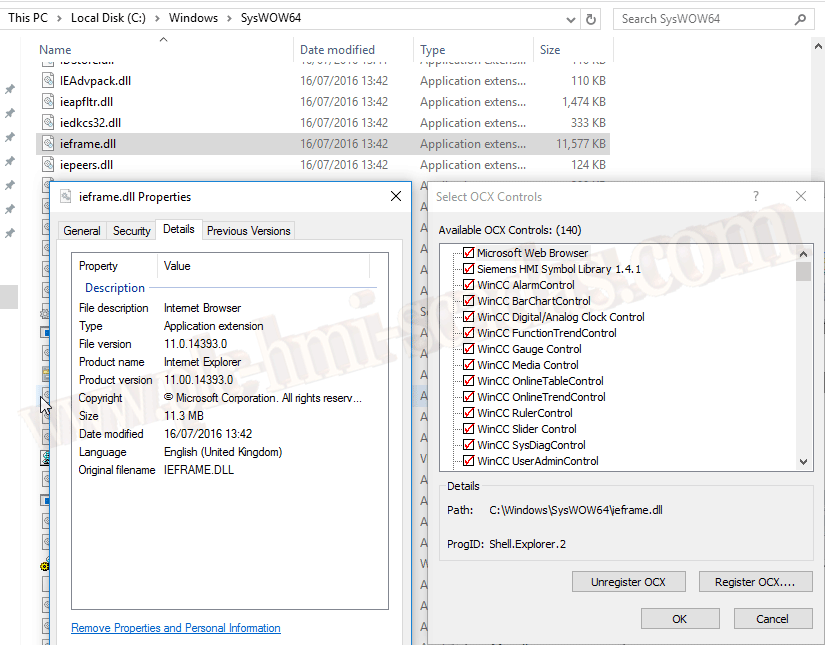
We add the control and now we have it available to insert into our screen.
In the ActiveX button, I have defined which web page I want to display, using Siemens' page as an example.
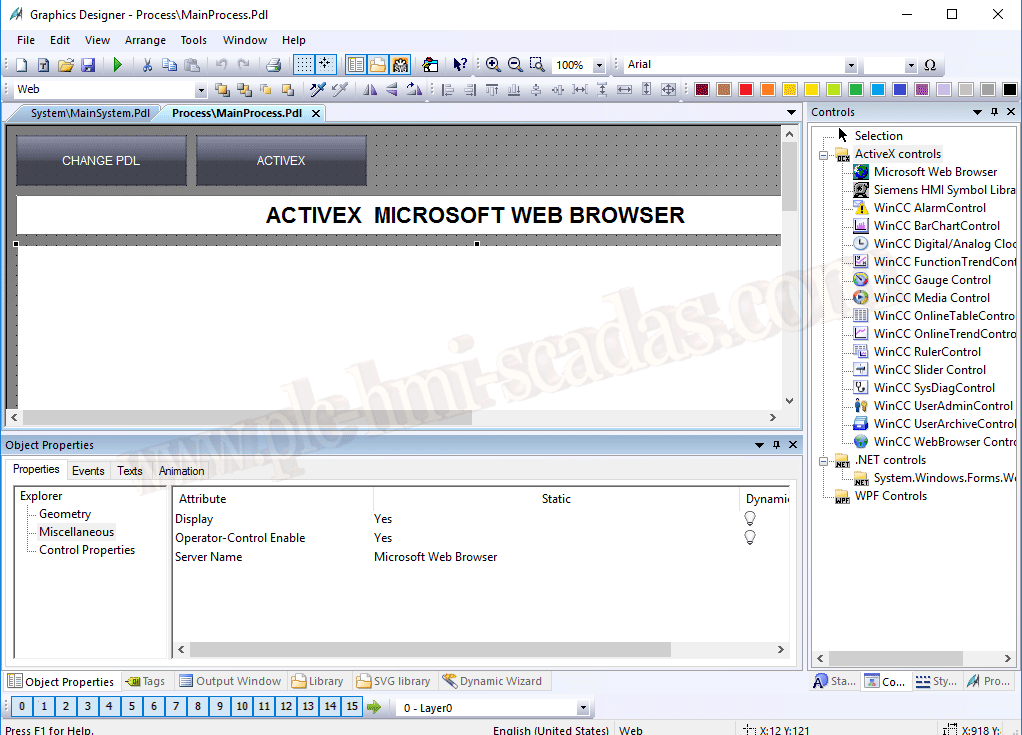
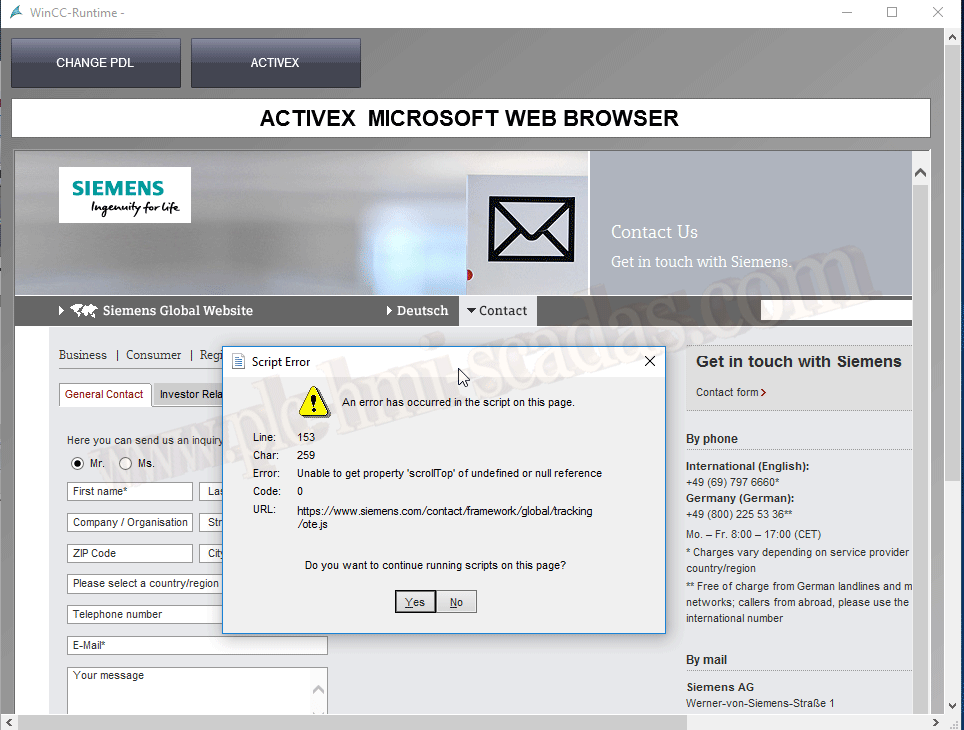
And here we have the famous error we were talking about.
The solution I found and propose is to replace the ActiveX control with the .Net System.Windows.Forms.WebBrowser control, where we have the ScriptErrorsSuppressed property.
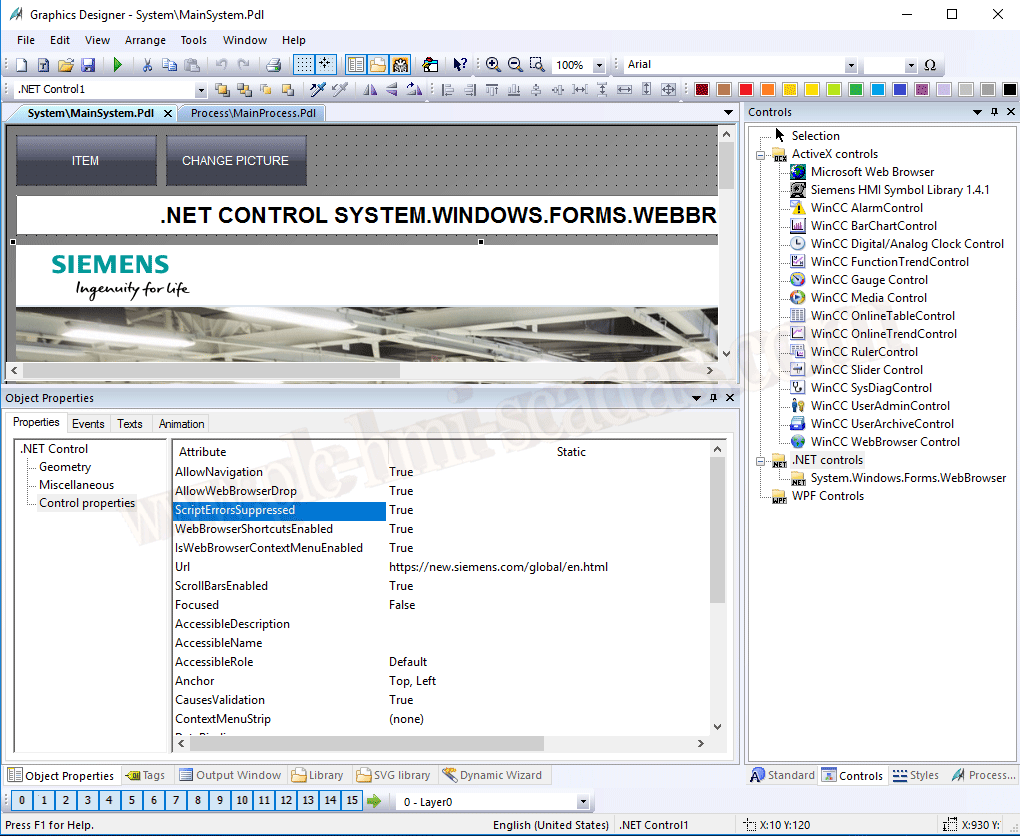
The operation is correct and can be a solution. Experiment with it, and if you find yourself in this situation, remember this other option.

31-01-2019