
WinCC - Life Bit
In today's practice, we will see an example that we can apply practically to any SCADA system; the syntax and the way of doing it may vary a bit, but the idea is common to all of them.
Normally in SCADA or HMI, we know the state of communication with the PLC, but on this occasion, what we are interested in knowing is the state of SCADA in the PLC, since we can execute certain tasks within SCADA and we are interested in knowing that it is in Runtime; let's assume that this is the case...
The idea is as follows: we will have a timer that is always active within the PLC; when it reaches its time, the beacon is activated, bits are reset, or whatever is necessary. But the interesting thing is that it should not be activated, because that will indicate to us that there is communication with SCADA.
We have two segments; the first one is the timer that by default starts timing the two minutes since we use the so-called life bit with its contact closed, and its initial value is 0, and if it reaches its time, the beacon is activated and all bits of a Word are reset.
The second segment resets the life bit if we have a 1 in it, putting it back to 0.
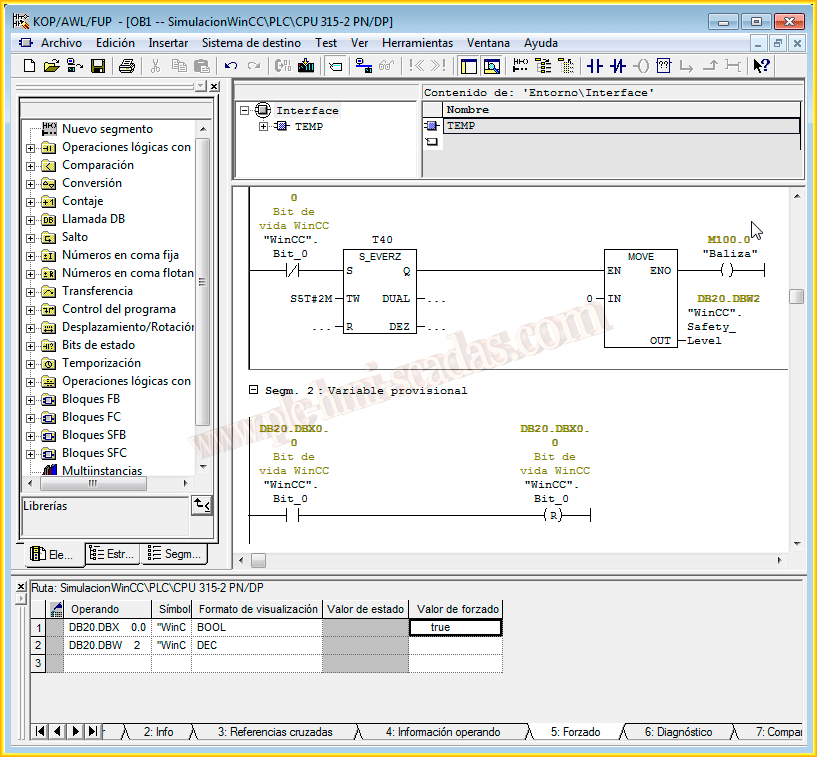
If we run our segments, as there is no other programming where the life bit is concerned, by default, when the time arrives, it will activate and remain active; so far, this is all we will do in the PLC, now we will move on to SCADA, to WinCC.
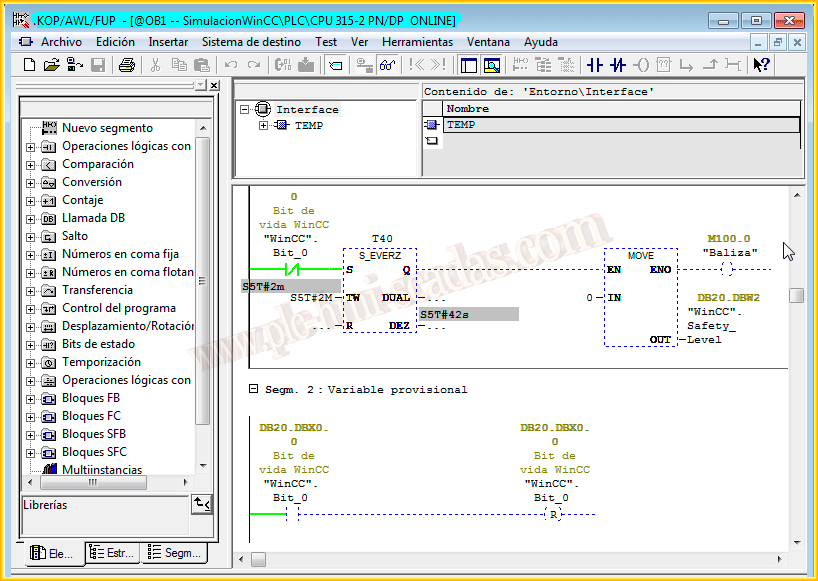
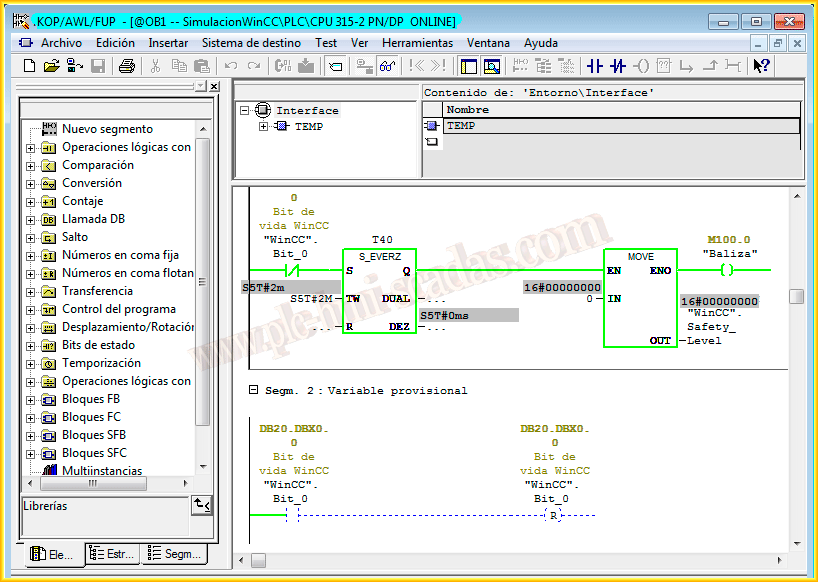
Having already created the link with our PLC, the first thing we are going to define is the variable that interests us, which is a boolean variable, initialized in its DB with the value of 0, and here it is also initialized with the value of 0.
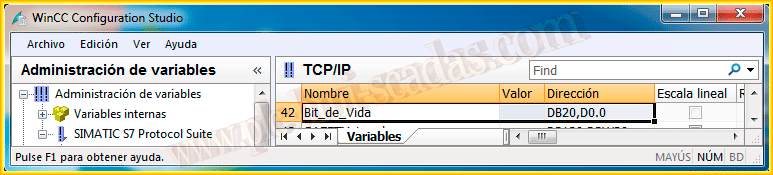
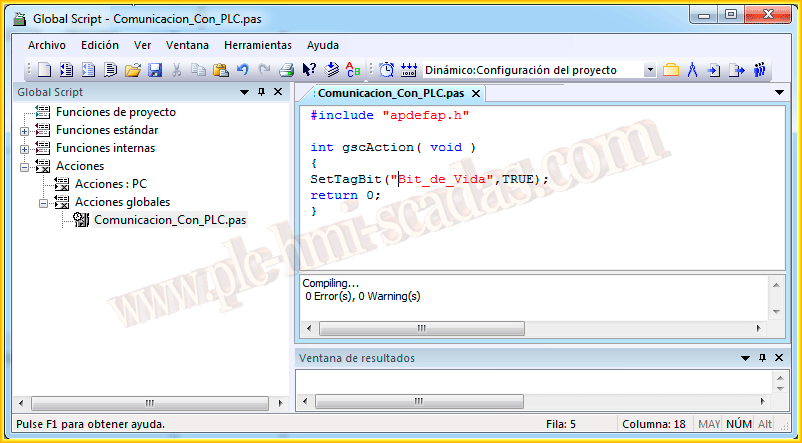
And the next thing we are going to do is create a cyclic action that simply sets this variable to 1; this means that when we set it to 1, the timer in the first segment stops, and in the second segment, this variable is reset, which restarts the timer again and starts over.
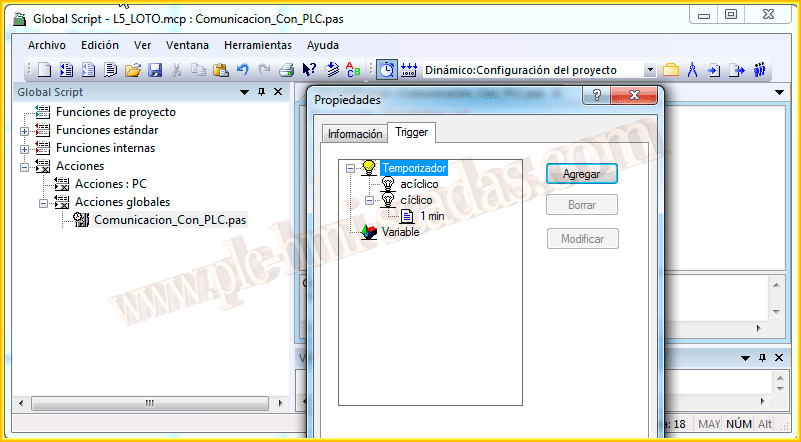
And for the cyclic action, we define a trigger of 1 minute as an example; with this, we have finished, now let's put it into operation and get it working.
May 29, 2014
If you liked it or found it useful, share it...