
WinCC Tags Option Computer-Local
In the following article, we will explain the Local Equipment || Computer-Local option in the properties of a variable, but to begin with, this makes more sense when we are working on a project that is Multi-User, which you can see and change in the project properties.
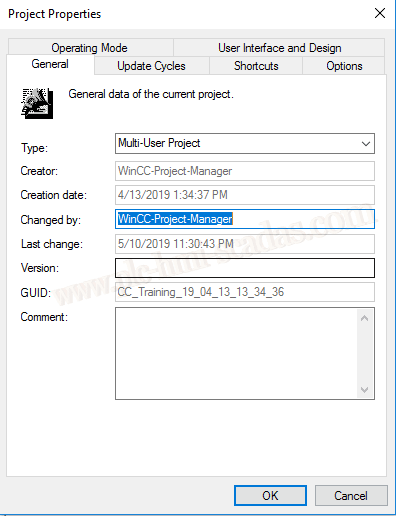
Following what was mentioned, we have a Server and a Client as shown in the following image.

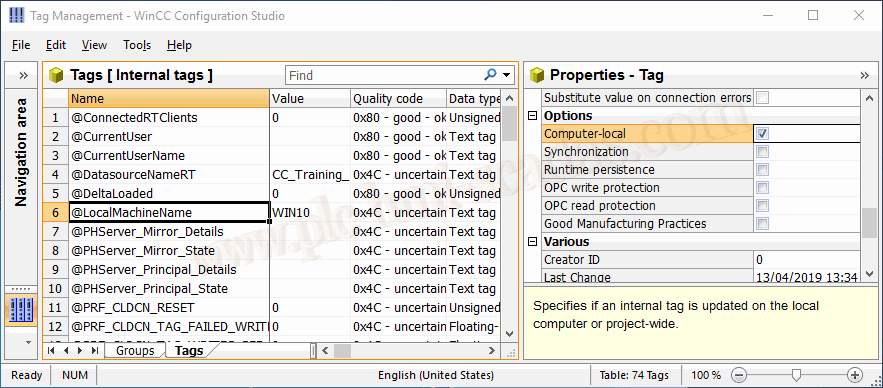
For a better explanation, we will use system variables such as @LocalMachineName, and if we look at the options, properties of this tag, we have the Computer-Local checkbox selected, as can be seen in the image, it is already informing us that if we have it selected, the tag is updated on the local machine or conversely in the project, in summary on the Server.
Speaking of this variable, how it works, when we start the Runtime, an action is executed internally, which is not visible to the user, and it writes the name of the machine in this variable. It only executes once and is not updated afterwards; to update it, we need to stop and restart the Runtime.

As mentioned, we put it in Runtime and it automatically loads the name of the PC into the variable.
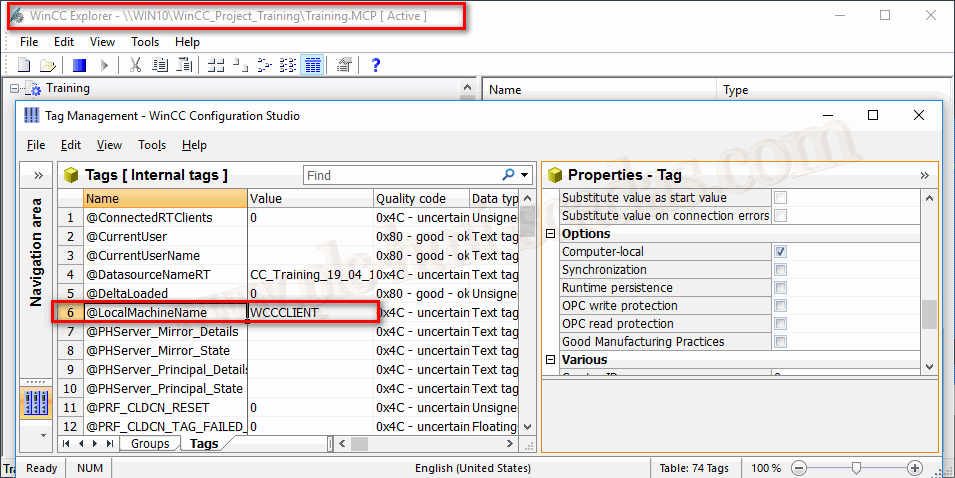
If we go to the Client and put it in Runtime, notice the path, which is pointing to the Server project, and the name of the PC has been written in the variable, thus we have two different values, the name of the Server and the name of the Client.
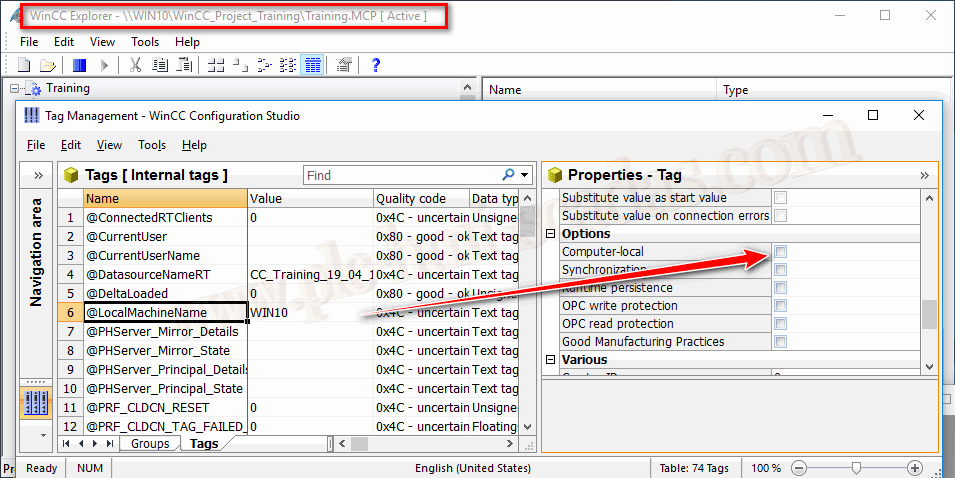
If I now deactivate this checkbox and restart the Runtime, we have the value of the Server.
Conclusion: We will activate this option when we are interested in the client/clients having independence from the Server; for example, let’s imagine we have an image window and we assign an internal variable to the pictureName property. If this option is not selected, the value of that variable will be the same for all machines, and therefore on all machines, we will see the same image; however, if we select it, each user can navigate through the screen that interests them.
12-05-2019