
WinCC Confirm the input value of process tag with a button
This is my first example that I have written in English, I know that you will see a lot of mistakes, if you want to help me fix them, please write to me and tell me.
This is the answer to a question from the Siemens forum, where the goal is that before changing a process value tag we must confirm it with an Ok button! There are several ways to do it, but I have proposed the following.
First of all, we are going to consider that the tags that we want to confirm are the following (TagName1, TagName2 ...) you must use the tag of your project.
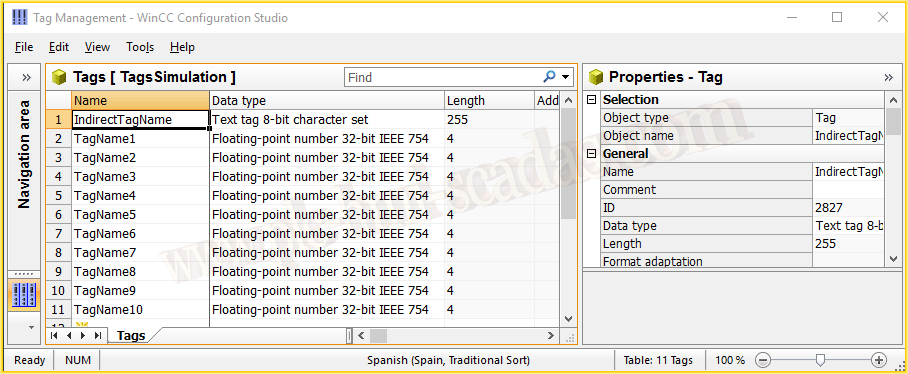
We only need to create an internal tag of the type String (Text tag 8-bit character set).
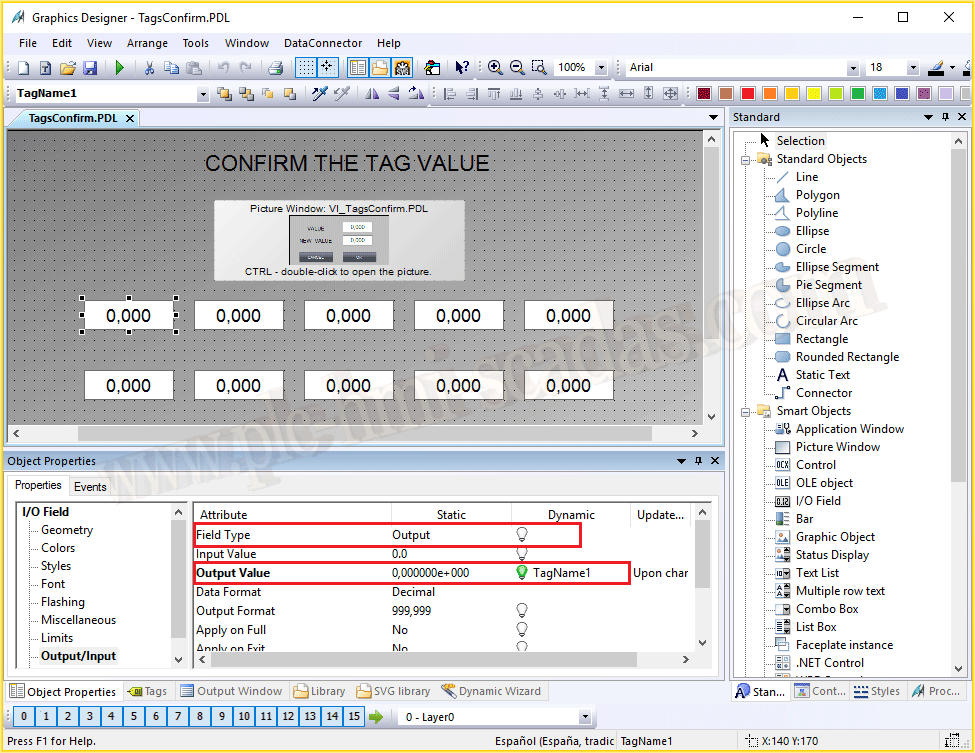
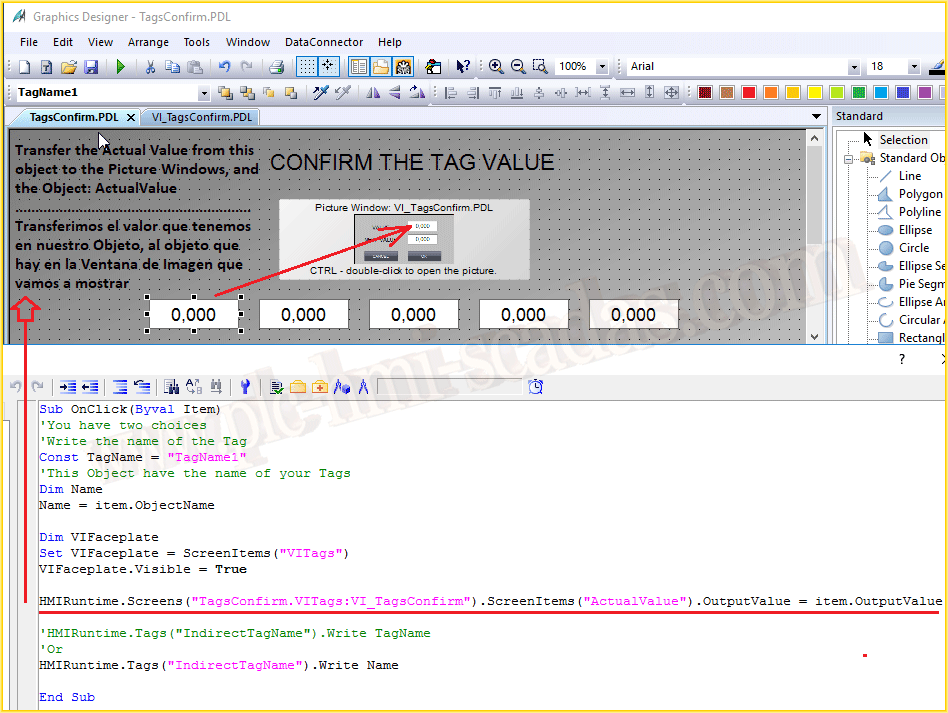
This is the screen of our example, where we have a lot of Input/Output fields, all of them are linked with their tags, but we have changed one of their properties. The field type must be Output.
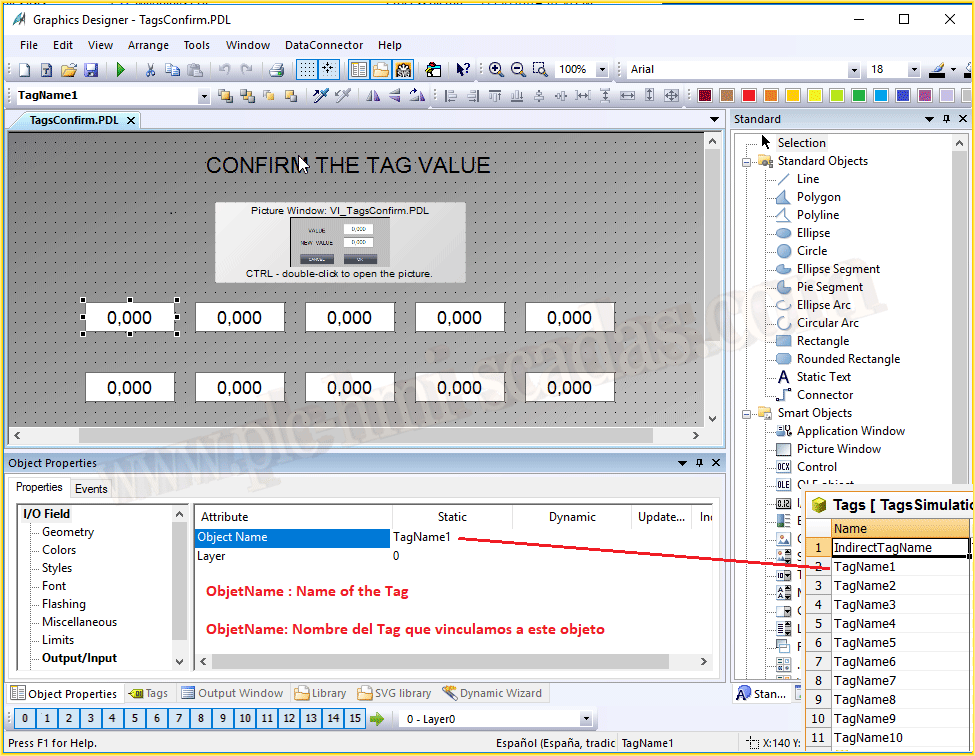
This is very important for our example, all the objects have the same name as their linked tag.
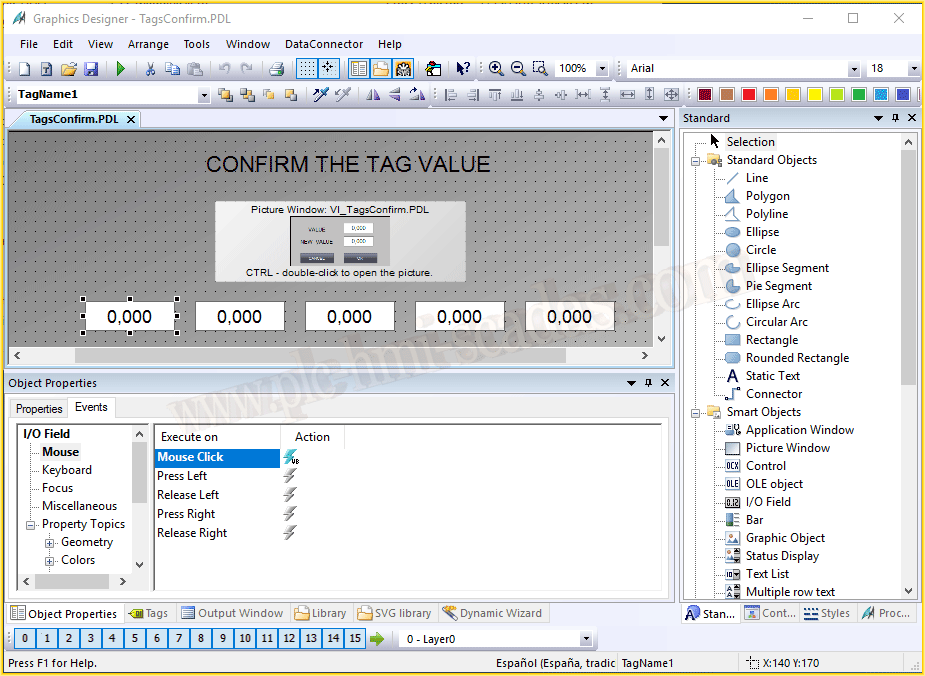
Every object has the same event if we have followed the above step. So we can copy and paste to all of them.
There is another way to do it, we can create a new macro with VBA and run it.
If we don’t have the name of the object like the name of the tag, we can declare a constant and assign the name of the tag.
There are two possibilities, the easiest is the first, because that way we avoid making mistakes.
We have a picture window, and we make it visible, the second step. Once we have it visible, we can access its objects, and now we are going to transfer the current value to another object called ActualValue.
Finally we are going to save the name of the item.ObjectName to the internal tag. For that reason, this code is the same in all the objects.
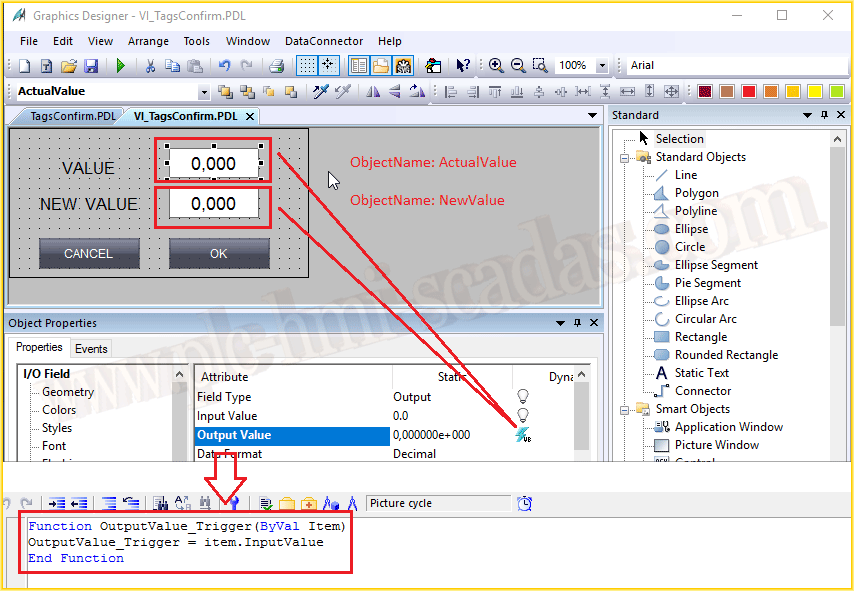
The previous picture window has a pdl, with two objects (input / output fields).
The first object ActualValue has the property field type set to output.
The NewValue object has the property field type set to input/output, which will be where we are going to write the value of the process that we want to assign.
The following code is assigned in the Output Value property in VBScript for both objects.
OutputValue_Trigger = item.InputValue
That means that any value that we introduce is the same value that we are going to show, the trigger for this property is the window cycle.
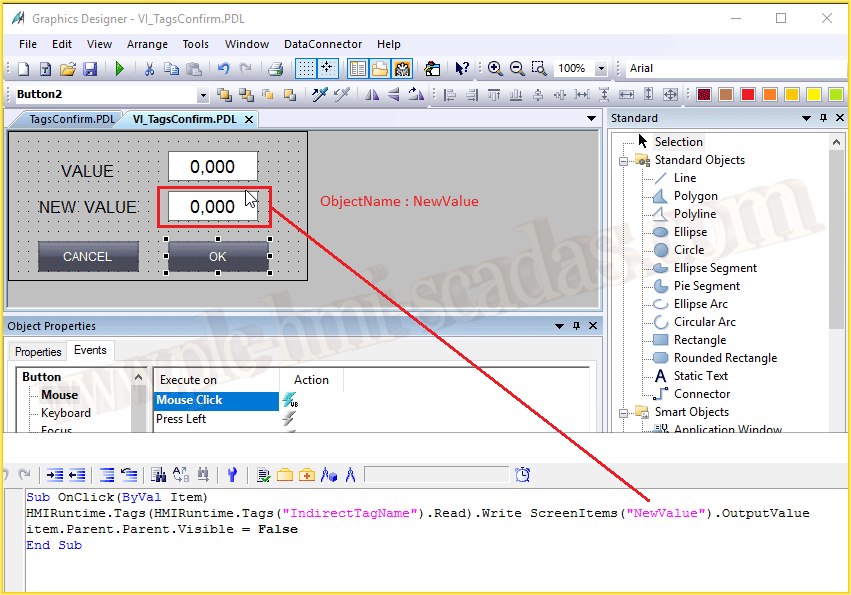
And finally the button to confirm, the Ok button, what we do is transfer the value that we have entered in the NewValue object to the tag that we have saved in the internal tag, once the value has been transferred, we close the picture window. The cancel button closes the picture window without transferring the value.
If you want to see a video You Tube.
March 8, 2018
"Gratitude in silence serves no one." Gladys Bronwyn Stern