
Basic knowledge you should know about WinCC
Cancel automatic startup of the Runtime
I am going to create a series of pages with very specific content about basic concepts you should know about WinCC, and to start them off, I will begin with canceling the startup of the Runtime. Surely at some point WinCC has hung, especially when stopping the Runtime and stopping the Databases, and you have closed the project using other methods, and upon restarting, the Runtime starts automatically.
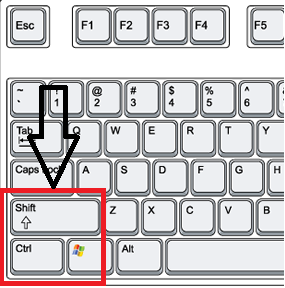
The solution is to use a key combination when you have started WinCC and the project is opening; what you need to do is hold down the Ctrl + Shift keys.
That is, we click the WinCC icon and immediately press this key combination and keep it pressed until our project has started and we verify that the Runtime has not started.
You may already know these concepts, but there is always someone who joins this world, and I think it can be helpful to them :-)
June 3, 2016