
WinCC DDE Communication with Intouch
This practice is a bit outdated, but there are still applications where it is used or can be used depending on the version of WinCC we are using. Starting from version 7 of WinCC, the DDE driver is no longer available, but let's look at this example, as it is still possible to use DDE / NetDDE technology with Intouch.
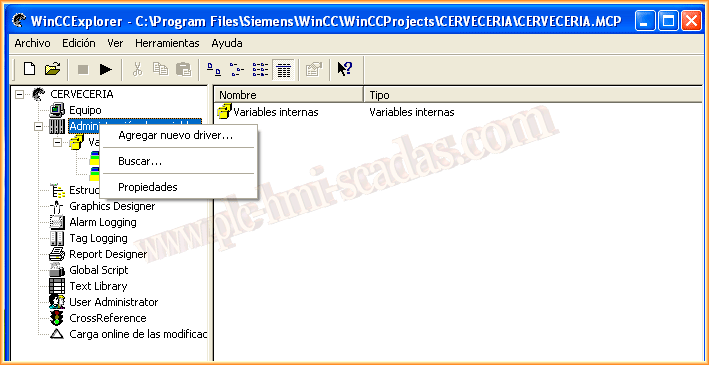
The first thing we are going to do is add a new driver.
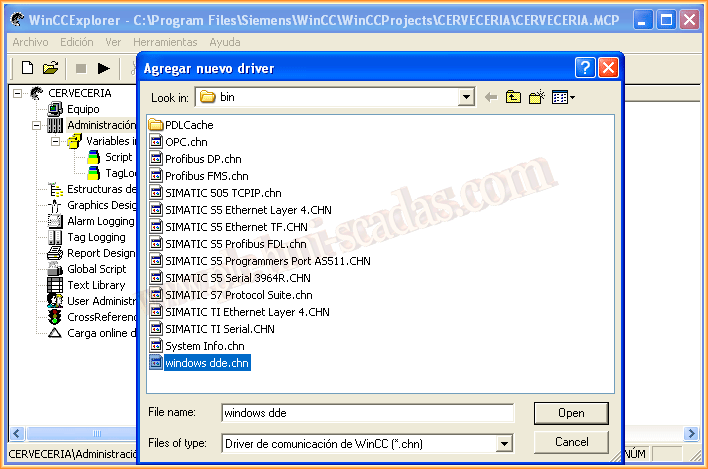
We select the Windows DDE driver from all the available ones; another good practice would be to see an example of each of them...
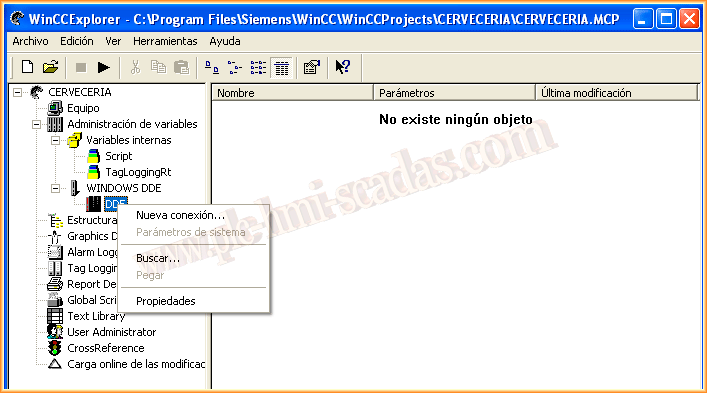
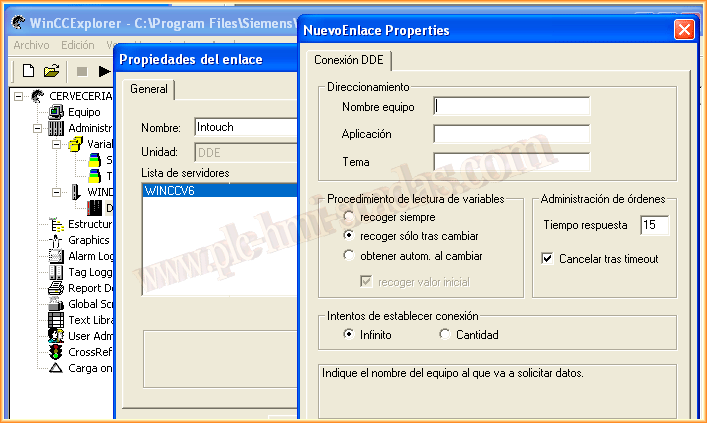
Once the driver is added, the next thing we do is create a new connection, naming it Intouch, since we are going to communicate with Intouch.
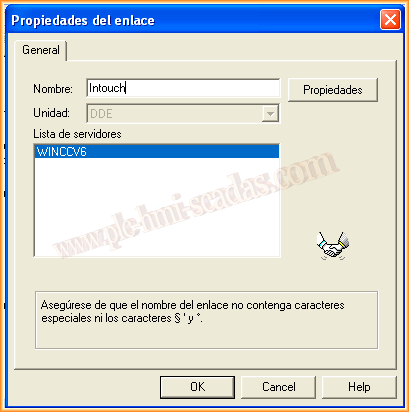
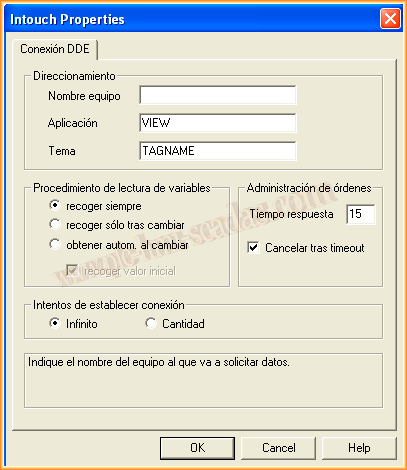
The parameters we need to pass to the newly created link are Computer Name / Application / Topic. To communicate with Intouch via DDE, the application is View.exe and the topic is Tagname; with this configuration, we will access all the tags we have configured in Intouch.
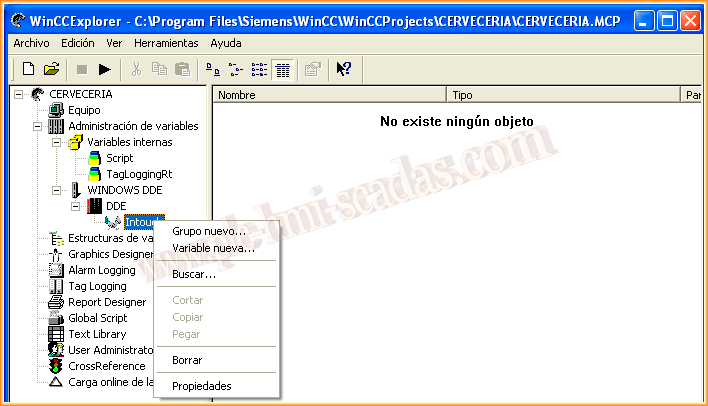
Once the link is created, we can now create the variables we are interested in; for this, we add a new variable.
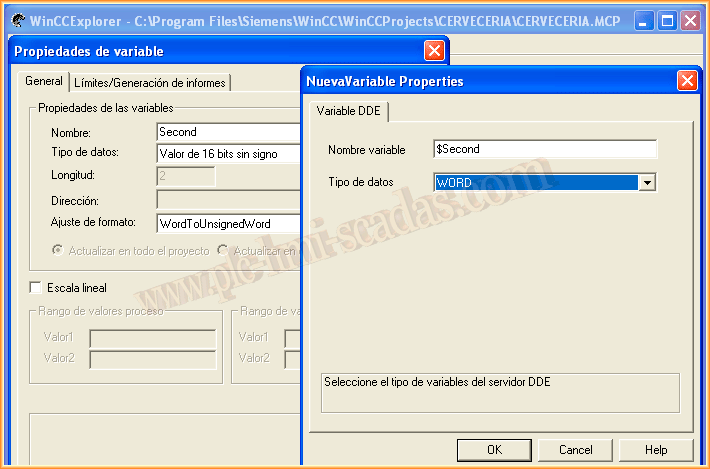
We assign it the name we are interested in, in this case, Second, and the data type. In the addressing, we specify the name of the variable in Intouch; since I have defined one from the system, it is preceded by the $ and the data type. Following this procedure, we create all the necessary variables.
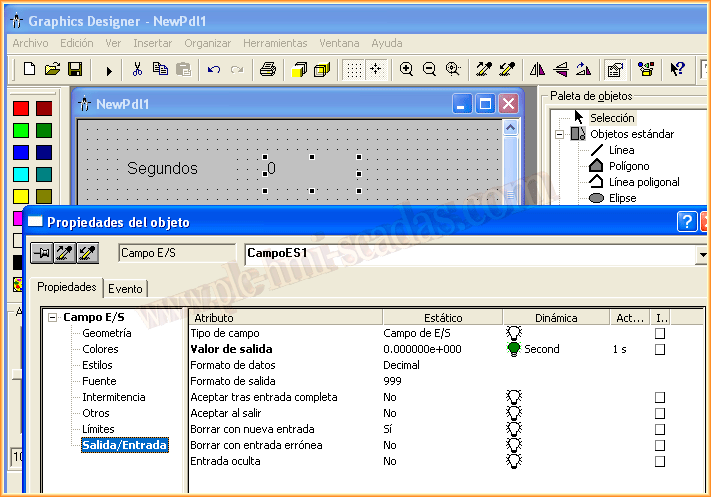
We create a new screen in WinCC and insert an I/O type object, assigning it the variable we have created and setting the update time to one second.
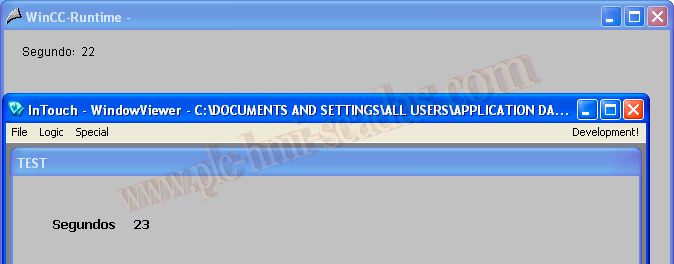
We can now run WinCC and Intouch in Runtime and check their operation.
November 16, 2013