
WinCC VBScript Function to Activate/Deactivate Bit
This time we are going to create a function/procedure in VBScript that will perform the same function as the Dynamic Assistant, with the exception that we will be able to use it not only in button events but also in the code of some new function or procedure.
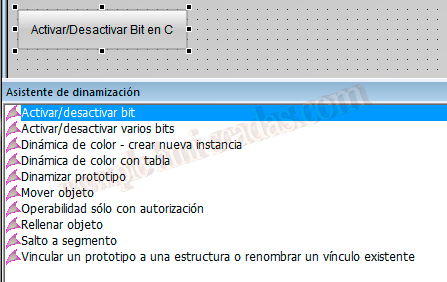
To understand the operation of the following functions, we just need to be clear about how the Logical And and Or operations work.
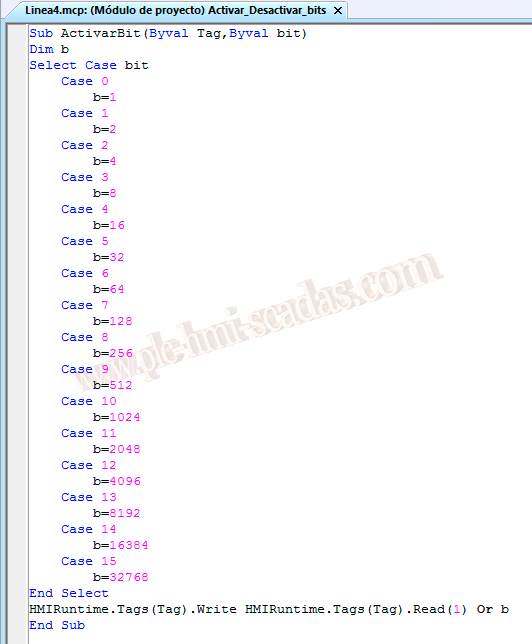
Now we move on to our Function/Procedure, we will pass the Tag we want to write to and the bit, which refers to the bit number, as arguments. Here we will use this example for unsigned 16-bit variables, but we can follow the same approach for unsigned 32-bit Tags.
The operation is as follows: once we read the value of the bit we passed, we will use its value to perform the Or function, which will set that bit to 1 and load the new value into the mentioned Tag.
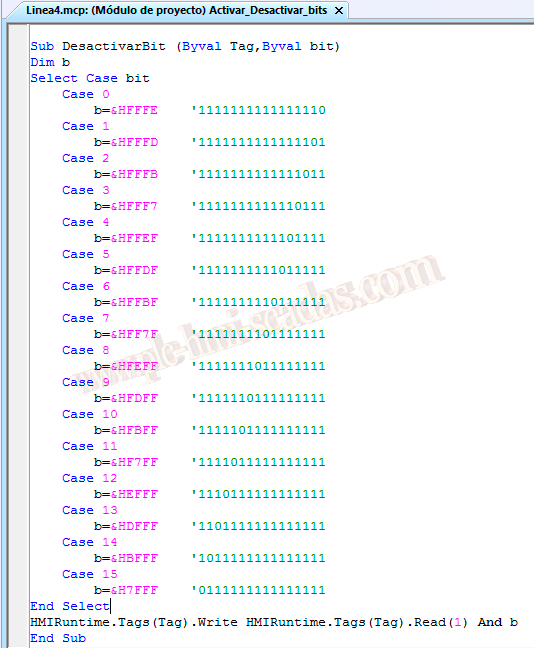
And to deactivate the bit, we will employ the same procedure except for using the Logical AND operator, as can be seen in the comments. Here we set all bits to 1 except the one we want to deactivate; in the previous procedure, it would be necessary to mention that all bits are set to 0 except the one we want to activate.
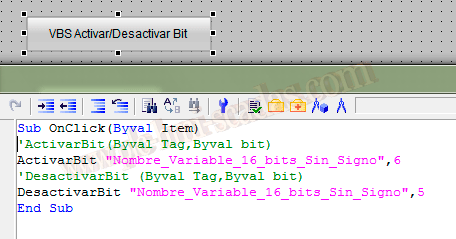
Let’s assume we are going to call our function/procedure from a button event, which would look like this. The advantage is that when we need to activate several bits of different variables with a single click, it is not possible with the assistant; this way we can do it correctly.
January 13, 2014
If you liked it or found it useful, share it...