
Communication CPU S5 with WinCC via the IBH Link S5++ Gateway
In the previous practice, we prepared the IBH Link S5++ Gateway, now in WinCC, we add a new Driver and execute the same steps as if it were an S7-300/400, we will communicate with the S7 Protocol Suite

By default, these are the parameters that are present when we add this type of Driver, for now, we leave them as is and the only thing we change is in Unit, and we select our network card
.png)
.png)
We add a new connection, giving it a name that interests us, and here we put the IP address of the Gateway and by default rack number 0 and Slot number 2
.png)
.png)
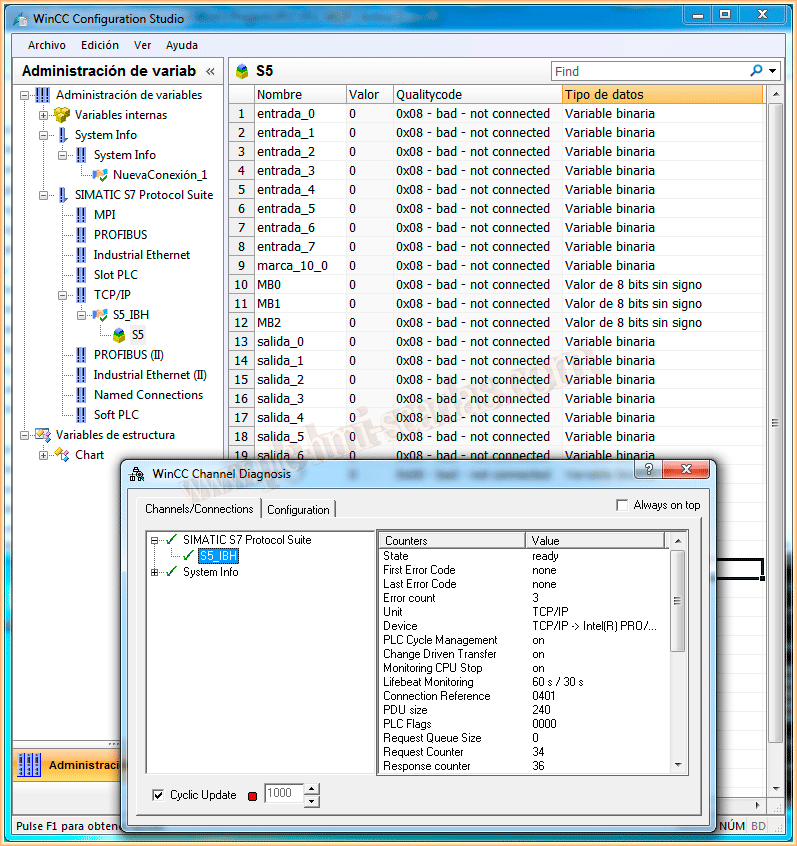
We could now add our variables, we go to Runtime, and apparently everything is OK!, we see that the connection has been established correctly, however, if we make the Qualitycode visible, we observe that we do not receive a response from the PLC
With the WinCC Channel Diagnostic, we can see that the communication is intermittently interrupted and we are capturing errors.
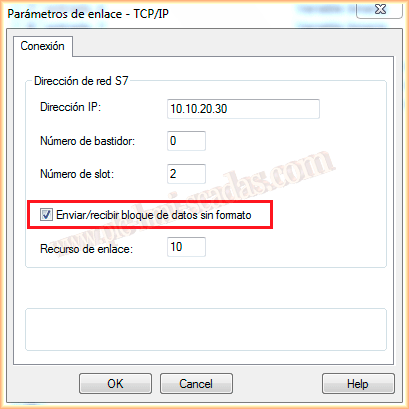
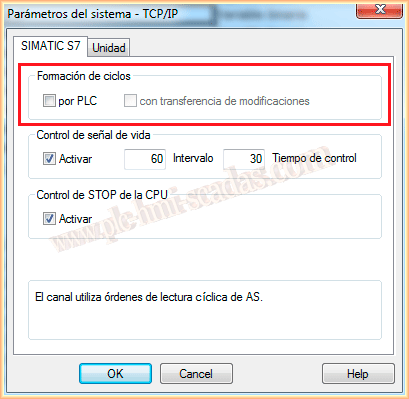
To solve this issue, we go to the Driver parameters and we will make the following changes, we will select the checkbox Send/receive raw data block and at the same time we will deselect the checkBox Cycle formation by PLC
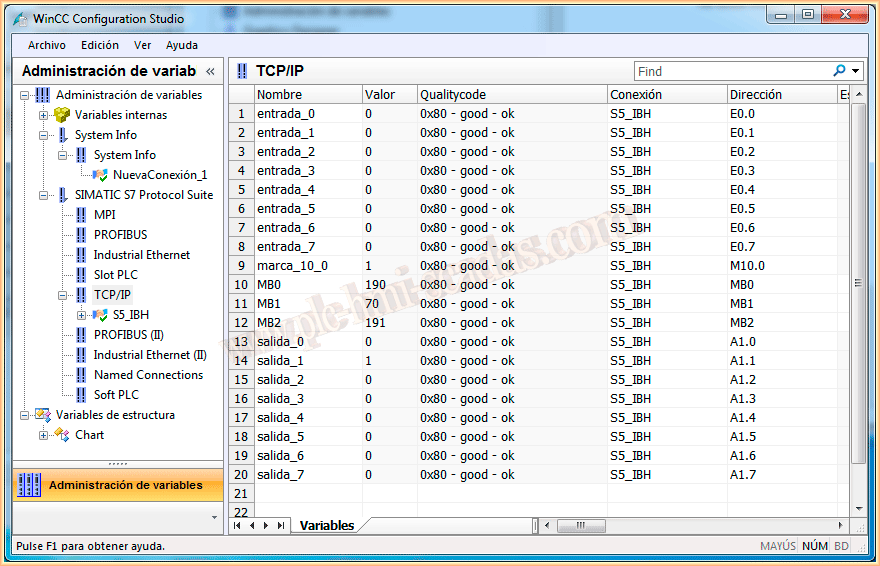
With these changes, everything is correct, we can now observe the value of our variables and how the Qualitycode is good.
We are now communicating with our CPU S5 as if it were an S7

Also tested with WinCC Flexible, and perform the same procedure, add it as if it were in S7 over Ethernet, in this case, no further changes are necessary.
If we are using WinCC Flexible Runtime, configure in PC/PG Adapter that we are using the Ethernet protocol.
If you liked it or found it useful, share it ...