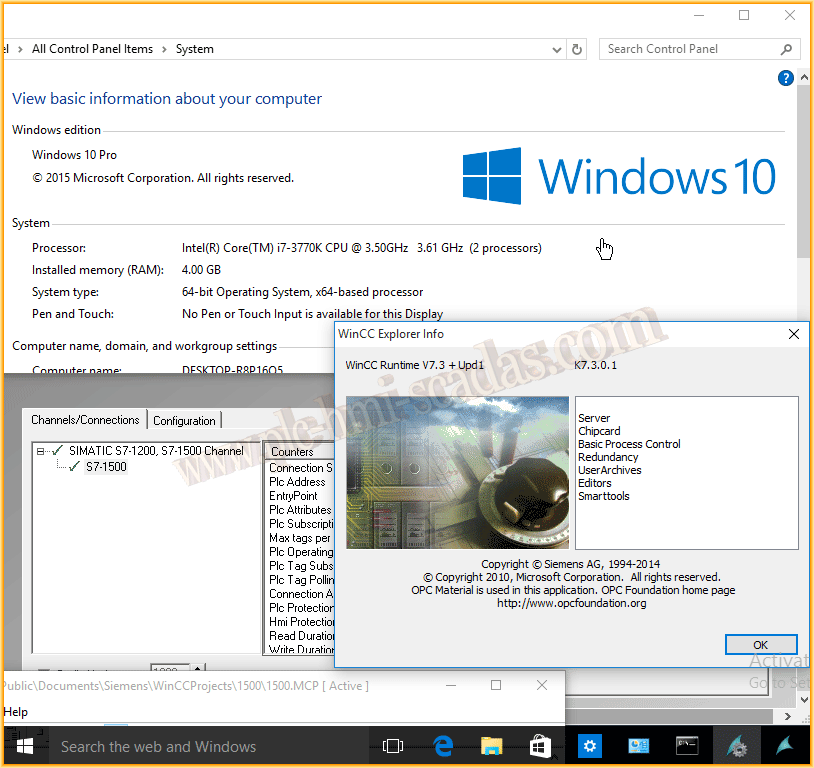
WinCC V7.3 Installation on Windows 10 Pro
The following practice has been a test that I had carried out, but since I have seen that it has worked for me, I will leave a record here in case it can be useful to you. Initially, WinCC V7.3 is not released for the Windows 10 Pro operating system, but it can be installed without problems on Windows 8.1 Pro, so I conducted some tests to see if it would work.
The steps I followed are as follows: first of all, install the .NET Framework 3.5, since by default starting from Windows 8, it is no longer included. You can check the following Microsoft page.
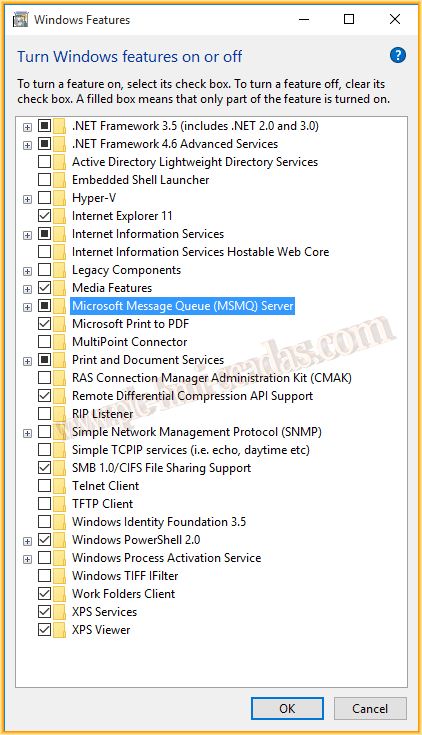
To do this, as seen in the image, go to Control Panel --> Programs and Turn Windows features on or off.
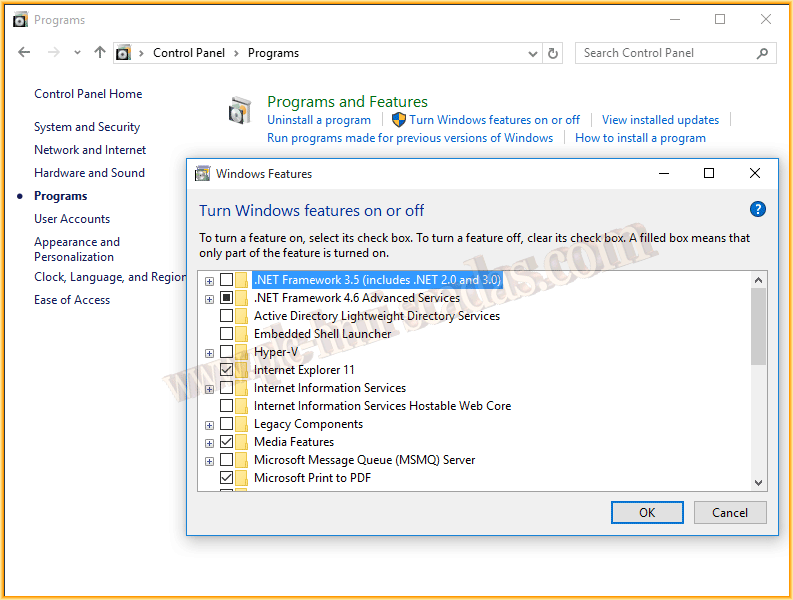
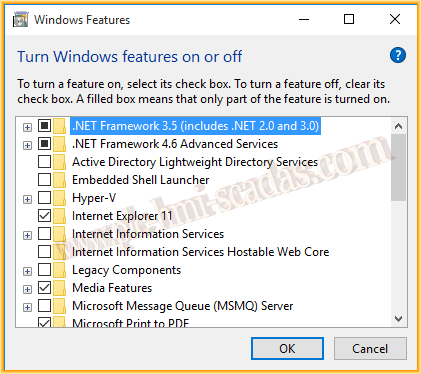
NOTICE: To install the .NET Framework 3.5, an internet connection is required. There is also the possibility of doing it offline if you have the necessary files beforehand.
Once installed, Restart your computer and we will move on to the prerequisites to install WinCC on our PC.
We need to install at least Microsoft Message Queue; I will go a step further and prepare with Internet Information Services, so that once it is confirmed that WinCC works, I can install WebNavigator and WebUX. Therefore, I will install the following features from Internet Information Services as shown in the next image.
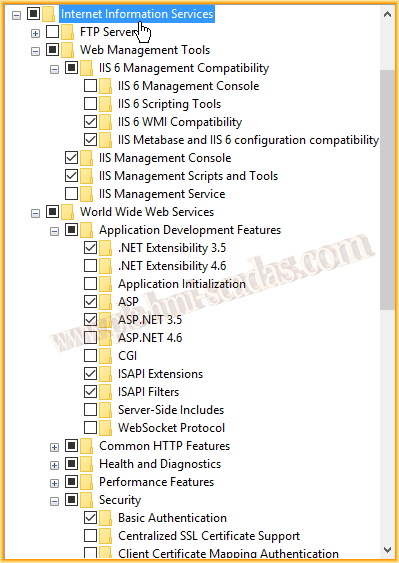
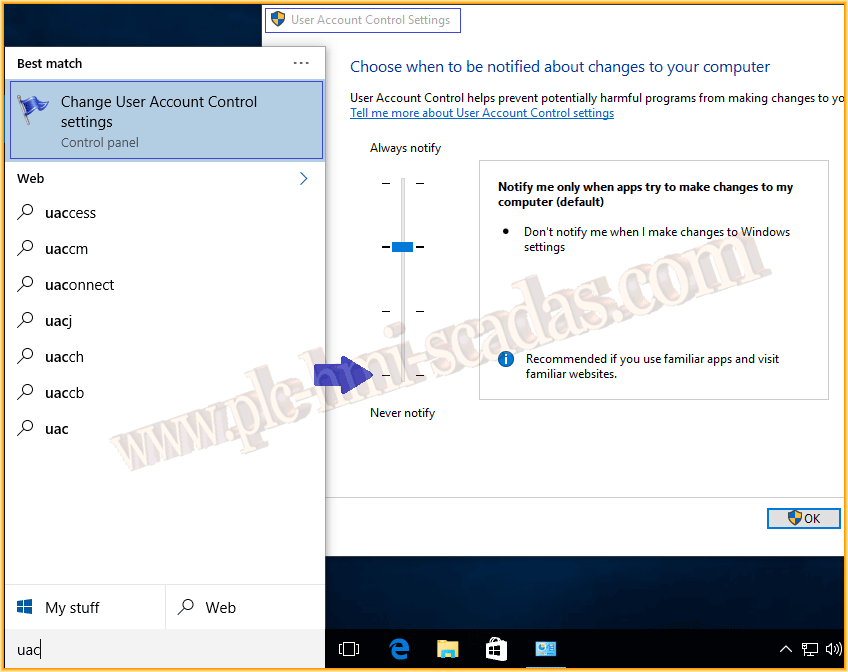
Once the features are installed, we will disable User Account Control. In Windows 10, since I could not access from the user, you just have to type in start :-) and disable the notifications to never.
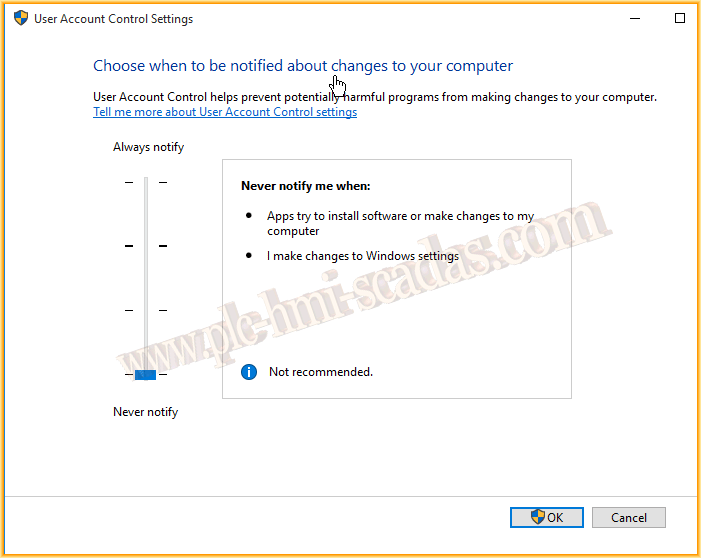
Once these changes are made, we can insert our WinCC DVD and proceed with the installation. Since this is a test, I will install the Complete WinCC.
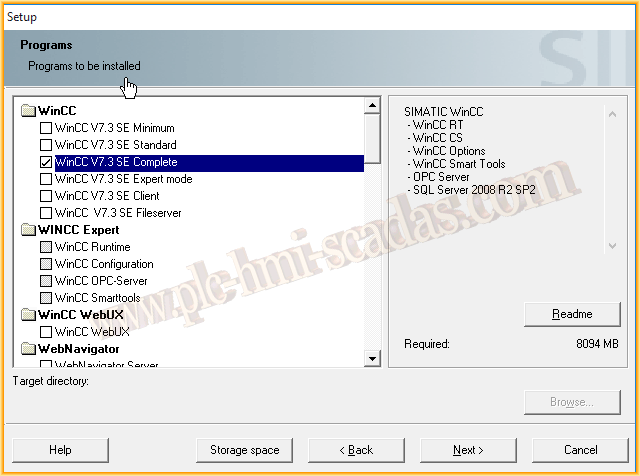
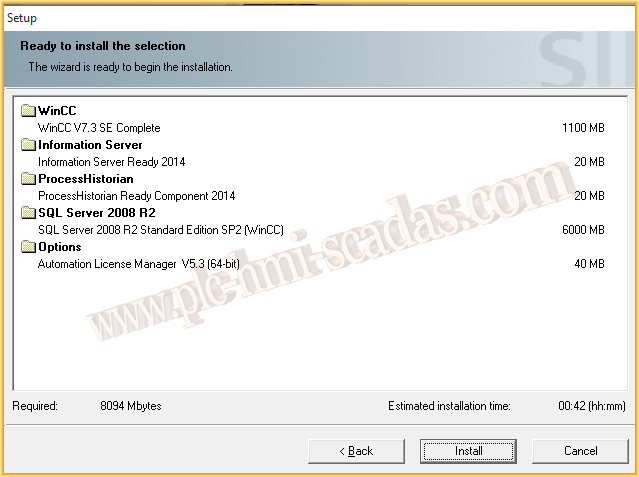
The following applications will be installed, and for now, I have left WebNavigator and WebUX uninstalled until I conduct the initial tests.
NOTE: Remember to select Simatic Net V12.
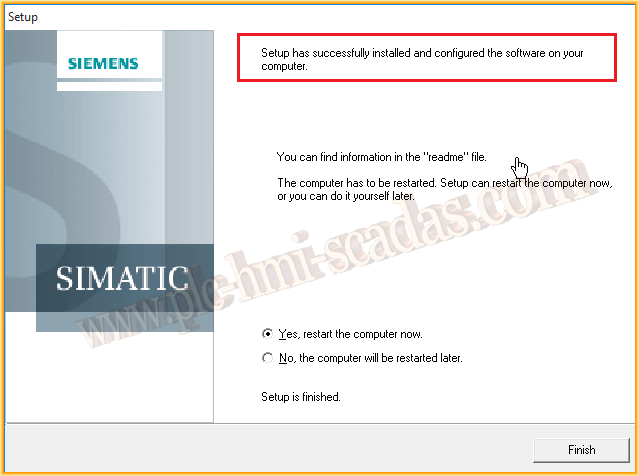
The installation concludes successfully; everything has been installed without problems.
Next, what I have done is a test project to check its operation; the images are not added here as I have connected an S7-1500 PLC and I will take the opportunity to practice with the configuration of that Driver, which does not exist at the moment.
But I can say that the operation is correct; the Graphic Designer works perfectly, all objects function correctly, all editors have worked ... and once in Runtime, without problems :-)
The next thing I will check is the installation of the WebNavigator and its operation, along with the other components of WinCC.
If you found this useful or liked it, share it :-)